
If your garage door sensor lights aren’t on, first check for power issues like unplugged openers or tripped breakers. Inspect wiring at sensors and opener for loose or damaged connections. Clean sensor lenses gently to remove dirt or debris blocking the beam.
Make sure sensors face each other directly with steady lights. Reset the opener by unplugging briefly to clear faults. If problems persist after these steps, additional guidance on troubleshooting and repair techniques can help restore proper function safely.
Key Takeaways
- Check power supply, wiring connections, and circuit breaker to ensure sensors receive electricity.
- Inspect sensors for moisture, corrosion, dirt, or obstructions blocking the infrared beam.
- Align sensors by loosening brackets, adjusting lenses to face each other, and tightening when LED glows steadily.
- Clean sensor lenses gently with a dry cloth and remove debris like spider webs or exhaust residue.
- If LEDs remain off or blink erratically after cleaning and alignment, call a professional electrician.
Why Garage Door Sensor Lights Might Be Off?
If your garage door sensor lights aren’t on, it’s usually due to power or wiring issues, sensor misalignment, or obstructions blocking the infrared beam.
First, check that both sensors receive adequate power; a complete LED outage often signals a wiring fault or loss of electrical supply.
Begin by ensuring both sensors have power; no LED light usually means wiring or power issues.
Inspect sensor connections for looseness, damaged wires, or faulty terminals. Next, consider sensor alignment: misaligned sensors fail to maintain a steady LED glow, causing the system to disable door operation.
Finally, obstructions between sensors, like dirt, debris, or spider webs, can interrupt the infrared signal, preventing the lights from illuminating.
Identifying whether the problem stems from power, wiring, alignment, or blockage is essential before proceeding to cleaning or realignment steps to restore sensor functionality.
In cases where sensor issues persist, sensor realignment techniques can help restore proper function by adjusting and securing sensor positioning.
Cleaning and Inspecting Garage Door Sensors
After verifying power and wiring integrity, focus on cleaning and inspecting the sensors themselves to eliminate physical obstructions and contamination that can disrupt the infrared beam.
Use a soft, dry cloth to gently wipe sensor lenses, removing dust, grime, and pollution buildup without scratching surfaces. Avoid liquids to prevent moisture damage that could impair sensor function.
Check for spider webs, debris, or exhaust residue blocking the beam path and clear them carefully. Inspect sensor housings for signs of moisture exposure or corrosion, which can cause malfunction.
Confirm that sensor brackets are secure and lenses are free from cracks or damage. Regular maintenance prevents sensor failure and guarantees reliable LED indicators.
Address any contamination promptly to maintain consistent sensor performance and avoid false or absent light signals. Regular inspections and maintenance help prevent costly repairs and ensure reliable operation.
Aligning Garage Door Sensors for a Steady Light
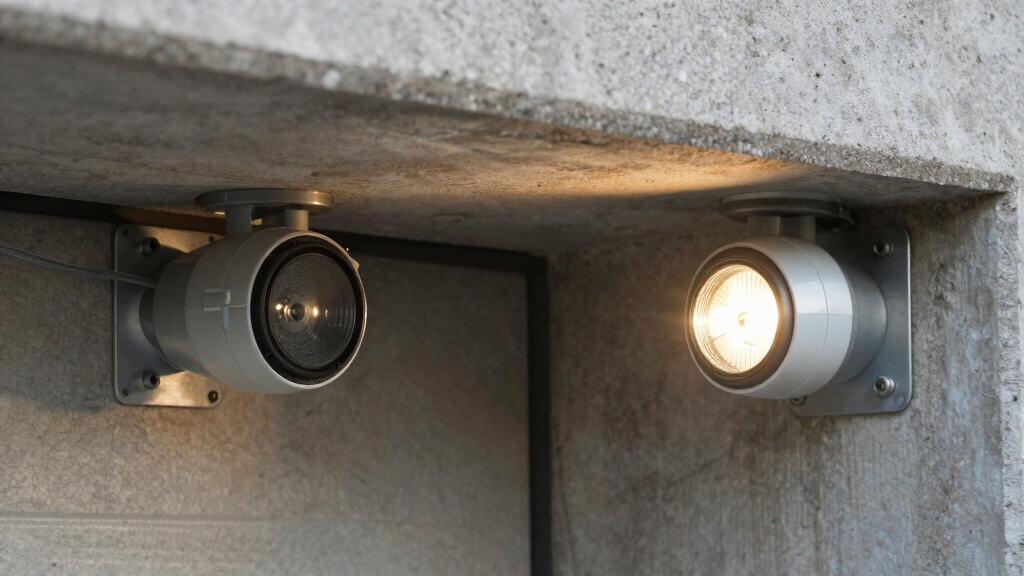
When aligning your garage door sensors, you’ll want to make sure they face each other directly and maintain a level position at the bottom of the door.
Start by loosening the wing nuts or screws on the sensor brackets to allow for adjustments. Carefully pivot each sensor until their lenses align perfectly, assuring the infrared beam path is unobstructed.
Observe the receiving sensor’s LED; it should glow steadily, indicating proper alignment. If the LED blinks or remains off, fine-tune the sensors’ positions incrementally.
Once a steady light appears on both sensors, securely tighten the brackets to prevent movement. Proper alignment guarantees reliable operation and safety by maintaining an uninterrupted infrared beam, which is critical for the garage door’s automatic reversing feature.
Use a level to ensure the sensors are perfectly horizontal, as even slight misalignment can cause the sensor light to fail.
Checking Garage Door Sensor Wiring and Power
Start by carefully inspecting the wiring connections at both the sensors and the garage door opener to confirm they’re secure and intact. Look for any loose, frayed, or broken wires that could interrupt power flow.
Begin by checking all sensor and opener wiring for secure, intact connections and any visible damage.
Verify that wire nuts or electrical tape are firmly applied and not degraded. Next, make certain the power supply to the sensors is active by checking the garage door opener’s plug and circuit breaker.
If necessary, turn off the breaker before handling wiring to prevent electrical hazards. Examine the sensor wiring for shorts or corrosion, especially near connectors.
Faulty or disconnected wiring commonly causes both sensor lights to remain off. Address any damage or poor connections promptly to restore power. After confirming wiring integrity and power, you can proceed to other diagnostic steps.
Consider installing magnetic/contact sensors on the door and frame to detect openings and trigger instant alerts, enhancing overall garage door security.
How to Reset Your Garage Door Opener?
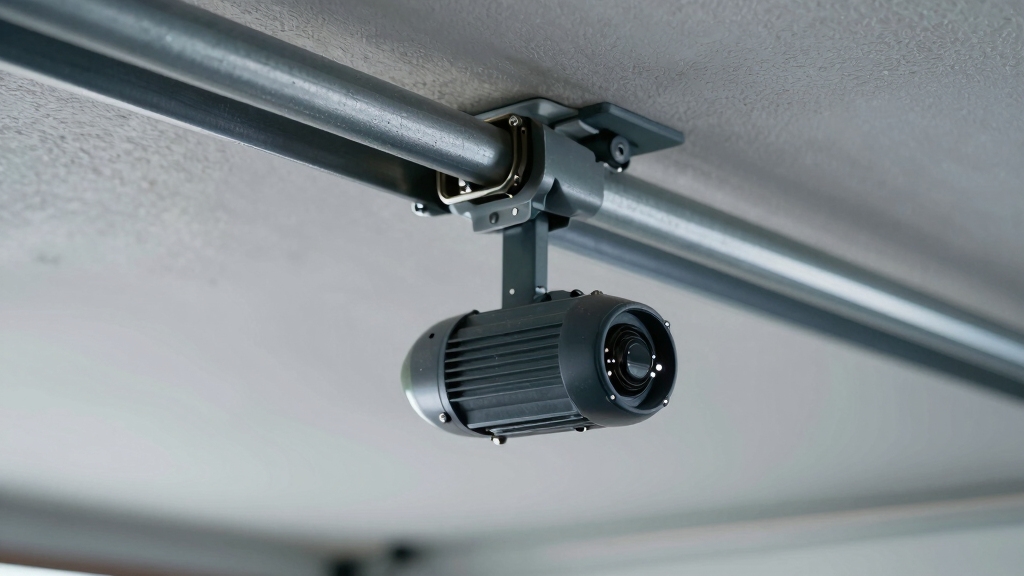
To reset your garage door opener, unplug the unit from its power source and wait at least 30 seconds before reconnecting it. This power cycle clears minor glitches in the control board and sensor communication.
After reconnecting, observe the sensor lights for proper illumination. Steady LEDs usually indicate correct function. If your model has a LEARN button, pressing it can reprogram the opener, restoring sensor synchronization.
Avoid pressing other buttons unless specified in your manual. Once reset, test the safety reversal by placing an object in the sensor beam path; the door should reverse upon closing.
If the sensors still don’t respond or lights remain off after the reset, inspect wiring and sensor alignment before considering professional assistance. For enhanced security and convenience, consider installing sensor lights compatible with your garage door opener system.
Testing Garage Door Sensors After Repairs
Once you’ve wrapped up the repairs, the first thing you want to do is check that both sensors are aligned just right. You should see their LEDs shining with the correct steady colors—this means they’re working as they should.
Next, take a moment to look at those light indicators. If you notice any weird blinking or signs of power issues, that could mean there are still some problems lurking around.
And don’t forget to do a safety reversal test! This is super important because it helps confirm that the sensors can detect anything in the way and trigger the door to reverse properly. It’s a good way to ensure everything is functioning safely.
For optimal safety, it is also important to ensure that any security sensor devices, like door peepholes, are functioning properly to maintain overall entryway security.
Verifying Sensor Alignment
When you check your garage door sensors following repairs, focus on confirming their proper alignment to guarantee reliable operation.
Begin by loosening the wing nuts or screws on each sensor bracket. Adjust both sensors so they face each other directly, ensuring their lenses are level and at the same height near the door bottom.
Slowly reposition the receiver sensor until its LED glows steadily, indicating the infrared beam is unobstructed and properly aligned.
Tighten the brackets securely without shifting the sensors. Misaligned sensors often cause irregular or blinking LED signals, so achieving a steady light confirms correct positioning.
Avoid touching the lenses during adjustment to prevent dirt or damage. Proper alignment restores reliable communication between sensors, enabling the safety system to function as designed.
Similar to how peephole optics rely on precise lens alignment for clear vision, garage door sensors require accurate positioning to maintain effective infrared transmission.
Checking Light Indicators
Although you’ve aligned the sensors carefully, checking their light indicators confirms they communicate properly and function as intended. The sender sensor should emit a steady amber or green light, while the receiver sensor’s LED glows solid yellow or orange.
Any blinking or absence of lights signals misalignment, wiring faults, or power issues. Use the table below to interpret sensor light statuses accurately:
| Sender Sensor Light | Receiver Sensor Light | Meaning |
|---|---|---|
| Steady amber/green | Steady yellow/orange | Normal operation |
| Steady amber/green | Blinking | Misalignment or obstruction |
| Off | Off | Power or wiring problem |
Confirm LEDs match expected patterns before proceeding with further diagnostics or repairs. Proper alignment and secure installation of components are crucial for maintaining tamper-resistant hardware performance and preventing unauthorized access.
Performing Safety Reversal Test
To verify your garage door sensors function correctly after repairs, perform a safety reversal test that guarantees the door responds properly to obstructions. This test confirms that the sensors detect objects and trigger the door to reverse, preventing accidents or damage. Follow these steps:
Place a solid object, like a box, in the sensor beam path near the floor. Initiate door closure using the wall button or remote control. Observe if the door reverses immediately upon sensing the obstruction. If the door doesn’t reverse, recheck sensor alignment, wiring, and power supply.
Performing this test assures your sensors operate within safety parameters. If the door fails to reverse, inspect the sensors for dirt, misalignment, or wiring issues before retesting.
Always prioritize safety and consult a professional if problems persist. For enhanced reliability and security, consider integrating electronic and RFID locks as part of your overall garage door system.
When to Call a Pro for Sensor Light Issues?
If your sensor lights are still not working after you’ve tried cleaning them, adjusting their position, and resetting them, it might be time to think about bringing in a professional.
Sometimes, the issues can be more complex, like wiring problems or faulty power connections, which often need specialized tools and expertise to fix.
It’s really important not to try and tackle advanced electrical troubleshooting on your own. Doing so can lead to safety risks and could even cause more damage.
Additionally, be aware that professional service calls may include emergency surcharges depending on the time and urgency of the repair.
Persistent Sensor Light Problems
When sensor lights remain off or blink erratically despite thorough cleaning, alignment, and wiring checks, you should consider calling a professional. Persistent sensor light problems often indicate underlying electrical or hardware failures beyond basic troubleshooting.
A qualified technician can accurately diagnose issues such as sensor circuitry faults, damaged wiring inside walls, or malfunctioning control boards. You should call a pro if you notice:
- Both sensor LEDs stay off after power cycling
- Erratic blinking continues despite realignment
- Wiring appears intact but no signal transmits
- Safety reversal fails during testing
Attempting complex repairs without expertise risks further damage or safety hazards. Professionals have specialized tools and knowledge to resolve persistent sensor issues efficiently, ensuring your garage door operates safely and reliably.
Complex Electrical Wiring Issues
Persistent sensor light problems often point beyond simple alignment or cleaning issues, signaling more intricate electrical wiring faults that require expert attention.
When both sensor LEDs remain off despite proper positioning and cleanliness, suspect wiring defects such as broken wires, loose connections, or compromised insulation.
If you notice erratic blinking or flashing on the sender unit that resetting doesn’t fix, the internal circuitry or wiring harness may be damaged.
Handling these issues requires electrical expertise to safely inspect sensor leads, verify voltage continuity, and test power supply integrity. You should call a professional if you lack tools or knowledge for safe breaker shutdown and wiring diagnostics.
Attempting complex repairs without experience risks injury and further system damage, so entrust complicated electrical troubleshooting to certified technicians.
Frequently Asked Questions
Can Weather Conditions Affect Garage Door Sensor Lights?
Yes, weather conditions can impact your garage door sensor lights. Moisture from rain, snow, or humidity may cause sensor malfunction or short circuits, preventing LED illumination.
Dirt, dust, and debris accumulation due to wind or pollution can obstruct the infrared beam or dirty lenses, affecting sensor performance.
You should regularly clean and inspect sensors, ensuring no spider webs or grime interfere. Check for proper alignment after severe weather to maintain reliable operation.
Are Sensor Lights Covered Under Typical Garage Door Warranties?
Typical garage door warranties often cover sensor lights as part of the safety sensor system but usually only for manufacturing defects, not damage from external factors like weather or accidents. You should review your specific warranty terms carefully to confirm coverage details.
If sensor lights fail due to normal wear or environmental exposure, you might need to handle repairs or replacements yourself or through additional service plans. Always keep documentation for warranty claims.
How Long Do Garage Door Sensors Usually Last?
Like the quiet guardians of your garage, sensors typically last between 5 to 10 years with proper care. You’ll notice their lifespan depends on factors like exposure to moisture, dirt buildup, and mechanical wear.
To extend their life, keep lenses clean, guarantee proper alignment, and inspect wiring regularly. When sensors start to fail, you’ll see LED irregularities or non-functioning safety features, signaling it’s time for replacement or professional help.
Can Pets Trigger Garage Door Sensor Light Issues?
Yes, pets can trigger garage door sensor light issues by momentarily blocking the infrared beam between sensors. This obstruction causes the sensors to misinterpret the beam as interrupted, potentially preventing the door from closing or causing erratic blinking.
To avoid this, make certain the sensors are properly aligned and positioned at an appropriate height so small animals don’t interfere. Regularly check for dirt or debris that pets might introduce around the sensor lenses.
Do Sensor Light Problems Drain the Garage Door Opener’s Battery?
No, sensor light problems don’t drain your garage door opener’s battery directly. The sensors use minimal power, so a malfunctioning LED or misalignment won’t cause significant battery drain.
However, if wiring issues cause short circuits, that could affect power consumption. It’s wise to inspect sensor wiring and connections carefully.
If your opener’s battery is draining, look for other causes like a faulty motor or continuous power draw unrelated to the sensor lights.
Get Your Garage Door Back on Track: Safely and Smoothly
If your garage door sensor lights aren’t on, don’t jump the gun just yet. Start by cleaning, inspecting, and aligning the sensors carefully. Check the wiring and power supply to rule out common issues.
If needed, reset your opener and test the sensors afterward. Sometimes, despite your best efforts, it’s best to call a pro before things spiral out of control. Taking these steps guarantees your garage door operates safely and reliably every time.