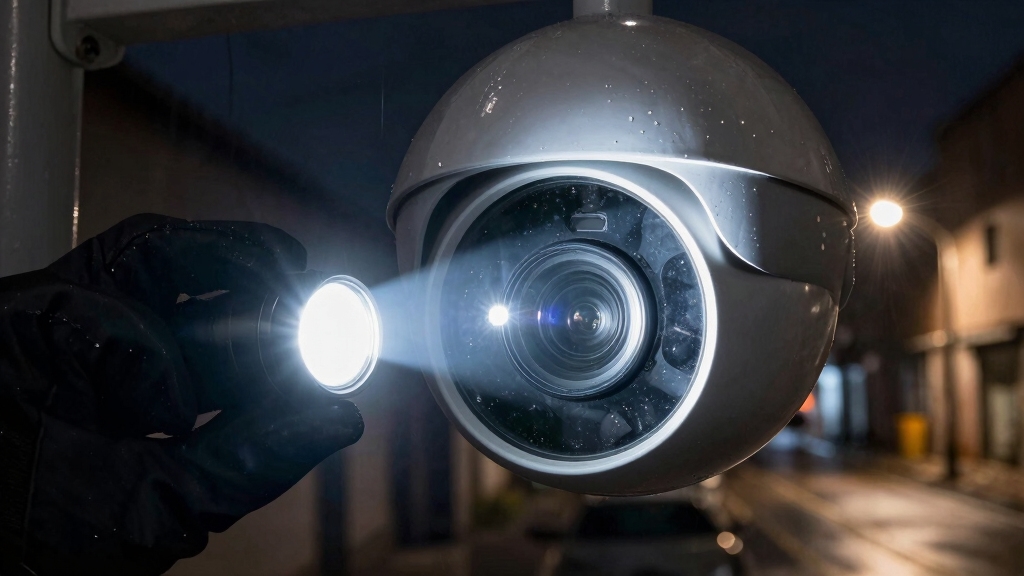

You can blind a security camera by aiming bright floodlights or motion-activated lights at its lens. This causes sensor overexposure and washed-out footage.
Infrared light sources matching the camera’s IR spectrum may overwhelm its night-vision sensors under low light.
Using lightweight motion disruptors within view can trigger false alarms, reducing effectiveness. Physical barriers like fences or privacy screens block views without tampering.
Avoid illegal actions like wire cutting or jamming. Explore further for precise techniques and legal considerations.
Key Takeaways
- Direct bright floodlights or motion-activated lights at the camera lens to cause sensor overexposure and create washed-out video frames.
- Use infrared (IR) lights matching the camera’s IR wavelength to overwhelm night-vision sensors and degrade low-light image quality.
- Adjust light intensity carefully to impair footage without damaging camera hardware or triggering alerts.
- Physical obstruction with vegetation or structures can block the camera’s line of sight without damaging equipment or violating property boundaries.
- Avoid illegal methods like spray painting, cutting wires, or jamming signals, which carry legal penalties and may trigger alarms.
Why You Might Want to Block Security Cameras?
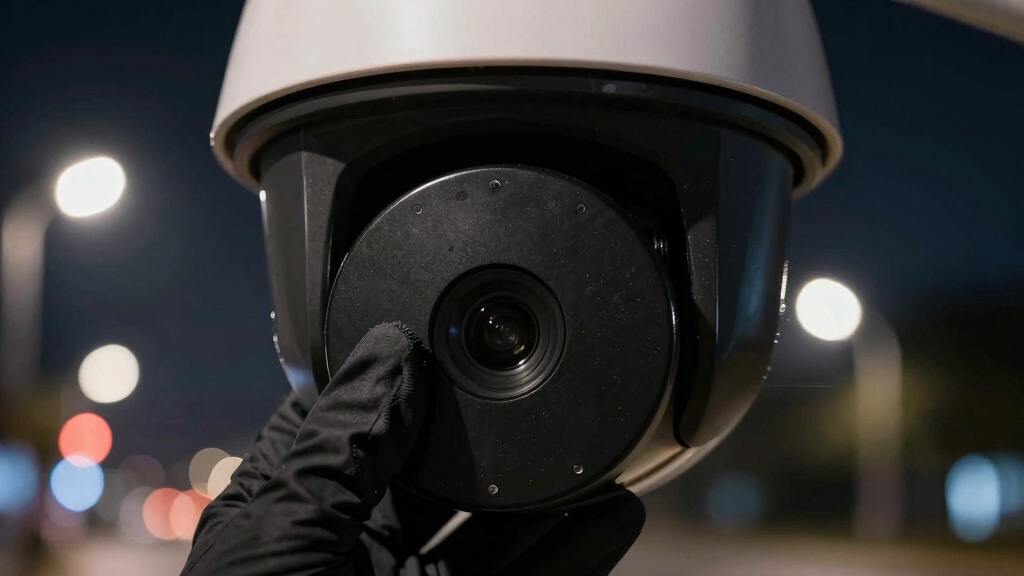
Although security cameras enhance safety and monitoring, you might want to block them to protect your privacy in sensitive areas or prevent unauthorized surveillance.
Security cameras improve safety, but blocking them safeguards privacy in sensitive spaces from unwanted surveillance.
Cameras positioned near private spaces such as bedrooms, bathrooms, or personal workspaces can capture unintended footage, raising privacy concerns.
Blocking cameras guarantees control over what’s recorded within your property boundaries, mitigating risks of misuse or data breaches.
Additionally, obstructing cameras can help avoid constant monitoring that may create discomfort or inhibit natural behavior.
You must consider legal property limits when implementing physical barriers or other methods to avoid infringing on neighbors’ rights.
Taking proactive steps to block cameras balances security benefits with your right to privacy, guaranteeing surveillance doesn’t extend beyond appropriate zones or violate personal space.
When blocking cameras, be mindful to avoid creating blind spots that could compromise overall security coverage.
How Security Cameras Sense Motion and Light?
Security cameras are pretty impressive in how they work! They use motion detection sensors to pick up on any changes in their field of view. When something moves, it triggers recording or sends out alerts. This way, you can stay informed about what’s going on around your property.
Now, let’s talk about light sensitivity. These cameras can adjust their exposure settings, allowing them to capture clear images even in tricky lighting situations, like low light. And if you think that’s cool, many models also come with infrared technology. This feature enables night vision, so they can see in the dark without any visible light. How neat is that?
Additionally, features like Wide Dynamic Range help cameras handle scenes with both bright and dark areas, improving overall visibility.
Motion Detection Mechanisms
When security cameras monitor their environment, they rely on motion detection mechanisms that sense changes in light and movement within their field of view.
These systems typically employ passive infrared (PIR) sensors to detect heat signatures or analyze pixel changes in consecutive video frames for motion.
When motion occurs, the camera triggers recording or alerts, adjusting exposure and focus accordingly.
Some cameras integrate algorithms to differentiate between relevant motion, like a person, and irrelevant movement, such as swaying foliage, reducing false alarms.
Additionally, cameras continuously monitor luminance shifts to detect sudden changes that might indicate activity.
Understanding these mechanisms helps you identify how introducing controlled movement or altering light can influence the camera’s response.
This knowledge is essential when considering methods to obscure or blind its sensing capabilities effectively.
Security cameras also use a unique UID as a device fingerprint to ensure secure identification and remote access during operation.
Light Sensitivity Features
Motion detection in security cameras depends heavily on their ability to sense changes in light intensity and patterns within their field of view. Cameras employ photodiodes or CMOS sensors to detect variations in luminance, triggering alerts when rapid shifts occur.
These sensors continuously monitor pixel brightness, comparing sequential frames to identify motion. The sensitivity settings influence how minor changes affect detection, balancing false alarms and responsiveness.
Additionally, some cameras integrate ambient light sensors to adjust exposure automatically. This ensures consistent image quality despite environmental changes. Understanding this, you can disrupt detection by introducing sudden, intense light fluctuations that overwhelm sensors temporarily.
However, these features vary across models, so calibrating your approach based on specific sensor types and sensitivity parameters maximizes the effectiveness of light-based interference. This can be done without causing permanent damage or activating backup systems.
Note that offline cameras cannot provide real-time alerts when light changes are detected, limiting remote response to real-time notifications.
Infrared and Night Vision
Although infrared light remains invisible to the human eye, security cameras utilize it extensively to maintain surveillance in low-light conditions by emitting or sensing IR wavelengths.
You need to understand that these cameras often feature IR LEDs surrounding the lens. These LEDs project infrared light to illuminate the area without visible light. The camera’s sensor then detects the reflected IR radiation, enabling night vision capability.
When attempting to blind these cameras, standard visible-light methods may fail since IR is outside your visible spectrum. You can test IR disruption by using infrared lights matching the camera’s IR mode, which may overwhelm the sensor and degrade image quality.
However, avoid steady IR sources, as many cameras include filters to compensate. Excessive interference may trigger alerts or damage detection.
For improved low-light image quality and reduced IR glare, some cameras like turret cameras are designed without an outer shell to minimize IR distortion.
Using Physical Barriers to Block Security Camera Views
You know, if you’re looking to block a security camera’s view, one effective way is to plant tall trees or shrubs right along your property lines. It’s a natural way to create some privacy, and they can really enhance your outdoor space, too!
Another option is to install privacy fences. These solid barriers are great for keeping those pesky camera sightlines at bay. Plus, they can add a nice touch to your yard’s aesthetics.
And don’t forget about the inside of your home! Hanging window screens or curtains can really help obscure indoor views. It’s a simple solution that doesn’t cross any legal boundaries, so you can feel secure without any worries.
For enhanced protection, consider installing motion-activated lights near camera locations to deter unwanted activity and expose potential threats.
Planting Tall Trees
Tall trees serve as effective physical barriers that can obstruct the line of sight of security cameras, providing natural privacy shielding.
When you plant tall trees strategically, you create dense foliage that interrupts camera angles, blocking views without altering property structures.
Select species with rapid vertical growth and thick canopies to maximize obstruction.
Position trees within your property boundaries to prevent legal issues, ensuring they don’t infringe on neighboring land.
Consider seasonal foliage changes; evergreen trees maintain coverage year-round, unlike deciduous types.
Maintain trees regularly to avoid gaps in coverage caused by trimming or natural thinning.
While planting tall trees is a passive method, it offers a sustainable, low-maintenance solution for camera obstruction.
This approach complements other physical barriers but avoids the permanence or cost of structural installations.
To maximize effectiveness, ensure that trees provide an unobstructed view blockage while avoiding interference with camera wiring or nearby installations, as recommended in outdoor camouflage.
Installing Privacy Fences
Constructing privacy fences provides a reliable physical barrier to obstruct security camera views effectively.
When installing, guarantee the fence height and opacity fully block the camera’s line of sight without violating local regulations.
Use materials like wood, vinyl, or metal panels with no gaps to prevent partial visibility.
Position the fence within your property boundaries to avoid legal issues.
Assess the camera angles beforehand to determine the prime fence placement that covers vulnerable zones.
Reinforce the fence’s stability to withstand environmental conditions, maintaining consistent obstruction.
Unlike temporary obstructions, privacy fences offer a durable solution requiring minimal maintenance.
However, guarantee the fence doesn’t interfere with emergency access or violate neighborhood covenants.
This method physically limits camera coverage and complements other privacy strategies efficiently.
For enhanced security, consider combining physical barriers with reinforced materials to strengthen overall protection.
Hanging Window Screens
Privacy fences effectively block outdoor camera views. However, when cameras monitor through windows, additional measures are necessary.
Hanging window screens provide a physical barrier that obstructs the camera’s line of sight without violating property boundaries or legal restrictions.
You should select screens made of durable, opaque materials to prevent visibility while allowing light transmission indoors.
Install the screens securely within the window frame to avoid gaps that cameras could exploit.
Consider using mesh or fabric screens with high thread counts for ideal coverage.
Regularly inspect the screens for damage or displacement, ensuring continuous effectiveness.
This method complements other privacy techniques, such as reflective films or curtains.
It maintains compliance with legal standards by not interfering directly with the camera hardware or signal.
Additionally, understanding how light behaves when passing through barriers can help optimize screen effectiveness for blocking camera views.
Using Motion Disruptors to Confuse Security Cameras
When you use motion disruptors to confuse security cameras, you introduce moving elements that trigger the camera’s detection algorithms, causing it to focus on irrelevant activity.
Using motion disruptors causes security cameras to detect false movement, distracting from real activity.
This method exploits the camera’s sensitivity to motion, diverting attention from actual movements you want to conceal.
To implement this effectively, you should:
- Place waving flags activated by wind within the camera’s field of view.
- Deploy garden flags with seasonal or family-themed designs that move naturally.
- Introduce lightweight moving objects that maintain continuous motion.
- Ensure all disruptors remain strictly on your property to avoid legal issues.
Because motion detection relies on sensors continuously scanning predefined zones, introducing such distractions can increase false alerts and reduce the camera’s effectiveness.
Using Light to Temporarily Blind Security Cameras
You know, one way to deal with security cameras is by using reflective films on windows. This creates a one-way visibility effect during the day, which can effectively block the camera’s view. Pretty clever, right?
Now, when night falls, you can take it up a notch. Bright floodlights can really overexpose the footage, making it pretty much useless. It’s like shining a flashlight directly into the camera lens!
And here’s another trick: infrared lights. These can interfere with cameras that operate in IR mode, temporarily disrupting their recordings. It’s all about using the right tools to stay one step ahead!
Reflective Films Benefits
Effectiveness defines reflective films as a practical solution for temporarily blinding security cameras during daylight hours. You can install these films on windows to create a one-way reflective surface that redirects sunlight, impairing the camera’s ability to capture clear footage.
The films capitalize on natural light angles, making them energy-efficient and discreet. Consider these benefits when using reflective films:
- Daytime effectiveness: Maximize blinding impact when sunlight is strongest.
- Non-invasive installation: Apply films without altering the camera or property structure.
- Passive operation: No need for additional power or activation mechanisms.
- Legal safety: Avoids damaging or disabling the camera hardware, reducing legal risks.
Reflective films serve as a reliable, reversible method to disrupt camera visibility temporarily during the day.
Floodlight Overexposure Tactics
By strategically installing bright floodlights near security cameras, you can induce overexposure in their footage, temporarily compromising their ability to record clear images. The intense illumination saturates the camera sensor, causing washed-out frames that obscure details.
For effectiveness, position floodlights to direct light toward the camera lens. This ensures the sensor receives maximum brightness without creating shadows that reduce impact. Motion-sensor floodlights enhance this tactic by activating only when the camera detects movement, maximizing energy efficiency and surprise effect.
However, the light intensity must be calibrated to avoid triggering alerts or damaging the camera. This method offers a reversible, non-destructive way to impair camera vision temporarily, leveraging the camera’s sensitivity to brightness rather than physical interference.
Infrared Light Disruption
Although invisible to the naked eye, infrared (IR) light plays a crucial role in many security cameras’ night vision capabilities. By emitting IR light, cameras illuminate dark areas without visible light, enabling clear footage in low-light conditions.
To disrupt this function temporarily, you can use IR light sources aimed directly at the camera’s sensor. This can cause overexposure or sensor confusion.
Consider these techniques:
- Test IR flashlights or LEDs compatible with the camera’s IR wavelength.
- Position the IR source close enough for effective sensor saturation.
- Use pulsed IR signals to maximize disruption without continuous exposure.
- Combine IR disruption with ambient light manipulation for enhanced effect.
These methods exploit the camera’s reliance on IR for night vision but require precise alignment and appropriate IR emission intensity.
Identifying Weak Spots in Security Camera Coverage
Where exactly do security cameras fail to capture critical details? You need to identify blind spots, limited fields of view, and motion limitations.
Check whether cameras possess PTZ functions and their movement range. Note indicators like IR lights that may reveal operational modes. Regularly confirm coverage areas to uncover zones outside camera reach.
| Vulnerability Type | Description | Detection Method |
|---|---|---|
| Blind Spots | Areas outside camera range | Visual inspection |
| Field of View | Restricted horizontal/vertical | Camera specification review |
| PTZ Limitations | Movement range constraints | Testing camera rotation |
| Indicator Lights | IR or status LEDs | Night-time observation |
| Overlapping Zones | Gaps between cameras | Mapping coverage overlap |
Systematic assessment helps you exploit weak spots effectively.
Legal Alternatives to Blocking Security Cameras
When you want to protect your privacy without violating laws, you can use legal alternatives that respect security camera functions while limiting unwanted surveillance. These methods focus on negotiation, technical adjustments, and strategic positioning rather than obstruction or damage.
- Employ privacy masking features to pixelate or obscure sensitive neighbor areas in footage.
- Mediate through local authorities or property managers to address intrusive camera placements.
- Install your own cameras strategically to guarantee overlapping coverage and reduce blind spots.
- Utilize camera zoom functions to maintain clarity within your property while avoiding infringement on others.
Using Security Camera Privacy Masks and Settings
Privacy plays an essential role in configuring security cameras. Utilizing privacy masks is an effective way to control what areas the camera records.
By setting privacy masks, you can block specific zones within the camera’s field of view, preventing recording or streaming of those areas. This feature helps comply with privacy laws and maintains clear boundaries.
Adjustable settings complement privacy masks by allowing you to define resolution, frame rate, and sensitivity. This optimizes surveillance without capturing undesired details.
Understanding these settings improves your control over what the camera monitors.
| Feature | Purpose |
|---|---|
| Privacy Mask | Blocks sensitive areas |
| Resolution | Controls image clarity |
| Frame Rate | Adjusts video smoothness |
| Sensitivity | Modulates motion detection range |
When to Involve Authorities and Mediate Disputes?
Adjusting camera settings and applying privacy masks can minimize unwanted surveillance. However, conflicts may still arise between neighbors or property owners.
When technical adjustments don’t resolve issues, involving authorities or mediating disputes becomes necessary.
You should consider official intervention if the camera invades your privacy beyond legal boundaries. This is especially true if it continues to record private areas despite privacy masking.
Follow these steps to handle disputes objectively:
- Document specific instances where camera surveillance infringes on your privacy.
- Communicate directly with the camera owner to seek an amicable solution.
- Contact local authorities or a mediation service if discussions fail.
- Use legal channels to enforce privacy rights while avoiding illegal disruption methods.
This approach guarantees compliance with regulations and maintains neighborly relations.
Which Camera Disruption Methods Are Illegal or Don’t Work?
Although you might feel tempted to disable a security camera by force or interference, several common disruption methods are either illegal or ineffective.
Avoid using spray paint or cutting wires, as these actions trigger motion detection alarms and violate legal statutes.
Employing laser pointers or LED hats risks damaging the camera sensor and is generally prohibited.
Jamming devices, which interfere with wireless signals, are illegal under communication laws and carry severe penalties.
Steady infrared flashlights typically don’t impair camera functionality due to advanced IR filtering.
Physical obstruction outside your property may result in trespassing claims.
Instead, consider legal alternatives like installing privacy screens or negotiating adjustments through proper channels.
Relying on prohibited or faulty methods exposes you to legal consequences without guaranteeing success.
Frequently Asked Questions
Can Security Cameras Record Audio Without Consent?
Yes, security cameras can record audio without consent if they’ve built-in microphones, but laws vary by jurisdiction.
You need to check local regulations, as many places require at least one-party consent for audio recording, while others demand all parties agree.
Ignoring these laws can result in legal penalties.
Always verify your area’s audio surveillance rules before enabling or using audio features on security cameras to guarantee compliance.
How Do Thermal Cameras Differ From Regular Security Cameras?
When it comes to thermal cameras, you’re dealing with a whole different ballgame.
Unlike regular security cameras that capture visible light, thermal cameras detect infrared radiation emitted by objects based on their heat signatures.
This lets you see in total darkness and through obscurants like smoke or fog.
You’ll find thermal cameras excel at detecting living beings or heat sources, while standard cameras focus on visual details under normal lighting conditions.
What Are the Best Security Camera Brands for Privacy?
You should consider brands like Arlo, Nest, and Eufy for privacy-focused security cameras.
These manufacturers integrate robust encryption, local storage options, and customizable privacy zones to protect your data.
They also offer clear privacy policies and firmware updates to address vulnerabilities.
Choosing a brand with transparent data handling and user-controlled settings guarantees your privacy stays intact while maintaining effective surveillance.
Always verify the latest security features before purchasing.
How Long Do Security Camera Recordings Typically Store Footage?
You might think security cameras store footage indefinitely, but most systems keep recordings for 7 to 30 days by default.
This duration depends on storage capacity, resolution, and recording settings like motion-triggered or continuous capture.
Higher resolution footage consumes more space, reducing storage time. You can extend retention by adding more storage or using cloud services.
Always check your camera’s specifications and adjust settings to fit your surveillance needs precisely.
Can Weather Conditions Affect Security Camera Performance?
Yes, weather conditions can markedly affect security camera performance.
Rain, fog, snow, and dust reduce image clarity by obscuring the lens or sensor.
Extreme temperatures may impact electronic components, causing malfunctions or reduced lifespan.
High humidity can lead to condensation inside the camera housing, degrading video quality.
You should select weather-resistant models with appropriate IP ratings and install protective enclosures to maintain peak functionality under varying environmental conditions.
Steering Clear of Trouble: A Smarter Way Forward
If you’re tempted to blind a security camera, remember that like Odysseus steering past the Sirens, you must choose your path wisely.
Physical barriers and light can disrupt vision, but legal boundaries and ethical considerations guide your actions.
Always weigh the technical effectiveness against potential legal consequences. Consider privacy settings or mediation before taking drastic steps.
In the end, understanding the technology and laws guarantees you don’t sail into troubled waters.