
To disconnect your house alarm system, first locate the alarm panel and identify the backup battery and transformer attached to the power outlet. Always unplug the backup battery before removing the transformer to avoid false alarms.
Next, pull the fuse spur or switch off the circuit breaker supplying power to the panel. Enter your security code to silence tamper warnings during this process.
Proper disconnection prevents alerts and system damage. Further details guide safe handling and professional support options.
Key Takeaways
- Locate the alarm panel, main power transformer, and backup battery before starting disconnection.
- Unplug the backup battery first to avoid electrical issues and prevent false alarms.
- Remove main power by unplugging the transformer or removing the fuse spur next to the panel.
- Enter the security code on the keypad to disable tamper alerts before disconnecting power sources.
- Seek professional help for complex systems or full decommissioning to prevent false alarms and ensure safety.
How to Locate Your Alarm System Panel and Power Source?
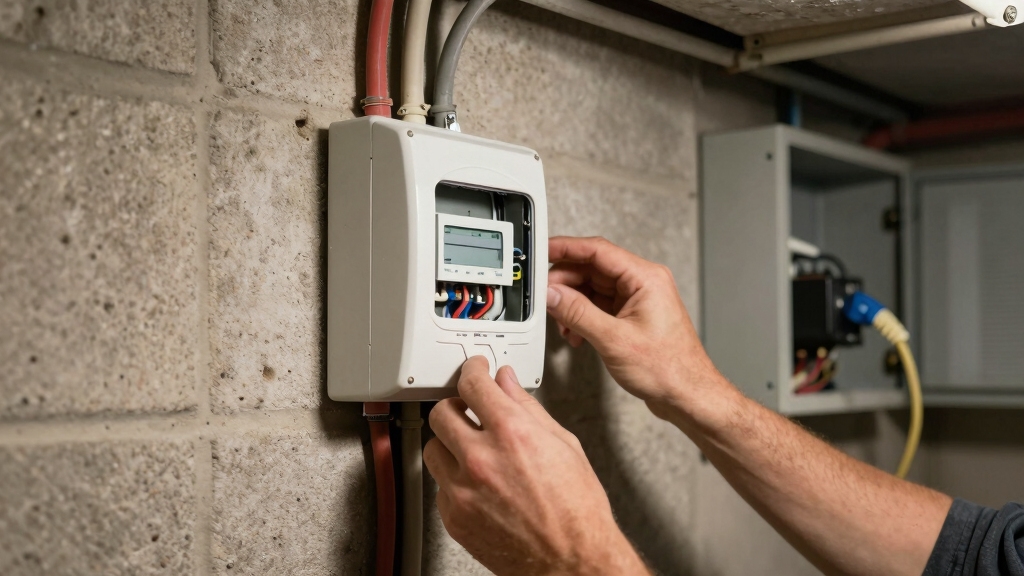
To begin disconnecting your house alarm system, you’ll need to pinpoint the alarm panel and its power source.
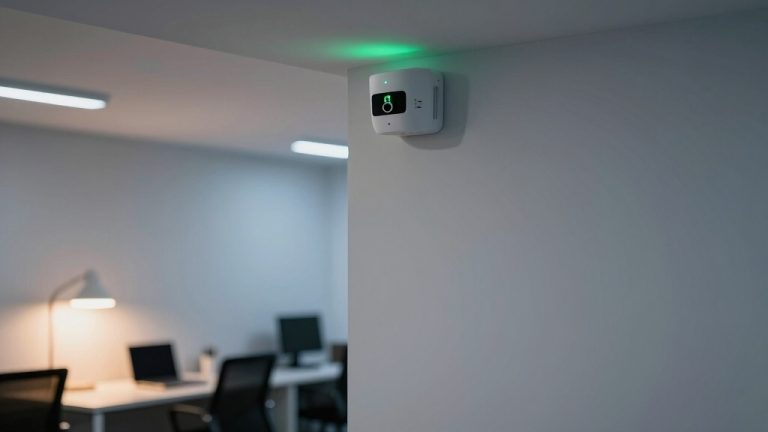
Locate the alarm panel first; it usually appears as a mid-sized white box mounted on a wall.
Next, identify the main power source, typically a box attached to the wall with an outlet.
Trace the transformer running from the panel to the wall outlet. This transformer must be removed to cut main power.
Note the fuse spur next to the panel, housing the main fuse controlling mains power.
Be aware that backup batteries vary by system type, but for now, focus solely on the panel and transformer.
Accurately identifying these components guarantees a methodical and safe disconnection process without risking electrical faults or system damage.
Additionally, understanding the two-wire non-polar wiring used in many wired sensors helps avoid connection errors during disconnection.
How to Safely Disconnect Your Alarm System Backup Battery?
After locating the alarm panel and main power source, proceed to disconnect the backup battery to fully cut power to the system.
Begin by finding the alarm panel and main power, then disconnect the backup battery to cut all system power.
For wireless systems, remove the panel’s back cover and unplug the battery connector from the circuit board.
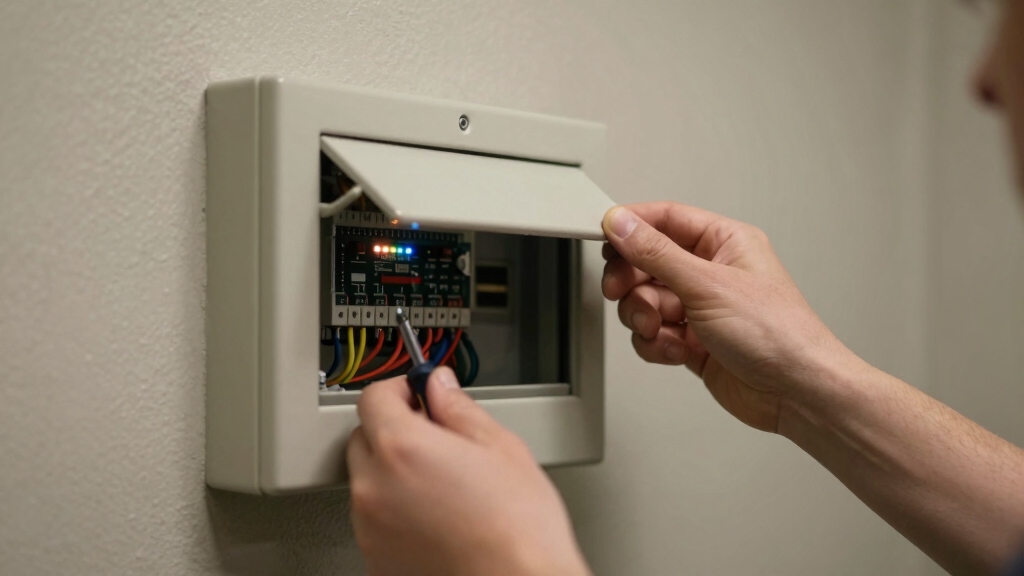
For hardwired systems, open the beige metal cabinet and identify the large black battery box.
Note the red (positive) and black (negative) terminals before carefully disconnecting wires using pliers if needed.
Always unplug the backup battery before removing the transformer to prevent electrical issues. Handle terminals gently to avoid damage.
Confirm disconnection by observing the alarm panel’s display, which should lose power or show a low battery indicator.
Properly disconnecting the backup battery guarantees full system shutdown without triggering tamper alarms or false alerts.
Regular maintenance and professional servicing every 1 to 2 years can help ensure the alarm system and its components operate safely and effectively.
How to Remove the Main Power Supply From Your Alarm System?
Once you’ve safely disconnected the backup battery, proceed to remove the main power supply by locating the fuse spur adjacent to the alarm panel. This fuse controls the mains power feeding your system. Follow these steps:
- Open the fuse spur compartment carefully and lever out the main fuse.
- Identify the transformer connected to the alarm panel and the wall outlet.
- Remove any securing screws, then gently unplug the transformer from the outlet.
- Confirm power disconnection by checking the alarm panel; the screen or keypad should go blank.
Alternatively, you can turn off the circuit breaker supplying power to the outlet instead of unplugging the transformer. This method fully isolates the main electrical source, ensuring the alarm system is powerless and ready for further work.
Be aware that hardwired alarm systems use a dual-source design combining mains power with a backup battery to maintain continuous operation during outages.
How to Handle Tamper and Low Battery Alerts on Your Alarm Panel?
Frequently, tamper and low battery alerts appear on your alarm panel during disconnection or maintenance procedures. To handle these alerts, first acknowledge the warning by entering your security code on the keypad. This action temporarily silences the tamper alarm and prevents false monitoring center notifications.
For low battery alerts, inspect the backup battery for leaks or corrosion. Replace it with an identical type if necessary before proceeding.
| Alert Type | Recommended Action |
|---|---|
| Tamper Alert | Enter security code on keypad to silence alarm |
| Low Battery | Inspect and replace backup battery if degraded |
| Ongoing Alerts | Verify connections before continuing procedure |
Remember that entering the master code is essential to access programming features like time and date settings on your keypad, which ensures proper system functionality during maintenance with master code required.
How to Prevent False Alarms When Powering Down Your Alarm System?
Managing alerts like tamper and low battery warnings helps you maintain control during disconnection. However, preventing false alarms requires additional steps when powering down your alarm system.
To avoid triggering false alarms, follow these steps precisely:
- Enter your security code on the keypad to disable the alarm before disconnecting power sources.
- Unplug the backup battery first to prevent power fluctuations that could activate alerts.
- Remove the main power transformer only after the backup battery is disconnected to guarantee full power down.
- Monitor the panel for any alarm signals and enter your code immediately if alerts activate during the process.
These actions minimize false activations and keep the system stable during shutdown. This ensures a smooth, controlled disconnection without triggering monitoring center notifications.
Keep in mind that wired systems feature diagnostics to detect tampering or open circuits instantly, so proper disconnection helps avoid unintended alerts related to wiring issues.
When to Call a Pro to Reset Your Alarm System?
You’ll need to call a professional to reset your alarm system after disconnecting power. The reset process requires specialized access and tools.
Resetting your alarm system after power disconnection demands specialized tools and professional expertise.
The system’s internal memory and security protocols lock out unauthorized resets, making independent reactivation impossible. Professionals possess the necessary security codes, proprietary software, and diagnostic equipment to perform a safe reset.
Attempting to reset without proper tools risks triggering tamper alarms or causing system malfunctions. Additionally, if your system is monitored, the security company must verify your identity through a safety password or safe word before proceeding.
Engaging a pro guarantees the alarm panel and backup battery reconnect correctly, preventing false alarms or communication errors. For full decommissioning or complex issues, professional engineering services are essential to maintain system integrity and compliance.
Locksmiths often collaborate with security professionals and have experience handling advanced smart locks, which can be integral to modern alarm systems.
How to Reactivate Your Alarm System After Power Down?
Once you’ve made sure the backup battery is fully disconnected, you must reconnect it first before restoring the main power transformer to the alarm panel. This order prevents electrical faults and assures system integrity.
Follow these steps carefully:
- Reattach the backup battery terminals, matching red to positive (+) and black to negative (-) wires securely.
- Plug the backup battery connector back into the circuit board behind the panel’s back cover or reconnect the terminals inside the battery box.
- Restore main power by plugging the transformer into the wall outlet or reinserting the fuse in the fuse spur.
- Power on the alarm panel and enter the security code to disarm any tamper alarms, confirming system readiness.
This methodical sequence guarantees safe and effective reactivation of your alarm system.
Always ensure the power is fully disconnected and allow time for residual electrical charge to discharge before reconnecting to avoid electrical hazards.
Signs You Need to Replace Your Alarm System Backup Battery
After reactivating your alarm system, it’s important to monitor the condition of the backup battery to maintain uninterrupted protection.
You should watch for a low battery indicator on the keypad or touchscreen, which signals reduced capacity.
Physical signs like corrosion, swelling, or leakage on the battery terminals or casing also indicate failure.
If the system triggers frequent low-battery alerts or malfunctions during power outages, it confirms the battery’s diminished reliability.
Always replace the backup battery with one matching the original’s specifications to guarantee proper system function.
Timely replacement prevents unexpected system shutdowns and false alarms.
Regularly inspect the battery during routine maintenance to detect these signs early and maintain continuous security coverage.
Using high-quality batteries like lithium 10-year sealed options can reduce maintenance frequency and improve reliability.
When to Hire a Professional for Complete Alarm System Removal?
If you need to completely remove your alarm system, it’s a good idea to hire a professional, especially if the system is complex. You don’t want to risk false alarms or unauthorized shutdowns, right? That’s where security code verification comes in handy—it ensures everything is done properly.
Plus, when you bring in professional engineers, you can rest easy knowing that the removal will be safe and that the system will be reset correctly. It’s just one less thing for you to worry about!
Additionally, professionals are trained to handle digital loop wiring and device addressing to prevent system faults during removal.
Complex System Decommissioning
Although disconnecting basic components of a house alarm system can be straightforward, completely decommissioning a complex setup demands professional expertise.
You should consider hiring a professional when the system involves multiple wired sensors, integrated backup power, or when tamper alarms may trigger during disassembly.
A professional guarantees safe, thorough removal without damaging the electrical infrastructure.
Here’s when to hire a pro:
- When the system includes hardwired components and backup batteries requiring careful disconnection.
- If the panel connects directly to your home’s electrical supply, risking electrical hazards.
- When tamper or false alarms activate during removal, needing immediate code input or monitoring center notification.
- For full system reset and secure deactivation, which often require security company intervention.
Entrusting experts prevents accidental damage and guarantees compliant, safe decommissioning.
Additionally, improper handling of wiring can cause communication interruptions that may result in persistent error signals or system malfunctions.
Security Code Verification
Since security code verification is essential for disabling alarm systems, you’ll need professional assistance when complete removal is involved.
The security code acts as a critical authentication step to prevent unauthorized disconnection and false alarms. Professionals have authorized access to reset or deactivate the system securely, ensuring all monitoring alerts are properly terminated.
Attempting removal without code verification risks triggering tamper alarms, activating external sirens, or alerting monitoring centers. Additionally, professionals can manage system resets, reprogram security codes, and verify safe word protocols if monitored.
For thorough removal, including backup battery and transformer disconnection, hiring an expert guarantees compliance with safety procedures. This prevents damage and deactivates all system components reliably.
You should engage a professional whenever you lack full system access or the required security credentials.
Professional Engineer Services
Complex alarm system decommissioning often requires professional engineer services to guarantee safe and complete removal. You should consider hiring a professional when:
- The alarm system involves hardwired components integrated into your home’s electrical system.
- The backup battery or transformer removal triggers tamper alarms you can’t easily disable.
- You need to make certain the system reset and reactivation follow security protocols to avoid false alarms.
- Complete system removal demands compliance with local safety and electrical codes.
Professionals use specialized tools and have the expertise to dismantle panels, disconnect power sources, and manage backup batteries safely. They also coordinate with monitoring centers to disable alerts properly.
Attempting complex disconnections alone risks electrical hazards, system damage, or unintended alarm activations. When in doubt, rely on a licensed engineer to handle the process methodically and securely.
Frequently Asked Questions
Can I Upgrade My Alarm System Without Disconnecting Power?
You generally can’t upgrade your alarm system without disconnecting power because the main panel and backup battery must be safely powered down to avoid electrical issues or false alarms.
Upgrading involves hardware changes that require removing the transformer and unplugging the battery.
However, minor software updates may be possible live, but hardware upgrades demand a full power cycle to guarantee system integrity and proper reset by the security company.
How Do I Test My Alarm System After Reactivation?
To test your alarm system after reactivation, start by ensuring both the backup battery and main power transformer are securely reconnected.
Enter your security code on the keypad to disarm the system. Next, trigger each sensor (doors, windows, motion detectors) one by one to verify alarm response.
Confirm the control panel registers each event correctly and the monitoring center receives signals if applicable.
Document any malfunctions and consult a professional if needed.
What Are Common Causes of Frequent False Alarms Besides Power Issues?
Like a mischievous Poltergeist, common causes of frequent false alarms include sensor misalignment, dust buildup, or low battery power.
You should methodically inspect motion detectors for obstructions or improper placement near heat sources.
Door and window contacts might be loose or corroded, triggering alerts.
Additionally, electromagnetic interference from nearby devices can cause erratic signals.
Addressing these factors with precise calibration and regular maintenance reduces false alarms effectively.
Can Pets Trigger the Tamper Alarm During Disconnection?
Yes, pets can trigger the tamper alarm during disconnection if they disturb sensors or wiring near the alarm panel.
Since tamper alarms activate upon unauthorized access or movement around the panel, any pet contact with the enclosure or connected components may set it off.
To prevent this, make sure pets are kept away from the alarm area during disconnection.
Enter your security code promptly to disable the tamper alert if it activates.
How Long Does the Backup Battery Typically Last Before Replacement?
You might think the backup battery lasts forever, but it typically holds power for about 3 to 5 years before you need to replace it.
Over time, battery efficiency declines, and leakage or low battery warnings can appear.
To maintain system reliability, you should check the battery annually and replace it with the same type if you spot any signs of wear, leakage, or diminished performance.
Proper maintenance guarantees continuous protection.
Simple Steps to a Hassle-Free Alarm Deactivation
Disconnecting your house alarm system requires careful steps to avoid false alarms and system damage. Did you know 30% of false alarms result from improper disconnection?
Always locate your panel and power sources. Safely remove the backup battery and handle alerts methodically. If unsure, call a professional to prevent costly mistakes.
Following these precise steps guarantees safe deactivation and smooth reactivation, protecting your home and system integrity efficiently.