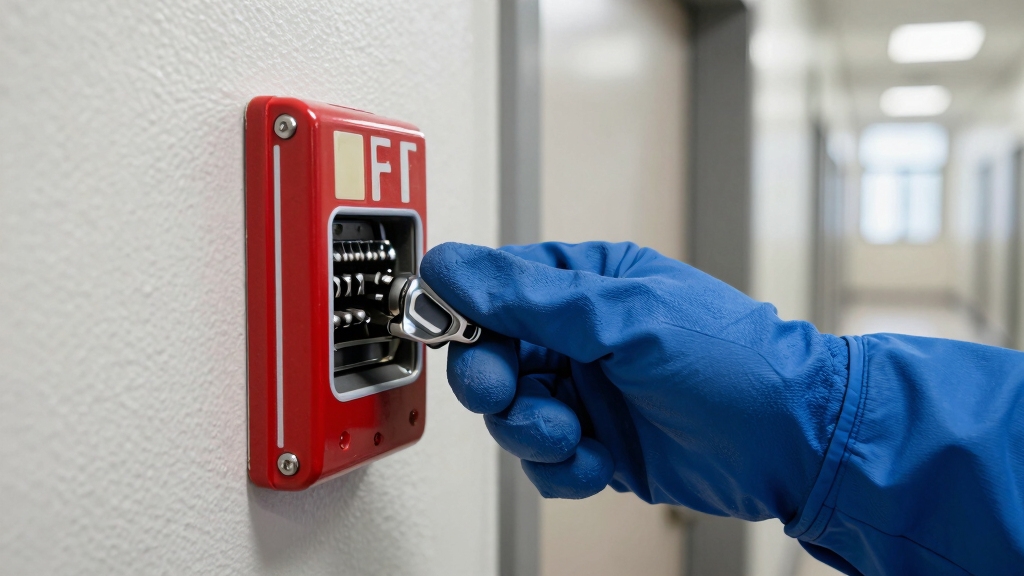

To reset a fire alarm pull station, first identify its type: dual-action, spring-loaded, addressable, or toggle-switch. This will help determine the proper tool or key needed.
Release the cover using the manufacturer-issued key or required tool. Then manually return the internal trigger, button, or switch to its normal position.
Securely relock the cover, making certain it’s fully engaged. Finally, access the fire alarm control panel to acknowledge and clear the reset.
Understanding model-specific details will ensure a successful and safe reset process.
Key Takeaways
- Use the specific manufacturer-issued key or tool to open the pull station cover safely before attempting a reset.
- Manually return the internal trigger, button, or toggle switch to its normal position to reset the mechanism.
- For spring-loaded or addressable models, press the internal reset button or deactivate the trigger using the special key provided.
- Secure and relock the pull station cover properly after resetting to prevent accidental activations.
- Confirm the fire alarm control panel acknowledges the reset and clear any alarm memory before leaving the site.
Identify Your Fire Alarm Pull Station Type
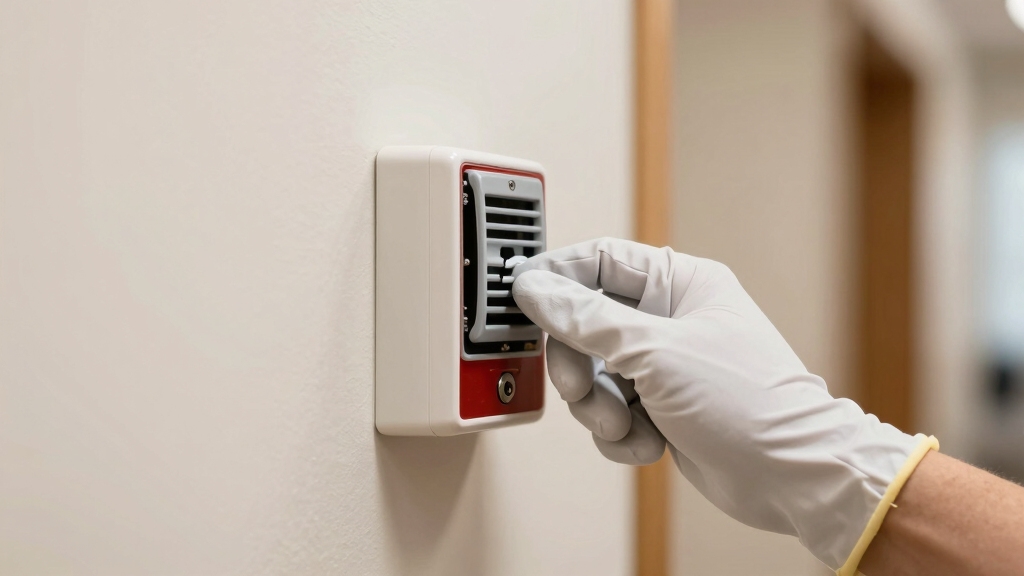
To properly reset a fire alarm pull station, you first need to identify its specific type. Pull stations vary: dual action models require lifting a panel before pulling the handle, while spring-loaded types reset by closing an internal button.
Addressable stations like the Edwards SIGA-278 need a specific key to release and reset them. This differs from conventional stations that may be upgraded with addressable modules. Some models feature toggle switches that must be manually repositioned.
Recognizing your station type is vital since reset methods and tools vary. No universal key fits all. Identifying whether the station uses a key, hex tool, or manual reset guarantees you approach the reset accurately and safely.
This prevents damage or incomplete resets. This foundational step streamlines the entire reset process. Addressable systems use digital binary communication which enables precise device-level monitoring and management during resets.
Gather Tools Needed to Reset Pull Stations
To reset a fire alarm pull station, you’ll need the right tools tailored to its design. This usually means having the manufacturer-issued keys or hex wrenches on hand.
It’s pretty important to know what type of key you’re dealing with—some are standard hex keys, while others might’ve custom shapes or require wire tools.
Sometimes, you might find yourself needing alternative tools, like screwdrivers or even improvised wire keys, to get the job done. Having a good understanding of these tools will definitely help make the reset process smoother.
Before resetting, ensure you have fire brigade approval to silence and restore the alarm system safely.
Essential Reset Tools
Before you can reset a fire alarm pull station, you’ll need to gather the correct tools specific to the model you’re working with. Different manufacturers and designs require distinct instruments to access and reset the internal mechanism effectively.
Having the right tools guarantees a smooth and safe reset process. Here are the essential reset tools you should have on hand:
- Manufacturer-Specific Keys – These keys open the station cover and reset triggers; each brand uses unique shapes.
- Hex Keys – Used for models secured with hex screws; sizes vary depending on the device.
- Screwdrivers – Required for stations with screw-access panels or handles, often Phillips or flathead types.
Prepare these precisely to avoid damaging the pull station and to restore normal operation quickly. Understanding the zone-based detection design of simplest fire alarm systems helps clarify why proper reset tools are essential for reliable alarm function.
Key Types Explained
Having the right tools in hand sets the stage for an efficient pull station reset. Understanding the variety of keys involved is equally important.
Pull stations don’t use a universal key; each model demands a specific key. For example, addressable stations like the Edwards SIGA-278 require a uniquely shaped key to turn and release the cover.
Conventional models might use hex keys or screwdriver access. Some stations feature spring-loaded resets activated by internal buttons pushed with a special key. Others with toggle switches need manual repositioning via their key.
Keys are often included with the device purchase, so make sure you have the exact one for your station. Knowing these distinctions helps you avoid damage and guarantees a smooth reset process every time.
It is important to remember that most pull stations only trigger a local alarm and do not automatically notify the fire department without a monitored system.
Alternative Tool Options
When you need to reset a fire alarm pull station, you’ll often have to rely on alternative tools beyond the standard manufacturer keys. Some stations require specific hex keys or screwdrivers to access internal reset mechanisms. Others, especially round models, may need improvised wire tools shaped to manipulate concealed buttons.
Here are three essential alternative tools to gather:
- Hex keys of various sizes for models with hex screws securing the cover or reset button.
- Precision screwdrivers needed for stations with screw-access handles or yellow bar toggles.
- Wire tools (20-gauge, tip ~8mm) effective for round pull stations lacking standard keyholes.
Having these tools ready guarantees you can efficiently open and reset a variety of pull stations without delay. Always ensure power is disconnected before attempting maintenance to prevent electrical hazards and allow a safe reset process.
Reset Common Fire Alarm Pull Stations Step-by-Step
Alright, let’s walk through how to reset a fire alarm pull station. First things first, you’ll want to grab the specific key or tool that’s meant for that model. Once you’ve got that, go ahead and release the pull station.
Next up, you’ll need to reset the internal mechanism. Just return the trigger, button, or switch back to its normal position. It’s usually pretty straightforward!
Finally, don’t forget to secure and relock the cover. That’s it! You’ve successfully completed the reset process. Easy, right?
Remember to regularly test and maintain your fire alarm system to ensure proper operation and safety.
Unlocking The Pull Station
Although gaining access to a fire alarm pull station varies by model, you’ll generally need a manufacturer-specific key or tool to access the internal components. No universal key exists, so you must identify the correct one for your station, whether it’s a hex key, a custom-shaped key, or an improvised wire tool.
Once equipped, follow these steps:
- Insert the key into the designated slot or hole on the pull station’s cover.
- Turn or push the key as required to release the locking mechanism.
- Carefully open the pull station cover to expose the internal reset components.
Unlocking the pull station properly guarantees you avoid damaging the device and prepares it for the subsequent internal reset process. Always keep the manufacturer’s key accessible for maintenance.
Additionally, maintaining battery backups in connected fire alarm systems ensures continuous protection even during power outages.
Resetting Internal Mechanisms
Before closing the pull station, you’ll need to reset its internal mechanism by manipulating the trigger, button, or switch to its normal position.
For spring-loaded models, press the internal button back into place. If the station uses a toggle switch, manually reposition it to the ready state.
Addressable stations like the Edwards SIGA-278 require using the specific key to turn and deactivate the trigger. In Notifier models, push the black trigger gently until it clicks back.
Round stations often need a wire tool or bottom hole key to reset internal components. Make certain you apply firm but controlled pressure to avoid damaging delicate parts.
This step re-arms the mechanical or electronic components, preparing the pull station for future activations. Only proceed to closing once the internal mechanism is fully reset.
For overall fire safety, it is important to ensure your home also has properly placed smoke detectors installed according to safety standards.
Securing And Relocking Cover
When you’ve successfully reset the internal mechanism, align the cover carefully to make sure all locking tabs or hinges fit securely into place.
Proper alignment guarantees the station will function correctly and prevents accidental activations.
Next, secure the cover by:
- Pressing firmly along the edges to engage all locking clips or latches.
- Refastening any screws or bolts if your model requires manual tightening.
- Verifying the cover sits flush against the mounting surface without gaps.
Make sure the cover locks fully; a partially secured cover can trigger false alarms or fail inspection.
If your station uses a key lock, insert and turn the key to relock the cover.
Always test that the cover is firmly in place before concluding the reset process to maintain system integrity. Proper maintenance, including regular cleaning of sensors and vents, helps prevent false alerts and ensures reliable operation.
Reset Addressable and Dual Action Pull Stations
Resetting addressable and dual action pull stations requires using the specific key designed for each model to access the internal mechanism.
For addressable stations, like the Edwards SIGA-278, insert the key and turn it to unfasten the cover and deactivate the internal trigger.
For dual action stations, lift the protective panel before pulling the handle; resetting involves reversing this process.
Once open, manually reset the internal trigger, button, or switch to its normal position.
After resetting, securely close and relock the cover with the key.
Don’t forget to acknowledge the reset at the fire alarm control panel to clear the alarm condition.
Each model varies, so always use the manufacturer-provided key and follow precise steps to guarantee proper system functionality and compliance.
Regular testing and maintenance of fire alarms ensure reliable function and help prevent malfunctioning alarms during emergencies.
Reset Pull Stations From Edwards, Simplex, and Notifier
Pull stations from Edwards, Simplex, and Notifier each have unique reset mechanisms requiring their specific keys or tools. To reset an Edwards SIGA-278, insert the designated key, turn it to reveal the internal trigger, then deactivate it to restore normal function.
For Simplex models, use the key to open the cover and press the spring-loaded button back into place. Notifier stations require opening the panel with their key and pushing the black trigger back to its ready position.
- Edwards: Key turns to expose and reset internal trigger.
- Simplex: Key access to spring-loaded reset button.
- Notifier: Key opens panel; manual push of black trigger.
After resetting, close the station securely before acknowledging the alarm at the control panel.
Relock and Secure Pull Stations After Reset
Secure the pull station cover firmly after completing the reset to guarantee proper function and prevent unauthorized access.
Once you’ve restored the internal trigger or button to its normal position, close the cover carefully.
Use the specific key or tool that corresponds to your model, whether it’s a hex key, screwdriver, or manufacturer’s key, to lock the station securely.
Make certain the locking mechanism fully engages to avoid accidental reopening or tampering.
For dual-action or toggle switch models, verify the handle or lever returns to its ready state before securing the cover.
Addressable stations require special attention to cover alignment to maintain proper module communication.
Finally, inspect the station visually to confirm the cover is flush and locked tightly, preserving the integrity and readiness of the fire alarm system.
Reset Fire Alarm Control Panel After Pull Station Reset
After you’ve restored the pull station to its normal state and secured its cover, you’ll need to reset the fire alarm control panel to clear the alarm condition. This step is essential to guarantee the system returns to standby mode and stops transmitting alarm signals.
Reset the fire alarm control panel after securing the pull station to ensure the system returns to standby mode.
To reset the control panel:
- Access the control panel’s front interface, often secured with a key or code.
- Locate and press the “Reset” button or enter the reset command via the keypad.
- Confirm the panel acknowledges the reset by checking indicator lights and status messages.
Completing these steps clears the alarm memory, restores normal monitoring, and readies the system for future events.
Always verify the panel shows normal operation before leaving the site.
Troubleshoot Pull Station Reset Issues and Mistakes
When troubleshooting reset issues with fire alarm pull stations, start by verifying that the correct key or tool was used to open the device. Using an incorrect key or tool can prevent proper access to the internal reset mechanism.
Next, ensure the internal trigger, button, or switch is fully returned to its normal position. Partial resets often cause faults.
Check that the station cover is properly closed and securely locked. An open cover can trigger fault signals.
If the pull station is addressable, confirm the control panel acknowledges the reset. Also, inspect for mechanical damage or debris obstructing the internal components.
Finally, verify you’ve completed any required system-level reset steps. Failing to do so may cause persistent alarm or trouble conditions.
Frequently Asked Questions
How Often Should Fire Alarm Pull Stations Be Tested?
You should test fire alarm pull stations at least once a year to ensure proper function.
Many codes and standards, like NFPA 72, recommend annual inspections and functional tests.
If your facility has high-risk areas or heavy traffic, increase testing frequency.
Regular testing helps detect mechanical failures, worn components, or wiring issues early.
Always document the tests and promptly address any faults to maintain system reliability and compliance with safety regulations.
Can Pull Stations Be Reset Without Triggering the Alarm Control Panel?
You generally can’t reset pull stations without triggering the fire alarm control panel because the panel monitors activation status.
When you open and reset the station using the manufacturer-specific key or tool, the panel detects the change and registers the reset.
To avoid false alarms, you should first silence the panel and notify monitoring personnel.
Proper procedure requires acknowledging and resetting both the station and control panel for a full system reset.
What Is the Lifespan of a Typical Fire Alarm Pull Station?
You can expect a typical fire alarm pull station to last around 10 to 15 years with proper maintenance. Environmental factors like humidity, dust, and physical wear may shorten its lifespan.
Regular inspections and testing help guarantee reliable operation over time.
Manufacturers often recommend replacing stations after this period to maintain compliance with safety standards and avoid potential malfunctions that could compromise emergency response.
Are There Legal Requirements for Who Can Reset Pull Stations?
Yes, legal requirements usually restrict pull station resets to trained personnel like fire safety officers or certified technicians.
You shouldn’t reset alarms without proper authorization, as improper handling can violate fire codes or safety regulations.
Local jurisdictions often mandate documented training and sometimes require notifying fire authorities after a reset.
Always check your area’s fire safety laws and building codes to ensure compliance before you reset any fire alarm pull station.
How Do Environmental Factors Affect Pull Station Functionality?
Environmental factors can make your pull station as sensitive as a finely tuned instrument.
Extreme temperatures may cause plastic parts to warp or internal mechanisms to freeze, impairing function.
High humidity can corrode contacts or cause false alarms, while dust and debris may block moving parts.
You’ll need regular inspections and proper housing to guarantee reliable operation, especially in harsh or variable environments where these factors can degrade performance over time.
Avoid False Alarms with Proper Reset Techniques
Resetting a fire alarm pull station is essential for maintaining safety and minimizing false alarms. Did you know that over 70% of fire alarm activations are false alarms, often due to improper resets?
By correctly identifying your pull station type, following precise reset steps, and securing the device afterward, you guarantee your system operates reliably.
Always remember to reset the control panel and troubleshoot any issues promptly to keep your fire safety system fully functional.