
You can view your neighbor’s security cameras only with their explicit permission, using apps like Streety that verify identity and proximity securely.
Make sure you respect privacy by limiting access to agreed outdoor areas and avoiding private indoor sites.
Use strong passwords, two-factor authentication, and encrypted connections to protect feeds. Tools like Blue Iris help manage shared cameras safely.
Understanding proper setup, consent, and technical safeguards will help you maintain trust and security while accessing shared feeds.
Key Takeaways
- Obtain explicit consent from your neighbor before accessing their security camera feeds to respect privacy and legal boundaries.
- Use third-party address verification within a 300-yard radius to confirm proximity and gain authorized access to shared neighborhood cameras.
- Configure user permissions to restrict viewing to agreed external areas only, avoiding private indoor or sensitive zones.
- Enable two-factor authentication and strong passwords on camera accounts to secure remote access and protect feed privacy.
- Use trusted apps like Streety to verify identities, document permissions, and manage shared camera feeds transparently and ethically.
Use Streety App to View Neighbor Cameras
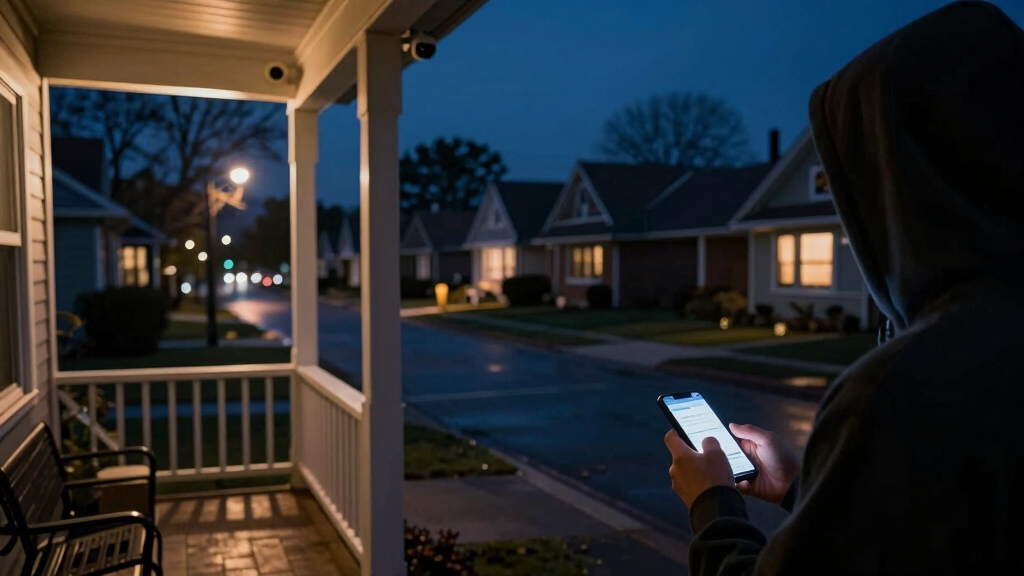
When using the Streety app to view your neighbor’s security cameras, you’ll first need to verify your address through a third-party service to access shared feeds within a 300-yard radius.
Verify your address with a third party to access shared security camera feeds within 300 yards using the Streety app.
This verification confirms you’re within the allowed proximity to view cameras in your neighborhood.
After confirming your address, the app connects you to live feeds and recorded clips from smart cameras like Nest and Ring that neighbors have chosen to share.
The app’s design focuses on monitoring local activity to assist with community safety incidents without compromising broader privacy.
You’ll see only feeds explicitly shared within this range, preventing unauthorized access.
This technical setup balances neighborhood vigilance with ethical use, guaranteeing you respect boundaries while benefiting from community-shared surveillance.
To ensure secure access, devices often use a unique identifier embedded in the camera hardware to authenticate connections and protect privacy.
Get Permission and Respect Privacy When Sharing Feeds
It’s super important to get your neighbor’s okay before accessing or sharing their security camera feeds. This helps build trust between you both.
Remember, respecting privacy boundaries is key. You definitely want to avoid looking at or sharing footage for anything other than what you both agreed on.
Good communication goes a long way! It helps ensure that everyone feels comfortable and protects everyone’s personal space.
Additionally, be aware of legal and audio considerations surrounding hidden camera use to ensure compliance with local laws and respect for privacy.
Seek Neighbor Consent
Before sharing security camera feeds with neighbors, make sure to get their clear consent to respect privacy boundaries. Approach the conversation directly and transparently, explaining why sharing feeds benefits neighborhood safety.
Obtain explicit permission in writing or via a trusted app like Streety, which verifies identities to guarantee secure feed sharing. Confirm which camera angles and footage your neighbor is comfortable sharing, and clarify any limitations or conditions.
Respect their decision if they decline or request adjustments. By securing consent upfront, you prevent misunderstandings, legal issues, and privacy violations.
Prioritize open communication and ethical practices, guaranteeing all parties agree on access and data use. This approach fosters trust and cooperation when monitoring shared community spaces through security cameras.
Additionally, understanding the importance of privacy protections ensures that shared footage is handled responsibly and securely by all parties involved.
Maintain Privacy Boundaries
Securing neighbor consent lays the groundwork for sharing security camera feeds responsibly. Maintaining clear privacy boundaries guarantees ongoing respect and trust.
Once you have permission, establish specific guidelines on what areas the camera will cover and who can access the footage. Use technical measures like masking or cropping sensitive zones to protect privacy.
Communicate openly about any adjustments to camera angles or feed sharing protocols to avoid misunderstandings. Make sure feed access stays limited to authorized individuals and verify identities when using apps like Streety.
Respect requests to stop sharing or to modify coverage promptly. By combining explicit consent with strict privacy controls, you foster a secure, cooperative environment that balances safety with individual rights within your neighborhood.
Additionally, integrating cameras with smart home systems can enhance security while maintaining controlled access to shared feeds.
Set Up Remote Access to Shared Neighbor Cameras Safely
Frequently, setting up remote access to shared neighbor cameras requires careful coordination and clear consent to guarantee privacy and security.
Successful remote camera sharing hinges on mutual consent and careful coordination to ensure privacy and security.
Before proceeding, you need to establish trust and mutual agreement on access scope. Follow these steps:
- Get explicit permission: Both parties must agree on what areas the cameras cover and who can view the feeds remotely.
- Secure network access: Use strong passwords, enable encryption, and avoid sharing network credentials casually to prevent unauthorized entry.
- Limit access controls: Configure user permissions to restrict viewing to necessary cameras only, avoiding exposure of private indoor areas.
Additionally, enabling two-factor authentication on camera accounts adds an important layer of security to prevent unauthorized access.
Connect Neighbor Cameras Using Android Apps Like Tapo and DMSS
Sure! Here’s a more conversational version of your text:
You know, if you want to connect to your neighbor’s cameras, apps like Tapo and DMSS on Android can really help out. They use P2P connections and network scanning to find devices, making the setup pretty straightforward.
Once you’ve got everything connected, managing multiple camera feeds is a breeze. You can easily switch between full-screen and grid views, and even tweak the video quality to your liking. Just a heads-up, though—make sure you have the right permissions and credentials. It’s important to keep privacy in mind while you’re sharing those monitoring duties! Also, many of these apps utilize video compression techniques like H.265 to optimize streaming quality and reduce data usage.
Setup Camera Access
Begin by downloading the appropriate Android app, such as Tapo or DMSS, from the Play Store to establish camera access with your neighbor’s system. Once installed, follow these steps to set up access ethically and technically:
- Gain Permission: Obtain explicit consent from your neighbor to connect to their camera system, ensuring mutual agreement and respect for privacy.
- Connect to the Camera: Use the app to scan the network or enable P2P via QR code to locate and link the camera. Enter necessary credentials provided by your neighbor.
- Configure Settings: Adjust video quality, motion detection, and notification preferences within the app to optimize monitoring without overstepping privacy boundaries.
Ensure that any network connections use secure and properly configured settings to maintain system integrity and prevent unauthorized access.
Following these steps helps you set up camera access responsibly and securely with your neighbor’s Android-compatible system.
Manage Multiple Feeds
Effectively managing multiple camera feeds from neighbors requires careful organization within Android apps like Tapo and DMSS.
Start by adding each camera using P2P QR codes or network scanning to guarantee secure connections.
Use the apps’ multi-channel grid views to monitor several cameras simultaneously, switching between HD and SD streams to balance clarity and data usage.
Label each feed clearly to avoid confusion and enable notifications for motion alerts on critical cameras.
Both apps let you control playback and enable audio if microphones are available, enhancing situational awareness.
Remember, always obtain explicit permission before accessing neighbor cameras, respecting privacy and maintaining trust.
For uninterrupted monitoring, ensure your system supports local storage options to avoid reliance on unstable WiFi connections.
Monitor Shared Camera Feeds With Blue Iris Software
Leverage Blue Iris software to seamlessly monitor shared camera feeds within your neighborhood. This enables you to focus on specific views such as external areas of a neighbor’s property or communal spaces.
To set this up responsibly, follow these steps:
- Obtain explicit consent from your neighbor to access their camera feed. Agree on which areas will be monitored to respect privacy boundaries.
- Configure Blue Iris to add the shared IP cameras by entering their network details. This allows you to view multiple streams simultaneously on a single interface.
- Use Blue Iris’s motion detection and alert features to efficiently monitor activity in the shared zones without constant manual oversight.
For enhanced security, ensure that your remote connections use rolling code technology to prevent unauthorized access.
Adjust Camera Angles for Mutual Privacy and Trust
While using Blue Iris to monitor shared camera feeds can enhance neighborhood security, it’s equally important to make sure that camera angles respect everyone’s privacy.
You should communicate openly with your neighbors about camera placement to avoid capturing private spaces like windows or backyards.
Adjust the angle to focus strictly on shared external areas such as driveways or streets.
Use precise positioning tools within Blue Iris to fine-tune views, minimizing overlap into sensitive zones.
If necessary, suggest installing physical barriers like reflective films to block inadvertent sightlines.
Maintaining mutual trust hinges on transparency and collaboration, so document agreed settings and revisit them periodically.
This ethical approach balances effective surveillance with respect for individual privacy, fostering a safer, cooperative neighborhood environment.
Regularly reviewing and adjusting camera angles helps prevent unintended surveillance that could lead to privacy concerns or neighbor disputes.
Frequently Asked Questions
How Does Streety Verify User Identity and Address Securely?
Streety verifies your identity and address securely by requiring third-party identity verification services that match your personal details with your physical address.
You’ll provide official documents or use trusted databases to confirm residency within the 300-yard radius.
This process guarantees only verified neighbors access shared camera feeds, protecting privacy and maintaining trust.
The system encrypts your data, preventing unauthorized access while enabling safe neighborhood monitoring.
Can Reflective Window Films Legally Prevent Camera Recording?
You might think reflective window films are like an impenetrable fortress against cameras, and legally, they mostly are!
These films block or distort camera views by reflecting light, preventing recording without trespassing or hacking.
However, legality varies by local laws, so you should confirm regulations in your area.
Applying reflective films is a lawful, non-invasive way to protect your privacy without interfering with your neighbor’s right to security.
What Are the Risks of Accessing Cameras via Public Wi-Fi?
You risk exposing your login credentials and camera feeds to hackers when using public Wi-Fi. These networks often lack strong encryption.
Attackers can intercept your data, potentially gaining unauthorized access to devices. Additionally, man-in-the-middle attacks can manipulate your connection, compromising privacy and security.
To protect yourself, avoid accessing sensitive camera systems on public Wi-Fi. Use a trusted VPN to encrypt your traffic and reduce vulnerabilities.
How to Handle Disputes if Neighbors Refuse Camera Angle Adjustments?
If neighbors refuse to adjust camera angles, stay calm and respectful.
You should clearly explain your privacy concerns and suggest practical compromises.
If dialogue fails, consider installing privacy measures like reflective films on your windows.
Avoid escalating conflicts; instead, focus on maintaining goodwill.
If necessary, consult local privacy laws or mediation services to find a fair resolution without infringing on anyone’s rights or neighborhood harmony.
Are There Legal Limits on Sharing Security Footage Within Neighborhoods?
You might find it surprising, but yes, there are legal limits on sharing security footage within neighborhoods.
You can’t distribute videos showing people without their consent, especially in private settings.
Privacy laws vary by location, so you should check local regulations before sharing footage.
Always respect neighbors’ privacy rights and use shared videos only for security purposes.
Avoid misuse or public posting to stay compliant and maintain trust.
reating Safer Spaces Through Trust and Transparency
Remember when a neighbor’s birdhouse camera captured a rare hummingbird visit, shared respectfully and with permission?
Just like that moment, viewing security cameras requires trust and clear boundaries.
By using apps like Streety, Tapo, or Blue Iris, and always prioritizing privacy, you create a secure digital neighborhood.
Think of it as building a watchful, cooperative fence—transparent, respectful, and mutually beneficial. This ensures safety without crossing ethical lines.