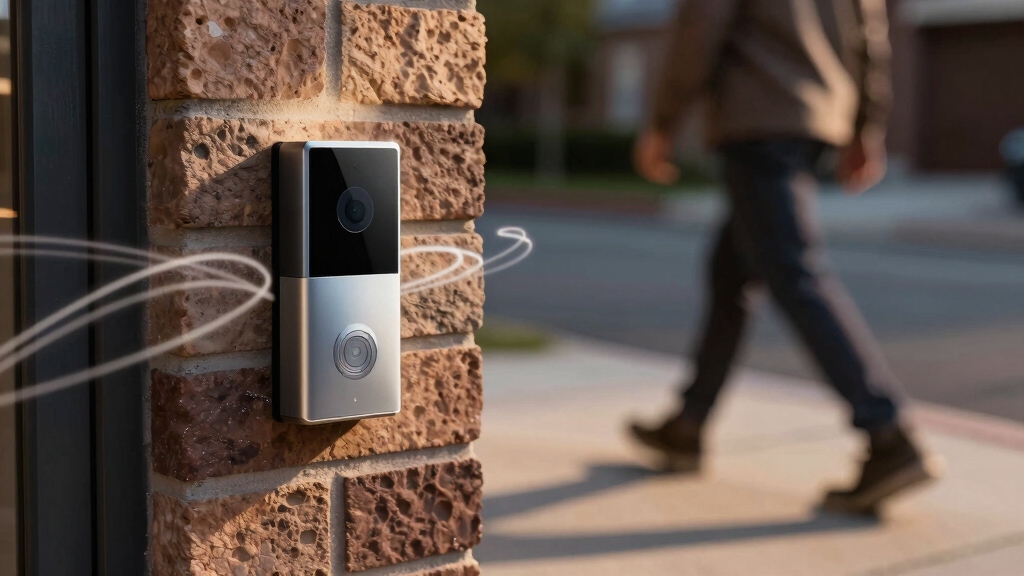

Ring motion detection continually scans for movement using sensors like passive infrared and, in advanced models, 3D radar to identify changes in heat or motion within set zones.
Motion alerts, however, are the notifications you receive when that detection triggers based on your customized sensitivity, zones, schedules, and modes.
Managing alerts helps balance effective monitoring and notification relevance. Understanding these differences is key to optimizing your device’s performance and reducing false alarms, as detailed in the following information.
Key Takeaways
- Motion detection is the hardware’s continuous scanning for movement within defined zones using sensors like PIR or 3D radar.
- Motion alerts are notifications sent to users’ smartphones only when the detection triggers a configured event or threshold.
- Detection runs constantly in the background, while alerts activate selectively based on user settings and motion events.
- Users customize alerts via sensitivity, motion zones, schedules, and modes to manage notification relevance and reduce false alerts.
- Separating detection from alerts optimizes device monitoring while controlling when and how users receive notifications.
Comparison of Ring Motion Detection & Motion Alerts
Below is a clear, scan-friendly comparison table that improves readability and supports SEO structure.
| Feature | Ring Motion Detection | Ring Motion Alerts |
|---|---|---|
| Definition | The technology that detects movement | The notification sent to your device |
| Function | Identifies motion using sensors & zones | Delivers real-time alerts via app |
| Customization | Adjustable motion zones & sensitivity | Customizable notification preferences |
| Trigger Type | Detects people, vehicles, or general motion | Sends push notifications, email alerts |
| Dependency | Works through camera sensors | Depends on motion detection activation |
| User Control | Configure detection settings in device setup | Manage alert frequency & quiet times |
| Purpose | Captures activity around property | Keeps you informed instantly |
| Best For | Accurate activity monitoring | Immediate awareness & response |
How Ring Detects Motion?
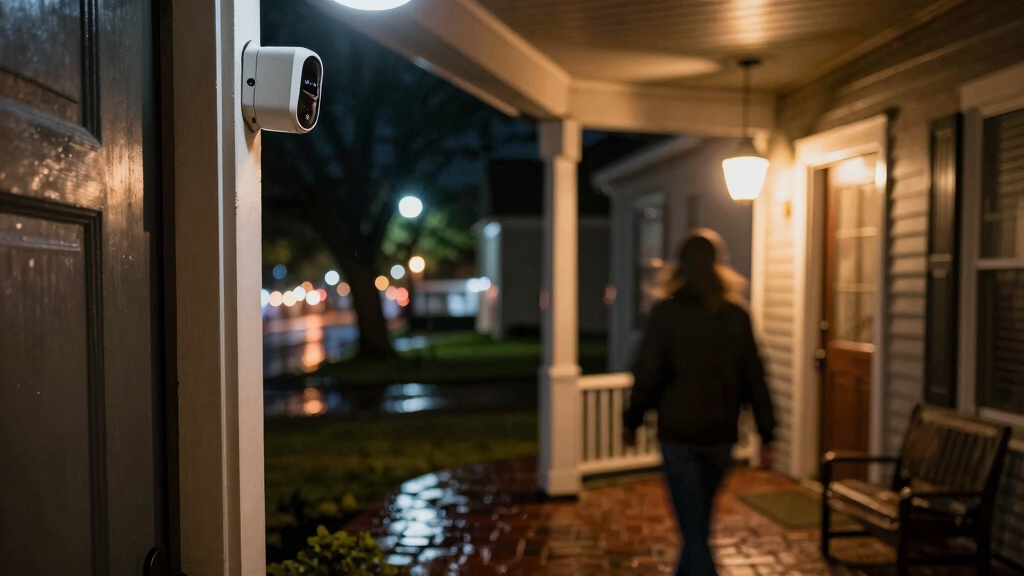
Ring devices pick up motion by continuously scanning their surroundings through built-in hardware sensors designed to detect movement within predefined zones.
These sensors rely primarily on passive infrared (PIR) technology, which identifies changes in heat signatures caused by moving objects. You can customize detection by setting Motion Zones, focusing the sensors on relevant areas while ignoring others like streets.
The device processes raw sensor data internally, applying algorithms to distinguish significant motion from environmental noise. Sensitivity adjustments let you calibrate the detection threshold, balancing responsiveness against false positives.
Advanced models incorporate 3D radar to enhance accuracy, especially for distant objects. This continuous, hardware-based monitoring guarantees real-time identification of movement without external input, serving as the foundational sensing mechanism that enables subsequent user notifications and recordings.
Similar to how photoelectric smoke alarms use optical detection to identify smoke particles, Ring devices employ sensor technology to detect motion changes in their environment.
How Motion Detection and Motion Alerts Differ?
Although motion detection and motion alerts are closely related, they serve distinct functions within the security system.
You rely on motion detection as the hardware’s continuous scanning capability that identifies movement in its field. Motion alerts, however, are the notifications you receive on your smartphone when that detection triggers a response.
Understanding their differences is key for effective configuration:
- Function: Detection senses motion internally; alerts notify externally.
- Operation: Detection runs constantly; alerts activate only on event triggers.
- Customization: Detection involves sensitivity and zones; alerts include scheduling and filtering.
- Device Role: Doorbells handle both alerts and detection; cameras focus solely on motion alerts.
This separation allows you to optimize monitoring while managing notification relevance and power consumption efficiently. For IP-based systems, enabling advanced analytics can enhance motion detection accuracy and reduce false alerts.
Common Causes That Trigger Ring Motion Alerts
Hey there! So, let’s talk about those pesky Ring motion alerts. You know, sometimes they go off for reasons that might seem a bit odd. For instance, things like moving shadows, leaves rustling in the wind, or even a car zooming by can trigger those alerts. It’s a little frustrating, right?
But it’s not just the environment at play here. Your device settings can really influence what sets off those notifications too. Things like motion sensitivity and the detection zones you’ve defined can make a big difference.
If you’re getting too many alerts that don’t seem relevant, tweaking those settings can help you manage how often you get notified. It’s all about finding that sweet spot!
Additionally, just like garage door sensors require proper alignment and adjustment to function reliably, ensuring your Ring device’s detection zones are correctly set can reduce false alerts.
Environmental Factors Influence
Since motion detection relies on sensors continuously scanning the environment, various external factors can inadvertently trigger alerts. Understanding these environmental influences helps you minimize false notifications effectively.
Common causes include:
- Moving Vegetation: Trees or bushes swaying in the wind produce motion signatures that cameras detect.
- Shadows and Light Changes: Shifting sunlight or passing clouds alter brightness, triggering sensor responses.
- Small Animals: Birds, cats, or insects crossing within detection zones cause motion activations.
- Weather Conditions: Rain, snow, or fog create visual noise or sensor interference, leading to false alerts.
- Additionally, combining motion detection with RF detection methods can improve the accuracy of alerts by differentiating genuine motion from environmental noise.
User Settings Impact
When configuring your Ring device, your user settings directly influence the frequency and accuracy of motion alerts.
Key factors include motion sensitivity, which you can adjust from low to high, affecting detection thresholds and false alert rates.
Motion zones allow you to define specific areas, reducing irrelevant triggers from streets or trees.
Enabling Smart Alerts refines detection by classifying motion types, such as people, vehicles, and animals, and filters out non-critical events, but requires a subscription.
Motion schedules let you disable alerts during chosen periods, preventing notifications during high-traffic times.
Additionally, features like Motion Snooze and device repositioning help fine-tune performance.
If settings are too sensitive or zones poorly defined, you’ll experience frequent false alerts.
Proper configuration balances alert responsiveness with minimizing unnecessary notifications, optimizing your device’s effectiveness.
Regular maintenance, such as cleaning the sensors and ensuring proper placement, can also minimize false alerts caused by environmental factors like dust or humidity buildup. Environmental causes
Customizing Motion Zones and Sensitivity Settings
Hey there! Did you know that you can really boost the accuracy of your motion detection? One great way to do this is by setting up custom Motion Zones. This means you can focus on the areas that matter most to you, like your front porch, and leave out places that aren’t as important, such as busy streets or those pesky trees swaying in the wind.
And there’s more! You can also tweak the sensitivity level. This little adjustment helps you find the sweet spot between catching important movements and keeping those annoying false alerts at bay.
So, when you combine these settings, you really get to optimize your device’s performance tailored to your environment and security needs. Pretty neat, right? Proper placement and sensitivity adjustment are crucial because sensor sensitivity helps prevent false triggers caused by environmental factors like swaying trees or passing cars.
Defining Motion Zones
Although motion detection continuously monitors your environment, customizing Motion Zones allows you to focus the device’s sensing capability on specific areas, reducing irrelevant triggers.
By defining these zones, you exclude high-traffic or non-threatening areas such as streets or sidewalks, minimizing false alerts. This targeted approach enhances system efficiency and conserves power by limiting unnecessary detections.
Key steps to define Motion Zones effectively:
- Identify critical areas requiring monitoring, like entryways or driveways.
- Exclude zones with frequent non-relevant motion (e.g., trees, roads).
- Use device app tools to precisely draw or adjust detection boundaries.
- Review and update zones regularly based on environmental changes or alert patterns.
This process optimizes motion detection accuracy while maintaining meaningful alert relevance. Additionally, adjusting sensitivity settings helps prevent false alerts caused by RF interference from nearby electronics or other wireless devices.
Adjusting Sensitivity Levels
Since motion sensitivity directly impacts detection accuracy and false alert rates, fine-tuning this setting is crucial for peak performance.
You’ll adjust sensitivity via a slider, balancing detection threshold: higher settings capture smaller movements but increase false alerts, while lower settings reduce noise but may miss subtle activity.
Combining sensitivity adjustments with customized Motion Zones refines coverage, focusing detection on relevant areas and ignoring irrelevant zones like streets or trees.
For devices with 3D radar, Bird’s Eye Zones enhance spatial precision. You should also consider enabling Smart Alerts if available, as AI filtering further reduces false alarms by classifying motion types.
Regularly reviewing and calibrating these settings based on real-world activity ensures your Ring device maintains optimal detection efficacy with minimized nuisance notifications.
Keep in mind that just as fire alarm systems rely on redundant communication channels to ensure reliable alerts, combining multiple detection techniques can improve your device’s overall responsiveness and reduce missed events.
Reducing False Alerts With Smart Alerts
Frequently, false alerts can overwhelm your Ring notifications, reducing their effectiveness.
Smart Alerts utilize AI to distinguish between motion types, helping you focus on relevant events. By filtering out non-critical triggers like animals or shadows, Smart Alerts enhance alert accuracy.
Smart Alerts use AI to filter motion types, reducing false alarms and highlighting important events.
To optimize false alert reduction, you should:
- Enable Smart Alerts via your Ring subscription for AI-based classification.
- Configure notifications to prioritize specific motion types, such as persons or vehicles.
- Adjust Motion Zones to exclude irrelevant areas prone to false triggers.
- Regularly update device firmware to maintain AI accuracy and performance.
Implementing these measures streamlines your alert system, ensuring you receive timely, meaningful notifications while minimizing distractions caused by irrelevant movements.
Additionally, understanding and monitoring motion detection patterns can further help in refining alert sensitivity and reducing false positives.
Managing Ring Motion Alerts With Schedules and Modes
Reducing false alerts with Smart Alerts helps maintain notification relevance, but managing when and how you receive these alerts further refines your experience.
Using Motion Schedules, you can specify times to disable motion alerts, preventing unnecessary notifications during predictable high-activity periods. This temporal control helps balance security needs with convenience, minimizing alert fatigue.
Additionally, Modes enable you to customize alert behavior based on your current status: Home, Away, or Disarmed. This automatically adjusts notifications accordingly.
For example, setting your system to Disarmed mode silences motion alerts when you’re home, avoiding redundant prompts.
Combining schedules with Modes provides a layered approach, allowing you to tailor alert delivery precisely to your lifestyle and security priorities.
This structured management enhances the utility of motion detection by optimizing alert relevance and timing.
For optimal performance, ensure your devices are installed in ideal locations to reduce false alarms caused by environmental factors.
Troubleshooting False Motion Alarms
Often, false motion alarms can undermine the effectiveness of your Ring device by causing unnecessary notifications.
To troubleshoot these, focus on optimizing detection parameters and device placement.
First, adjust motion zones to exclude irrelevant areas such as streets or tree branches that trigger frequent alerts.
Adjust motion zones to avoid irrelevant areas like streets or tree branches causing frequent alerts.
Second, clean the device lens and surrounding area to prevent false triggers from dirt or debris.
Third, enable Smart Alerts to filter out non-human movements like animals or swaying leaves.
Fourth, apply Motion Schedules during periods of high activity to reduce disturbances.
By systematically implementing these adjustments, you’ll enhance detection accuracy and minimize false alarms.
This ensures your Ring device alerts you only to relevant security events without overwhelming you with noise.
Choosing the Right Ring Device for Advanced Motion Detection
After minimizing false motion alarms through optimized settings and placement, selecting the appropriate Ring device becomes key to leveraging advanced motion detection features.
You should evaluate devices based on their detection technology: models with 3D radar and Bird’s Eye Zones provide superior spatial accuracy, reducing false positives.
Consider devices supporting Smart Alerts, which classify motion types to prioritize notifications.
Battery-powered units offer flexibility but may limit continuous detection due to power constraints. Wired devices support constant monitoring with higher sensitivity.
Assess your environment—wider areas benefit from cameras with adjustable motion zones and advanced sensitivity sliders.
Subscription plans enable full functionality, including AI filtering and event recording.
Choosing the right device aligns detection capabilities with your security needs, optimizing performance and minimizing unnecessary alerts effectively.
Frequently Asked Questions
Can Ring Devices Detect Motion Through Glass Windows?
Ring devices can detect motion through glass windows, but their effectiveness depends on the glass type and environmental factors.
Standard glass typically allows infrared sensors to function, but tinted or reflective glass may reduce sensitivity, causing missed or false detections.
You should position the device to minimize interference and adjust motion sensitivity accordingly.
For peak performance, avoid placing Ring devices behind thick or coated glass that can obstruct sensor signals.
Does Weather Affect Ring Motion Detection Accuracy?
Yes, weather can affect your Ring motion detection accuracy. Rain, fog, snow, and strong winds may cause false triggers or reduce detection sensitivity by obscuring the sensor’s view.
Temperature fluctuations can also impact hardware performance. To maintain accuracy, you should adjust motion sensitivity and zones, clean the device lens regularly, and enable Smart Alerts to filter out weather-related false alarms. This ensures more reliable motion detection in varying conditions.
How Long Does a Ring Motion Alert Notification Take to Arrive?
You’ll typically receive a Ring motion alert notification within a few seconds after the device detects movement.
The exact time depends on your internet connection speed, device processing, and app responsiveness.
Ring’s hardware processes detection internally, then sends alerts externally to your smartphone.
Delays may occur if network latency is high or the app runs in the background.
Optimizing Wi-Fi and keeping the app updated helps guarantee prompt alert delivery.
Can Multiple Ring Devices Share Motion Detection Settings?
Like gears in a well-oiled machine, Ring devices don’t share motion detection settings directly. You’ll need to configure each device’s motion zones, sensitivity, and schedules individually through the app.
This approach guarantees precise customization per location, given varying environments. However, you can streamline setup by replicating settings manually across devices, but there’s no automatic synchronization of motion detection parameters between multiple Ring devices at this time.
Is There a Way to Test Motion Detection Without Triggering Alerts?
Yes, you can test motion detection without triggering alerts by temporarily enabling Motion Snooze or setting Motion Schedules during your test period.
This way, the device continues scanning for movement but doesn’t send notifications. Additionally, adjust Motion Zones and Sensitivity to verify detection accuracy.
Using the Ring app’s live view helps you observe motion detection responses in real time without receiving alert notifications, ensuring you fine-tune settings effectively.
Ring Motion Detection or Motion Alerts for Home Security
Think of Ring motion detection as a vigilant lighthouse, constantly scanning the horizon for movement, while motion alerts are the beacon’s signal, notifying you when something crosses its path.
By understanding their differences and fine-tuning settings like motion zones and sensitivity, you can reduce false alarms and optimize your system’s performance.
Just as a skilled navigator adjusts the light’s reach, you manage alerts and schedules to guarantee your Ring device guides you accurately and efficiently.