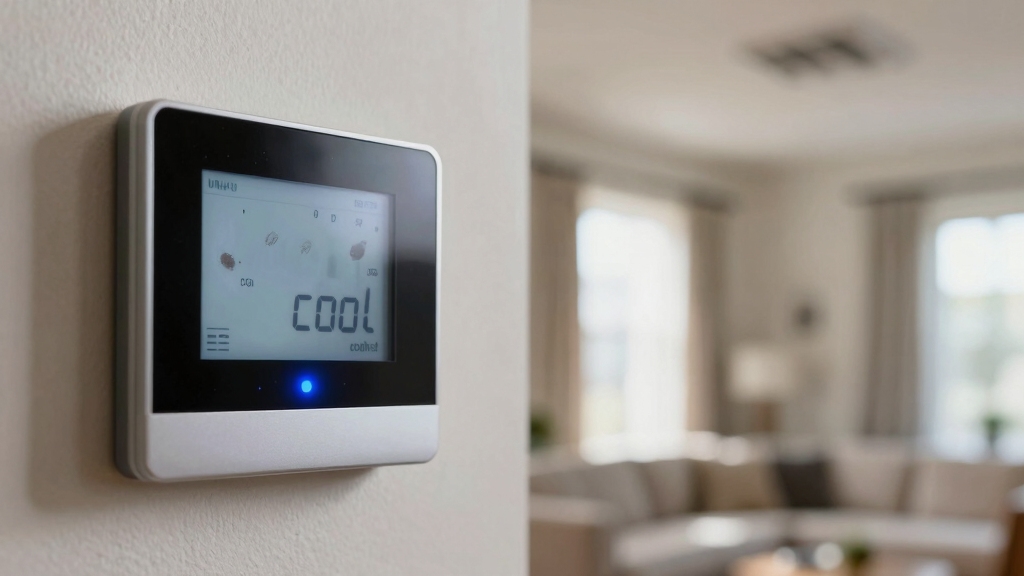

If your thermostat is flashing “Cool On,” it means the compressor is in a built-in protection delay to prevent short cycling. So cooling won’t start immediately; this usually lasts up to five minutes.
Check that your system is set to “Cool” mode with a temperature below the room level. Make sure your air filters aren’t clogged, as restricted airflow can trigger this delay. Power interruptions or sensor issues can also cause flashing.
Keep your system settings and maintenance in mind as you explore ways to resolve it.
Key Takeaways
- Flashing “Cool On” indicates the compressor protection delay to prevent short cycling after recent shutdowns or power interruptions.
- The delay typically lasts up to five minutes before the compressor restarts and cooling begins.
- Verify thermostat mode is set to “Cool” and the temperature setpoint is below current room temperature.
- Check for dirty air filters or restricted airflow, which can trigger the delay and cause flashing.
- If flashing persists beyond 10 minutes, reset the thermostat and consider contacting an HVAC professional for inspection.
Why Is My Thermostat Flashing “Cool” But Not Cooling?
When your thermostat flashes “Cool” but doesn’t start cooling, it’s often due to the built-in compressor protection delay designed to prevent damage from short cycling.
This delay activates after recent system shutdowns or power interruptions, enforcing a mandatory minimum off time, typically up to five minutes.
It safeguards the compressor by ensuring it doesn’t restart prematurely, which could cause mechanical stress and reduce lifespan.
During this delay, the thermostat flashes to indicate the cooling cycle hasn’t begun yet.
You should verify your thermostat is set to “Cool,” with a temperature setpoint below the current room temperature, and the fan on “Auto” to prevent continuous running.
If these settings are correct, the flashing will stop once the delay timer completes, and the system will initiate proper cooling.
Using a programmable thermostat schedule can help optimize your cooling cycles and reduce energy consumption.
Why Your AC’s Delay Mode Causes a Cooling Wait?
Your AC has this handy feature called delay mode that kicks in to protect the compressor. What it does is prevent the compressor from jumping back into action right after it’s been turned off. Usually, this means you might’ve to wait around 5 minutes before it can start cooling again.
Sometimes, if there’s a power interruption, it can trigger this delay too. You might notice the thermostat flashing “Cool On” during the waiting period. But don’t worry, it’s just your AC’s way of ensuring everything runs smoothly.
Knowing about this built-in safeguard can really help you avoid any unnecessary troubleshooting when your system pauses for a bit. Additionally, power surges and voltage spikes can cause temporary system resets that trigger delay modes or safety features to prevent damage.
Compressor Protection Delay
Although it may seem frustrating, the flashing “Cool On” indicator often signals the compressor protection delay engaging to prevent early restart after shutdown. This delay safeguards the compressor from damage caused by short cycling.
When your system shuts off, the delay timer activates, typically lasting up to five minutes, before allowing the compressor to restart.
Here’s what you should know about this delay:
- It prevents restarting too soon after shutdown or power interruptions. The minimum off timer protects the compressor from stress.
- Delay typically lasts up to 5 minutes under normal conditions. Flashing stops once the delay expires and cooling begins.
- It assures system longevity by avoiding rapid cycling. Understanding this helps you avoid unnecessary concern during the wait.
Proper maintenance and system inspection can help ensure this delay mechanism and other components function correctly.
Power Interruption Impact
Because power interruptions can disrupt thermostat operations, the AC system enters delay mode to safeguard the compressor from damage caused by sudden restarts.
When power briefly cuts out or surges, the thermostat resets and triggers this built-in delay, typically lasting up to five minutes.
During this time, the compressor remains off to prevent short cycling, which can severely damage the unit.
Voltage fluctuations or wiring issues can extend this delay beyond the normal interval, signaling a need for professional inspection.
You might notice the thermostat flashing “Cool On” during this period, indicating the delay is active. Once the timer expires, the system resumes normal cooling operation.
Patience is key; avoid manually resetting the thermostat immediately after a power interruption to guarantee compressor safety.
Additionally, improper thermostat placement near heat sources or ventilation outlets can affect its performance and cause unexpected behavior such as delay activation due to environmental interference.
How to Check Thermostat Settings for Flashing “Cool”?

When the thermostat flashes “Cool,” start by verifying that the mode is set to “Cool” and not “Heat” or “Off.”
Make sure the temperature setpoint is lower than the current room temperature to prompt cooling activation.
Also, check the fan setting to guarantee it’s on “Auto,” which prevents unnecessary continuous operation.
If the thermostat recently experienced a power outage, it may need a reset to exit set-up mode. Incorrect settings often cause persistent blinking without triggering the compressor.
Review these key thermostat settings:
- Mode: Confirm set to “Cool”
- Temperature setpoint: Lower than room temperature
- Fan: Set to “Auto”
- Recent power outage: Reset thermostat if needed
- Persistent blinking: Recheck settings or consult manual
Proper configuration helps resolve flashing “Cool” issues efficiently. Using a programmable thermostat can help prevent such issues by automating mode and temperature adjustments based on your schedule.
Common Power Issues That Make Your Thermostat Flash “Cool
Power interruptions and electrical fluctuations often cause your thermostat to flash “Cool,” signaling it’s in a protective delay mode.
Brief power outages or surges reset the thermostat, triggering this delay to protect the compressor from damage due to short cycling.
Low thermostat batteries can also prevent proper commands to the AC unit, leading to flashing.
Voltage irregularities, such as low or unstable supply, may prolong the delay beyond the typical five-minute minimum off timer.
Additionally, shorted wires or voltages outside the acceptable range require professional inspection to avoid system damage.
Usually, the built-in timer resolves the flashing once conditions stabilize.
If the flashing persists, performing a power cycle or battery replacement can help restore normal operation.
Electrical issues like loose or damaged wiring can cause intermittent power disruptions, so it is important to have professional inspection if problems continue.
How Dirty Air Filters and Poor Airflow Trigger Delay?
Hey there! Did you know that dirty air filters can really mess with your system? When they get clogged, they restrict airflow, which can trigger your system to go into delay mode. This is the system’s way of protecting itself from potential damage.
Now, when airflow is poor, it can lead to frozen evaporator coils. This is when you’ll see your thermostat flashing “Cool On” while it waits for the right conditions to safely restart. It can be pretty frustrating, right?
The good news is, keeping up with regular filter maintenance can help ensure proper airflow. This way, you can avoid those annoying protective delays and keep your system running smoothly! Choosing washable and reusable filters can also reduce waste and help maintain optimal airflow over time.
Impact Of Dirty Filters
Since dirty air filters restrict airflow, your HVAC system triggers a protective delay to prevent damage. This delay safeguards the compressor from overheating and short cycling caused by insufficient air circulation.
When airflow is blocked, the system pauses before restarting to avoid further stress on components. Key impacts of dirty filters include:
- Reduced airflow triggers the system’s built-in delay mode
- Increased pressure drop leads to evaporator coil freezing risk
- Compressor protection activates to prevent premature restarts
- Cooling cycles extend, causing inefficient temperature regulation
- Maintenance neglect prolongs delay and raises energy consumption
Regular maintenance, such as cleaning or replacing filters every 3–6 months, is essential to avoid excessive wear and ensure optimal system function, similar to how routine maintenance practices extend sump pump life.
Airflow Restrictions Effects
Although your thermostat may flash “Cool On” as part of its delay mode, this often stems from airflow restrictions caused by dirty air filters or poor ventilation.
When filters become clogged, they obstruct airflow, reducing the volume of air passing through the system. This leads to inadequate cooling and can cause evaporator coils to freeze, triggering the compressor protection delay.
Poor ventilation or blocked vents compound these issues by limiting air circulation, forcing the system to delay startup to prevent damage. The built-in delay safeguards the compressor from overheating or short cycling due to restricted airflow.
Recognizing these airflow limitations is vital, as they directly impact cooling efficiency and system longevity. You should inspect and address airflow restrictions promptly to avoid extended delay periods and ensure proper thermostat operation.
Regular cleaning and maintenance, including vent inspection and cleaning, help maintain proper airflow and prevent system damage.
Maintenance Prevents Delay
Addressing airflow restrictions starts with regular maintenance, especially cleaning or replacing dirty air filters. Neglecting this leads to blocked airflow, which forces your system into a protective delay mode to prevent damage.
This delay triggers the thermostat’s flashing cool on indicator, signaling a problem. To avoid such delays, focus on these key maintenance tasks:
- Replace or clean air filters every 1-3 months.
- Inspect evaporator coils for frost buildup.
- Keep vents and registers unobstructed.
- Schedule routine professional HVAC inspections.
- Make certain blower fan operates at proper speed.
For optimal HVAC system reliability, using maintenance best practices can prevent electrical or sensor-related issues that cause delay modes.
How Refrigerant and Sensor Problems Cause Flashing “Cool?
When your thermostat flashes “Cool” repeatedly, refrigerant and sensor issues often lie at the root. Low refrigerant levels stop the cooling cycle, triggering the thermostat to keep trying without success.
Faulty temperature sensors disrupt the system’s ability to start cooling properly, signaling deeper malfunctions. These problems require professional diagnosis and repair since DIY fixes risk further damage.
| Problem Type | Cause | Emotional Impact |
|---|---|---|
| Low Refrigerant | Leak or depletion | Frustration over delays |
| Faulty Sensor | Malfunction or damage | Anxiety about repairs |
| Cooling Failure | System won’t engage | Concern for comfort loss |
| Professional Repair | Technician needed | Urgency to resolve issue |
Address these issues promptly to restore efficient cooling and stop the flashing indicator.
How to Troubleshoot and Reset a Flashing “Cool” Thermostat?
Refrigerant and sensor problems often require professional service, but you can handle many common causes of a flashing “Cool” thermostat yourself.
Many flashing “Cool” thermostat issues are DIY fixes; refrigerant and sensor problems usually need a pro.
Start by verifying that your thermostat mode is set to “Cool” and the temperature setpoint is below room temperature.
Next, check the fan setting; it should be on “Auto” to avoid continuous running.
Replace low batteries if indicated, and inspect the air filter for dirt or clogs that might impair airflow.
If a recent power outage occurred, allow the built-in compressor delay mode up to 5 minutes to complete before expecting normal operation.
Finally, reset the thermostat following the manufacturer’s instructions.
If the flashing persists beyond 10 minutes, contact an HVAC professional.
- Confirm thermostat mode and settings
- Replace batteries if low
- Clean or replace air filter
- Allow 5-minute delay after power interruptions
- Reset thermostat per manual
Frequently Asked Questions
Can a Flashing “Cool” Thermostat Affect My Energy Bill?
Yes, a flashing “cool” thermostat can increase your energy bill. It often indicates the system is in delay mode, preventing the compressor from running efficiently or cycling properly.
This irregular operation can cause your AC to work harder or run longer once it starts, wasting energy. To avoid higher costs, you should troubleshoot promptly.
Check settings, clean filters, replace batteries, or call a professional if the flashing persists beyond 10 minutes.
Does Flashing “Cool” Indicate a Need for Thermostat Replacement?
You don’t necessarily need to replace your thermostat if it’s flashing “cool.”
For example, a homeowner noticed flashing after a power outage; waiting five minutes allowed the compressor delay to complete, and normal operation resumed. Flashing often signals temporary issues like delay mode, power interruptions, or minor sensor glitches.
Check batteries, settings, and filters first. Only after persistent blinking beyond 10 minutes or repeated faults should you consider professional diagnostics or replacement.
Is Flashing “Cool” Related to Wi-Fi or Smart Thermostat Connectivity?
No, flashing “cool” isn’t directly tied to Wi-Fi or smart thermostat connectivity. It typically signals delay mode activation or system protection, like compressor delay after shutdown or power interruption.
Connectivity issues might cause other alerts or unresponsive controls but won’t cause the “cool” light to flash. Focus on checking system settings, power stability, and airflow first.
If blinking persists beyond 10 minutes, contact an HVAC professional for diagnosis.
Can Pets or Children Accidentally Cause the Thermostat to Flash “Cool”?
Yes, pets or children can accidentally cause the thermostat to flash “cool” by pressing buttons or changing settings.
This may trigger the system to enter delay mode or reset, causing the flashing indicator.
To prevent this, use a thermostat lock feature if available or place the device out of reach.
Always verify settings afterward to guarantee proper operation and avoid unnecessary compressor protection delays or cycling issues.
How Does Outdoor Temperature Impact the Thermostat Flashing “Cool”?
Outdoor temperature influences the thermostat flashing “cool” by affecting system demand and compressor delay.
When it’s hot outside, your AC runs more frequently, triggering built-in delay modes to protect the compressor from short cycling.
If the outdoor temp drops suddenly, your system may pause cooling to avoid unnecessary cycles.
Extreme temps can also stress sensors or refrigerant levels, causing flashing as the thermostat waits for safe operation conditions or signals a fault needing attention.
Catch the Warning Early and Keep the Cool Flowing
When your thermostat flashes “Cool” but the AC doesn’t kick in, think of it as your system waving a caution flag. This usually signals delay modes, power hiccups, or sensor issues.
By checking settings, inspecting filters, and ensuring proper refrigerant levels, you can often resolve the problem yourself. If not, don’t hesitate to call a professional to avoid turning a small glitch into a bigger headache.
Stay proactive to keep your cool intact.