
You’ll often face video loss in security cameras due to power issues like loose connections, faulty power supplies, or weakened batteries that interrupt the power flow.
Electrical interference, such as grounding faults or surges, can distort or block signals. Network problems, including weak WiFi signals, bandwidth limits, or bad cables, disrupt video feeds.
Additionally, hardware mismatches and outdated firmware may cause blackouts or freezes.
Understanding these technical causes helps you address video loss effectively and maintain reliable surveillance.
Key Takeaways
- Loose or damaged power cables and connections disrupt power supply, causing immediate or intermittent video loss in security cameras.
- Faulty network connections, weak WiFi signals, or bandwidth limitations lead to unstable video feeds and intermittent video loss.
- Electrical interference, grounding faults, and power surges can cause black screens, distorted images, or complete video loss.
- Incompatible video standards or incorrect camera-to-recorder configurations prevent proper video output and cause no video feed.
- Damaged or improperly installed signal cables and connectors degrade video quality or cause total signal loss in surveillance systems.
How Power Supply Issues Cause Security Camera Video Loss?
Power supply issues often disrupt security camera video by interrupting the consistent delivery of electricity necessary for operation.
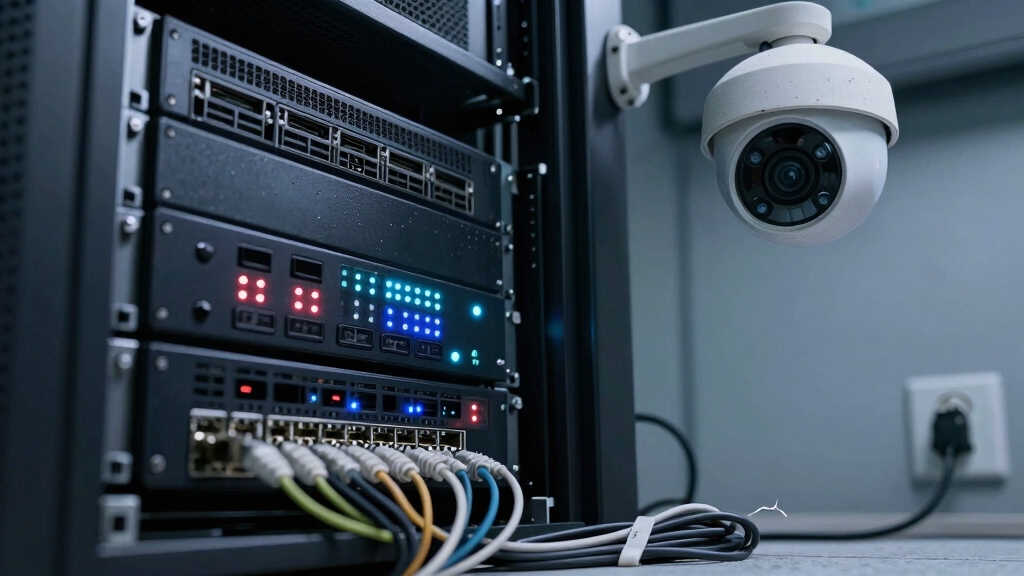
You’ll encounter video loss if loose cable connections exist between your DVR/NVR, cameras, monitors, or power adapters. These interruptions break the power flow.
Faulty PoE switches or injectors can also cause inadequate power delivery, degrading camera performance.
When cable lengths exceed recommended distances or multiple cameras share one cable, voltage drops occur, resulting in unstable power.
Additionally, damaged, degraded, or cut power cables physically interrupt the supply, causing immediate video loss.
If your power supplies sustain physical damage or short circuits develop, the cameras won’t operate properly.
Diagnosing these issues requires precise inspection and testing of all connections, cables, and power equipment to restore stable power and prevent video interruptions.
Ensure that power and video cables are securely fastened with cable tie straps or similar fixtures to prevent strain and disconnections that can cause video loss.
How Power Spikes and Electrical Interference Affect Cameras
When electrical interference strikes, your security cameras can experience sudden video loss or display distorted images. This interference often originates from power spikes, grounding issues, or nearby electrical equipment emitting strong currents. These disruptions affect video signal integrity and camera circuitry, leading to black screens or image degradation.
Here are three main causes to watch for:
- Power Surges: Sudden voltage increases from faulty outlets or lightning strikes can damage camera components or trigger black screens.
- Grounding Faults: Improper grounding in analog systems introduces horizontal or vertical lines and intermittent video loss.
- Electrical Noise: Mounting cameras on metal surfaces or proximity to heavy electrical machinery generates interference that degrades video quality.
Understanding these factors helps you implement proper shielding, surge protection, and grounding to maintain stable camera performance.
Physical inspection and maintenance, including disconnecting power before handling devices, are essential for safety and effective troubleshooting of electrical interference issues, as recommended in safety preparation.
How Weak WiFi and Network Problems Interrupt Camera Feeds?
You know, if your wireless cameras are too far from the WiFi source, you’re definitely going to run into video loss. Weak signals just can’t maintain that quality feed we all want. It’s frustrating, right?
And then there’s the issue of network bandwidth. If your system can’t handle the data traffic, you might notice some frame drops or interruptions. It’s like trying to squeeze too much into a small bag—it just won’t work.
Getting a handle on these limitations can really help you figure out the best spots for your cameras and how to boost your network capacity. That way, you can keep those video streams running smoothly. Regular camera software updates also play a crucial role in minimizing cybersecurity vulnerabilities that could disrupt your video feeds.
Signal Range Limitations
Although wireless cameras offer flexibility, their performance heavily depends on signal strength and network stability. When your camera sits too far from the router or network access point, the weak signal can’t sustain continuous video streaming. This causes interruptions or complete loss.
Physical obstructions like thick walls or metal barriers further degrade signal quality. Additionally, interference from other wireless devices can cause packet loss and unstable connections.
Key factors affecting signal range include:
- Distance to Router: Signal strength diminishes exponentially with increased distance, reducing data throughput.
- Obstructions: Materials such as concrete or metal absorb or reflect signals, weakening reception.
- Interference: Competing WiFi networks and electronic devices cause channel congestion and signal disruption.
Understanding these limitations helps you optimize camera placement and network configuration to minimize video loss. For improved installation efficiency and more reliable connectivity, consider cameras that support Power over Ethernet (PoE) to simplify power delivery and reduce network issues.
Network Bandwidth Constraints
Since network bandwidth directly impacts video streaming quality, weak WiFi signals or overloaded network infrastructure can cause intermittent camera feeds or complete video loss.
When wireless cameras are placed far from routers or behind dense materials, signal degradation reduces data throughput, disrupting continuous video transmission.
Additionally, multiple devices sharing limited bandwidth on a PoE switch or NVR can saturate the network, resulting in packet loss and frame drops.
Network interruptions caused by router misconfigurations, changed credentials, or internet outages further exacerbate feed instability.
To maintain consistent video streams, you must guarantee peak WiFi coverage, avoid interference, and allocate sufficient bandwidth for all cameras.
Monitoring network load and upgrading to higher-capacity switches or routers can prevent bottlenecks that interrupt security camera feeds.
Proper camera placement and using motion-activated cameras with PoE or wired sensors can also enhance reliable power and data transmission for stable video feeds.
Why Faulty Cables and Connectors Lead to Video Dropouts?
Faulty cables and connectors can quickly knock out your video feed by disrupting the signal transmission between cameras and recording devices.
When your coaxial or BNC cables are twisted, bent, or damaged, the video signal degrades or cuts out entirely.
Loose BNC connectors or internal wiring faults create intermittent loss, making your surveillance unreliable.
Even high-quality cables, if improperly installed, lead to signal degradation, resulting in video dropouts.
Here are three key reasons faulty cables and connectors cause video loss:
- Physical cable damage interrupts continuous signal flow.
- Loose or corroded connectors cause unstable connections.
- Combined power and signal cables under load experience voltage drops affecting video quality.
Address these issues to maintain consistent, high-quality video transmission in your security system. Additionally, network issues such as bandwidth constraints and packet loss can exacerbate video dropouts even when cables are intact.
How Hardware and Configuration Mismatches Cause Video Loss?
When your camera system components don’t match in signal type or resolution, you’ll experience black screens or missing feeds. This occurs when incompatible video standards like AHD, CVI, TVI, or CVBS collide, causing no video output.
Resolution mismatches between cameras and DVR/NVRs disrupt feeds, as the recorder can’t process unsupported formats. Additionally, disabled channels or configuration errors on your recording device prevent video capture.
Faulty IR cut filters or disabled IR LEDs impair night vision, leading to blackouts after dark.
| Cause | Effect |
|---|---|
| Signal type mismatch | Black screen, no video feed |
| Resolution incompatibility | Distorted or missing feeds |
| Disabled DVR channels | No video on specific cameras |
| Faulty IR filters/LEDs | Nighttime black screens |
Verify compatibility to avoid these hardware and configuration conflicts. Using AHD cameras ensures minimal latency and reduces interference, helping maintain consistent video feeds.
How Battery and Environmental Factors Affect Wireless Cameras?
You know, wireless cameras really depend on good battery health to keep things running smoothly.
When batteries are expired or just weak, you might suddenly lose video feed, and that’s definitely not ideal.
And then there are those pesky environmental factors to consider.
Extreme temperatures can really mess with battery charging and could even cause the hardware to shut down unexpectedly.
To avoid video loss, it’s important to use official replacement backup batteries compatible with your system.
Battery Life Challenges
Although wireless security cameras offer flexibility, their battery life often limits continuous operation and reliability. You must understand how battery capacity and environmental factors impact performance to prevent video loss.
Battery degradation reduces operating time, forcing frequent recharges that interrupt monitoring. Additionally, extreme temperatures impair chemical reactions inside batteries, hindering charging efficiency and accelerating wear.
Consider these critical challenges:
- Battery Capacity: Diminished capacity shortens active recording periods, increasing downtime.
- Charging Efficiency: Cold or hot environments disrupt battery charging cycles, causing premature shutdowns.
- Power Management: Inadequate power-saving algorithms can drain batteries faster than expected.
Using high-quality batteries, such as lithium 9V batteries, can help maximize battery lifespan and reduce the risk of unexpected power loss in wireless devices.
Environmental Impact on Operation
Temperature extremes critically affect battery efficiency. Excessive heat accelerates battery degradation, while cold impairs charging capacity, causing unexpected shutdowns.
Additionally, poor ventilation leads to overheating, triggering hardware shutdowns that interrupt video feeds.
Bright light exposure can introduce interference lines by overwhelming image sensors, degrading video quality.
You must also consider power supply reliability. Switched outlets or tripped circuit breakers cut power, halting operation.
In wireless models, expired or weak batteries cause intermittent or total video loss.
Consequently, ensuring ideal environmental conditions and reliable power sources is essential for maintaining continuous, high-quality video transmission in wireless security systems. This helps prevent disruptions caused by battery failure or environmental stressors.
Battery performance can also be drastically reduced by high device current draw, which shortens runtime and leads to more frequent video interruptions.
How to Diagnose Power-Related Video Loss Issues?
When video loss occurs, start by systematically checking the power supply and connections feeding your security cameras.
Begin by verifying all cables and connectors for looseness, damage, or corrosion, especially at the DC power adapters and camera terminals.
Check all cables and connectors for looseness, damage, or corrosion, focusing on DC adapters and camera terminals.
Next, measure voltage levels at the camera end to confirm adequate power delivery.
Consider voltage drops from long cable runs or multiple cameras on one line.
Finally, inspect power supplies, PoE switches, and injectors for faults or intermittent failures.
Rule out power surges or short circuits by evaluating grounding and surge protection.
- Inspect and tighten all power cable connections.
- Use a multimeter to verify voltage consistency at cameras.
- Test power supply units and PoE devices for stability and faults.
Common Network Problems That Disrupt Security Camera Video
You might notice video loss when your WiFi signals weaken. This can happen due to interference from physical barriers, like walls, or competing devices trying to connect to the network. It’s a common issue!
Also, if you’re using PoE switches or NVRs, keep in mind that network bandwidth limitations can really throttle those video streams. This can lead to frustrating frame drops or delays in your feeds.
WiFi Signal Interference
Although wireless security cameras offer installation flexibility, their video feeds often suffer from WiFi signal interference that disrupts consistent streaming. You’ll notice video loss when signal strength fluctuates or drops, caused by environmental factors and competing wireless devices.
Key sources of WiFi signal interference include:
- Physical obstacles such as thick walls or metal surfaces that attenuate or reflect signals, reducing quality.
- Overlapping channels from nearby routers or devices creating electromagnetic noise and packet loss.
- Distance-related attenuation when cameras are placed far from access points, leading to weak connectivity.
To maintain uninterrupted video, optimize camera placement, select less congested WiFi channels, and minimize physical barriers. These measures guarantee your wireless camera maintains a strong, stable connection essential for reliable video streaming.
Network Bandwidth Limitations
Since network bandwidth directly impacts data transmission, insufficient bandwidth can severely degrade security camera video quality or cause complete feed interruptions.
When your network can’t handle the cumulative data load from multiple cameras, video streams may lag, freeze, or drop frames.
This often happens if your PoE switch or NVR lacks adequate capacity or if multiple high-resolution cameras saturate the available bandwidth.
Network congestion, caused by competing traffic or limited router throughput, further reduces effective data rates.
To mitigate this, you should optimize video compression settings, reduce frame rates, or segment cameras across different network channels.
Monitoring network traffic and upgrading hardware components guarantees ample bandwidth for continuous, high-quality video streaming and prevents disruptions caused by bottlenecks in your security system’s data flow.
How to Spot Faulty Wiring and Connection Issues Quickly?
When tracking down video loss in security cameras, start by inspecting all wiring and connections for visible damage or looseness.
Faulty cables or connectors often cause intermittent or complete signal loss. You should:
Faulty cables or connectors frequently lead to intermittent or total signal loss—always check these first.
- Check BNC and power cable integrity. Look for cuts, kinks, or corrosion that degrade signals or power flow.
- Confirm all connectors are firmly seated. Loose connections can cause flickering or black screens.
- Assess cable routing. Excessive length or sharp bends may induce voltage drops or signal attenuation.
Prioritize cables supplying both video and power, as power drops here directly affect camera operation.
A systematic visual and physical inspection helps you quickly isolate wiring issues before delving into more complex diagnostics or hardware replacements.
How Camera Settings and Firmware Bugs Block Video Feeds?
Review your camera settings and firmware regularly to prevent video feed interruptions caused by configuration errors or software glitches.
Incorrect resolution settings or incompatible signal types like AHD, CVI, TVI, or CVBS often result in black screens or no video output.
Disabled channels or misconfigured DVR/NVR settings can block feeds entirely.
Firmware bugs, especially in outdated versions, may cause video dropouts or irregular frame freezes due to memory leaks or processing errors.
Overheating firmware modules might exacerbate these issues by triggering automatic shutdowns.
You should promptly install firmware updates from trusted sources to fix known vulnerabilities and improve stability.
Additionally, verify IR cut filter status and IR LED functionality to avoid nighttime blackouts.
Proactively managing these technical parameters guarantees continuous, reliable video streaming in your security system.
Frequently Asked Questions
Can Camera Angle or Placement Affect Video Loss?
Yes, camera angle and placement can affect video loss indirectly. If you position your camera facing strong light sources or reflective surfaces, you might experience glare or sensor interference, causing degraded video quality.
Placing cameras in locations with poor ventilation can lead to overheating, triggering shutdowns and video dropout. Also, mounting cameras on conductive surfaces can induce electrical interference, resulting in intermittent signal loss or black screens.
Choose placements carefully to maintain signal integrity.
Do Software Updates Impact Video Feed Stability?
Yes, software updates can impact video feed stability. When you update your camera’s firmware or DVR/NVR software, bugs may be introduced or compatibility issues can arise. This can temporarily disrupt the video feed.
If updates aren’t fully compatible with your hardware or network setup, you might experience video dropout or latency. Always test updates in controlled conditions and ensure you have rollback options to maintain continuous, stable video streaming during and after updates.
How Do User Permissions Influence Camera Access and Video Display?
User permissions act like the gatekeepers of your security system, controlling who can see and manage camera feeds.
If you don’t assign proper access rights, users might face black screens or restricted video display.
Overly strict permissions block streams, while lax settings risk unauthorized viewing.
Does Camera Lens Cleanliness Affect Video Quality or Loss?
Yes, camera lens cleanliness directly impacts video quality but rarely causes complete video loss.
Dirt, dust, or smudges degrade image clarity, reduce sharpness, and introduce blur or glare, compromising your footage’s effectiveness.
Regularly cleaning the lens guarantees peak light transmission and accurate image capture.
While it won’t interrupt signal transmission or cause black screens, neglecting lens maintenance diminishes your security system’s overall visual reliability and detail recognition.
Can the Dvr/Nvr Storage Capacity Cause Video Interruptions?
Oh sure, your DVR/NVR’s storage capacity loves to play hide-and-seek with your video feeds.
When storage maxes out, it can’t save new footage, causing interruptions or overwrites.
You’ll want to monitor free space closely, configure proper overwrite settings, or expand storage to maintain continuous recording.
Otherwise, your system stops capturing critical moments, defeating the very purpose of surveillance.
No More Blackouts: Keep Your Surveillance Running Smoothly
Video loss in security cameras often stems from power issues, network interruptions, or faulty wiring, each disrupting your feed like a faulty circuit breaking a continuous current.
By understanding power supply inconsistencies, electrical interference, weak WiFi, and hardware mismatches, you can pinpoint the root cause efficiently.
Regular diagnostics and firmware updates are essential to maintain uninterrupted video.
Staying proactive guarantees your security system operates reliably, minimizing vulnerabilities and keeping your surveillance seamless.