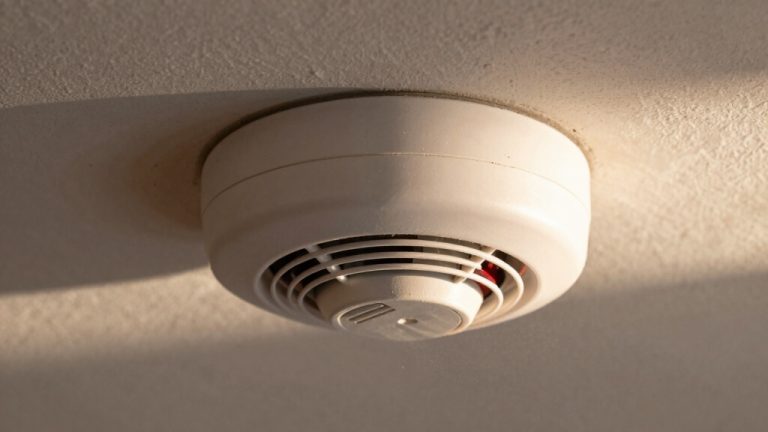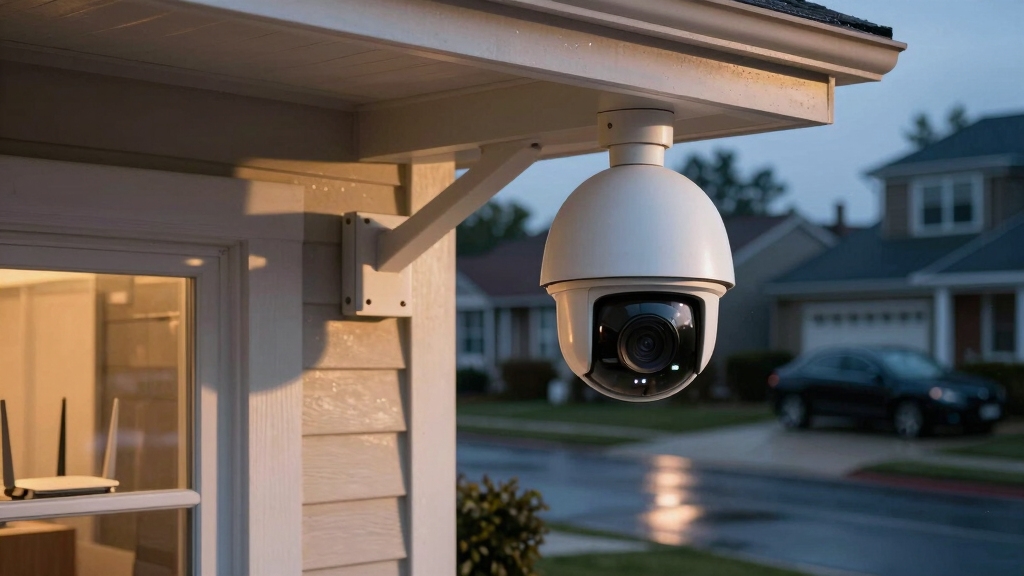

You don’t need WiFi for security cameras to record footage because many systems use local storage like microSD cards or connect wired cameras to DVRs/NVRs for offline recording.
Wired and some wireless cameras operate independently of internet, ensuring privacy and uninterrupted capture. However, WiFi becomes essential if you want remote monitoring, alerts, or cloud storage.
Understanding these distinctions helps you choose the best system to balance connectivity, security, and convenience.
Key Takeaways
- Security cameras do not need WiFi if they use local storage like microSD cards or wired NVR/DVR systems for offline recording.
- Wired cameras transmit data via cables and can operate continuously without internet or WiFi connectivity.
- Cellular cameras can function without WiFi by using mobile networks for remote access and alerts.
- WiFi is required only for remote viewing, cloud storage, live streaming, and receiving instant alerts.
- Offline cameras provide privacy and uninterrupted recording but cannot deliver real-time remote notifications without internet.
Do Security Cameras Need WiFi for Basic Recording?
When considering basic recording functionality, security cameras don’t need WiFi to operate.
You can rely on cameras equipped with local storage solutions like microSD cards, which record footage directly without requiring an active internet connection.
This setup enables continuous recording and playback without latency or signal interruptions inherent in wireless transmissions.
Additionally, wired cameras function independently by transmitting data through cables, eliminating dependence on WiFi networks altogether.
The absence of WiFi doesn’t impede the camera’s ability to capture and store footage; rather, it limits features such as remote access, cloud storage, and real-time alerts.
Consequently, if your primary goal is straightforward surveillance with reliable, uninterrupted recording, you don’t need to connect your security cameras to WiFi at all.
Wired cameras offer the advantage of stable connections with minimal interference, ensuring consistent video quality and low latency for real-time monitoring.
How Wired Cameras Record Without WiFi?
Although wired cameras don’t rely on WiFi, they record continuously by transmitting video data directly through cables to storage devices like DVRs or NVRs.
This direct connection guarantees a stable, interference-free signal, enabling uninterrupted high-quality recording regardless of internet availability.
The cameras use Ethernet or coaxial cables, delivering power and data simultaneously in some configurations, such as PoE. This setup mitigates latency and packet loss common in wireless transmission.
Your footage is stored locally on hard drives within these recorders, allowing you to access recordings without network dependency.
Since the system operates independently from WiFi, it’s ideal for locations with unreliable or absent wireless infrastructure.
However, accessing live feeds remotely requires additional network integration, which wired cameras handle separately from their fundamental recording function.
NVR systems, in particular, support flexible storage options like network-attached storage, enhancing footage retention capabilities.
Wireless Security Cameras That Don’t Need WiFi
You know, you really don’t need WiFi for wireless security cameras if they utilize local storage, like microSD cards, to record footage directly. It’s pretty convenient!
With this setup, you can keep an eye on things without worrying about your home network.
Plus, cellular connectivity is a game changer. It allows for reliable data transmission without being tied to WiFi. This means you can access your camera feeds remotely, even in areas where WiFi isn’t available. How cool is that?
These offline capabilities are fantastic for ensuring continuous surveillance. They also help maintain your privacy and minimize your dependence on a network. So, you can feel secure knowing your camera is always on the job!
Battery-powered spy cams are an ideal choice for flexible placement and avoiding wiring challenges when WiFi is not used.
Local Storage Options
Wireless security cameras that don’t need WiFi often rely on local storage solutions like microSD cards to save footage directly on the device.
This method eliminates the need for continuous internet connectivity by writing video data locally, ensuring uninterrupted recording.
When selecting a camera, check the maximum microSD capacity it supports, typically ranging from 32GB to 256GB, to determine storage duration based on resolution and frame rate.
Some models implement loop recording, overwriting the oldest footage to maintain continuous capture.
Accessing stored data usually requires physical retrieval of the microSD card or direct connection via USB or app when on the same local network.
This setup enhances privacy and reliability but limits remote monitoring capabilities, as live streaming and alerts demand WiFi.
Local storage suits users prioritizing autonomous, offline surveillance without cloud dependency.
For users seeking higher video quality without network reliance, AHD cameras offer high-resolution analog video transmission over coaxial cables, providing reliable, low-latency recording without WiFi.
Cellular Connectivity Benefits
When WiFi isn’t available or reliable, cellular connectivity offers a robust alternative for security cameras to maintain continuous operation. By utilizing 4G or LTE networks, these cameras bypass the need for local internet, ensuring uninterrupted surveillance even in remote or WiFi-deprived areas.
Cellular cameras often integrate onboard storage but can also transmit alerts and video feeds via mobile networks. You gain flexibility and mobility, especially where wired or WiFi setups are impractical.
Enables real-time monitoring without relying on local WiFi infrastructure. Supports installation in remote or mobile locations with cellular coverage. Reduces vulnerability to WiFi outages or interference.
Facilitates instant alerts through mobile networks. Often pairs with battery power for fully wireless deployment.
Cellular connectivity empowers you to maintain secure, reliable surveillance beyond traditional WiFi limits. Additionally, integrating features like motion alerts through cellular transmission ensures you receive timely notifications even without WiFi access.
Offline Recording Capabilities
Building on the advantages of cellular connectivity, certain security cameras operate entirely offline without relying on WiFi or mobile networks.
These cameras use local storage solutions such as microSD cards, enabling continuous recording without internet access. You can deploy them in locations lacking network infrastructure or where privacy concerns limit connectivity.
Wired cameras also perform offline by recording directly to network video recorders (NVRs) or digital video recorders (DVRs), guaranteeing stable, uninterrupted footage.
While offline cameras handle local recording effectively, remote features like live streaming and alerts remain unavailable without network connectivity.
Thus, offline recording capabilities suit scenarios prioritizing data security and consistent surveillance over real-time monitoring.
When selecting offline wireless cameras, confirm sufficient onboard storage and reliable power sources to maintain continuous operation.
However, it is important to note that IP cameras can operate without internet for local recording and NVR storage, providing flexibility in offline use.
When Do You Really Need WiFi for Security Camera Features?
You really need WiFi if you want to keep an eye on your security cameras in real-time or get instant alerts. It’s super handy for staying connected, right?
Plus, if you’re looking to store footage in the cloud, you definitely need a stable internet connection. Without that WiFi, those advanced features just won’t work, and you’ll be stuck with local recording only.
However, some wired systems offer local security functions that operate independently of internet connectivity, ensuring basic protection even during outages.
Remote Viewing Necessities
Gaining real-time access to your security camera footage hinges on having a reliable WiFi connection. Without WiFi, you can’t remotely stream live video, which limits your monitoring to local storage review.
Remote viewing requires stable upload speeds, typically 2-4 Mbps for 1080p cameras, to maintain smooth streaming and avoid latency. Additionally, WiFi enables mobile app integration, allowing you to control and view cameras anywhere.
Keep in mind, WiFi also supports cloud storage syncing, ensuring footage is safely backed up offsite.
Consider these factors when deciding if you need WiFi for remote viewing:
- Live video streaming to smartphones or PCs
- Mobile app control and configuration
- Cloud storage and automatic backups
- Two-way audio communication
- Real-time camera status updates and health monitoring
To ensure the security of your camera system, it is important to implement strong network security measures like complex passwords and regular firmware updates to protect against unauthorized access.
Real-Time Alert Functions
This dependency arises because alerts require data transmission through the internet to reach you remotely. If you rely on local storage alone, alerts won’t trigger outside your property.
Consequently, WiFi is essential when you want prompt, actionable security updates regardless of your location. Additionally, stable WiFi bandwidth guarantees minimal latency and reliable alert delivery, especially for high-resolution video triggers.
In contrast, offline cameras lack this capability, limiting your response time. So, if real-time awareness and rapid intervention matter to you, maintaining a steady WiFi connection is non-negotiable.
Regular monitoring and baseline comparisons can help ensure your WiFi-connected camera system is free from unauthorized transmissions that could compromise alert reliability.
Cloud Storage Benefits
While real-time alerts depend heavily on WiFi to send instant notifications, cloud storage also demands a reliable internet connection to function effectively. Without WiFi, your security camera can’t upload footage to the cloud for off-site backup, limiting access to local storage only.
Cloud storage enhances data security by safeguarding footage against theft or damage to physical devices. It also allows seamless remote access via mobile apps, enabling you to review footage anytime, anywhere.
Additionally, cloud platforms often provide scalable storage options and automatic updates, reducing maintenance burdens.
Consider these cloud storage benefits:
- Off-site backup protects data from local hardware failure.
- Remote viewing enables flexible surveillance management.
- Scalable storage accommodates varying recording needs.
- Automatic software updates enhance security and functionality.
- Cloud platforms simplify multi-camera data aggregation.
Maintaining a reliable connection and ensuring proper device programming are crucial to prevent signal interference that can disrupt camera performance.
Which Remote Features Require WiFi?
To take full advantage of remote security camera features, you’ll need a reliable WiFi connection. Key functionalities like live streaming, motion alerts, and two-way audio depend on continuous internet access to transmit real-time data.
Reliable WiFi is essential for live streaming, motion alerts, and two-way audio in remote security cameras.
Without WiFi, you lose the ability to remotely monitor your camera feed via mobile apps or receive instant notifications about detected activity.
Additionally, cloud storage requires WiFi to upload recorded footage for offsite access and backup. High-resolution video transmission demands stable and sufficient WiFi bandwidth to prevent lag or frame drops.
If you integrate your camera into a smart home ecosystem, WiFi connectivity is essential for seamless communication with other devices. Therefore, any feature involving real-time interaction, remote control, or cloud-based services mandates a consistent WiFi connection.
Bandwidth Requirements for WiFi Security Cameras
Understanding the bandwidth requirements for your WiFi security cameras helps guarantee smooth video streaming and reliable remote access. Each camera demands a specific upload speed based on resolution and frame rate, impacting your network’s capacity.
Insufficient bandwidth causes lag, buffering, or dropped connections, compromising surveillance effectiveness.
Consider these key points:
- 1080p cameras typically need 2-4 Mbps upload per device for uninterrupted streaming.
- 4K cameras require considerably more, around 4-10 Mbps each.
- Total bandwidth is cumulative; three 2 Mbps cameras need at least 6 Mbps upload combined.
- Most homes have about 3 Mbps upload speed, suitable for standard-definition cameras.
Households with multiple high-resolution cameras or other devices should aim for 50 Mbps plans to avoid congestion.
Accurately gauging bandwidth makes certain your WiFi system supports your security needs efficiently.
Tips to Optimize WiFi for Security Camera Streaming
Optimizing your WiFi setup consistently enhances the reliability and quality of your security camera streaming.
Start by selecting the appropriate frequency band: use 2.4 GHz for extended range and better wall penetration outdoors. Use 5 GHz for higher throughput in indoor, high-resolution scenarios.
Position your router centrally to minimize signal loss. Consider WiFi extenders in areas with weak coverage.
Implement separate or guest networks to isolate camera traffic. This reduces interference and enhances security.
Use strong passwords and ensure cameras support 802.11 b/g/n protocols for compatibility and stability.
Monitor bandwidth allocation carefully. Each 1080p camera needs 2-4 Mbps upload; 4K cameras require 4-10 Mbps.
Balancing these factors minimizes latency, packet loss, and buffering. This ensures smooth, uninterrupted video streams for effective surveillance.
Privacy Benefits of Offline Security Cameras Without WiFi
Privacy remains a paramount concern when selecting security cameras. Offline models without WiFi offer distinct advantages in this regard.
By operating independently from the internet, these cameras minimize exposure to hacking and unauthorized remote access. They store footage locally, reducing risks associated with cloud data breaches.
Without WiFi connectivity, you avoid potential vulnerabilities linked to network intrusions or weak encryption protocols. Additionally, offline cameras limit data transmission, preserving your environment’s confidentiality.
Key privacy benefits include:
- Elimination of remote hacking risks via internet connections
- Local-only data storage preventing cloud-based exposure
- Reduced attack surface by avoiding network dependency
- No continuous data transmission, enhancing operational secrecy
- Control over physical access to recorded footage without third parties
Choosing offline cameras markedly strengthens your surveillance privacy framework.
Choosing Between Wired and Wireless Security Cameras Without WiFi
When deciding between wired and wireless security cameras that operate without WiFi, you’ll need to weigh factors like installation complexity, signal reliability, and storage options.
Wired cameras offer stable, interference-free connections with continuous power. They’re ideal for high-quality 24/7 recording without network dependency. However, they often require professional installation and fixed placement.
Wireless cameras without WiFi rely on local storage, such as microSD cards, or cellular networks. This grants flexible placement and easier setup but comes with limited battery life and potential signal range constraints.
For offline use, wired systems excel in consistent performance. Wireless solutions provide mobility and privacy advantages.
Assess your surveillance environment, considering infrastructure and maintenance demands. This will help you select the system that best balances reliability, ease of deployment, and data accessibility without internet reliance.
Frequently Asked Questions
Can Security Cameras Operate During Power Outages Without Wifi?
Yes, your security cameras can operate during power outages without WiFi if they’ve backup power like batteries or generators.
Wired cameras need continuous power, so without backup, they’ll stop recording. Wireless cameras with local storage can keep capturing footage offline, but remote viewing won’t work without WiFi.
To guarantee uninterrupted operation, you should integrate uninterruptible power supplies (UPS) or cellular-based cameras that don’t rely on WiFi or mains power.
How Do Security Cameras Store Footage Without Internet Access?
You store footage without internet by using local storage options like microSD cards or Network Video Recorders (NVRs).
Wireless cameras often save directly onto embedded microSD cards.
Wired systems connect to NVRs or Digital Video Recorders (DVRs), recording continuously.
This setup guarantees data retention independent of WiFi or cloud services.
You can access footage later via direct cable connections or local network access, maintaining security and uninterrupted recording.
Are There Security Risks With Offline Wireless Cameras?
Yes, offline wireless cameras carry security risks.
Since they store footage locally on microSD cards, physical theft or tampering can lead to data loss or manipulation.
Without WiFi, you miss real-time alerts and remote monitoring, delaying incident response.
Additionally, lack of firmware updates, common with offline setups, may leave vulnerabilities unpatched.
To mitigate risks, guarantee secure physical installation, regularly check storage integrity, and update firmware whenever possible.
What Maintenance Do Wired Security Cameras Require?
Think of your wired security camera system as a vigilant guardian that needs occasional tuning.
You’ll want to inspect cables for wear, tighten connections, and clear lenses to maintain sharp images.
Periodically check power supplies and update firmware to keep software defenses strong.
Dust and moisture can erode performance, so protect components from environmental damage.
Regular testing guarantees your system stays reliable, capturing every detail without interruption.
Can I Integrate Security Cameras With Home Automation Without Wifi?
You can integrate security cameras with home automation without WiFi, but your options are limited.
Wired cameras can connect via Ethernet or specialized protocols to local automation hubs, enabling basic control and recording.
However, without WiFi, remote access, cloud storage, and smartphone app features won’t function.
For full smart home integration, a stable network connection is essential.
Offline setups suit privacy-focused systems but limit real-time automation capabilities.
Smarter Surveillance: Picking What Works Best for You
You don’t always need WiFi for security cameras to function effectively; in fact, 45% of users prefer offline systems for enhanced privacy and reliability.
Wired cameras record locally without WiFi, while select wireless models use SD cards or NVRs. WiFi mainly enables remote access and cloud storage, which demand significant bandwidth.
By weighing your need for remote features against privacy and connectivity stability, you can choose the best setup that balances functionality and security.