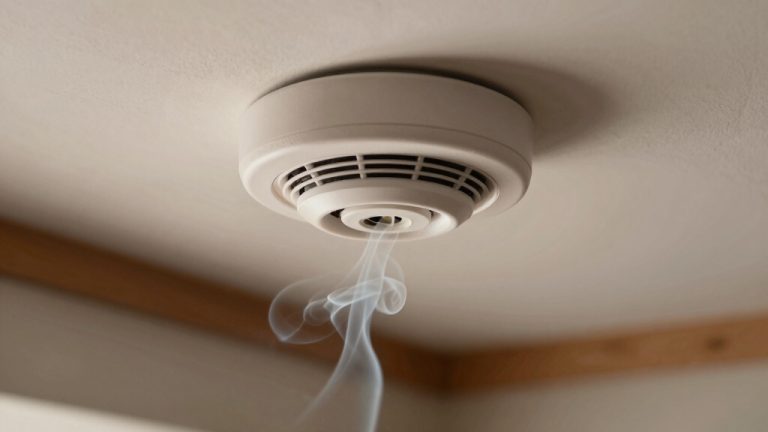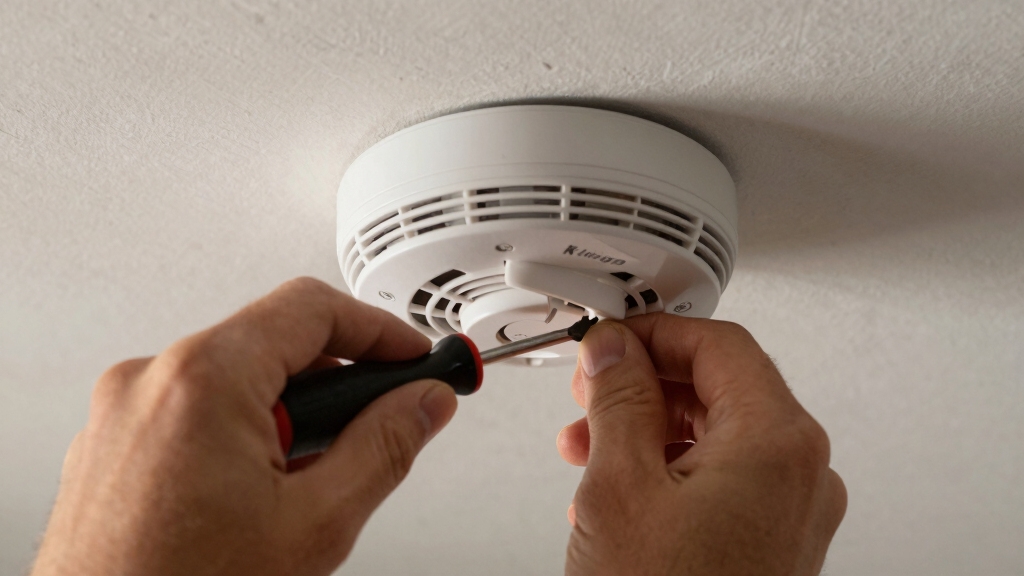

To disconnect a Kidde smoke alarm, first check for and disengage any tamper-resist features, like locking pins or tabs.
For battery-operated models, rotate the alarm counter-clockwise toward the OFF arrow and gently remove it from the mounting plate.
For hard-wired alarms, shut off power at the circuit breaker and confirm power is off before carefully releasing the AC power harness connector.
Handle all parts cautiously to avoid damage. Further guidance covers safe removal, permanent deactivation, and maintenance.
Key Takeaways
- Turn off power at the circuit breaker for hard-wired alarms and verify power is off before disconnecting.
- Disengage any tamper-resist pins or locking tabs before attempting to remove the alarm.
- Rotate the alarm counter-clockwise toward the OFF arrow to release it from the mounting plate.
- For hard-wired units, squeeze the locking arms on the AC power harness connector and gently disconnect.
- Remove batteries from battery-operated alarms and follow reset procedures if the alarm continues beeping.
How to Identify Your Kidde Smoke Alarm Model?
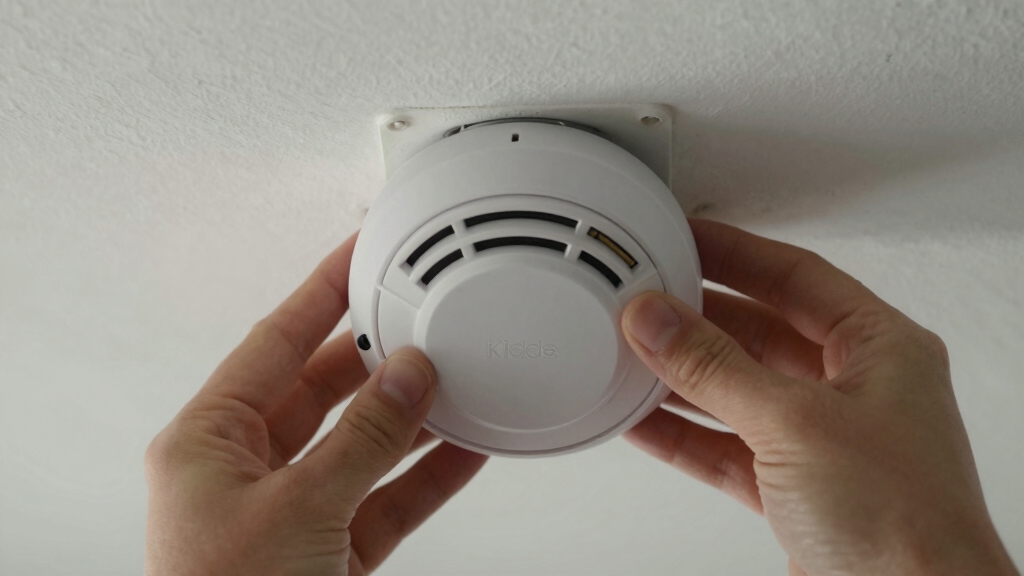
To identify your Kidde smoke alarm model, start by removing the unit from its mounting plate following the directional arrows on the cover.
Rotate the alarm counter-clockwise toward the OFF arrow until it releases. Once detached, inspect the back or side of the alarm for the model number and manufacturing details, usually printed on a label.
Avoid damaging any stickers or labels, as they contain key identification information. If your alarm includes a tamper-resist feature, verify and disengage it properly before removal to prevent damage.
This step guarantees you access the model information safely. Accurately identifying your model allows you to reference the correct user manual and follow appropriate maintenance or replacement procedures specific to your Kidde smoke alarm.
For safety, always ensure you have steady footing and clear the area beneath before working on your smoke alarm.
How to Disable the Tamper-Resist Feature on Kidde Smoke Alarms Before Removal?
Before removing your Kidde smoke alarm, you need to disable its tamper-resist feature to prevent damage or improper removal.
First, inspect the alarm for a tamper-resist pin or locking tab near the mounting plate. If a pin is present, use long nose pliers to carefully pull it out of its hole.
For models with a tamper-resist tab, press down firmly on the tab while rotating the alarm counter-clockwise towards the OFF arrow on the cover. This disengages the locking mechanism, allowing the alarm to release smoothly from the trim ring or mounting base.
Always refer to your specific model’s user manual for exact details. Disabling the tamper-resist feature guarantees safe removal without compromising the alarm’s integrity or mounting hardware.
When covering or disabling your smoke alarm temporarily, always remember to remove any covers promptly to maintain proper detector functionality and ensure safety.
How to Disconnect a Battery-Operated Kidde Smoke Alarm Safely?
You’ll typically start disconnecting a battery-operated Kidde smoke alarm by rotating it counter-clockwise in the direction of the OFF arrow on the cover.
After the rotation, carefully remove the alarm from the trim ring. Before removal, make certain the tamper-resist feature is disengaged. If present, press the tamper-resist tab while rotating or use long nose pliers to pull out the tamper-resist pin.
Handle the alarm gently to avoid damage. Once detached, inspect the battery compartment and remove batteries if necessary. Avoid forcing components to prevent breakage.
Always follow the manufacturer’s guidelines for your specific model. Disconnecting the alarm properly ensures safety and preserves the device for maintenance or replacement. Never attempt to disconnect without first disabling any tamper-resist mechanisms.
If the alarm continues to beep after disconnecting, refer to the reset procedures to fully clear residual charge and silence the unit.
How to Remove a Hard-Wired Kidde Smoke Alarm Without Damage?
Alright, before you dive into removing your hard-wired Kidde smoke alarm, the first thing you want to do is turn off the power at the circuit breaker. This will help you avoid any electrical hazards while you’re working.
Once that’s done, take a moment to check for any tamper-resistant features. You might need to press some tabs or remove pins to disengage them.
Now, here comes the fun part! Gently rotate the alarm counter-clockwise. After that, you’ll need to disconnect the AC power harness. Just squeeze those locking arms and pull the connector apart. Easy peasy!
Remember, hardwired smoke alarms usually have a backup battery that keeps them running during power outages, so be careful when disconnecting the power.
Power Shutdown Procedures
When removing a hard-wired Kidde smoke alarm, always shut off the power at the circuit breaker first to prevent electrical hazards.
Locate the correct breaker controlling the alarm’s circuit and switch it off completely.
Verify power is off by testing the alarm or using a voltage tester on the wiring harness.
Never attempt to disconnect the smoke alarm without confirming power shutdown.
After confirming power is cut, carefully rotate the alarm counter-clockwise following the OFF arrow on the cover.
Gently squeeze the locking arms on the AC power harness connector and disconnect it without forcing.
Handle connectors with care to avoid damage.
Once disconnected, the alarm can be safely removed from the mounting bracket.
Always restore power only after reinstalling or replacing the unit.
Remember that hard-wired smoke alarms still require a battery backup to ensure continuous protection during power outages.
Tamper-Resist Feature Removal
After shutting off power and disconnecting the hard-wired Kidde smoke alarm, the next step involves disengaging the tamper-resist feature to remove the unit without damage.
First, locate the tamper-resist pin or locking tab on the alarm base. Use long nose pliers to carefully pull the pin straight out from its hole.
If your model includes a tamper-resist tab, press it down firmly before attempting to rotate the unit. This action releases the locking mechanism, allowing smooth rotation counter-clockwise toward the OFF arrow.
Disengaging this feature prevents damage to the mounting plate and alarm housing during removal. Refer to your specific model’s manual if unsure about the pin or tab placement.
Proper tamper-resist removal guarantees safe, damage-free detachment of your Kidde smoke alarm. Always ensure power is off before removal, similar to the safety step recommended for HVAC system shutdown in thermostat maintenance.
Connector Disconnection Steps
Begin disconnecting the hard-wired Kidde smoke alarm by carefully releasing the AC power harness connector.
First, make certain power is off at the circuit breaker to avoid electrical hazards.
Locate the connector locking arms on the harness and firmly squeeze them to release.
Gently pull the connector straight out without twisting or forcing it to prevent damage to the pins.
Avoid yanking on wires.
After disconnecting, inspect the connector for any signs of wear or corrosion.
When reinstalling, align the pins precisely and push the connector fully until the locking arms engage, securing a firm connection.
Proper disconnection and reconnection maintain the alarm’s functionality and prevent electrical issues.
Always follow these steps carefully to guarantee safe and damage-free removal of your hard-wired Kidde smoke alarm.
If the alarm begins beeping continuously after reconnection, check for AC power problems as they can cause persistent alerts.
How to Permanently Deactivate a Kidde Smoke Alarm’s 10-Year Sealed Battery?
Although Kidde smoke alarms with 10-year sealed batteries are designed for long-term use, you can permanently deactivate the battery by first rotating the alarm off its mounting plate as indicated by the arrows on the cover.
Kidde smoke alarms with 10-year batteries can be permanently deactivated by rotating them off their mounting plate.
After removal, use a screwdriver to break through the label covering the internal compartment. Locate the screw inside and turn it to the OFF position to drain the battery fully.
This action permanently stops the battery’s power supply and prevents low battery chirps. Make sure to follow safety precautions and only perform this step if you’re certain the alarm will be replaced or no longer needed.
Contact Kidde product support if you have questions before proceeding, as this deactivation is irreversible.
Always remember to turn off power at the circuit breaker and verify with a non-contact voltage detector before handling the alarm to ensure safety.
Tips for Installing and Testing Your Kidde Smoke Alarm
How exactly should you install and test your Kidde smoke alarm to guarantee peak performance? First, mount the alarm by aligning it to one of the three positions on the trim ring. Then, rotate clockwise about 45° until it clicks securely.
Avoid over-tightening to prevent damage. For hard-wired models, ensure the AC power harness locks firmly in place after connection. Once mounted, restore power if turned off and listen for a brief chirp indicating power.
Test the alarm using the test button, holding it down until the alarm sounds loudly. This confirms proper wiring, battery, and sensor function.
Repeat testing monthly and replace the unit after 10 years. Proper installation and regular testing ensure reliable operation and timely fire detection. Always remember to notify authorities before performing tests or maintenance to ensure safety and compliance.
Troubleshooting Kidde Smoke Alarm Removal Issues
After properly installing and testing your Kidde smoke alarm, you might encounter difficulties when trying to remove it for maintenance or replacement.
First, check for a tamper-resist feature. If present, press the tamper-resist tab or use long nose pliers to pull the tamper-resist pin before rotating the alarm counter-clockwise toward the OFF arrow.
Always release the tamper-resist tab or pin before turning your Kidde alarm counter-clockwise to remove it safely.
For hard-wired alarms, guarantee power is off at the circuit breaker. Then disconnect the AC power harness by squeezing the locking arms and pulling the connector.
If the alarm resists rotation, verify you’re turning it in the correct direction and that the tamper-resist mechanism is fully disengaged.
Following these steps guarantees safe, damage-free removal and prevents accidental activation or electrical issues. It is also important to enter the security code on the keypad to silence any tamper alerts that may activate during disconnection.
Frequently Asked Questions
How Often Should I Replace My Kidde Smoke Alarm?
You should replace your Kidde smoke alarm every 10 years from the manufacture date printed on the unit.
The sealed 10-year battery alarms are designed to last the full decade without battery changes.
After 10 years, the sensor may become less sensitive, so replacing the entire alarm guarantees reliable fire detection.
Regularly test the alarm monthly and replace it immediately if it fails to operate properly.
Can I Use a Kidde Alarm With Other Brands’ Alarms?
You shouldn’t interconnect Kidde alarms with other brands’ alarms. Kidde’s system uses a proprietary communication protocol, so mixing brands can cause malfunction or failure to alert properly.
For reliable operation and safety compliance, only link Kidde alarms together. If you need multiple alarms, purchase compatible Kidde models designed for interconnection.
This guarantees they communicate correctly, providing consistent alerts in case of fire or smoke detection.
What Should I Do if My Alarm Keeps Chirping After Battery Replacement?
If your alarm keeps chirping after replacing the battery, first make certain the battery is installed correctly with proper polarity.
Check for any tamper-resist features that mightn’t be fully disengaged.
Reset the alarm by pressing the test/silence button.
If chirping continues, remove and reinstall the alarm, confirming firm battery contact.
Persistent chirps might indicate a faulty alarm or a need for full deactivation following the 10-year battery protocol.
Are Kidde Smoke Alarms Safe Around Pets?
You can trust Kidde smoke alarms to be incredibly safe around pets, like a gentle guardian watching over your furry family.
These alarms use advanced sensors designed to detect smoke, not pet dander or movement, minimizing false alarms.
Still, place them away from pet sleeping areas to avoid accidental triggers.
Regularly clean the unit to prevent dust buildup, which can affect sensitivity.
Follow manufacturer guidelines to guarantee peak pet-safe operation.
How Do I Clean My Kidde Smoke Alarm Properly?
To clean your Kidde smoke alarm, first remove it by rotating it counter-clockwise.
Use a soft brush or vacuum with a soft brush attachment to gently remove dust and debris from the vents and sensor openings.
Avoid using water or cleaning solvents.
Check for tamper-resistant features before removal.
After cleaning, reinstall the alarm by aligning the pins and rotating clockwise until it clicks.
Test the alarm to make certain proper operation.
Turn Off the Noise, Not the Protection
Now that you’ve tackled disconnecting your Kidde smoke alarm like a pro, remember: this isn’t a “do it for fun” project.
You’re handling a device designed to save lives, not just an annoying beep machine. So, follow the steps precisely, don’t leave it half-done, and swap it back or replace it promptly.
Because while disabling your alarm might feel empowering, nothing’s cooler than actually surviving a fire drill without a heart attack.