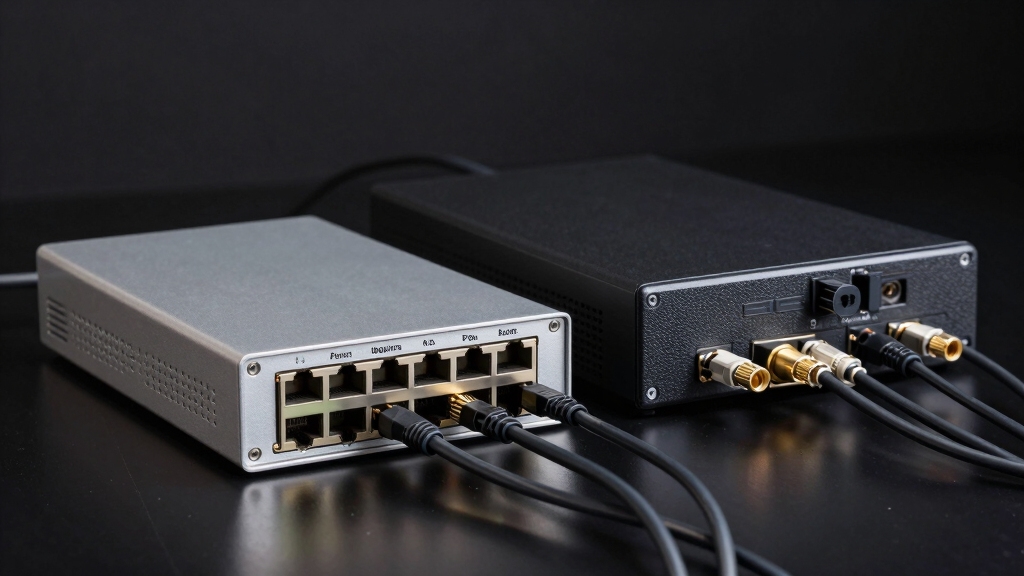

You’ll find the main difference between an NVR and a DVR lies in their camera technology and processing. NVR systems work with IP cameras that encode video at the source, using Ethernet cables and supporting remote access and scalable storage options.
DVRs use analog cameras transmitting raw signals via coaxial cables, relying on the recorder for encoding and local storage. If you want to understand how these differences affect your setup, there’s more important information to take into account.
Key Takeaways
- NVR systems use IP cameras that encode video digitally at the camera, while DVR systems use analog cameras transmitting raw video to the recorder.
- NVR recorders primarily store and display video, whereas DVR recorders perform analog-to-digital conversion and intensive video processing.
- NVRs connect cameras via Ethernet cables supporting digital transmission and PoE, while DVRs use coaxial cables carrying raw analog signals.
- NVRs support flexible storage options like cloud and remote access through internet, whereas DVRs rely on fixed local storage with limited remote access.
- DVRs are more budget-friendly but less scalable, while NVRs offer higher cost, advanced digital features, and scalability for larger surveillance systems.
Difference Between a NVR and DVR: Comparison Table
| Feature | NVR (Network Video Recorder) | DVR (Digital Video Recorder) |
|---|---|---|
| Camera Type | Works with IP cameras | Works with analog cameras |
| Video Processing | Encoding done at the camera level | Encoding done at the recorder |
| Cabling | Uses Ethernet (Cat5e/Cat6), supports PoE | Uses coaxial cables (BNC) |
| Video Quality | Higher resolution & digital clarity | Limited by analog signal quality |
| Storage Options | Supports cloud & network storage | Local hard drive storage only |
| Remote Access | Easy remote viewing via apps/web | Limited remote functionality |
| Scalability | Highly scalable for large systems | Best for smaller installations |
| Cost | Higher upfront investment | More budget-friendly option |
NVR vs. DVR: Camera Technology Differences
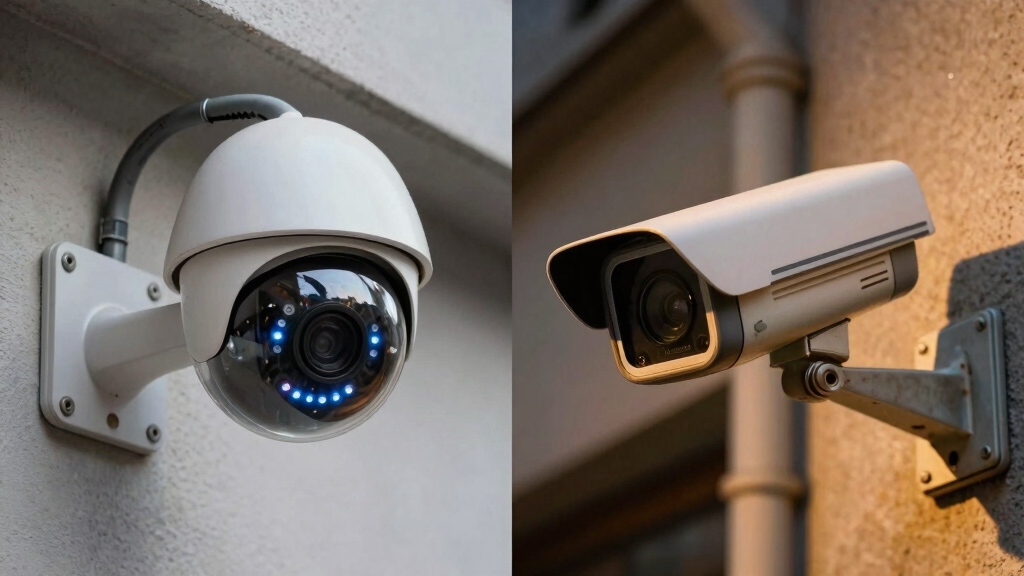
When comparing NVR and DVR systems, it’s essential to understand how their camera technologies differ at a fundamental level.
NVR systems use IP cameras that encode video digitally at the camera itself before sending it to the recorder. This approach enables higher resolution and clearer image quality.
NVRs utilize IP cameras that digitally encode video at the source, ensuring superior resolution and clarity.
In contrast, DVR systems rely on analog cameras that transmit raw video signals to the recorder, which then processes and converts them using analog-to-digital encoders.
Because DVR cameras send unprocessed signals, the recorder bears the computational load of encoding. IP cameras in NVR setups offer more advanced digital capabilities, while analog cameras in DVR systems are more traditional.
Your choice between NVR and DVR will depend heavily on the camera technology suited to your surveillance requirements.
For enhanced security, it is also important to regularly perform visual inspections to ensure no hidden listening devices or tampering has occurred around your surveillance equipment.
Video Processing Differences in NVR vs. DVR
Understanding how video processing works in NVR and DVR systems can help you choose the right solution for your surveillance needs.
In NVR systems, video data is encoded and processed directly at the IP camera before transmission. This minimizes the workload on the recorder.
In contrast, DVR systems transmit raw analog signals to the recorder, where all processing and analog-to-digital conversion occur.
Key video processing differences include:
- NVR cameras handle encoding, offering higher resolutions and clearer images.
- DVR relies on the recorder for signal conversion and processing.
- NVR recorders mainly store and display video with minimal processing.
- DVR recorders perform intensive processing tasks, increasing their computational load.
This distinction affects system performance, scalability, and video quality. These are essential factors when selecting between NVR and DVR.
NVR vs. DVR: Cabling and Connectivity Compared
In comparing cabling and connectivity, NVR and DVR systems rely on fundamentally different infrastructure that impacts installation complexity and signal quality.
NVRs use Ethernet cables (Cat5e or Cat6) or wireless links to connect IP cameras, transmitting digitally encoded video and audio signals natively. This setup simplifies installation, reduces cable bulk, and supports longer distances with PoE (Power over Ethernet).
NVRs connect IP cameras via Ethernet or wireless, enabling digital video and audio transmission with simpler installation and PoE support.
Conversely, DVRs connect analog cameras via coaxial cables with BNC connectors, carrying raw video signals requiring conversion at the recorder.
Coaxial cables don’t natively transmit audio, necessitating separate RCA cables for sound.
Ethernet cables in NVRs are more cost-effective and versatile, supporting data and power simultaneously.
Ultimately, your choice affects wiring complexity, signal integrity, and the ease of network integration within your surveillance system.
Proper identification and connection of load wires in electrical systems is essential to ensure safety and reliable operation.
Storage and Remote Access in NVR vs. DVR
Storage options and remote access capabilities set NVR and DVR systems apart markedly.
When you use an NVR, you benefit from flexible storage solutions like cloud storage and network-attached storage (NAS), allowing you to store more footage efficiently.
Remote access is seamless with NVRs, enabling you to monitor cameras through web browsers or mobile apps from anywhere with internet connectivity.
In contrast, DVRs rely on local hard drives for storage and generally require direct connections for viewing, limiting your remote access options.
NVR supports cloud and NAS storage for scalable footage retention.
DVR uses only on-premise hard drives with fixed capacity.
NVR offers remote access via web and mobile applications.
DVR requires physical connection to a display for live or recorded footage.
These distinctions directly impact your system’s flexibility and convenience.
It is important to maintain regular firmware updates on your NVR system to ensure security and optimal remote access performance.
Choosing Between NVR and DVR: Cost, Scalability, and Use Cases
Beyond storage and remote access, you’ll want to take into account cost, scalability, and specific use cases when choosing between NVR and DVR systems.
Consider cost, scalability, and specific use cases when selecting between NVR and DVR systems.
DVRs are generally more budget-friendly, making them suitable for small businesses or locations with limited surveillance needs and low bandwidth.
However, their scalability is limited, restricting the number of cameras and coverage area.
On the other hand, NVR systems come at a higher initial cost but provide superior scalability, supporting numerous IP cameras and multiple sites on a unified platform.
Their advanced digital capabilities and network flexibility make them ideal for larger, complex installations requiring high-resolution footage and remote management.
Assess your environment’s infrastructure, budget constraints, and future expansion plans carefully to select the system that delivers peak performance and value.
For sustained operation and safety, it’s also crucial to regularly perform inspection and testing to ensure all components function correctly and avoid unexpected failures.
Frequently Asked Questions
Can NVR Systems Integrate With Smart Home Devices?
Yes, you can integrate NVR systems with smart home devices. NVRs use IP cameras and network connections, which makes it easier to connect with smart home platforms like Alexa, Google Assistant, or Apple HomeKit.
You’ll benefit from advanced features such as remote viewing, motion alerts, and automation triggers. This integration is more seamless than with DVR systems, allowing you to control and monitor your security cameras alongside other smart home devices efficiently.
How Do Firmware Updates Differ Between NVR and DVR?
Firmware updates for NVRs and DVRs differ distinctly.
NVR updates often deliver dynamic digital improvements directly over networks, letting you swiftly secure and enhance your system remotely.
Meanwhile, DVR updates demand manual downloads and direct recorder connections, slowing your system’s upgrade speed.
You’ll find NVR updates usually more frequent, incorporating advanced features and bug fixes.
In contrast, DVR updates tend to be less frequent and more basic, matching their simpler analog architecture.
What Are the Cybersecurity Risks for NVR Systems?
You face cybersecurity risks with NVR systems mainly due to their network connectivity.
Hackers can exploit vulnerabilities in IP cameras or weak passwords to gain unauthorized access, potentially intercepting video streams or manipulating footage.
Firmware flaws and unsecured remote access increase these risks.
To protect your system, you should regularly update firmware, use strong passwords, enable encryption, and restrict network access through firewalls and VPNs.
Are There Differences in Power Requirements for NVR vs. DVR Cameras?
Yes, there are differences in power requirements.
NVR cameras, often IP cameras, usually receive power via PoE (Power over Ethernet), simplifying installation by combining data and power through one cable.
DVR cameras, being analog, typically need separate power sources, requiring individual power adapters for each camera.
Can DVR Systems Support Wireless Cameras?
Imagine coaxial cables snaking from each camera to your DVR, anchoring your system firmly in wired territory.
DVR systems typically don’t support wireless cameras because they rely on analog signals sent through coaxial cables.
While you can add wireless adapters, it’s complex and not native.
If you want a simple wireless setup, NVR systems paired with IP cameras offer seamless connectivity over Ethernet or Wi-Fi, making them better suited for wireless integration.
Build Smarter Security: Choosing the Ideal Recording System
When deciding between an NVR and a DVR, remember: one size doesn’t fit all. NVRs offer advanced IP camera integration and flexible remote access, while DVRs excel with traditional analog setups and simpler cabling.
Your choice hinges on your specific needs: scalability, budget, and installation environment. Like choosing the right tool for a precise job, understanding these differences guarantees you build a surveillance system that’s both efficient and future-proof.