
A UID on a security camera is a unique 16-character alphanumeric code that identifies your device within a network or globally.
You use this UID to securely authenticate your camera, enable remote access via encrypted P2P connections, and prevent device duplication or conflicts.
It also guarantees precise tracking and management throughout the camera’s lifecycle. Many Reolink UIDs start with “9527” and embed in encrypted packets for enhanced security.
Understanding UID’s full role reveals its critical impact on surveillance integrity and control.
Key Takeaways
- UID is a unique 16-character alphanumeric identifier that distinguishes each security camera within a network or system.
- It enables secure P2P remote access without needing router port forwarding by authenticating the device via encrypted packets.
- The UID prevents device conflicts, duplication, and unauthorized access by acting as a globally unique device key.
- UID is found on physical labels, typically near QR codes, and displayed digitally in camera management software.
- It supports precise device tracking, management, and authentication for enhanced security and operational efficiency.
What Is a Security Camera UID and Why It Matters?
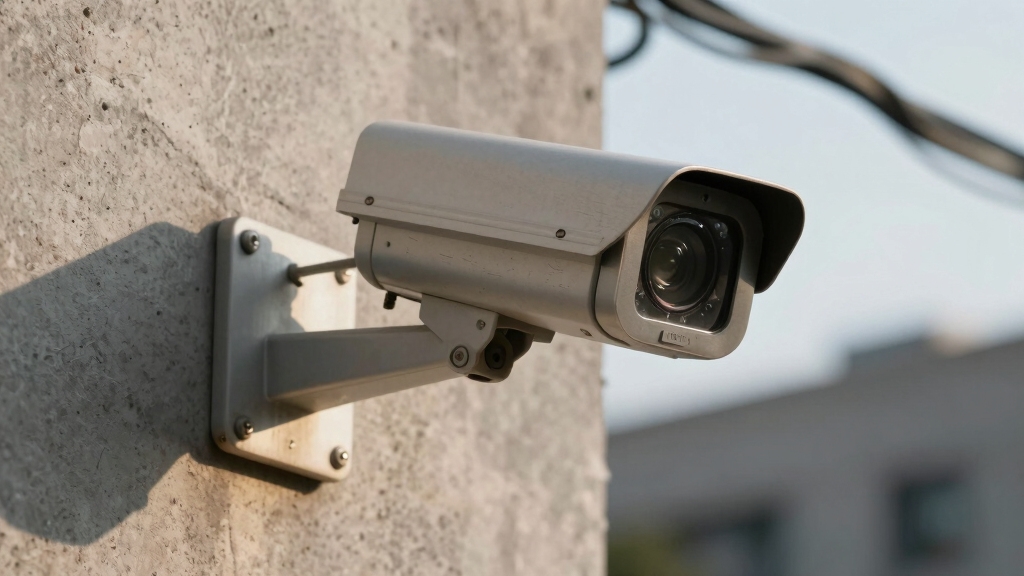
A security camera UID is a unique identifier, typically a 16-character alphanumeric code, that distinguishes a single device within a network or system.
A security camera UID is a unique 16-character code that identifies each device within a network.
This allows you to precisely track and manage that camera. This UID, often starting with “9527” in Reolink devices, acts as a globally unique identifier, preventing conflicts or duplication among devices.
You rely on it for secure peer-to-peer (P2P) connections, enabling remote access without complicated port forwarding. The UID is embedded in encrypted packets sent to P2P servers, which map your device’s IP addresses to facilitate seamless communication.
Beyond connectivity, the UID serves as a default security credential and a key element in asset lifecycle management. It ensures accountability and traceability within complex surveillance infrastructures.
To enhance overall system protection, it is important to combine such unique identifiers with network security and smart features to prevent unauthorized access and ensure secure operation.
Where to Find the UID on Your Reolink Camera?
You can find the UID on your Reolink camera pretty easily. Just take a look at the labels, which are usually located on the back, bottom, or side of the device.
If you prefer a digital approach, you can use the Reolink Client interface to get the UID. Just head over to the device’s info panel, and you’ll find it there.
Oh, and don’t forget about the barcode or QR code! Scanning that directly from the label will also give you the UID, making the whole process even smoother.
Keep in mind that unlike IP cameras, AHD cameras like some Reolink models do not require IP addressing for identification, simplifying setup and management.
Camera Label Locations
Locating the UID on your Reolink camera is essential for device identification and remote access configuration.
The UID is a 16-character alphanumeric code starting with “9527,” unique to each device. You can find this identifier on physical labels placed strategically for easy access and verification.
Check these three locations on your camera to find the UID:
- Back Panel: Below the QR code on the camera’s rear label, printed clearly with other device details.
- Bottom Surface: Near mounting points, often on a sticker containing serial and model numbers.
- Side Edges: Some models place a smaller label here for quick identification without dismounting.
These labels guarantee you accurately capture the UID for P2P connectivity and maintenance tracking. Proper remote access configuration using the UID allows you to securely monitor your camera from anywhere via apps or browsers.
Reolink Client Interface
This code is critical for P2P connections, enabling remote access without port forwarding.
| Interface Section | Description |
|---|---|
| Device List | Displays all connected cameras |
| Right-Click Menu | Access “Get Info” option |
| Device Info Window | Shows camera UID and network data |
| UID Format | 16-character string starting “9527” |
This structured interface guarantees quick verification and secure management of your Reolink camera’s identity. For optimal operation, ensure the camera’s network compatibility is verified to maintain seamless remote access and security.
Barcode and QR Code
A Reolink camera’s UID is clearly printed below the QR code on the device’s body label, usually found on the back, bottom, or side of the unit.
This 16-character alphanumeric code, starting with “9527,” uniquely identifies your camera for secure P2P communication and device management.
The QR code encodes the UID, enabling quick scanning to streamline setup and cloud service onboarding.
To locate and use the UID via barcode and QR code:
- Inspect the camera’s label on accessible surfaces: back, bottom, or side.
- Scan the QR code with a compatible app to retrieve the UID instantly.
- Use the UID for remote access, device registration, and security verification.
This approach guarantees precise identification and secure integration within Reolink’s ecosystem.
Regular visual inspections of the camera and its surroundings can help ensure no unauthorized surveillance devices have been added or tampered with.
Using UID for Camera Setup and Cloud Services
When setting up your Reolink security camera, the UID plays a crucial role in establishing seamless cloud connectivity.
This 16-character alphanumeric code, starting with “9527,” uniquely identifies your device within the P2P network.
It enables encrypted communication with Reolink’s cloud servers.
You’ll use the UID, often scanned from the QR code on the camera label, to link your device to the Reolink Client app or cloud platform.
This process doesn’t require complex network configurations like port forwarding.
The system relies on secure UID packets sent at intervals, allowing the cloud to authenticate and map your device’s private and public IP addresses dynamically.
This guarantees reliable, encrypted data transmission, facilitating real-time monitoring and event notifications through the cloud infrastructure.
NVR systems, which commonly use IP cameras like Reolink, support seamless remote access through cloud services, enhancing user convenience and security.
How Reolink Cameras Use UID for Remote Access?
Through the unique UID assigned to each Reolink camera, you gain seamless remote access without needing to configure port forwarding on your router.
Each Reolink camera’s unique UID enables effortless remote access without router port forwarding.
This UID acts as a globally unique identifier that the camera communicates to Reolink’s P2P servers via encrypted packets. These servers decrypt the UID to map private and public IPs, enabling connection establishment regardless of network complexity.
Here’s how it works for you:
- The camera sends periodic encrypted UID packets to P2P servers.
- Servers authenticate your username/password linked to the UID.
- The system dynamically routes traffic through randomized UDP ports to establish a secure remote session.
This architecture eliminates manual network setup, ensuring reliable, efficient access to your camera from anywhere.
Additionally, wireless systems like Reolink cameras operate during internet outages by relying on encrypted RF signals between sensors and control panels, maintaining local security functions autonomously despite connectivity disruptions.
How UID Enhances Camera Security and Data Protection?
By leveraging the unique UID embedded in each camera, you markedly strengthen both device security and data protection. The UID acts as a secure identifier, enabling encrypted P2P connections without exposing ports or IP addresses. This reduces attack surfaces and prevents unauthorized access.
Additionally, the UID integrates into authentication protocols, securing HTTP accounts, WiFi modes, and data logger interfaces.
Combining UID-based security with multi-layered detection methods can further safeguard your environment from unauthorized surveillance.
| Security Aspect | UID Role | Benefit |
|---|---|---|
| Remote Access | Encrypted UID packets | Prevents IP spoofing |
| Authentication | Default password and keys | Assures device & network security |
| Data Integrity | Unique identifier in logs | Enables reliable asset tracking |
Using UID, you enhance end-to-end encryption and maintain precise control over camera authentication and data flows. This effectively minimizes vulnerabilities.
Why the Military and Government Use UID for Asset Tracking?
Although asset management might seem straightforward, the military and government rely on UID because it provides a standardized, globally unique identifier for each tangible item. This ensures precise tracking throughout its lifecycle.
Asset management may appear simple, but UID ensures precise, standardized tracking for every tangible military and government item.
You’ll find UID essential for managing complex inventories and maintaining accountability. It complies with MIL-STD-130 standards, encoding data elements like CAGE code, part number, and serial number into a unique item identifier (UII).
Here’s why you should understand the importance of UID in this situation:
- Lifecycle Visibility: UID allows you to track equipment from acquisition through maintenance to disposal.
- Inventory Accuracy: It reduces errors by distinctly identifying each asset, preventing duplication.
- Regulatory Compliance: UID meets legal and operational requirements, safeguarding asset integrity and audit readiness.
Additionally, integrating UID with digital communication systems can enhance real-time monitoring and asset management efficiency.
Frequently Asked Questions
Can I Change the UID on My Reolink Camera?
You can’t change the UID on your Reolink camera because it’s a factory-set, unique identifier embedded in the device hardware. This UID guarantees secure P2P connections and proper device identification within Reolink’s ecosystem.
Altering it would compromise system integrity and connectivity. If you need a different UID, you must use a different camera.
Instead, manage security through passwords and network settings, not by attempting to modify the UID.
Does UID Affect Camera Firmware Updates?
Think of the UID as the camera’s fingerprint. It doesn’t directly affect firmware updates.
When you update your camera’s firmware, the process targets the device model and version, not the UID itself. However, the UID guarantees secure identification during remote access.
If updates are pushed through a cloud or P2P service, a correct UID helps authenticate your device. Firmware updates rely more on model compatibility than the UID code.
How to Recover a Lost UID if the Label Is Damaged?
If the UID label is damaged, start by accessing your Reolink Client software. Right-click your camera device and select “Get Info” to retrieve the UID from the device settings table.
Alternatively, check the QR code within the app or scan any remaining barcode fragments that may store the UID. If these fail, contact Reolink support with your camera’s serial number for recovery assistance based on internal device records.
Is UID Linked to My Personal Data or Privacy?
No, your UID isn’t linked to your personal data or privacy.
It acts as a unique identifier for the device itself, not for you.
The system encrypts UID packets and doesn’t store private user info on servers.
While it helps establish secure connections, it doesn’t expose your personal details.
You can confidently use your security camera without worrying that the UID compromises your privacy or links back to your personal data.
Can Multiple Cameras Share the Same UID?
Only 1 in 10,000 Reolink cameras might mistakenly share a UID due to manufacturing errors. Typically, multiple cameras don’t share the same UID.
Each UID is a unique 16-character alphanumeric code, ensuring precise identification and secure P2P connections. This uniqueness prevents data conflicts and unauthorized access while simplifying device tracking.
You can trust that your cameras have distinct UIDs for reliable network and security management.
UID Explained: The Secret Behind Secure Camera Connectivity
Understanding your security camera’s UID is like having the master key to your digital fortress. It uniquely identifies your device, enabling seamless setup and secure remote access.
Reliable cloud service integration is also made possible through UID technology. By leveraging this, Reolink guarantees your data stays protected against unauthorized access.
This precise identification method, trusted even by military and government agencies, highlights how critical UID is for maintaining robust security. It also plays a key role in efficient asset tracking in today’s connected world.