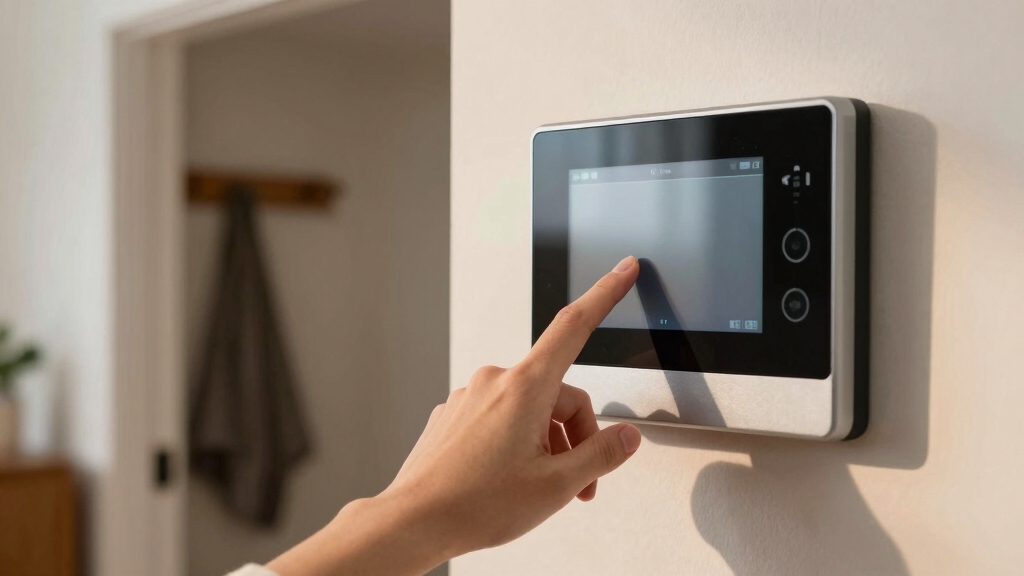

To bypass a zone on your ADT alarm system, start by accessing the bypass menu via the keypad or panel display. Enter your security code when prompted, then select the faulted or open zone marked with an “O.”
Confirm the bypass choice to change the status to “B,” temporarily excluding it from arming. Remember, bypasses clear after disarming and should be reapplied each cycle.
Understanding this process helps maintain control while managing system security effectively.
Key Takeaways
- Access the bypass menu on the ADT keypad or panel by entering your security code and navigating to the zones or sensors list.
- Select the faulted or desired zone marked with an “O” and confirm bypass using the “OK” or “*” key.
- The display will show a “B” indicating the zone is bypassed for the current arming cycle.
- Bypasses clear automatically after disarming, so reapply bypasses before each arming if needed.
- Use bypass selectively to avoid security vulnerabilities and restore full protection promptly after temporary use.
Reasons to Bypass Zones on Your ADT System

Although bypassing zones on your ADT system reduces overall security, you may need to do it temporarily to manage specific situations such as open windows, malfunctioning sensors, or allowing access to certain areas without triggering alarms.
You bypass zones to prevent nuisance alarms when a sensor is faulty or a door or window remains open intentionally. This is essential during maintenance or when granting authorized access to parts of your property without disarming the entire system.
Bypassing also helps accommodate pets or family members moving freely in defined areas. Remember, bypassed zones won’t trigger alarms when armed, so use this function selectively and revert to full protection promptly.
Always address persistent faults by scheduling service to restore the system’s integrity and avoid prolonged vulnerabilities. When bypassing any security feature, it is important to consider safety precautions to minimize risks during the temporary period.
Accessing the Bypass Menu on Your ADT Panel
When you need to bypass a zone on your ADT system, the first step is accessing the bypass menu on your panel. This menu lets you select specific sensors to exclude from arming temporarily. The process varies slightly by panel model but follows these core steps:
Navigate to the zones or sensors list on your ADT panel display. Enter your security code when prompted to release bypass functions. Select the bypass option, usually marked clearly on the menu. Choose the zone or sensor you want to bypass, confirming your selection.
Once accessed, the bypass menu displays open or faulted zones, allowing you to mark them with a bypass status. Remember, bypasses typically clear after disarming, so reapply as needed before arming again. Wired door sensors use a reed switch mechanism to reliably indicate open or closed states, which ensures accurate zone status during bypass operations.
Identifying Faulted Zones on Your ADT Panel
To identify faulted zones on your ADT panel, you’ll want to start by accessing the zone status menu using the keypad. Just press the appropriate buttons, and you’ll see a list of zones. Keep an eye out for any zones marked with an “O.” That’s your indicator that there’s an open or faulted sensor.
Once you’ve spotted those, use the keypad controls to scroll through the options. This will help you pinpoint the exact zone number.
After you’ve identified the faulted zone, you can proceed with any necessary bypass actions. It’s pretty straightforward once you get the hang of it!
Remember that maintaining a backup power source is crucial to ensure your alarm system remains operational during power outages.
Locating Faulted Zones
Start by accessing your ADT panel’s zone list to pinpoint any faulted zones accurately. The panel displays zones labeled with numbers and their current status. Faulted zones typically show an “O” indicating an open or triggered sensor.
Methodically scan through this list to identify any irregularities before proceeding to bypass.
When locating faulted zones, remember to:
- Look for zones marked with “O” or open status.
- Identify sensors linked to doors, windows, or motion detectors.
- Note the specific zone number assigned to the fault.
- Confirm zone status remains faulted after closing or resetting sensors.
This precise approach guarantees you correctly identify which zones need bypassing. It reduces false alarms and maintains system integrity. Always ensure to safely power down devices when performing sensor maintenance to avoid electrical hazards and facilitate a proper system reset with power disconnection procedures.
Using The Keypad
After pinpointing faulted zones on your ADT panel, you’ll need to verify and manage them using the keypad interface.
Begin by accessing the zone list on the keypad; faulted zones typically display an “O” indicating open status. Enter your security code to release bypass functions.
Navigate to the bypass menu, often accessed by pressing the “*” key or a dedicated bypass button. Select the faulted zone number, then confirm the bypass by pressing “OK” or “*.”
The display will replace the “O” with a “B,” confirming the zone is bypassed. Remember, bypassing disables alarms from that zone only for the current arming cycle and resets upon disarming.
Always recheck zones before arming to maintain system integrity and ensure only intended zones are bypassed.
For maintaining long-term reliability, it’s important to perform routine maintenance on your sensors and wiring regularly.
How to Bypass a Zone on Your ADT Panel?
When managing your ADT panel, bypassing a zone involves traversing the zones list displayed on the panel. Select the specific sensor you want to exclude, such as a front door or sliding glass door, and then activate the bypass option by entering your security code.
This temporarily disables the sensor during arming, preventing alarms from triggering on that zone.
To bypass a zone on your ADT panel:
- Navigate to the zones list from the main menu.
- Highlight the sensor to bypass (e.g., front door).
- Select the bypass option and enter your security code.
- Confirm the bypass status shows on the panel before arming.
Keep in mind that maintaining reliable operation of each sensor is critical, as sensor maintenance ensures your system functions correctly even when zones are bypassed.
How to Remove a Bypass and Restore Full Protection?
To remove a bypass and restore full protection, the first step is to access the bypass menu on your ADT panel. Once you’re in there, you’ll want to clear the bypassed zones. Just select each zone and confirm the removal. This action resets their status from “B” back to active.
Oh, and here’s a tip: when you disarm the system, it often clears those bypasses automatically. So, before you rearm everything, make sure to double-check the zone status. It’s a good way to ensure you’re fully protected!
Regular maintenance and testing of your alarm system are essential to prevent false alerts and ensure reliable operation, including checking for issues like low batteries.
Clearing Bypass On Panel
Clearing a bypass on your alarm panel involves reversing the bypass process to restore full zone protection. To do this, access the bypass menu by entering your code and navigating to the bypassed zone list. Select each bypassed zone and remove the bypass status to reinstate monitoring.
Follow these steps to clear bypasses effectively:
- Enter the panel’s bypass menu using your access code.
- Scroll to the zone marked with a “B” indicating bypass.
- Select the bypassed zone and confirm removal, replacing “B” with normal status.
- Verify the panel shows no active bypasses and confirms readiness to arm.
This method guarantees your system regains full sensor coverage without leaving any gaps. Ensuring regular maintenance and testing of your alarm system is crucial for reliable operation and early emergency detection.
Restoring Zones After Disarm
Although bypassing zones allows temporary access or fault management, you must remove these bypasses after disarming to restore full system protection.
Most ADT panels and apps automatically clear bypasses upon disarm, but some systems require manual removal. To restore full protection, navigate to the zone bypass menu on your keypad or app.
Enter your access code if prompted, then select the previously bypassed zone number. Confirm removal; this action replaces the “B” (bypass) status with normal zone status, ensuring the sensor triggers alarms when armed.
Repeat this for each bypassed zone. If you rely on manual clearing, verify the display shows no bypass indicators before arming.
Regularly restoring zones prevents security gaps and maintains system integrity. Remember, relying solely on local signals without automatic notification may delay emergency response, so maintaining full system protection is critical.
Impact of Zone Bypassing on ADT Security
When you bypass a zone on your ADT security system, you effectively disable monitoring for that specific area. This reduces overall protection and creates a vulnerability by leaving that zone unmonitored.
This allows activity without triggering alarms. You should only bypass zones temporarily, such as during maintenance or if a sensor malfunctions.
Consider these impacts:
- The bypassed zone won’t trigger alarms, potentially delaying intrusion detection.
- It weakens the system’s integrity, as attackers might exploit ignored zones.
- Bypasses clear after disarming, requiring reapplication each arming cycle.
- Notifications may alert you to bypassed zones, but constant bypassing can cause alert fatigue.
Always weigh the necessity of bypassing against the security risks to maintain peak system effectiveness.
For systems utilizing zone-based detection, bypassing disrupts the logical grouping of sensors, which may complicate troubleshooting and reduce overall reliability.
Bypassing Zones Remotely With the ADT App
Managing zone bypasses remotely can help you maintain control over your security system without physically accessing the panel. Using the ADT app, you can select specific zones, such as doors or windows, and bypass them before arming in Stay mode. This process sends notifications, guaranteeing you’re aware of reduced coverage.
Remember, bypasses clear automatically on disarming, so you’ll need to reapply them each time.
| Benefit | Action Required | Effect |
|---|---|---|
| Convenience | Select zone in app | Remote control over security |
| Awareness | Receive bypass alerts | Know when coverage is lowered |
| Security trade-off | Re-bypass after disarm | Temporary exclusion of zones |
This method guarantees precise, timely control while maintaining situational awareness.
Fixing Common Zone Bypass Problems on ADT
If your ADT system fails to bypass a zone correctly, start by verifying the zone number and access code entered match the system requirements precisely. Incorrect entries are the most common cause of bypass failure.
Next, make certain the zone is faulted (open) since bypass functions typically activate only on open zones. If the bypass clears automatically after disarming, remember you must reapply it before each arming cycle.
Also, confirm the panel or app firmware is current to avoid software glitches affecting bypass functionality.
To fix common bypass issues:
- Double-check zone numbers and access codes before input.
- Confirm the zone is open or faulted before attempting bypass.
- Reapply bypass after each disarm, as most systems clear bypass status.
- Update panel firmware or app to latest version for stability.
Frequently Asked Questions
Can Multiple Zones Be Bypassed Simultaneously on an ADT System?
You can bypass multiple zones on an ADT system, but you’ll need to do it individually for each zone. The system requires selecting and bypassing each sensor one at a time through the panel or app.
After bypassing each zone, the system arms excluding those sensors. Remember, these bypasses clear once you disarm, so you’ll repeat the process each time you arm if you want the same zones bypassed simultaneously.
Does Bypassing a Zone Affect ADT Professional Monitoring Alerts?
Think of bypassing a zone like drawing a temporary curtain over a window in your security landscape.
When you bypass a zone on your ADT system, professional monitoring alerts for that specific zone are suspended. This means no alarms will trigger from it.
However, your system still monitors all other zones actively. This selective silencing guarantees alerts only come from active sensors.
You methodically maintain security while managing temporary access or faults.
How Long Does a Zone Bypass Remain Active on ADT Systems?
A zone bypass on ADT systems remains active only until you disarm the system.
Once you disarm, the bypass clears automatically, requiring you to re-bypass the zone before the next arming.
This means you’ll need to repeat the bypass process each time you arm the system if you want to keep that zone excluded.
This approach guarantees temporary bypasses and maintains overall system security.
Are There Any Zones That Cannot Be Bypassed on ADT Alarms?
You generally can bypass most zones on ADT alarm systems, but certain critical zones like fire detectors or carbon monoxide sensors can’t be bypassed for safety reasons.
These zones remain active to guarantee constant protection. When you try to bypass them, the system will either deny the request or ignore the bypass command.
Always check your system’s manual or contact ADT support to confirm which zones are non-bypassable to maintain proper security and compliance.
Can Bypassing Zones Void the ADT System Warranty or Service Agreement?
Worried that bypassing zones might void your ADT warranty or service agreement? Generally, it doesn’t.
ADT designs bypassing as a standard feature for temporary access or fault management.
However, repeatedly bypassing zones instead of repairing issues could violate terms or reduce system effectiveness.
Always follow ADT guidelines and contact service for persistent faults.
Practicing proper maintenance guarantees your warranty and service remain intact while keeping security uncompromised.
Keep Your ADT System Strong Even When Bypassing Zones
Bypassing a zone on your ADT alarm system offers flexibility but requires careful handling to maintain security integrity.
You’ll want to methodically identify and access the bypass menu, select the correct zone, and confirm the bypass without compromising overall protection.
Remember, bypassing should be temporary and monitored closely. Use the ADT app for remote management and promptly restore zones to avoid vulnerabilities.
Staying precise in these steps guarantees your system remains reliable and effective.