
You get a technically advanced home security solution with Xfinity Alarm, offering tiered packages from a base system to an ultimate setup with cameras and sensors.
Its 24/7 professional monitoring includes 4G LTE cellular backup for reliable emergency response. Pet-friendly motion sensors and AI reduce false alarms.
Integration with Xfinity’s smart home ecosystem adds convenience, though Google Assistant support is absent. Equipment costs and monthly fees run higher than some competitors, but robust features justify the pricing.
Explore further to understand its full capabilities and trade-offs.
Key Takeaways
- Xfinity alarm systems offer contract-free plans with pet-friendly sensors and comprehensive disaster protection, including smoke and carbon monoxide detection.
- Professional monitoring costs $45/month, featuring 24/7 cellular backup, instant emergency alerts, and false alarm verification.
- Equipment prices are higher than some competitors, with base systems starting at $360 and add-ons like cameras costing $120 each.
- The system integrates with Xfinity X1 TV, Alexa, Philips Hue, and Chamberlain myQ but lacks native Google Assistant support.
- Users benefit from intuitive app control, 24/7 video recording via xFi Gateway, and yard sign deterrents included in the base package.
Xfinity Alarm System Packages Overview
While choosing a security system, you’ll want to evaluate Xfinity’s tiered alarm packages, which range from a basic setup to all-encompassing coverage with multiple sensors and cameras.
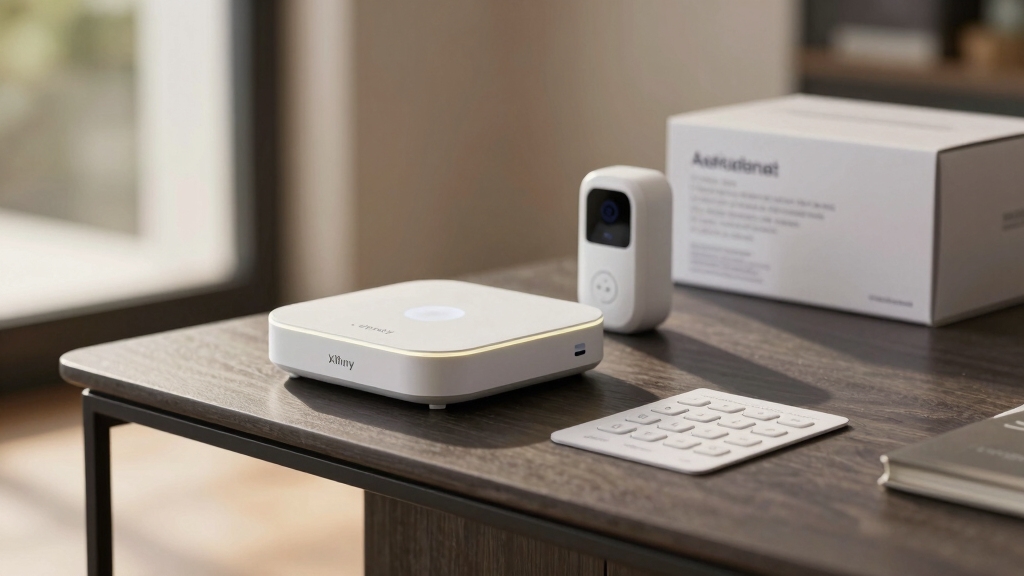
The Base Home System costs $360 and includes a touchscreen controller, three door/window sensors, one motion sensor, a pet-friendly motion sensor, and a yard sign.
For $480, the Complete Home System adds five more door/window sensors, a wireless keypad, and one HD camera.
The Ultimate package, priced at $600 upfront or $25 monthly over two years, offers 10 door/window sensors and an extra camera for expanded coverage.
Additionally, you can opt for a Self-Protection plan at $10 monthly, which lacks professional monitoring but provides app control.
These packages cater to varying security needs and budgets. Enabling smart alerts in these systems can increase situational awareness by providing real-time notifications of activity via smartphone apps or email.
Xfinity Alarm Equipment and Add-Ons
Because the effectiveness of your Xfinity alarm system depends largely on the equipment you choose, understanding available devices and add-ons is essential.
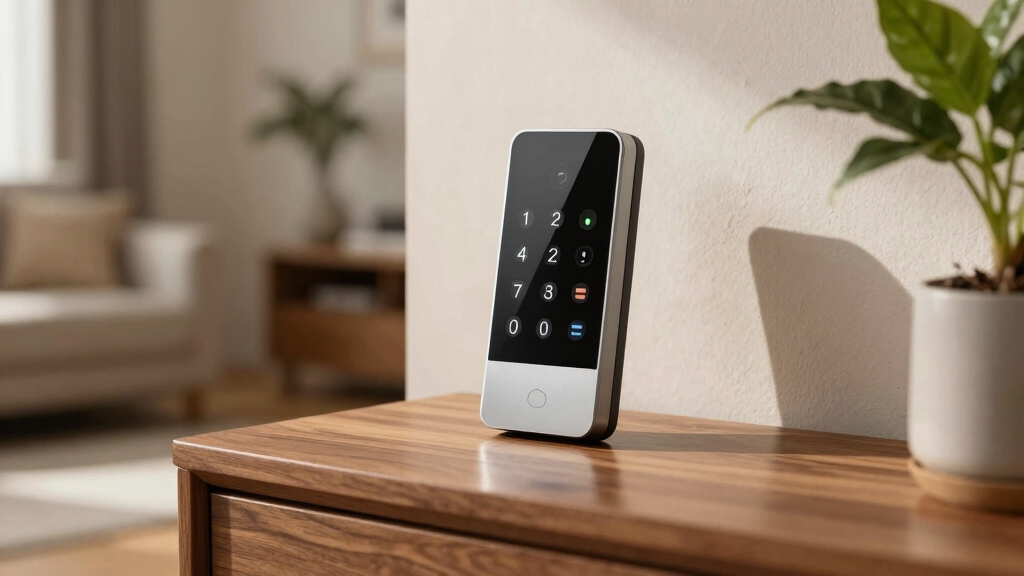
The system centers on a touchscreen controller, acting as the hub for arming, disarming, and video management.
Door/window sensors cost $20 each and provide real-time alerts for openings.
Motion sensors, priced at $40, cover a 50ft by 50ft area and distinguish humans from pets up to 85 pounds.
Indoor/outdoor cameras at $120 offer 1080p HD, night vision, and person detection with 30-day cloud storage.
Additional add-ons include a $120 video doorbell, smoke detectors, and $50 outlet controllers.
You can customize equipment to fit your home’s security needs, but note that many items sell separately, potentially increasing upfront costs.
Optimizing your system with motion detection customization can significantly reduce false alerts and improve overall security performance.
How Xfinity Keeps You Safe With 24/7 Monitoring?
You know, with Xfinity’s 24/7 professional monitoring, you really get peace of mind. It’s like having a watchful eye on your property all the time. If anything suspicious happens, they connect you to emergency services right away.
Plus, the system has 4G LTE cellular backup. That means even if there’s a power outage, you’re still covered. It keeps everything running smoothly, ensuring you get a quick response no matter what time it’s or what’s going on. So, you can rest easy knowing that your safety is a top priority!
Monitored systems like Xfinity’s can reduce emergency response times by 7–10 minutes through automatic notification.
Continuous Professional Surveillance
Making certain continuous professional surveillance, Xfinity delivers 24/7 monitoring through its $45 monthly plan, combining real-time alerts with cellular backup to maintain security even during power outages.
You’ll benefit from a robust system that safeguards your home by providing instant mobile notifications for sensor triggers, including doors, windows, and motion detection.
Utilizing 4G LTE cellular backup ensures uninterrupted communication during internet or power failures.
Offering live HD video streaming with motion-activated recording and AI-driven person detection allows for accurate event assessment.
Enabling panic button activation on the touchscreen controller promptly alerts monitoring professionals.
This continuous monitoring framework ensures your system remains operational and responsive at all times, giving you reliable protection without gaps or downtime.
Regular maintenance and testing of your sensors, similar to carbon monoxide detector care, help ensure your alarm system’s long-term reliability and effectiveness through consistent performance and early fault detection, emphasizing the importance of sensor maintenance.
Instant Emergency Response
The continuous professional surveillance provided by Xfinity sets the stage for rapid emergency response when incidents occur.
With 24/7 professional monitoring included in the $45 monthly plan, trained agents receive instant alerts from your sensors and cameras. This assures immediate verification and contact with emergency services if necessary.
The system’s 4G LTE cellular backup maintains connectivity during power outages, preventing communication loss. You’ll benefit from real-time mobile alerts triggered by door/window sensors, motion detectors, or panic buttons on the touchscreen controller.
Additionally, AI-powered person detection reduces false alarms, refining response accuracy. This seamless integration of hardware and monitoring guarantees that help is dispatched swiftly, enhancing your safety and minimizing potential damage or threat escalation at your property.
By leveraging addressable system technology, Xfinity ensures precise device-level monitoring and faster emergency response times.
Smart Home Integration With Xfinity Alarm
While Xfinity Alarm excels in core security features, its smart home integration offers a focused but limited ecosystem. You can connect with Amazon Alexa, Philips Hue lights, and select smart locks and thermostats, but it lacks native Google Assistant support.
Integration with Xfinity X1 TV lets you view cameras and control devices via voice on the remote. The app enables automation rules, enhancing convenience.
Key integration features include:
- Alexa voice commands and Philips Hue light control
- Xfinity X1 TV integration for camera viewing and voice control
- Chamberlain myQ remote garage control via app
- Custom app-based rules for automating lights and alerts on motion
This setup suits users invested in the Xfinity ecosystem but restricts broader smart home compatibility. Modern garage remotes utilize rolling code technology to enhance security when integrated with smart home systems.
Pros and Cons of Xfinity Alarm System
Smart home integration adds convenience to the Xfinity Alarm System, but understanding its overall value means weighing both its strengths and weaknesses.
You’ll benefit from customizable, contract-free options and pet-friendly motion sensors that ignore animals up to 85 pounds. The system offers all-encompassing disaster protection with smoke, fire, and carbon monoxide detection, plus 24/7 video recording powered by the xFi Gateway. Seamless control through the Xfinity app enhances usability.
Customizable, contract-free security with pet-friendly sensors and comprehensive disaster protection, all managed via the intuitive Xfinity app.
However, you should note some limitations: the base system is minimalist, requiring add-ons for full coverage. Professional monitoring only comes with the $45 monthly plan. Equipment is sold separately, which can lead to unexpected costs.
Also, voice assistant support is limited to Xfinity X1, lacking broader Alexa or Google Assistant integration, which may restrict your smart home ecosystem compatibility. Regular maintenance and testing, including battery checks, are essential to ensure reliable operation of the system during emergencies.
Xfinity Alarm Pricing Compared to Competitors
When you take a look at Xfinity’s alarm system pricing, you might find that their base equipment costs are a bit higher than what some competitors offer. For instance, their standard system kicks off at around $360.
Now, let’s talk about monitoring plans. They’ve a professional 24/7 coverage plan that runs about $45 a month. But if you’re looking to save a bit, there’s a self-monitoring option available for just $10 a month. Keep in mind, though, that with self-monitoring, you won’t have access to those professional services.
Many systems balance cost and functionality by offering hybrid alarm systems that combine automatic triggers with user-controlled alerts for optimized security coverage.
Pricing Versus Competitors
Because security systems vary widely in features and pricing, comparing Xfinity Alarm’s costs to competitors requires careful consideration of both upfront equipment expenses and ongoing monitoring fees.
You’ll notice Xfinity’s base systems generally come at a higher price point, especially when adding necessary components for full coverage. Monthly professional monitoring costs $45, which is above average. However, Xfinity’s cellular backup and pet-friendly sensors add value.
Key pricing considerations include:
- Higher base system prices versus SimpliSafe and others
- $45 monthly monitoring fee with 24/7 professional service
- Optional self-monitoring plan at $10 monthly without professional support
- Equipment sold separately, potentially increasing initial costs
This pricing model reflects Xfinity’s focus on integrated smart home features and robust monitoring. You should weigh these against competitors’ more budget-friendly bundles. Wired door sensors used in these systems provide mechanical reliability and eliminate battery replacement concerns, enhancing long-term performance.
Equipment Cost Breakdown
Xfinity Alarm’s equipment costs present a notable factor when comparing overall system pricing with competitors.
The Base Home System costs $360 and includes a touchscreen controller, three door/window sensors, one motion sensor, a pet-friendly motion sensor, and a yard sign.
Its Complete Home System increases to $480 by adding five more door/window sensors, a wireless keypad, and an HD camera.
The Ultimate package, priced at $600 upfront or $25 monthly over two years, offers 10 door/window sensors and an extra camera.
Individual components such as door/window sensors cost $20 each, motion sensors $40, and indoor/outdoor cameras $120.
When compared to competitors like SimpliSafe, Xfinity’s equipment tends to be pricier, especially given the minimalistic base system requiring add-ons for thorough coverage.
However, potential buyers should also consider the benefits of central monitoring services that can provide faster emergency response and false alarm verification.
Monitoring Plan Comparison
Understanding the overall cost of a security system requires examining not only equipment expenses but also ongoing monitoring fees.
Xfinity charges $45 monthly for its 24/7 professional monitoring plan, which includes 4G LTE cellular backup, instant mobile alerts, and emergency service connectivity.
Compared to competitors like SimpliSafe, Xfinity’s plan is on the higher end but offers robust features integrated with the Xfinity ecosystem.
Key considerations include:
- $10 monthly self-monitoring option without professional support
- Professional monitoring limited to the $45 plan
- Monitoring plans require no long-term contracts
- Competitors often offer lower monthly fees with comparable features
You’ll want to weigh Xfinity’s seamless integration against its premium pricing when selecting a monitoring plan.
Frequently Asked Questions
How Do I Install the Xfinity Alarm System Myself?
To install the Xfinity alarm system yourself, start by placing the touchscreen controller centrally for easy access.
Mount door/window sensors on frames using adhesive strips or screws, ensuring alignment for proper detection.
Position motion sensors in corners covering 50×50 ft, avoiding direct sunlight or heat sources.
Connect cameras near entry points for prime views.
Use the app to link devices, customize alerts, and test system functionality.
Follow included instructions carefully for reliable setup.
Can I Transfer My Xfinity Alarm Service if I Move?
Think of your Xfinity alarm service as a secure thread linking your home’s safety.
When you move, you can transfer this thread to your new location.
You’ll need to contact Xfinity’s customer service to initiate the transfer. They’ll verify service availability at your new address, schedule equipment relocation or reinstallation, and update your monitoring details.
This guarantees continuous 24/7 protection without interruption, preserving your system’s functionality seamlessly.
What Is the Cancellation Policy for Xfinity Alarm Plans?
You can cancel your Xfinity alarm plan anytime, as there’s no long-term contract binding you. Just contact Xfinity customer service to initiate cancellation.
Keep in mind, if you opted for equipment financing or a multi-year payment plan, you may owe the remaining balance upfront.
Also, professional monitoring services billed monthly stop immediately upon cancellation. Make certain you understand any final charges or equipment return requirements to avoid unexpected fees.
Are There Discounts for Bundling Xfinity Alarm With Other Xfinity Services?
You won’t find a treasure chest of discounts, but yes, bundling your Xfinity Alarm with other Xfinity services can save you money.
Xfinity often offers promotional pricing when you combine internet, TV, and alarm packages, reducing your overall monthly bill.
These bundles integrate billing and may include perks like enhanced app control.
Check current deals carefully since savings vary by location and promotion timing. You can maximize value by coordinating your services thoughtfully.
How Does Xfinity Handle False Alarms With Their Monitoring Service?
Xfinity handles false alarms by providing you with instant mobile alerts, allowing you to verify events before emergency dispatch. Their 24/7 professional monitoring team contacts you promptly to confirm the alarm’s validity, reducing unnecessary dispatches.
The system’s pet-friendly motion sensors and person detection AI minimize false triggers. If you respond quickly via the app or controller panic button, you can cancel false alarms, avoiding potential fees or penalties.
Xfinity Alarm Review Conclusion: Reliable, Smart & Worth Considering
After reviewing Xfinity Alarm’s packages, equipment, and 24/7 monitoring, it’s clear the system offers solid security with seamless smart home integration.
While pricing may not be the lowest, the all-inclusive features and reliable monitoring justify the cost. The theory that Xfinity provides a balanced mix of technology and affordability holds true.
This makes it a viable option for those seeking an efficient, connected home security solution without sacrificing professional oversight or advanced automation capabilities.