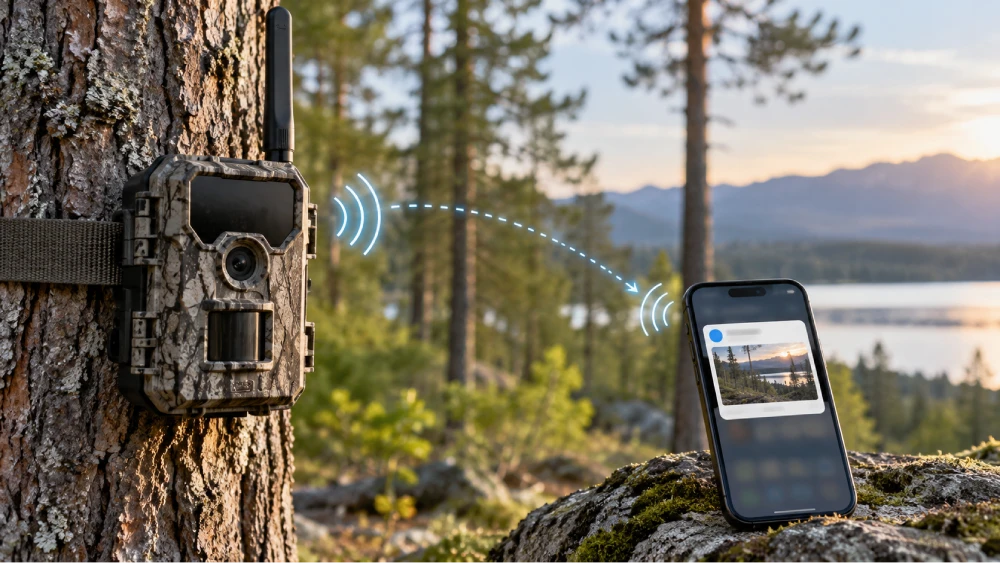

A cellular trail camera detects motion using a passive infrared sensor, which triggers the camera to capture images or short videos. These files are stored locally on an SD card, organized by timestamp and event.
The camera’s built-in cellular modem then transmits the media over mobile networks to your device or cloud platform, enabling remote access via an app. Effective placement and power management guarantee reliable performance.
You’ll discover how to optimize these features for best results next.
Key Takeaways
- A PIR sensor detects heat and motion, triggering the camera to capture images or videos instantly.
- Captured media is stored locally on an SD card, organized by timestamp and event with embedded metadata.
- A built-in cellular modem transmits files over mobile networks to a cloud server or proprietary platform.
- Users access images remotely via an app with real-time notifications and can adjust camera settings remotely.
- Proper placement ensures strong cellular signal and optimal battery life by avoiding obstructions and vibrations.
How Cellular Trail Cameras Detect Motion and Capture Images?
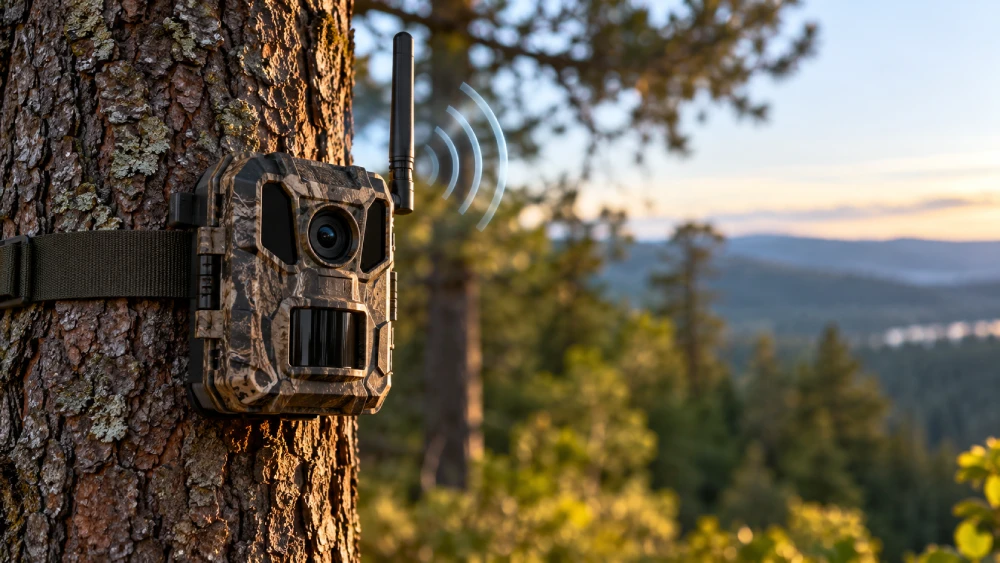
Cellular trail cameras detect motion primarily through a passive infrared (PIR) sensor that identifies changes in heat and movement within its field of view.
When an animal or person crosses this detection zone, the camera exits sleep mode and triggers the image capture process.
The camera instantly activates and begins capturing images when motion is detected within its sensing area.
You’ll find that trigger speed and sensor sensitivity directly influence how swiftly the camera records the scene after motion is detected.
Typically, cellular models operate like standard trail cameras at this stage, with detection range and angle varying by model and placement.
Once triggered, the camera captures still images or short videos, storing them locally on an SD or microSD card.
Infrared illumination or low-glow flash technology often assists night captures to maintain image clarity in low-light conditions.
Many cellular models also use 4G LTE connectivity to transmit images and alerts without relying on Wi‑Fi networks.
What Happens After Your Camera Takes Photos or Videos?
After capturing photos or videos, your camera immediately stores the media files locally on an SD or microSD card, ensuring no data is lost before any further processing. This local storage acts as a secure buffer, preserving images even if immediate transmission isn’t possible.
Here’s what happens next:
- The camera organizes files by timestamp and event for efficient retrieval.
- It manages storage capacity, overwriting oldest files when the card is full.
- Metadata such as date, time, temperature, and camera ID is embedded into each file.
- The system queues files for transmission based on signal availability and configured upload intervals.
This sequence maintains data integrity and prepares captured media for subsequent network transfer without compromising battery life or image quality. Effective management of backup power supplies ensures the camera operates reliably even during power interruptions.
How Cellular Trail Cameras Send Images Over the Network?
Though your trail camera captures and stores images locally, it relies on a built-in cellular modem and SIM card to transmit those files over a mobile network.
Your trail camera stores images locally but uses a cellular modem and SIM card to send files wirelessly.
Once the camera stores media on its SD card, the modem connects to a cellular carrier’s network, such as Verizon or AT&T, using assigned frequencies and protocols.
The camera then uploads images or videos to a cloud server or proprietary platform via secure data packets.
Transmission timing varies; some models send files immediately, while others batch uploads to conserve power or data.
If signal strength is inadequate, the camera postpones transmission but continues local storage.
This cellular upload process functions like smartphone photo sharing, ensuring your images move from remote locations to your app or email without manual retrieval.
Many cameras use encryption protocols such as AES-128 or AES-256 to secure data during transmission over cellular networks.
How to Manage Cellular Trail Camera Photos Remotely?
Managing photos from your trail camera remotely usually involves using a dedicated app or web platform provided by the manufacturer.
These tools let you efficiently access, organize, and control your images from anywhere.
To manage your photos effectively, you should:
- Connect the camera to the app via cellular network credentials or QR-code pairing for secure access.
- Monitor incoming images and videos through real-time notifications or scheduled updates.
- Use app features to categorize, delete, or download media to your device or cloud storage.
- Adjust camera settings remotely, including resolution, trigger sensitivity, and transmission intervals, to optimize data use and battery life.
This remote management system streamlines monitoring by reducing physical trips.
It ensures timely photo review and camera configuration without disturbance.
Incorporating motion detection triggers in your camera settings helps limit unnecessary recordings and conserves battery life.
Power, Signal, and Placement Tips for Reliable Performance
When setting up your cellular trail camera, optimizing power supply, cellular signal strength, and placement plays a critical role in ensuring consistent operation and reliable data transmission.
Use high-capacity batteries and consider rechargeable options to extend operational time, especially in high-trigger environments.
Position the camera where cellular signal strength is strongest, typically elevated and near clear lines of sight to nearby towers, to facilitate faster and more reliable uploads.
Avoid dense foliage or metal obstructions that can degrade signal quality.
Mount the camera securely to minimize vibration or movement that could trigger false captures or misalignment.
Additionally, test signal strength with your smartphone before final installation to confirm coverage.
Proper placement improves image transmission and conserves battery life by reducing retransmission attempts and optimizing sensor activation.
Frequently Asked Questions
Can Cellular Trail Cameras Operate in Extreme Weather Conditions?
Yes, cellular trail cameras can operate in extreme weather conditions, but their performance depends on the model’s design and weatherproof rating.
You’ll want a camera with sealed enclosures and temperature-tolerant components to withstand rain, snow, heat, or cold.
However, battery life may decrease in freezing temperatures, and cellular signals can weaken during storms.
Proper placement and using weather-resistant models help guarantee reliable operation despite harsh environments.
How Do Data Plans and Costs Work for Cellular Trail Cameras?
You’ll need a data plan to transmit images and videos from your cellular trail camera over the network.
Carriers offer various plans, often monthly, with limits on data usage. Exceeding these can increase costs or throttle speeds. Some plans include unlimited data but at a higher price.
Choosing a plan depends on your expected trigger frequency and transmission volume.
Budgeting for data and understanding carrier coverage guarantees reliable, cost-effective operation.
Are Cellular Trail Cameras Compatible With All Cellular Carriers Worldwide?
Imagine you buy a cellular trail camera designed for Verizon in the US but try using it on a European network like Vodafone. It likely won’t work due to incompatible frequencies and bands.
Cellular trail cameras aren’t universally compatible worldwide because they depend on specific carrier bands and network technologies (GSM, CDMA, LTE).
Before purchasing, you must check if the camera supports the carrier’s frequency bands and network standards in your region.
What Security Measures Protect the Photos Stored in the Cloud?
You’ll find that cloud providers use encryption protocols like TLS to secure photos during transmission, while data at rest is protected with AES encryption.
Access controls, such as multi-factor authentication and role-based permissions, restrict who can view or manage your images.
Regular security audits and updates help prevent vulnerabilities.
These measures guarantee your photos remain confidential and safe from unauthorized access while stored in the cloud.
How Long Do Batteries Typically Last With Regular Camera Use?
You can typically expect batteries in a cellular trail camera to last between 3 to 6 months with regular use, depending on trigger frequency and transmission activity.
High trigger rates or frequent image uploads drain power faster. Power-saving modes and strong cellular signals help extend battery life.
Using high-capacity lithium batteries and optimizing settings can improve longevity. Always monitor battery levels via the app to avoid unexpected shutdowns.
Choose the Right Cellular Setup for Remote Monitoring
Now that you understand how a cellular trail camera detects motion, captures images, and transmits data remotely, you’re equipped to optimize its use.
Managing photos from afar and ensuring reliable power and signal strength are vital for consistent performance.
So, why settle for guessing when technology lets you monitor wildlife with precision and ease?
Leveraging these technical insights guarantees your trail camera works efficiently, delivering timely, high-quality images right to your device.