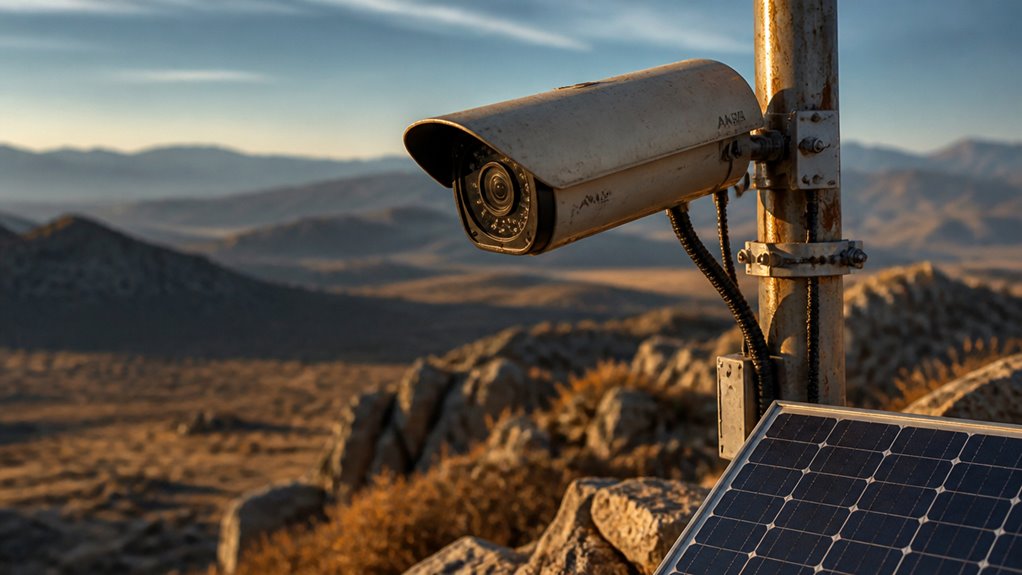

You need security cameras with energy-efficient hardware paired with solar panels and high-capacity lithium-ion batteries to guarantee sustained power in remote locations.
Choose rugged, IP65-rated housings to withstand weather extremes. Prioritize cellular or satellite connectivity to maintain reliable data transmission.
Optimize image quality by balancing resolution with battery life and use local storage to reduce bandwidth.
Smart energy management and scheduled maintenance keep your system reliable over time. Exploring these factors helps you design a resilient remote surveillance setup.
Key Takeaways
- Use solar-powered cameras with rechargeable battery backups to ensure continuous operation in off-grid remote locations.
- Select weatherproof cameras with at least IP65 rating and durable housings to withstand harsh environmental conditions.
- Employ cellular or satellite connectivity combined with local storage for reliable data access where internet is limited or unavailable.
- Optimize camera settings to balance resolution, power consumption, and storage capacity, favoring energy-efficient compression like H.264/H.265.
- Implement smart energy and system management with surge protection and regular maintenance to maximize uptime and reliability.
Understanding Challenges of Remote Security Cameras
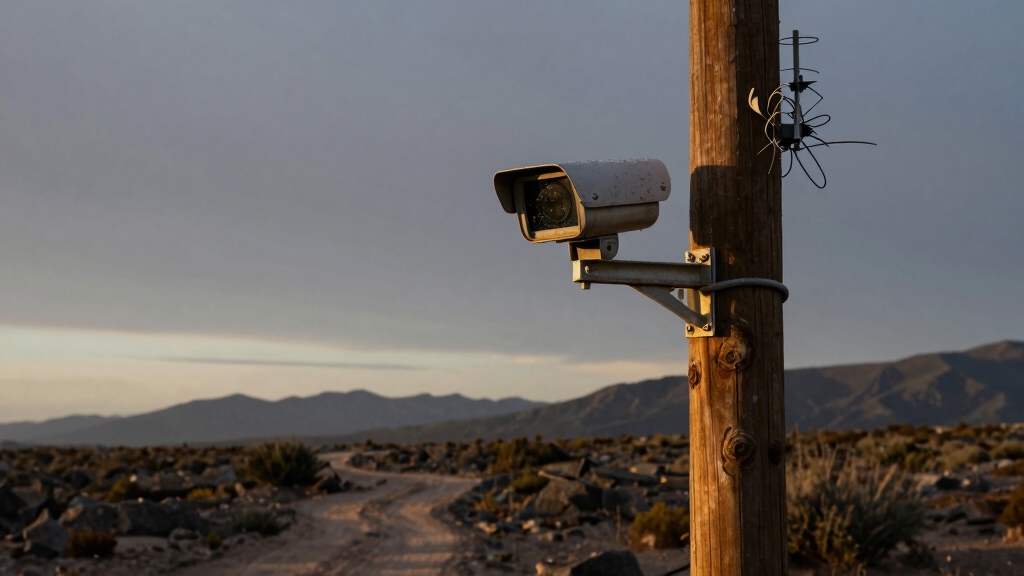
Although remote security cameras provide critical surveillance in off-grid areas, they face unique challenges that demand careful consideration.
You must address limited power availability, environmental exposure, and connectivity constraints.
Remote locations often lack reliable electricity, requiring energy-efficient hardware to maximize battery life.
Harsh weather, including rain, dust, and temperature extremes, necessitates rugged, weatherproof housings rated IP65 or higher to guarantee consistent operation.
Connectivity is another hurdle; cellular or satellite links are essential where Wi-Fi isn’t accessible.
However, signal strength and data costs can limit performance.
Additionally, you need to balance image resolution with power consumption and storage capacity, as higher resolutions drain resources faster.
Finally, remote cameras require minimal maintenance due to access difficulties.
Therefore, durability and reliable components are paramount for sustained surveillance.
Choosing solar security cameras with high-efficiency panels can significantly improve power reliability in remote locations.
Choosing Power Sources for Remote Security Cameras
When it comes to powering remote security cameras, solar power really stands out as a top choice. Why? Well, it’s a sustainable energy source that doesn’t depend on being connected to the grid. That’s a big plus, especially if you’re in a location where access to traditional power sources is tricky.
Now, to make sure your cameras keep running smoothly, consider pairing those solar panels with rechargeable battery backups. This way, even during low sunlight or unexpected outages, your cameras will still be up and running.
It’s all about optimizing uptime while keeping maintenance to a minimum in those off-grid settings. So, you can have peace of mind knowing your security system is always on the job!
For best results, proper solar panel positioning and ensuring direct sunlight exposure are essential to maximize charging efficiency.
Solar Power Advantages
Harnessing solar power provides a reliable and sustainable energy source for remote security cameras where grid electricity isn’t available.
Solar panels convert sunlight into electricity, enabling continuous operation without dependence on external power grids.
You’ll find that solar setups reduce installation complexity and ongoing energy costs.
For peak efficiency, select panels with appropriate wattage to match your camera’s power consumption and local sunlight conditions.
Solar power also enhances system autonomy, allowing cameras to function in isolated or off-grid locations.
Additionally, solar solutions minimize environmental impact and lower maintenance needs compared to fuel-powered generators.
When integrating solar, ensure proper panel placement for maximum sun exposure.
Consider energy-efficient camera settings to extend operational duration under variable weather conditions.
Reliable power options with backup batteries can further ensure continuous operation during periods of low sunlight.
Battery Backup Solutions
When powering remote security cameras, battery backup solutions play a crucial role in maintaining continuous operation during low sunlight or unexpected outages. You’ll want a system that supports rechargeable batteries paired with solar panels, guaranteeing your camera remains functional without frequent manual intervention.
Selecting high-capacity lithium-ion batteries can extend uptime and improve reliability. Consider integrating battery management systems to optimize charging cycles and prevent over-discharge.
Key factors include:
- Battery capacity aligned with camera power consumption and expected downtime
- Compatibility with solar panel output for efficient recharging
- Temperature tolerance to ensure performance in extreme climates
- Smart energy management to balance power use and storage
Implementing these considerations guarantees your remote security cameras stay operational under fluctuating power conditions. Many outdoor security cameras benefit from solar charging options that extend battery life and reduce manual battery replacements.
Connectivity Options for Remote Security Cameras
You know, if you’re looking into remote security cameras, one of the best options out there’s cellular connectivity. With 4G LTE or 5G, you can get reliable remote access even in places where Wi-Fi or wired internet just isn’t available. Just keep in mind that you’ll usually need a SIM card and a data plan to make it work.
Now, if you find yourself in an area where cellular signals are sparse, satellite systems could be a good fit. They offer coverage where other options fall short, but there’s a catch: they tend to come with higher costs and can have some latency issues.
And let’s not forget about local storage! This option lets you record without needing an internet connection, which is perfect for sites where real-time monitoring isn’t a big deal. It’s a great way to ensure you still capture what you need, even offline.
For long-term remote setups, consider pairing cameras with solar panels and rechargeable batteries to reduce maintenance and power interruptions.
Cellular Connectivity Advantages
A cellular-connected security camera lets you deploy surveillance in areas without Wi-Fi or wired internet access by using 4G LTE or 5G networks. This option guarantees reliable remote monitoring where traditional connectivity fails.
You simply insert a SIM card and activate a data plan, enabling continuous video streaming and real-time alerts. Cellular cameras often support dynamic IP addressing, simplifying network setup without manual configuration.
Key advantages include:
- Wide coverage in rural or off-grid locations lacking broadband infrastructure
- Secure end-to-end encrypted data transmission over cellular networks
- Scalability by adding cameras without extending physical network cables
- Lower installation complexity and costs compared to wired or satellite systems
Cellular cameras provide remote alerts and feeds even when local WiFi is unavailable, ensuring real-time notifications for prompt response.
Satellite Versus Local Storage
Although satellite connectivity offers remote security cameras the ability to operate in areas without cellular coverage, it often comes with higher costs and latency compared to local storage solutions.
Satellite systems rely on expensive data plans and can experience delays that hinder real-time monitoring. In contrast, local storage, such as SD cards or internal memory, enables continuous recording without network dependency. This makes it ideal where internet access is unreliable or absent.
However, local storage limits remote viewing capabilities and requires physical retrieval for footage review. When choosing between satellite and local storage, consider your need for immediate alerts and off-site access versus budget constraints and maintenance feasibility.
Combining satellite links with local storage can optimize reliability, balancing remote accessibility with data security and cost-effectiveness in isolated environments. Additionally, integrating an NVR system can enhance remote monitoring and footage management even in challenging connectivity scenarios.
Balancing Image Quality and Energy Use in Remote Security Cameras
When selecting a remote security camera, balancing image quality with energy consumption is critical to ensure reliable operation over extended periods. Higher resolution cameras, like 2K or 4K, provide clearer details but demand more power and storage. This reduces battery life and increases data transmission needs.
Conversely, 1080p cameras consume less energy and generate smaller files, supporting longer autonomy with solar and battery power.
To optimize this balance, consider the following:
- Choose resolution settings that meet identification needs without excess power draw.
- Use energy-efficient video compression (H.264/H.265) to minimize bandwidth and storage.
- Employ motion detection triggers to limit recording duration and power use.
- Pair cameras with adequate solar panel capacity and battery storage for sustained uptime.
Selecting cameras with local AI detection capabilities can also reduce unnecessary recordings, conserving energy and storage resources.
This approach guarantees efficient surveillance without compromising operational longevity.
Weatherproofing Remote Security Cameras for Harsh Conditions
Balancing image quality and energy efficiency is only part of ensuring reliable remote surveillance. Protecting your security cameras from environmental hazards is equally important.
You should select cameras with a minimum IP65 rating to guarantee resistance against dust, rain, and snow. Outdoor-rated housings shield sensitive electronics from moisture and debris, while rugged designs withstand impacts and temperature extremes.
Consider models with wide operating temperature ranges to maintain functionality in freezing or scorching conditions. Sealing cable entries and connectors prevents water ingress, which can cause malfunctions.
Additionally, mounting cameras under eaves or using protective covers reduces direct exposure to elements. Proper weatherproofing minimizes downtime and maintenance frequency, ensuring consistent operation in harsh, remote environments where regular servicing is difficult.
Using cameras equipped with built-in heaters can prevent lens fogging and ice buildup, maintaining image clarity in cold climates.
Managing Storage and Alerts With Limited Internet
Since internet access is often limited or unreliable in remote locations, you’ll need to rely on efficient local storage and intelligent alert systems to maintain effective surveillance.
In remote areas, dependable local storage and smart alerts are essential for uninterrupted surveillance without internet reliance.
Prioritize cameras with robust SD card slots or internal memory to guarantee continuous recording without cloud dependency. Use compression formats like H.264 or H.265 to optimize limited storage space.
For alerts, configure detection zones to minimize false alarms and conserve limited connectivity bandwidth. When cellular or intermittent Wi-Fi is available, set up real-time notifications to promptly respond to events.
Employ closed-loop local storage to record independently of internet. Leverage motion-triggered recording to reduce unnecessary data use.
Utilize energy-efficient video resolutions (e.g., 1080p) to balance quality and storage. Integrate cellular alerts for timely remote monitoring when network access permits.
Additionally, ensure your power solutions include surge protection to maintain system reliability in remote environments.
Planning Maintenance for Remote Security Cameras
Effective maintenance planning guarantees your remote security cameras operate reliably despite challenging access and environmental conditions.
You should schedule periodic inspections, ideally quarterly, to check power systems, solar panels, batteries, and connections for signs of wear or damage.
Clean lenses and housings to maintain image clarity and prevent environmental buildup.
Test network connectivity regularly, especially cellular or satellite links, to ensure uninterrupted remote access.
Replace consumables like batteries proactively based on manufacturer life expectancy rather than waiting for failure.
Document all maintenance activities and monitor camera performance metrics remotely when possible.
Prioritize rugged, weather-resistant models to reduce maintenance frequency.
Planning for contingencies, such as spare parts and backup power solutions, minimizes downtime.
Frequently Asked Questions
How Do I Securely Install Cameras to Prevent Theft or Tampering?
To securely install cameras and prevent theft or tampering, mount them out of easy reach, ideally above 10 feet. Use tamper-resistant screws and secure housings rated IP65 or higher.
Conceal wiring in conduit or inside walls to avoid cutting. Pair cameras with motion alerts to catch interference attempts quickly.
Consider locking enclosures and place cameras covering each other’s blind spots for added security and deterrence against vandalism or theft.
What Legal Considerations Apply to Recording on Remote Private Property?
You need to comply with privacy laws that vary by jurisdiction, ensuring your cameras only record your private property and not public spaces or neighbors’ areas.
Obtain consent if recording employees or frequent visitors. Avoid audio recording without explicit permission, as many regions have stricter rules on sound.
Clearly post signage about video surveillance to inform anyone entering your property. Consult local regulations to avoid legal liability and respect privacy rights.
Can Remote Cameras Integrate With Home Automation Systems?
Yes, remote cameras can integrate with home automation systems if they support standard protocols like ONVIF, RTSP, or proprietary APIs.
You’ll want cameras compatible with platforms such as Alexa, Google Home, or Apple HomeKit for seamless control. Cellular or Wi-Fi connectivity enables real-time video streaming and alerts within your automation setup.
Make certain your remote camera’s firmware supports integration to automate functions like motion-triggered lighting or security alerts efficiently.
How Do Seasonal Weather Changes Affect Camera Performance?
Seasonal weather changes can impact camera performance by exposing devices to temperature extremes, moisture, and dust.
You’ll need cameras rated IP65 or higher to resist rain and dust. Wide operating temperature ranges guarantee reliable function in heat and cold.
Snow and fog can reduce image clarity and motion detection effectiveness. Make certain your camera’s housing is rugged and weatherproof to maintain consistent performance throughout the year.
What Are the Best Practices for Troubleshooting Camera Connectivity Issues?
Isn’t it ironic how the smartest cameras fail when you need them most?
To troubleshoot connectivity issues, first check your power source. Solar panels or batteries might be drained.
Next, verify your cellular or satellite signal strength. Weak signals cause dropouts.
Restart your device and make certain firmware is updated.
Confirm SIM card and data plan status if cellular.
Finally, inspect antenna placement and environmental interference. Adjust as needed for peak signal reception.
Plan Your Remote Camera System for Long-Term Use
Installing security cameras in remote areas is like planting vigilant sentinels in the wild. Each choice you make, from power to connectivity, guarantees these guardians stand resilient.
By balancing energy use, weatherproofing, and storage management, you create a dependable shield that watches over your space without faltering.
With careful planning and maintenance, your remote cameras become steadfast eyes in solitude, offering peace of mind even where help feels miles away.