
You can expect dash cameras to record anywhere from one to twelve hours continuously, depending on your SD card size, camera resolution, and recording mode.
A 32GB card typically holds about 80 minutes of 4K footage, while larger cards like 256GB can store up to 12 hours at the same resolution.
Loop recording manages storage by overwriting the oldest files to guarantee constant recording. Keep in mind, your settings and model greatly influence total recording times and storage efficiency.
Key Takeaways
- Dash cameras record continuously in loop mode, overwriting the oldest footage once storage is full to maintain recent video clips.
- A 32GB card typically stores about 80 minutes of 4K video, while a 256GB card holds up to roughly 12 hours at the same resolution.
- Recording duration depends on resolution; higher resolutions like 4K reduce recording time compared to 720p or 1080p on the same card capacity.
- Incident and manual recordings save clips separately, preserving important footage but decreasing total available storage for continuous recording.
- Typical dash cams offer recording durations from 3 to 50 hours, varying by model, storage size, and video quality settings.
How Dash Cam Storage Size Affects Your Recording Time?
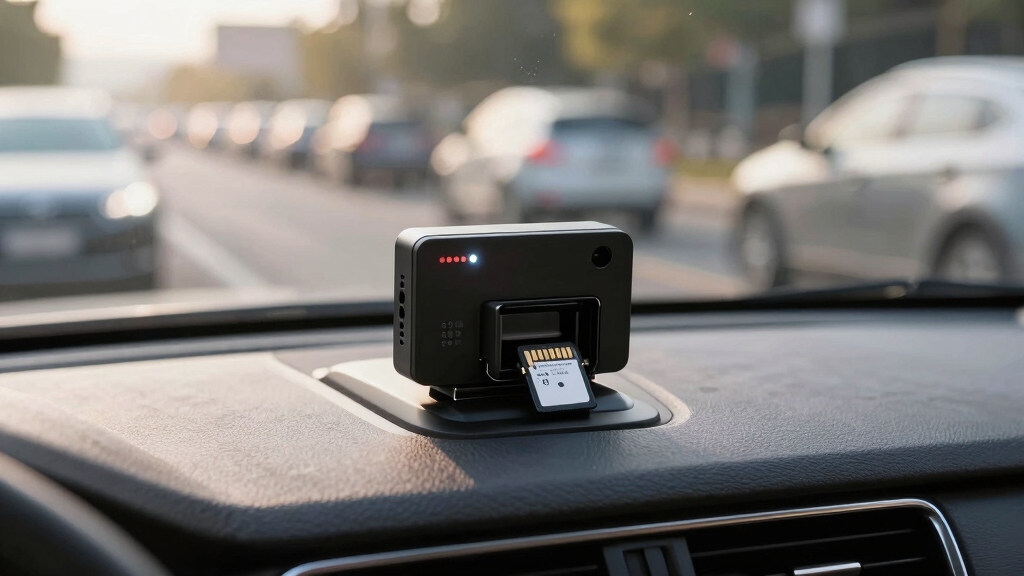
The size of your dash cam’s storage directly determines how much footage you can save before the device starts overwriting old recordings.
For instance, a 32GB card records about 80 minutes of 4K video, while a 256GB card extends that to roughly 12 hours.
Doubling storage roughly doubles recording time, assuming resolution and frame rate remain constant.
Increasing storage capacity proportionally extends your dash cam’s recording duration without changing video quality settings.
Larger capacity cards let you retain more continuous footage, reducing the frequency of overwrites.
However, your dash cam’s loop recording function will automatically delete the oldest files once the storage is full, ensuring continuous recording without manual intervention.
Selecting the right SD card size depends on how long you want to keep footage before it cycles out and the resolution settings you use.
Prioritizing larger storage offers the most flexibility for extended recording durations.
How Resolution and Camera Setup Impact Recording Length?
Resolution and camera setup considerably influence how long your dash cam can record before filling the storage. Higher resolutions demand more memory, so a 4K front camera combined with a 720p rear camera uses markedly more space than a single 1080p module.
For example, a 32GB card stores about 80 minutes of 4K footage but nearly 200 minutes at 1080p/720p. Your recording length varies based on:
- 4K front + 720p rear on 32GB: ~60 minutes
- 4K front + 720p rear on 128GB: ~250 minutes
- Rear cam 1080p/720p on 32GB: ~200 minutes
- Rear cam 1440p/720p on 32GB: ~115 minutes
Choosing resolution and camera count balances video quality against recording duration. Pick based on your priorities and storage size. Additionally, low voltage wiring in dash cams typically operates under 50 V AC or 120 V DC, ensuring safer, more efficient power management for extended recording sessions.
How Loop Recording Manages Dash Cam Storage Automatically?
Loop recording automatically manages your dash cam’s storage by continuously overwriting the oldest footage once the memory card reaches capacity.
Loop recording ensures your dash cam never stops by overwriting the oldest videos when storage is full.
This process guarantees your device captures the most recent events without manual intervention or risk of storage exhaustion.
When the SD card fills, the dash cam deletes the earliest video files in sequence, freeing space for new recordings.
This cycle maintains a constant buffer of footage, preserving vital data while optimizing limited memory resources.
It’s especially critical for high-resolution settings where file sizes are larger and storage fills faster.
Loop recording supports uninterrupted operation by preventing memory card saturation, which could otherwise halt recording.
Most modern dash cams, including models from the Nextbase 2 series onward, implement this feature as a default storage management strategy.
To ensure reliable operation, it is also important to maintain stable power and protect the device from voltage spikes that can corrupt recordings or cause malfunctions.
Typical Recording Times for Popular Dash Cam Models
Dash cameras typically record between 1 to 20 hours of footage, depending heavily on factors like SD card size, video resolution, and the specific model you use.
For example, the Drive360 stores about 12 to 24 hours of video on its SD card, while the Driver•i model can hold up to 50 hours.
High-resolution 4K footage drastically reduces recording time on smaller cards, such as 80 minutes on a 32GB card.
Fleet dash cams tend to offer longer durations, averaging 3 to 50 hours.
Here’s a quick overview:
- Drive360: 12–24 hours on SD card
- Driver•i: up to 50 hours on SD card
- 4K on 32GB card: 80 minutes recording time
- Fleet dash cams: 3–50 hours average
Your choice impacts how much continuous footage you can capture before overwriting begins.
How Recording Modes Affect Dash Cam Storage and Video Length?
Beyond recording duration and storage capacity, the way your camera captures and saves footage greatly influences both storage use and video length.
Continuous recording uses loop mode, overwriting the oldest footage to guarantee uninterrupted capture, maximizing storage efficiency.
Incident recording activates when sensors detect events, saving clips separately without overwriting. This preserves critical footage but reduces available space.
Manual recording lets you initiate clips on demand, typically lasting about one minute, consuming additional storage.
Parking mode, available on hardwired cams, records selectively with sleep cycles to conserve space while monitoring when parked.
Clip length also matters: shorter clips, often one minute, balance detail and storage but may increase file fragmentation.
Cloud storage options extend retention but rely on subscription and bandwidth, affecting available local storage and recording duration.
Understanding these modes helps optimize your dash cam’s performance.
Additionally, implementing encryption and firmware updates can enhance the security and reliability of your dash cam recordings.
Frequently Asked Questions
Can Dash Cams Record Audio Alongside Video Footage?
Yes, dash cams can record audio alongside video footage. Most models include built-in microphones that capture in-cabin sounds, providing additional context to incidents.
You can usually enable or disable audio recording in the settings to comply with local laws or personal preference.
Keep in mind, audio may affect storage use slightly, but it enhances evidence quality during reviews, especially for conversations or noises related to accidents or traffic stops.
How Do Weather Conditions Affect Dash Cam Recording Quality?
Weather conditions impact your dash cam’s recording quality markedly. Heavy rain, fog, or snow can reduce visibility, causing blurry or obscured footage.
Extreme temperatures may affect camera performance; cold can drain batteries faster, while heat may cause overheating or lens fogging.
Low light during storms challenges image sensors, reducing clarity. To maintain peak recording, use dash cams with high dynamic range and waterproof housing, ensuring consistent footage in diverse weather conditions.
Are Dash Cam Recordings Legally Admissible in Court?
Imagine a silent witness always ready on your dashboard—that’s your dash cam.
Yes, dash cam recordings are legally admissible in court provided they’re authentic, unaltered, and relevant.
You’ll need to make sure proper timestamps, clear video quality, and chain of custody to avoid disputes.
Different jurisdictions may have varying rules, so check local laws.
Properly maintained footage can strengthen your case by providing objective, time-stamped evidence in traffic incidents or disputes.
Do Dash Cams Require Regular Maintenance for Reliable Recording?
Yes, dash cams require regular maintenance to ensure reliable recording.
You’ll want to check your SD card periodically for errors and replace it every 6-12 months, as constant writing wears it out.
Keep firmware updated to fix bugs and improve performance.
Clean the camera lens to avoid blurry footage.
Also, verify loop recording functions properly so old clips overwrite correctly, preventing storage issues and data loss.
Can Dash Cams Connect to Smartphones for Live Viewing?
Yes, many dash cams connect to your smartphone via Wi-Fi or Bluetooth, letting you view live footage in real time.
You simply pair the dash cam with its dedicated app, which provides access to live streaming, video downloads, and configuration settings.
This connectivity enhances convenience by allowing you to monitor your vehicle remotely, review footage instantly, and adjust camera settings without removing the memory card or using a computer.
Smart Storage, Seamless Recording, Safer Drives
So, you want your dash cam to record forever, huh? Unless you’ve got a memory card the size of a small planet, you’ll have to embrace loop recording and resolution trade-offs.
Bigger storage means longer footage, but don’t expect your camera to archive every traffic drama like a Netflix series. Understanding your setup, storage, and recording modes lets you optimize recording time without turning your dash cam into a digital hoarder.