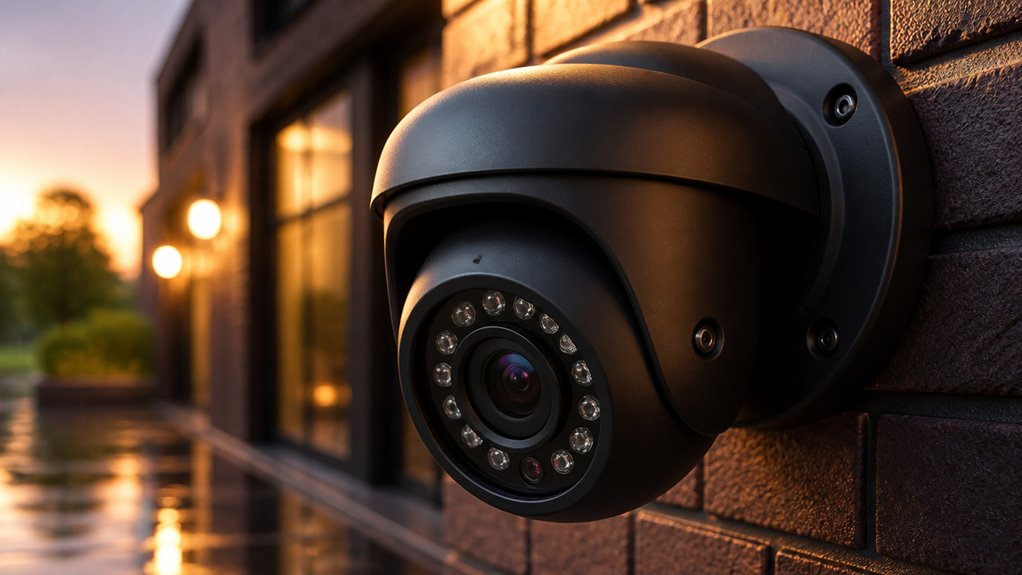

If you’re looking for budget-friendly GW Security cameras, expect solid 5MP to 4K image quality with practical features like human detection, two-way audio, and PoE simplicity.
Night vision works well up to 75 feet despite higher claims, though low-light detail varies by model.
Their NVRs and remote app offer essential functionality but can suffer occasional freezes and connection lags.
You’ll find useful setup tips and performance optimizations to get the most from your system ahead.
Key Takeaways
- GW Security cameras offer good image quality with 4K and 5MP options, suitable for face and license plate identification in good lighting.
- Night vision is effective up to around 75 feet despite higher advertised IR ranges, with external IR illuminators improving performance through glass.
- PoE simplifies installation by combining power and data; NVRs support HDMI and mouse control but often face stability and software lag issues.
- The GW Security app is user-friendly with live view, playback, human detection alerts, and mostly stable remote access on strong Wi-Fi.
- Mid-tier models add features like two-way audio and human detection without significant price increases, providing good value for budget buyers.
GW Security Cameras: What They Offer
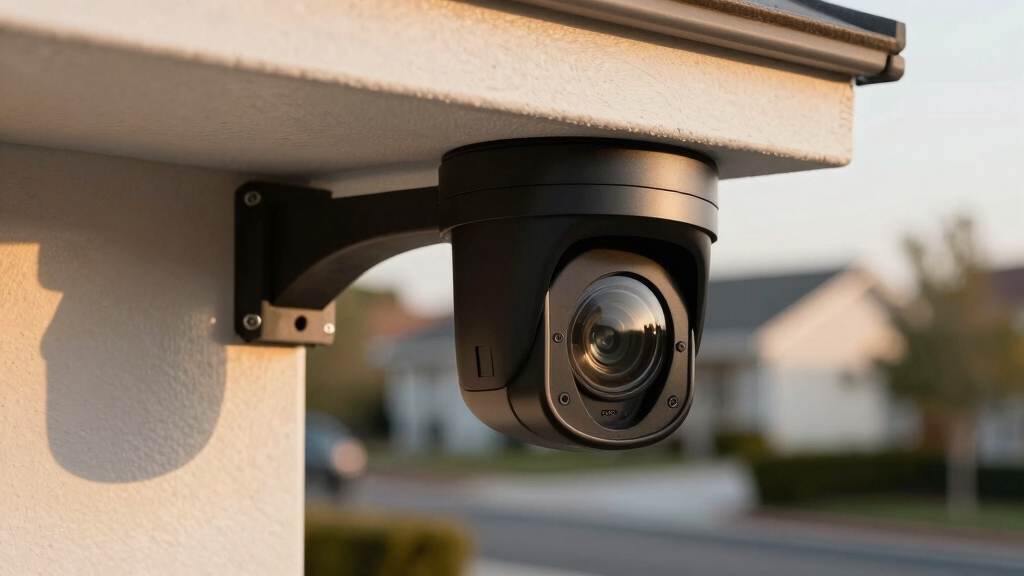
When considering GW Security cameras, you’ll find a lineup focused on PoE IP camera systems designed for both indoor and outdoor use.
Their offerings include 4K and 5MP NVR kits alongside PTZ models, emphasizing features like night vision, two-way audio, and human detection on select units.
Options include 4K and 5MP NVR kits with PTZ models featuring night vision, two-way audio, and human detection.
For instance, a 5MP PTZ camera provides 5X optical zoom and up to 260 feet of IR night vision, though practical performance may vary.
Systems support PoE wired installation, connecting through an NVR, PoE switches, and a router.
The NVR requires accessible placement for HDMI output and mouse control.
While camera hardware delivers competent image quality and solid value, users talk mixed experiences with software reliability and recorder stability.
This underlines the importance of evaluating specific models for your technical requirements.
Additionally, GW systems benefit from remote monitoring capabilities that enable users to view live and recorded footage from anywhere.
Who Should Choose GW Security Cameras and Why?
Since GW Security cameras focus on delivering affordable PoE IP hardware with competent image quality, you should consider them if you prioritize budget-friendly options over premium system polish.
These cameras suit users who want wired installations with reliable image capture but can tolerate occasional NVR or software glitches. If you need straightforward setup and decent night vision without the highest-end features, GW can be a practical choice.
The cameras’ PoE power and data transfer help ensure stable operation and simplify installation compared to wireless alternatives.
| User Profile | Why GW Security Fits |
|---|---|
| Cost-conscious buyers | Affordable PoE IP cameras with good value |
| DIY installers | Easy setup, PoE simplifies wiring |
| Basic surveillance needs | Competent day/night image quality |
Avoid GW if you require flawless recorder software or advanced premium features.
Comparing GW Security Camera Models by Features and Price
When you’re diving into the world of GW Security camera models, there are a couple of key features to keep in mind: resolution and zoom options. For instance, some of their PTZ units come with 5MP cameras that boast a 5X optical zoom. Pretty impressive, right?
Now, let’s talk about night vision. This can really vary between different models. Some cameras claim they can see up to 260 feet in the dark, but in reality, you might find that they perform best around 75 feet. So, it’s good to manage your expectations here.
Balancing all these features with the price is essential. GW aims to cater to budget-conscious buyers, so while you might get solid hardware, the software reliability can be a bit hit or miss. Just something to keep in mind as you weigh your options!
For construction sites, selecting cameras with weatherproof housings rated IP65 or higher is crucial to ensure durability and consistent performance despite harsh conditions.
Resolution and Zoom Options
Resolution and zoom capabilities define the core imaging performance across GW Security camera models. This directly impacts image clarity and detail capture.
GW cameras typically offer resolutions from 4MP up to 5MP, with 4K available in some NVR kits, balancing detail with bandwidth needs. Zoom options vary; PTZ models provide 5X optical zoom, allowing you to focus on distant subjects without losing sharpness.
Fixed cameras lack optical zoom but rely on high pixel density for detail.
| Model Type | Resolution | Optical Zoom | Price Range | Use Case |
|---|---|---|---|---|
| Fixed Indoor | 4MP | None | $100-$150 | General monitoring |
| Fixed Outdoor | 5MP | None | $150-$200 | Perimeter security |
| PTZ Outdoor | 5MP | 5X | ~$250 | Detailed tracking |
| 4K NVR Kit | 8MP | Digital only | $300+ | High-res coverage |
| 32-Channel | 5MP | None | $500+ | Large installations |
For enhanced installation efficiency and simplified power delivery, many GW turret and PTZ cameras support Power over Ethernet (PoE).
Night Vision Capabilities
How well can GW Security cameras perform in low-light conditions?
Their night vision capabilities vary notably by model.
For example, the 5MP PTZ model features IR illumination advertised for up to 260 feet, but practical use delivers clear images only within about 75 feet.
Other models, like the 8-channel 5MP system, receive user feedback indicating somewhat dim night vision.
In contrast, a 32-channel system reportedly maintains good image quality at night.
This indicates that IR LED strength and sensor sensitivity differ across the product line.
When evaluating GW cameras, you should consider these variations carefully.
The night vision performance can be sufficient for typical residential or small business applications but may not meet demands requiring extensive long-range clarity in complete darkness.
Positioning cameras at a 45-degree angle to glass and using external IR illuminators can significantly improve night vision performance through glass barriers.
Price Versus Features
Although GW Security cameras target budget-conscious buyers, their models offer a range of features that vary markedly with price.
Entry-level systems focus on basic PoE IP connectivity, 4MP to 5MP resolution, and standard night vision up to approximately 75 feet.
Mid-tier options add enhancements like two-way audio and human detection, improving security functionality without significant cost increases.
The PTZ model, priced around $250, delivers 5MP resolution, 5X optical zoom, and advertised IR night vision up to 260 feet, though real-world performance is more modest.
Higher-priced kits often include multi-channel NVRs and expanded storage capacities.
When evaluating models, consider trade-offs in image quality, night vision range, and NVR reliability, as software glitches have been reported.
Prioritize specific features aligned with your surveillance needs to maximize value.
Additionally, selecting cameras with effective video compression technology like H.265 can optimize storage and transmission efficiency.
GW Security Camera Performance in Daylight
Daylight image quality in GW Security cameras generally meets expectations for their price range. They deliver clear and detailed video suitable for most residential and small business surveillance needs.
You’ll find 5MP resolution adequate for identifying faces and license plates under well-lit conditions. The cameras handle dynamic range reasonably, though bright sunlight can cause slight glare.
Color reproduction appears accurate, with minimal oversaturation. However, the use of compression algorithms in recording can sometimes reduce fine detail in high-motion scenes.
| Feature | Daylight Performance |
|---|---|
| Resolution | Sharp 5MP detail |
| Color Accuracy | Natural, balanced hues |
| Dynamic Range | Acceptable, minor glare |
| Zoom Capability | 5X optical zoom (PTZ models) |
Night Vision on GW Security Cameras
When evaluating night vision capabilities on GW Security cameras, you’ll notice that performance varies markedly by model.
Some PTZ models advertise up to 260 feet of IR night vision, but practical results tend to be closer to 75 feet with clear, crisp IR illumination.
Other models, like the 8-channel 5MP system, may deliver night images that appear somewhat dark or less detailed.
User feedback on larger systems often reports satisfactory night picture quality, but low-light effectiveness depends heavily on the specific camera.
If you prioritize robust night vision, focus on models with strong IR LEDs and tested illumination ranges.
Since night vision performance is inconsistent across the range, you should evaluate the actual IR coverage and image clarity under low-light conditions before purchase.
For optimal results, mounting cameras at the recommended 10 feet height can enhance night vision clarity and reduce tampering risks.
Setting Up GW Security Cameras Easily
Setting up GW Security cameras involves connecting the NVR to your network via a router and linking each camera through PoE switches. This simplifies power and data transmission over a single cable.
Begin by placing the NVR in an accessible location for HDMI display and mouse navigation. Connect the NVR to your router with an Ethernet cable to enable local network communication.
Next, connect each PoE camera to the PoE switch ports. This single-cable setup delivers both power and data, eliminating extra wiring.
After physical connections, power on the NVR and cameras. You’ll then configure camera IP addresses and recording settings through the NVR interface.
The system’s architecture supports flexible scaling, facilitating easy addition of cameras without complex rewiring. This method guarantees streamlined, reliable wired installation.
Ensure that all cables are secured neatly with clips or covers to avoid damage and maintain signal integrity throughout the installation.
GW Security App for Remote Monitoring
The GW Security app has a really user-friendly interface, making it super easy to navigate and manage your cameras. You won’t have to spend ages figuring things out!
When it comes to remote access, it generally works quite well. You can enjoy real-time video streaming without worrying about constant interruptions.
Plus, the app allows you to set up customizable alerts, so you’ll get notified right away if it detects any motion or human activity. It’s all about keeping you in the loop!
To ensure continuous monitoring, it’s important to optimize your network bandwidth to prevent video loss or feed interruptions.
App Interface Simplicity
How intuitive is the GW Security app for remote monitoring? The app features a straightforward layout with clearly labeled icons for live view, playback, and settings. This allows you to quickly navigate between functions.
Its interface supports multiple camera streams simultaneously, offering smooth shifts and minimal lag during video switching.
The setup wizard guides you through device pairing and network configuration without unnecessary complexity.
However, some menus lack customization options, and occasional delays in loading recorded footage may occur.
Push notifications for motion alerts are easy to enable and manage, enhancing real-time responsiveness.
Remote Access Reliability
Building on the app’s straightforward interface, remote access reliability plays a key role in effective monitoring. You’ll find the GW Security app generally stable for live viewing, though occasional lag or disconnections can occur, particularly on slower networks.
The app supports both Wi-Fi and mobile data connections with automatic fallback, enhancing uptime. However, Some users may experience intermittent delays when reconnecting after network interruptions, which could impact consistent access..
| Feature | Performance Detail |
|---|---|
| Connection Stability | Solid on strong Wi-Fi; variable on weaker signals |
| Reconnection Speed | Typically under 10 seconds; occasional delays reported |
| Multi-Device Support | Supports simultaneous logins without conflicts |
| Data Usage Efficiency | Moderate, optimized for 5MP streams but can spike during zoom |
Real-Time Alert Features
Although the GW Security app offers a straightforward interface for remote monitoring, its real-time alert features are critical for timely incident response.
The app supports motion detection alerts, which you can customize for sensitivity and detection zones, reducing false alarms.
Some systems include human detection, improving alert accuracy by distinguishing people from other movement.
Alerts push instantly to your mobile device, allowing immediate review via live video.
The app logs events with timestamps, facilitating incident tracking and evidence retrieval.
However, users should note occasional delays or missed alerts reported in forums, likely linked to NVR and network stability.
Reliability and Common Issues With GW Security NVRS
If you rely on GW Security NVRs for your surveillance setup, you should be aware that while their cameras often deliver solid performance, the NVR units themselves have drawn frequent criticism for instability and glitches.
Some users may experience issues such as system freezes, unexpected reboots, and occasional inconsistencies in footage recording.
The NVR software can suffer from lag and connectivity drops, impacting remote viewing and playback reliability.
Firmware updates sometimes introduce new bugs rather than resolving existing ones. Additionally, the NVR’s user interface lacks polish, making navigation cumbersome under certain conditions.
These reliability concerns appear more pronounced in budget models, suggesting hardware limitations and underdeveloped software. While GW Security’s camera quality generally meets expectations, you’ll want to weigh these recorder stability issues carefully before committing to a full system purchase.
Tips to Maximize Performance From Your GW Security Cameras
To get the most from your GW Security cameras, focus on optimizing installation, configuration, and environment-specific settings.
Begin by positioning cameras to minimize obstructions and maximize coverage, especially for PTZ models with optical zoom.
Use PoE switches and ensure stable network connections to avoid recording interruptions.
Configure the NVR in an accessible location for easy HDMI and mouse access.
Adjust camera settings via the app to balance resolution and frame rate. Enable human detection if available to reduce false alerts.
For night vision, test IR illumination in your environment. Consider supplemental lighting if images appear too dark.
Regularly update firmware and app software to enhance stability.
These steps help you leverage GW Security’s hardware strengths while mitigating known software and low-light limitations.
Frequently Asked Questions
Can GW Security Cameras Integrate With Third-Party Smart Home Systems?
GW Security cameras generally lack native integration with major third-party smart home platforms like Google Home or Amazon Alexa.
You won’t find official support for direct voice control or automation through these ecosystems.
However, since their systems use standard PoE IP cameras and NVRs, you might achieve limited interoperability via RTSP streams or ONVIF compatibility through third-party software or hubs.
This requires technical setup and isn’t guaranteed across all models.
What Warranty Period Do GW Security Cameras Come With?
GW Security cameras typically come with a one-year limited warranty, covering defects in materials and workmanship.
Before you buy, verify warranty specifics for your exact model, as coverage might vary slightly by product or seller.
The warranty usually excludes damage from misuse or improper installation.
If reliability and long-term support matter to you, consider this warranty period alongside user feedback on hardware and software stability to make an informed decision.
Are Replacement Parts Readily Available for GW Security Cameras?
Replacement parts for GW Security cameras aren’t widely advertised or guaranteed to be readily available.
You might find some components like power adapters or cables through third-party sellers, but official parts such as camera modules or NVR components are less accessible.
It’s best to contact the seller directly for specific replacements.
Keep in mind that limited parts availability can impact repairs, so consider this if long-term maintenance is a priority for your setup.
Do GW Security Cameras Support Cloud Storage Options?
GW Security cameras primarily focus on local storage via NVRs and don’t natively support cloud storage options.
You won’t find built-in cloud recording features in their standard systems.
However, if you want cloud backup, you could potentially integrate third-party cloud solutions by routing video streams through compatible software or network setups.
Still, this requires extra configuration and isn’t officially supported within GW Security’s default product ecosystem.
What Is the Average Power Consumption of GW Security Cameras?
The average power consumption of GW Security cameras typically ranges between 5 to 15 watts per camera, depending on the model and features like PTZ, IR night vision, and two-way audio.
PoE (Power over Ethernet) cameras draw power through the Ethernet cable, simplifying installation.
When using IR illumination or motorized zoom, power usage peaks.
Always check specific model specs to estimate your total system power needs accurately.
Protect Your Home or Business with GW Security Camera Systems
Choosing GW Security Cameras is like equipping your property with a vigilant sentinel that never sleeps. Their robust daylight performance and reliable night vision guarantee clear surveillance around the clock.
With user-friendly setup and a responsive app for remote monitoring, you stay connected effortlessly. While occasional NVRS quirks exist, following best practices maximizes device longevity and performance.
Fundamentally, GW Security offers a precise, dependable solution for safeguarding your space with advanced technology at your fingertips.