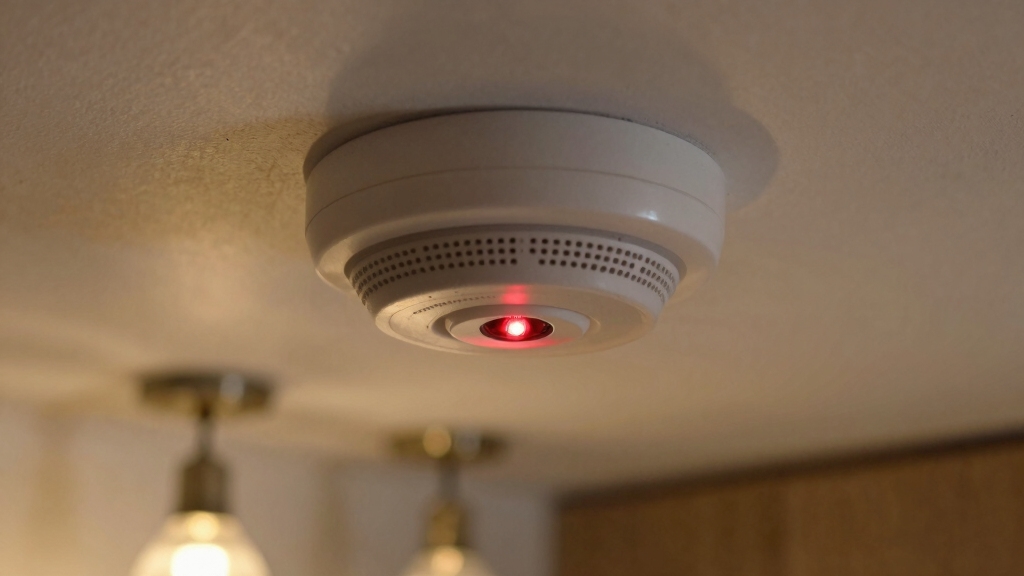

If your smoke detector’s red light flashes every 30–60 seconds without sound, it usually means normal operation.
However, if the flashing comes with chirping beeps, replace the battery immediately to avoid failure. Rapid blinking paired with loud alarms signals smoke detection, requiring urgent action.
Continuous flashing might indicate sensor issues or age-related wear, meaning the unit needs replacement. Proper cleaning and resetting can help, but understanding these signals ensures your safety.
You’ll want to explore how to troubleshoot and maintain your device effectively.
Key Takeaways
- A red light flashing every 30–60 seconds usually indicates the smoke detector is functioning normally.
- Red light flashing with chirping sounds signals a low battery that needs immediate replacement.
- Rapid red light blinking with loud alarms means smoke detection and requires prompt evacuation.
- Continuous or frequent red flashing may indicate sensor malfunction or unit aging over 10 years.
- Clean dust and debris from the detector and reset it by holding the test button for 15 seconds.
Understanding What Different Flashing Red Lights Mean
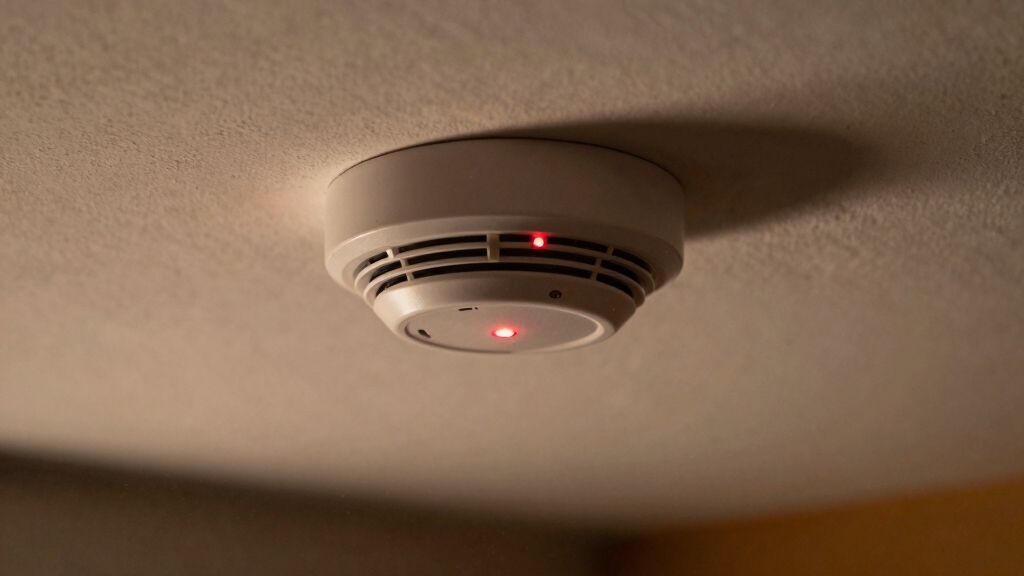
Although a flashing red light on your smoke detector might seem alarming, it actually conveys different messages depending on the pattern and accompanying sounds.
Typically, a red light flashing every 30 to 60 seconds without any alarm indicates normal operation; the detector is powered on and monitoring correctly. Some brands, like Kidde and First Alert, use this as a status signal.
A red light flashing every 30 to 60 seconds signals your smoke detector is functioning properly.
If the light is steady or flashes periodically without sound, your unit remains operational. However, the absence of accompanying chirps or alarms is key to distinguishing normal function from alerts.
Always consult your model’s manufacturer instructions because indicator patterns can vary slightly. Understanding these signals helps you maintain your detector’s functionality and guarantees timely response to any real emergencies.
Additionally, persistent low battery chirps occurring every 30–60 seconds indicate a maintenance need that should be addressed promptly to ensure continued safety.
How to Identify Low Battery vs. Alarm Signals on Your Smoke Detector?
Frequently, smoke detectors use similar flashing red light patterns to indicate both low battery and alarm conditions. However, distinguishing between the two is essential for your safety.
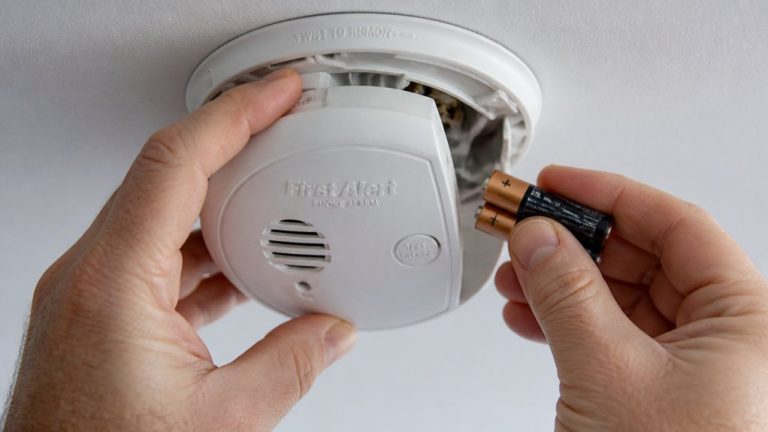
When the red light flashes every 30-60 seconds accompanied by a chirping beep, it signals a low battery. You should replace the batteries immediately to restore full functionality.
In contrast, during an alarm, the red light blinks rapidly and is paired with a loud audible alarm, indicating smoke detection. In this case, evacuate immediately and call emergency services if safe.
Note that normal operation involves a steady or periodic red flash without sound. Always consult your detector’s manual for model-specific signals to correctly interpret these indicators and respond appropriately.
Replacing batteries every 6 to 12 months is recommended to avoid low-battery chirps and maintain reliable detector function.
How to Troubleshoot Smoke Detector Sensor Malfunctions and False Alarms?
After distinguishing between low battery warnings and alarm signals, the next step is addressing sensor malfunctions and false alarms. These issues can compromise your smoke detector’s reliability.
Continuous red flashing often indicates sensor failure or wear, especially in older detectors. Verify the unit’s age; detectors older than 10 years require replacement regardless of signals.
False alarms frequently result from dust, debris, or pet hair obstructing the sensor. This can trigger persistent red flashes. Avoid attempting cleaning; focus on identifying if the sensor is degraded or malfunctioning.
If you suspect sensor failure, schedule a professional inspection or replace the unit promptly to maintain safety. Ignoring these malfunctions risks missed smoke detection or false alarms, undermining your smoke detector’s purpose.
Regular maintenance, including cleaning detectors with a soft brush or compressed air, can prevent dust buildup that leads to sensor issues.
How to Clean and Reset Your Smoke Detector?
To maintain your smoke detector’s accuracy, you need to clean it regularly and reset it properly after maintenance.
Start by removing the unit from its mount and detaching the battery to guarantee safety.
Begin by carefully removing the smoke detector and disconnecting the battery to ensure safety.
Use a soft brush or vacuum with a brush attachment to gently clear dust, dirt, and debris from the sensor chamber and vents, avoiding harsh contact.
After cleaning, reinsert the battery and remount the detector.
To reset, press and hold the hush or test button for about 15 seconds. This drains residual electrical charge and clears minor faults.
Verify the red light returns to its normal flashing interval, indicating proper operation.
Regular cleaning and resetting help prevent false alarms and sensor malfunctions, maintaining peak smoke detection performance.
Be sure to discharge residual power by holding the test button to silence the alarm effectively before finishing the reset.
Knowing When to Replace Your Smoke Detector for Safety
Although smoke detectors are designed to provide long-term protection, you need to replace them once they reach 10 years of age to guarantee reliable performance.
Check the manufacture date printed on the unit’s back to verify its age. Over time, sensor degradation and wear reduce detection accuracy, increasing safety risks.
Persistent red flashing or sensor malfunction signals also indicate replacement necessity. Even if your detector functions normally, age compromises reliability.
Monthly testing helps you identify signs of failure early. In multi-unit setups, interconnect issues may cause blinking but don’t delay replacement if the unit is aged.
Timely replacement makes certain your smoke detector maintains peak sensitivity, preventing failures during emergencies and protecting your household effectively.
Always follow manufacturer guidelines for disposal and installation of new units.
Regular maintenance, including monthly testing and biannual cleaning, is essential to keep your detector functioning properly until replacement is due.
Frequently Asked Questions
Can a Flashing Red Light Damage My Smoke Detector’s Battery Life?
A flashing red light itself doesn’t damage your smoke detector’s battery life directly, but it does indicate activity that uses power.
For example, regular flashing during normal operation or low battery alerts consume battery energy.
If your detector constantly flashes due to sensor issues or faults, it may drain the battery faster.
To preserve battery life, replace batteries annually and address any sensor or maintenance problems promptly.
Do Different Smoke Detector Brands Have Unique Red Light Flash Patterns?
Picture a lighthouse’s beacon. Each brand’s red light flash pattern guides you differently.
Yes, brands like Kidde and First Alert have unique red light flashes signaling normal operation or alerts. You’ll notice Kidde’s steady red flashes differ from First Alert’s periodic blinks.
Understanding your model’s specific pattern guarantees you interpret signals correctly. Always check your manufacturer’s manual to distinguish normal function from warnings precisely.
How Often Should I Test My Smoke Detector’s Red Light Functionality?
You should test your smoke detector’s red light functionality monthly to make certain it operates correctly.
Regular testing verifies the visual indicator flashes as designed, confirming sensor readiness and power status.
Follow the manufacturer’s instructions for testing procedures, typically involving pressing the test button until the red light and alarm activate.
Consistent monthly tests help detect faults early, maintain safety, and ensure timely battery replacement or unit servicing when needed.
Can Pets or Children Accidentally Trigger the Red Light Alarm?
Imagine your smoke detector as a vigilant sentinel, programmed to spot real threats, not playful shadows.
Pets or children rarely trigger the red light alarm unless they stir up dust or debris near the sensor. These particles can mimic smoke, causing false alerts.
Are There Smart Smoke Detectors That Monitor Red Light Status Remotely?
Yes, you can find smart smoke detectors that monitor red light status remotely.
These devices connect to your Wi-Fi network and send real-time alerts to your smartphone or smart home system when the red light indicates low battery, smoke detection, or faults.
Brands like Nest Protect and First Alert Onelink offer this functionality, allowing you to respond promptly even when you’re away from home, enhancing safety and convenience.
Don’t Ignore the Blink: Protect Your Home with Smart Maintenance
When your smoke detector’s red light repeatedly flashes, recognize the reason: whether it’s a low battery, sensor issue, or genuine alarm.
Routinely clean and carefully check your device to prevent persistent problems and false alerts. Remember, replacing your smoke detector regularly reinforces reliable safety.
Staying sharp and systematic safeguards your space, ensuring swift, sound responses to signals. Don’t delay: diagnose, do maintenance, and decisively defend your domain with dependable detectors.