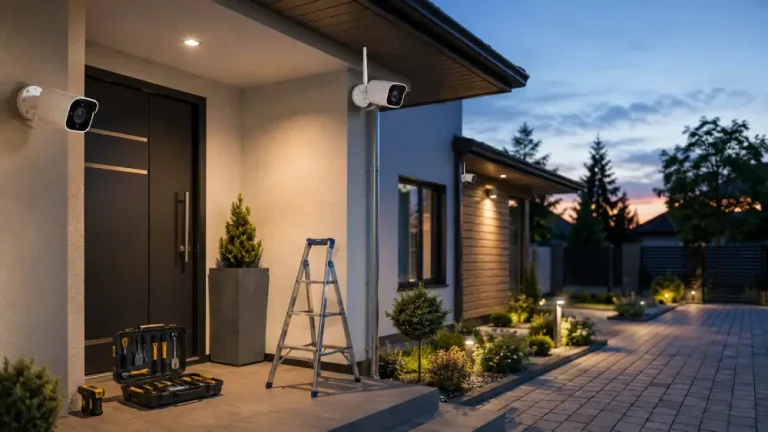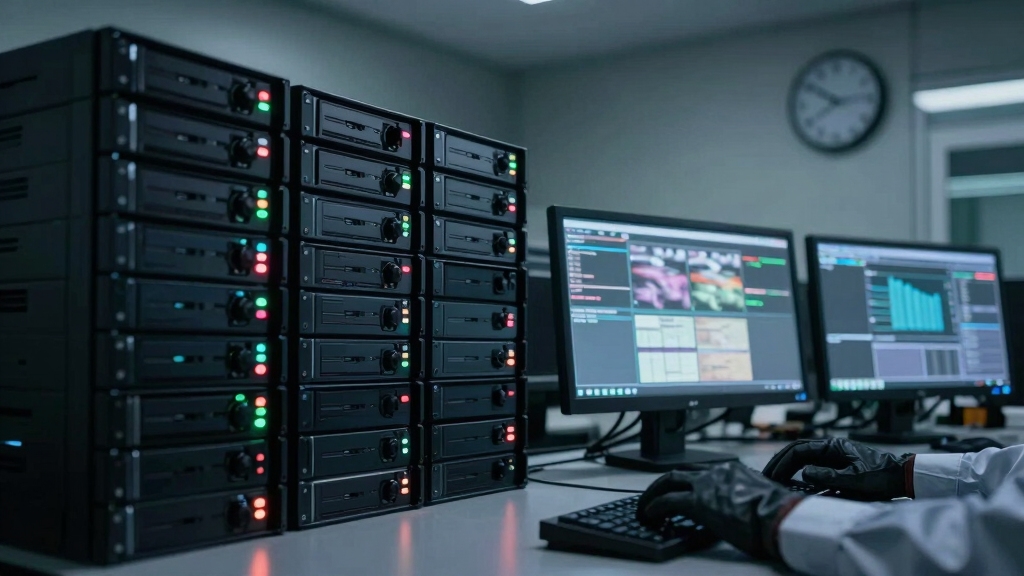

Security cameras typically keep footage from 24 hours to 90 days, depending on your system’s storage type, recording mode, and compliance needs.
Home setups usually retain 7 to 30 days, while businesses often store 30 to 90 days to meet operational or regulatory demands.
Higher-risk sectors might require 90 days or more, especially banks or government sites. Storage capacity, compression, and motion-triggered recording influence retention length.
Exploring these factors further will help you optimize your footage management.
Key Takeaways
- Security cameras typically retain footage from 1 day up to 90 days, varying by environment risk and regulatory requirements.
- Home systems usually store footage for 7 to 30 days, while businesses often retain 30 to 90 days for incident coverage.
- Continuous recording limits retention to 7–30 days, whereas motion-triggered recording can extend storage duration significantly.
- Storage capacity, recording mode, resolution, and compression directly affect how long footage is kept before overwriting.
- Regulatory and high-risk sectors often mandate a minimum of 30 to 90 days retention, with some requiring up to one year.
Typical Security Camera Footage Retention Periods
Understanding typical security camera footage retention periods is essential for managing storage and compliance requirements effectively.
Most systems retain footage between 3 to 90 days, with business setups averaging 30 to 90 days to cover disputes or incidents. Home security systems usually store footage for 7 to 30 days, though lower-risk environments might keep only 24 hours to two weeks due to limited storage.
Security cameras typically store footage from a day up to 90 days, varying by environment and risk level.
Loop recording overwrites the oldest footage once capacity fills, so you must balance retention needs against storage limits. High-traffic or continuous recording setups can shorten retention to as little as 24 to 48 hours, especially in small businesses or banks, where regulatory demands often dictate a minimum 90-day period.
Adjusting recording modes and storage management helps optimize retention within these typical ranges. Many systems use video compression to manage storage and bandwidth, which can impact how footage is retained and the quality of stored video.
How Storage Types Affect Security Camera Footage Retention?
Storage type plays a critical role in determining how long your security camera footage is retained before it gets overwritten.
Local DVRs or NVRs rely on hard drive capacity. A 1 to 2 TB drive typically stores 1 to 6 weeks of motion-triggered footage.
Smaller storage media, like SD cards, limit retention to a few days or weeks due to constrained space.
Cloud storage options vary. Basic plans may only save several hours to days, while premium tiers allow retention of 30, 60, or even 90 days.
Expanding your NVR’s storage or selecting higher-tier cloud services can extend this period up to six months or more.
Factors such as recording resolution, frame rate, and the number of cameras also influence storage demands and, consequently, footage retention duration.
Additionally, full DVR/NVR storage prevents saving new footage, causing interruptions or overwrites that stop the capture of critical moments.
How Home Security Systems Affect Footage Retention?
Home security systems typically store footage for 7 to 30 days. This balance considers limited storage capacity and the need for incident review.
The retention period depends on factors like storage type, recording mode, and storage size. Motion-activated recording extends retention, while continuous recording shortens it.
Cloud storage plans influence how much footage you can keep. Free plans often offer minimal duration.
| Storage Type | Retention Range |
|---|---|
| Local DVR/NVR | 7 to 30 days |
| Cloud Storage | Few hours to 60 days |
| Small Drives/SD | 1 to 14 days |
Adjusting settings such as resolution and the number of cameras also affects how long your system stores footage before overwriting. Using video compression like H.265 can help optimize storage space and extend retention time.
How Businesses Manage Security Footage Retention?
Although businesses vary widely in size and risk profile, they generally retain security footage for periods ranging from two weeks to three months.
Small businesses typically store footage for 14 to 90 days, while retail and office environments lean toward 30 to 90 days to address disputes efficiently.
High-risk sectors like banking often mandate retention of 90 days or more to comply with regulatory requirements and support fraud investigations.
Storage solutions, such as local DVR/NVR systems or cloud services, influence these durations based on capacity and scalability.
Continuous recording setups may result in shorter retention periods due to rapid data accumulation, whereas motion-triggered recording can extend it.
You’ll need to balance storage capacity, regulatory compliance, and operational needs to optimize your footage retention strategy effectively.
Choosing the right storage method also involves understanding the benefits and limitations of local and cloud storage options to ensure security and accessibility.
How Recording Settings Impact Footage Retention Duration?
Your choice of recording settings directly influences how long your security footage stays accessible before it gets overwritten.
Higher resolution and frame rates increase data size, reducing storage duration. Continuous recording consumes storage rapidly, often limiting retention to 7–30 days, especially with multiple cameras.
Conversely, motion-triggered recording conserves space by capturing only relevant activity, extending retention to several weeks depending on drive capacity.
Adjusting loop recording settings controls when old footage overwrites new data, allowing you to balance storage use and retention needs.
Storage capacity, number of cameras, and encoding efficiency further affect duration. For instance, a 1–2 TB drive with motion detection can store 1–6 weeks of footage.
Continuous high-resolution recording on multiple cameras may shorten retention to just days. Tailoring these settings optimizes footage availability within your storage limits.
Implementing efficient compression techniques can also significantly extend storage capacity without sacrificing image quality.
How Regulations Affect Security Footage Storage?
When handling security footage, you must comply with specific regulations that dictate minimum retention periods and storage protocols.
Financial institutions typically require you to store footage for at least 90 days to support fraud investigations.
Financial institutions mandate storing security footage for a minimum of 90 days to aid fraud investigations.
Healthcare facilities mandate 30 to 90 days retention to meet privacy and audit standards.
Government surveillance footage often demands storage ranging from 30 days up to one year, depending on the security level.
High-security environments may require archiving for six months to a year or longer.
These regulations influence your storage setup, compelling you to use reliable local or cloud solutions with sufficient capacity and security measures.
You must also guarantee footage integrity and restrict access according to legal requirements.
Failure to comply can result in penalties and compromise evidence admissibility.
Additionally, integrating footage storage with centralized management platforms enhances real-time data synchronization and secure access control.
How to Extend Security Camera Footage Retention?
Extending security camera footage retention requires optimizing storage capacity and recording settings to balance data volume and accessibility. You can increase retention by using larger or additional hard drives, adjusting resolution and frame rate, and enabling motion-triggered recording instead of continuous capture.
Cloud storage plans also offer scalable options for longer retention without hardware limits. Choosing an NVR system can further enhance retention capabilities due to its support for scalable storage options and flexible network-attached storage integration.
| Factor | Impact on Retention | Recommendation |
|---|---|---|
| Storage Size | Larger drives extend days | Use 2 TB+ HDD or expand NVR |
| Recording Mode | Motion saves space | Prefer motion-triggered over continuous |
| Resolution & Frame Rate | Higher reduces retention | Lower resolution/frame rate if feasible |
What to Do When You Need Footage Beyond Normal Retention?
If you find yourself needing footage that goes beyond the usual retention period, it’s time to think about extended storage options. You might want to consider larger local drives or even premium cloud plans that offer archival storage for several months or even up to a year.
Now, if you’re dealing with legal or compliance matters, it’s crucial to ensure that you have proper archiving protocols in place. This way, you can securely preserve footage without the risk of it being overwritten.
Also, don’t forget to adjust your system settings so that you prioritize critical recordings. It’s all about making sure that the most important footage is kept safe. And remember, maintaining chain-of-custody documentation is key for admissibility—it’s a good practice that can save you a lot of headaches down the line!
Because storage constraints can lead to automatic deletion, prompt legal holds and flagging footage as evidence are essential to prevent loss.
Extending Footage Storage
Several strategies exist to help you retain security footage beyond the typical 30 to 90-day window.
You can increase storage capacity by upgrading to larger local drives, such as 4TB or more, which substantially extend retention.
Switching from continuous to motion-activated recording also conserves space, enabling longer storage periods without additional hardware.
Utilizing hybrid setups combining local NVRs with cloud storage offers scalable retention, leveraging cloud plans that support 60 to 90 days or more.
Adjusting camera resolution and frame rates downward reduces data size, further extending storage duration.
Additionally, configuring loop recording settings to delay overwriting footage helps preserve data longer.
By applying these technical adjustments, you maintain extended footage access without immediate archiving.
This ensures critical events remain available for review well beyond standard retention limits.
For optimal performance, it is also crucial to test camera functionality regularly to confirm that footage is being properly recorded and stored.
Archiving For Legal Purposes
When you need to retain security footage beyond the typical retention periods, archiving becomes essential to meet legal or regulatory requirements.
You must implement a structured archiving process ensuring footage integrity, accessibility, and compliance. This often involves transferring critical video files to long-term storage systems that prevent data loss or overwriting.
Key considerations include:
- Selecting storage media with adequate capacity and durability, such as external hard drives or cloud archives.
- Applying encryption and access controls to protect sensitive footage.
- Maintaining detailed logs and metadata for retrieval and chain-of-custody verification.
- Scheduling periodic audits and backups to validate archive integrity and accessibility.
Using the camera’s unique identifier (UID) helps maintain accurate asset records and supports secure retrieval during the archiving process.
Frequently Asked Questions
Can Security Footage Be Recovered After Being Overwritten?
You generally can’t recover security footage once it’s overwritten because the new data replaces the old files on the storage medium.
However, if the footage was partially overwritten or corrupted, specialized forensic tools might retrieve fragments. Recovery chances depend on the storage type, overwrite extent, and time elapsed.
To avoid loss, you should regularly back up important footage and configure your system to prevent early overwrites through adequate storage and retention settings.
How Does Weather Affect Outdoor Camera Footage Quality?
Weather markedly impacts your outdoor camera footage quality. Rain, fog, and snow reduce visibility by scattering light, causing blurry or obscured images.
Extreme temperatures can affect the camera’s sensor performance and lens clarity.
High humidity may cause condensation on the lens, distorting visuals.
Wind can shake the camera, leading to unstable footage.
To maintain clarity, you should use weather-resistant housings, lens heaters, and clean the lens regularly in harsh conditions.
Are There Privacy Concerns With Cloud-Stored Security Footage?
Privacy concerns with cloud-stored security footage can feel like walking a tightrope. You’re trusting third-party providers to secure your data, but breaches or unauthorized access remain risks.
Encryption, strong passwords, and reputable services help protect your footage. Still, data stored offsite may be subject to government requests or hacking attempts.
Always review the cloud provider’s privacy policies and guarantee compliance with local laws to safeguard your privacy effectively.
What Happens to Footage if a Camera Is Tampered With?
If a camera is tampered with, you might lose live footage from that device during the incident.
However, many systems use continuous recording or multiple cameras, so other angles may still capture events.
Some setups detect tampering, triggering alerts or locking footage to prevent overwriting.
Cloud storage often preserves clips securely, even if local devices are disabled.
You should configure redundancy and tamper detection to minimize data loss risks.
How Do Power Outages Impact Security Camera Recording?
Ever wondered what happens to your footage during a power outage?
When power cuts off, your security cameras stop recording unless you have a backup power source like a UPS or battery.
Without this, footage is lost during that downtime, creating blind spots.
Some systems automatically resume recording once power returns, but any incident during the outage won’t be captured.
To maintain continuous surveillance, investing in reliable backup power solutions is essential.
Safeguarding the Flow: Ensuring Your Evidence Never Disappears Too Soon
Think of your security footage like a river. Its flow is shaped by storage capacity, recording settings, and regulations, each controlling how long the stream runs before it fades.
Just as a dam holds water longer, optimizing your system and storage can extend footage retention. When you need to preserve moments beyond the usual current, proactive measures act as levees.
These measures ensure your recorded evidence stays intact and accessible, ready to serve when you need it most.