
To turn off a panic alarm, press your key fob’s panic button again or hold it for a few seconds.
If remote commands don’t work, manually unlatch the driver’s door with your key or turn the ignition to ON or accessory mode to silence the alarm.
You can also wait about three minutes for the system to shut off automatically.
For persistent alarms, disconnect the battery or remove the fuse cautiously.
Exploring these steps further helps you troubleshoot and prevent accidental triggers.
Key Takeaways
- Press the panic button on the key fob once or hold it 1–5 seconds to deactivate the alarm.
- Insert the physical key into the driver’s door lock, turn to unlock, and hold briefly to reset the alarm.
- Turn the ignition to the ON or accessory position to silence the alarm and signal authorized activation.
- Wait approximately three minutes for the alarm to automatically shut off if no immediate reset is possible.
- If unresponsive, replace the key fob battery or disconnect the negative battery terminal for a hard reset.
Use Your Key Fob’s Panic Button to Stop the Alarm
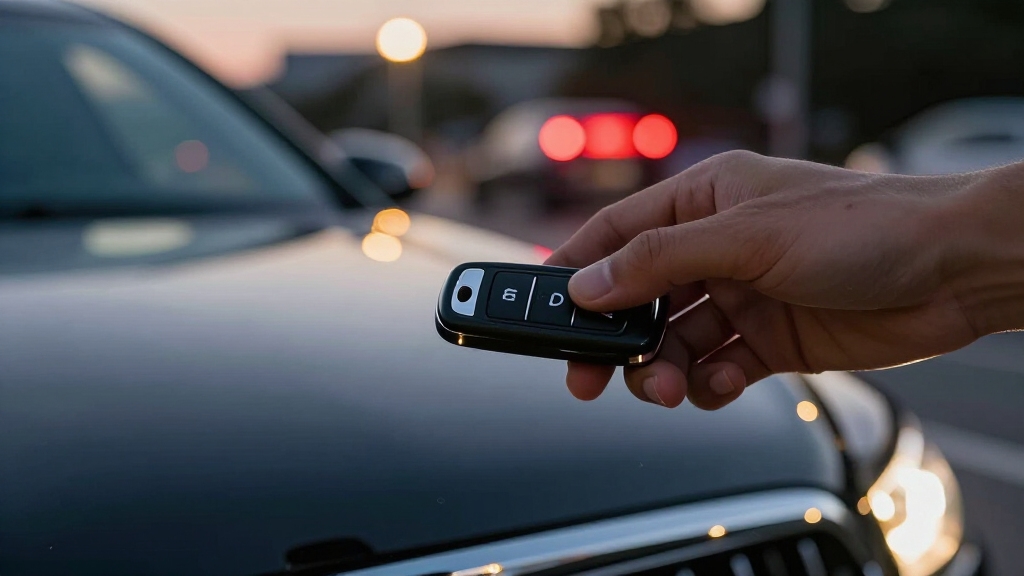
If your vehicle’s alarm goes off unexpectedly, you can quickly shut it down by pressing the panic button on your key fob.
Unexpected car alarm? Press the panic button on your key fob to quickly shut it down.
This button is typically marked with a red icon or horn symbol for easy identification. Many systems require you to press the panic button a second time to stop the alarm.
Some models demand you hold it down for 1 to 5 seconds. The panic function usually remains active for about three minutes unless you deactivate it sooner.
Make sure your key fob is within range, as this is often the fastest method to silence the alarm. Familiarize yourself with your vehicle’s specific panic button response to efficiently stop unwanted alarm activation without delay or confusion.
Ensure your key fob’s battery is functional, as a weak battery can prevent reliable signal transmission and immediate alarm shutdown for effective use of the disarm button.
Disarm the Car Alarm by Unlocking Your Vehicle Remotely
After using the panic button to stop your car alarm, another effective method to disarm the system is by releasing the vehicle remotely with your key fob.
Press the release button once; many alarm systems immediately recognize this signal and silence the alarm. Some models require a lock-then-release sequence or holding the release button for a few seconds to fully reset the alarm state.
Make certain your key fob is within the effective range to maintain a strong signal connection. Remote releasing works because the vehicle’s security module pairs with the fob’s signal, allowing it to verify authorized access and deactivate the alarm promptly.
This method is efficient and less intrusive than manual intervention, provided the fob’s battery is charged and the system remains synchronized. If the alarm persists, you may need to resync the key fob by using a sequence of lock and unlock commands or consulting your owner’s manual for specific reset instructions.
Reset the Alarm Using Your Key and Driver’s Door
You can easily reset the alarm by using your physical key to unlock the driver’s door. Just insert the key into the lock and either turn it or hold it in the release position for a moment, depending on your vehicle model.
This method really comes in handy, especially if your remote key fob isn’t working or its battery is running low. So, next time you find yourself in that situation, don’t worry! Just grab your key and you’ll be good to go.
Keep in mind that bypassing zones in your security system should be done selectively and temporarily to avoid compromising overall protection.
Manual Door Unlock Technique
Turn the key in the driver’s door lock to manually open your vehicle and reset the alarm system.
Insert the physical key fully into the lock cylinder, then rotate it to the unfasten position.
Hold the key in this position briefly before releasing, allowing the internal lock mechanism to engage and signal the alarm control module.
This manual unfastening interrupts the alarm’s trigger circuit, causing it to deactivate.
If the alarm persists, try locking and unfastening the door again using the key to ensure the system registers the reset.
This technique is particularly effective when the remote fob is unresponsive or has a dead battery.
Always use the driver’s door lock, as many vehicles designate it as the primary reset point for the alarm system.
For complete deactivation of an alarm system like ADT’s, it is important to follow proper power shutdown procedures to safely cut off power before accessing internal components.
Key Insertion Steps
Insert your physical key fully into the driver’s door lock cylinder to initiate the alarm reset process. Turn the key to the open position and hold it briefly; this action signals the system to deactivate the panic alarm.
Some vehicles require you to turn the key back to the lock position and then open again to complete the reset. If your car features an older or less responsive alarm module, manually locking and opening the door may clear the triggered state.
Using the physical key is especially useful when your remote key fob battery is dead or out of range. Always focus on the driver’s door as it serves as the primary interface for manual alarm resets, ensuring precise communication with the vehicle’s security system. Additionally, the ignition key + valet switch method can be used to disarm the alarm if manual reset is unsuccessful.
Turn the Ignition or Start the Engine to Silence the Alarm
Starting the engine or switching the ignition to the ON or accessory position often silences factory-installed panic alarms. When you turn the key or press the start button, the vehicle’s security system detects an authorized activation and disarms the alarm.
For push-button start models, make certain the smart key is inside the cabin before pressing the start button to deactivate the alarm. On some vehicles, simply turning the ignition to accessory mode is sufficient to reset the alarm system without fully starting the engine.
Hold the key in the ON position for a few seconds if the alarm doesn’t stop immediately. This process signals the control module to recognize a valid user presence, quickly terminating the panic alarm and preventing unnecessary battery drain or noise disturbance.
If your vehicle’s alarm system includes a backup battery, ensure it is properly disconnected or monitored to avoid false alarms during troubleshooting backup battery disconnection.
Wait for the Panic Alarm to Shut Off Automatically
Most panic alarms are designed to shut off automatically after about three minutes. This feature helps conserve battery power, which is pretty handy!
However, if the alarm keeps going beyond this typical duration, it’s a good idea to consider another way to silence it.
Waiting around is only effective if the system is set up to reset itself without needing any extra intervention. So, if you find yourself stuck with a blaring alarm, it might be time to take action!
In such cases, it’s important to follow safe disconnection procedures to avoid damage and maintain system integrity.
Typical Alarm Duration
Typically, panic alarms sound continuously for about three minutes before shutting off automatically. This preset duration guarantees the alarm alerts nearby individuals without running indefinitely.
During this time, the system remains active, producing a loud, attention-grabbing sound designed to deter threats or summon assistance. If you don’t manually deactivate the alarm using the key fob, physical key, or ignition switch, the system will reset itself after this interval.
The automatic shutoff prevents excessive battery drain and unnecessary noise pollution. However, if the alarm continues beyond the typical three-minute window, it may indicate a system malfunction or require a manual reset.
Understanding this duration helps you decide when to wait or apply alternative shutdown methods efficiently. In cases where the alarm does not stop, performing a power cycle reset by disconnecting the backup battery and unplugging the transformer for a short period can often resolve the issue.
Battery Conservation Benefits
Allowing the panic alarm to shut off automatically after its preset duration helps preserve your vehicle’s battery. This prevents prolonged power draw from the alarm system.
When you wait for the alarm to time out, the system limits energy consumption. This reduces battery strain and preserves overall vehicle electrical health.
This method is especially useful if manual deactivation options are unavailable or if you want to avoid unnecessary battery drain.
Additionally, extreme temperatures can impair battery charging cycles, so minimizing alarm duration helps protect battery life in harsh environments.
| Benefit | Explanation |
|---|---|
| Reduced battery load | Limits continuous power use |
| Prevents premature battery failure | Avoids deep discharge cycles |
| Maintains alarm functionality | Preserves alarm remains operational |
| Minimizes false alarm noise | Stops unnecessary audio alerts |
| Extends vehicle electrical lifespan | Protects electronic components |
When To Intervene?
Although it might be tempting to immediately deactivate the panic alarm, there are situations when waiting for the system to shut off automatically is the most effective choice.
Many panic alarms are engineered to stop after approximately three minutes to prevent unnecessary battery drain and noise pollution. You should consider waiting when:
- You’re unable to access the key fob or physical key due to safety concerns or lost items.
- The alarm was triggered accidentally and no immediate threat is present.
- Quick intervention risks escalating a situation or causing confusion.
In these cases, patience can be a safer, more energy-efficient approach. If the alarm persists beyond the preset duration, then proceed with manual reset methods to regain control and silence the system efficiently. Additionally, understanding the entry delay timing can help you decide when to intervene safely without causing false alarms.
Reset Stubborn Alarms by Disconnecting the Battery
If you’ve tried all standard methods to silence your vehicle’s alarm without success, disconnecting the negative battery terminal can force a reset of the alarm module.
Begin by turning off the ignition and removing the key to prevent electrical shorts. Locate the negative battery terminal, typically marked with a minus (-) sign, and use a wrench to loosen and remove the cable clamp.
Leave the terminal disconnected for 5 to 10 minutes to allow the alarm system’s capacitors to discharge fully, ensuring the module resets. Afterward, reconnect the negative terminal securely and tighten the clamp to restore power.
This method clears the alarm’s fault state, but be aware it may also reset other onboard electronic settings. Only use this step when all other alarm-disabling procedures have failed.
Remove the Car Alarm Fuse as a Last Resort
When disconnecting the battery hasn’t silenced the alarm, removing the car alarm fuse offers another effective solution.
Locate the fuse box, typically under the dashboard or hood, and identify the alarm fuse using the diagram on the cover or the owner’s manual.
Carefully pull the fuse out using a fuse puller or needle-nose pliers. This action cuts power to the alarm module, stopping the noise immediately.
Keep in mind:
Removing the fuse can reset the alarm system but may also disable other functions linked to the same circuit.
Always make sure the ignition and all electrical components are off before fuse removal to avoid damage.
Use this method only as a last resort after trying remote and manual reset steps.
Troubleshoot Common Reasons Why the Alarm Won’t Stop
Since panic alarms rely on multiple components working correctly, a common cause for the alarm not stopping is a faulty key fob or weak battery signal. If your key fob’s battery is low or the signal is obstructed, the alarm may not receive the disarm command.
A faulty key fob or weak battery signal often causes panic alarms to fail to stop.
Verify the remote’s battery and replace it if needed. Additionally, the alarm system may fail to reset if the vehicle’s ignition or door lock sensors malfunction.
Check if releasing the driver’s door manually or turning the ignition to ON disarms the alarm. Software glitches can also prevent shutdown, requiring a system reset via battery disconnection or fuse removal.
Confirm that the panic button isn’t stuck and make certain you’re following the correct sequence for your vehicle model to stop the alarm promptly.
Prevent Accidental Panic Alarms
Accidental panic alarms frequently occur due to unintended button presses on the key fob or improper handling of the vehicle’s security features. To prevent these disruptions, you need to handle your key fob and alarm system with care and awareness.
Consider these key preventive measures:
Secure your key fob: Avoid carrying it loosely in pockets or bags where buttons can be pressed accidentally, causing distress to you and others.
Familiarize yourself with your vehicle’s alarm system: Understand how the panic button works, including press duration and disable methods, to minimize accidental triggers.
Regularly check your key fob’s battery: A weak battery might cause erratic signals, leading to unintended alarm activation.
Frequently Asked Questions
Can a Panic Alarm Cause Damage to My Car’s Battery?
Yes, a panic alarm can drain your car’s battery if it runs continuously for several minutes.
Since the alarm uses the vehicle’s electrical system to sound and flash lights, prolonged activation puts extra load on the battery.
If the alarm doesn’t shut off automatically or you don’t intervene, it can weaken the battery, potentially causing starting issues.
It’s best to silence the alarm quickly to avoid unnecessary battery drain.
Are Panic Alarms Covered by Car Insurance Policies?
Certainly, coverage can vary considerably.
Car insurance policies typically consider panic alarms as part of your vehicle’s anti-theft system, which can sometimes lead to discounts.
However, the alarms themselves aren’t directly covered since they’re preventative devices, not damage or loss events.
You should check your policy details or consult your insurer to understand if installing or using a panic alarm affects your premium or claim eligibility.
How Do Aftermarket Alarm Systems Differ From Factory-Installed Ones?
Aftermarket alarm systems differ from factory-installed ones in customization and complexity.
You’ll find aftermarket units offer more features like remote start, GPS tracking, and smartphone integration, which factory systems often lack.
However, factory alarms integrate seamlessly with your vehicle’s electronics and immobilizer, ensuring reliable operation.
Aftermarket installations may require professional tuning to avoid conflicts, while factory systems come pre-configured and typically maintain your vehicle’s warranty and security protocols.
Can Loud Panic Alarms Affect Nearby Pets or People?
You might think a panic alarm sounds like a sonic boom, and it can definitely affect nearby pets and people.
The loud, high-pitched noise can cause stress, anxiety, and disorientation, especially in sensitive animals.
People with hearing sensitivities may also experience discomfort or headaches.
The alarm’s intensity and duration play key roles, so minimizing exposure or turning it off quickly helps protect those around you from unnecessary distress.
Is It Possible to Customize the Sound of a Panic Alarm?
You usually can’t customize the sound of a panic alarm because automakers design these systems with standardized sounds for safety and legal compliance.
However, some advanced aftermarket alarm systems let you select or program different tones and volumes via their control apps or key fobs.
If customization is critical for you, check your vehicle’s manual or consider installing a customizable third-party alarm system that offers sound options tailored to your preferences.
How to Turn Panic Alarm Off: Final Troubleshooting Tips
Turning off a panic alarm is like finding the off switch in a maze. Once you know the steps, it’s straightforward. Use your key fob or open the car remotely first.
If that fails, try resetting with your key or starting the ignition. For stubborn alarms, disconnect the battery or remove the fuse.
Understanding these methods and common issues helps you stay in control and prevent accidental triggers. This ensures your alarm system works efficiently without unnecessary noise.