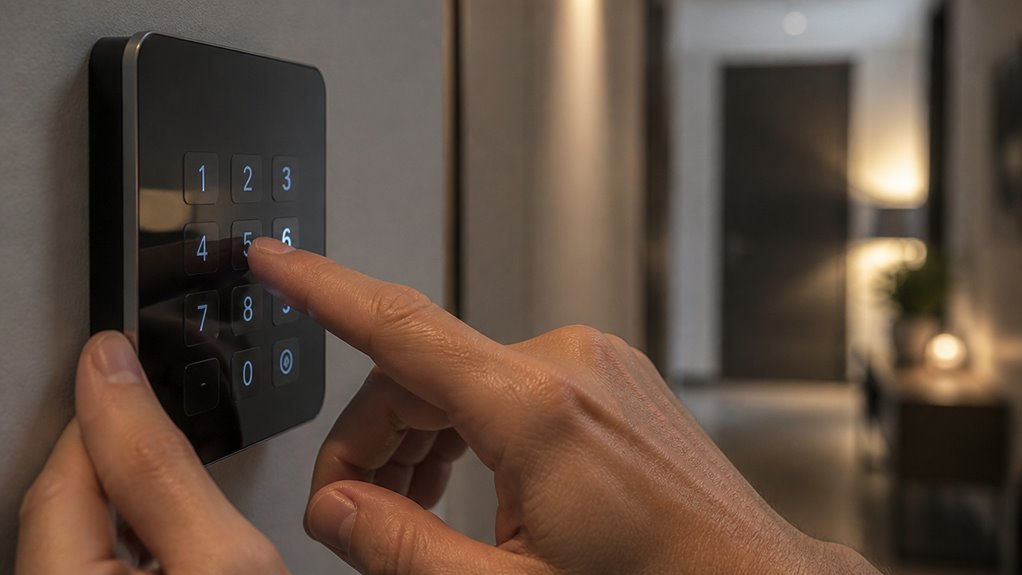

To disarm your alarm system, enter your assigned security code on the keypad promptly during the entry delay.
Use function keys like “#” or “*” to correct mistakes before confirming. Some brands, like Honeywell, require you to enter the code plus “1” or disarm twice to clear alarm memory.
If you use a mobile app, send the DISARM command remotely with a stable connection. Master codes allow full access; user codes typically only disarm.
More details cover brand-specific steps, delay timing, and troubleshooting signals.
Key Takeaways
- Enter your assigned security code on the keypad and press the designated function key (if required) to disarm the alarm system.
- Verify the code before pressing enter to avoid mistakes and potential lockouts or false alarms.
- Use the clear key (# or *) to erase incorrect digits and re-enter your security code if needed.
- Some systems, like Honeywell/Ademco, require entering the code twice or adding a function key, such as code + 1, to fully disarm.
- Always keep the security code confidential and delay disarming if unauthorized entry is suspected, contacting authorities promptly.
How to Enter Your Security Code to Disarm Your Alarm?
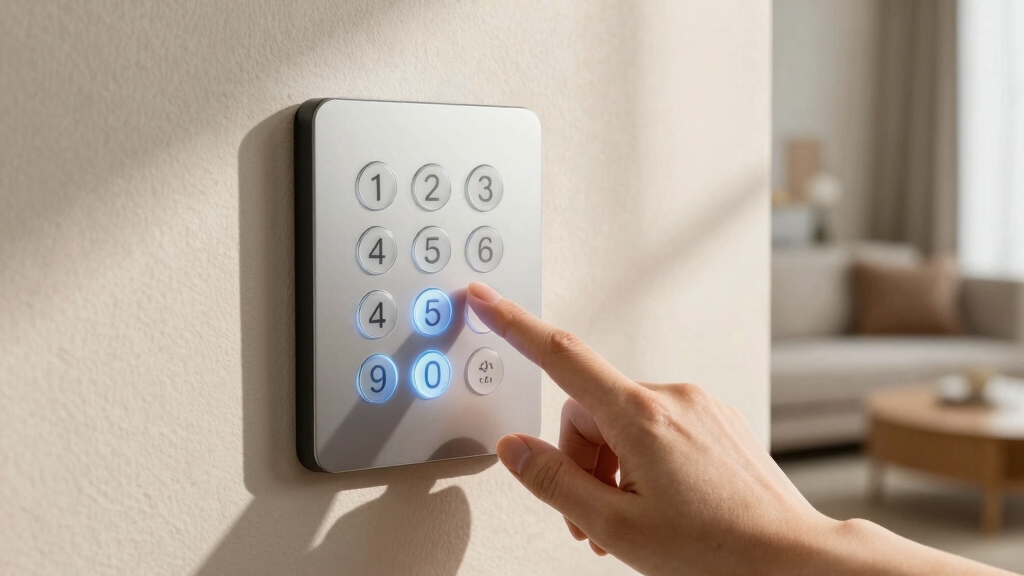
To disarm your alarm system, start by entering your assigned security code on the keypad. Most alarm systems require only this code to deactivate the alarm and prevent further alerts.
Begin disarming your alarm by entering your unique security code on the keypad to stop alerts instantly.
If you enter a wrong digit, use the “#” key to clear the input and re-enter the code accurately. Some systems, like Honeywell or Ademco, may require the code followed by the number 1 to fully disarm and silence troubles.
When the correct code is entered, the alarm immediately stops, and the system returns to the disarmed state. If you’re using an app-based system, the equivalent “DISARM” command can achieve the same effect remotely.
Always make certain your code is kept confidential to maintain system security and prevent unauthorized disarming. In case of persistent issues or uncertainty, it is advisable to call a professional for assistance to avoid damage or false alarms.
Using Function Keys and Special Buttons to Disarm
You’ll notice that function keys can vary a lot when it comes to disarming your alarm. Usually, you’ll need to press a specific key along with your security code.
If you happen to mess up while entering your code, don’t worry—just hit the clear button, which is often the # key, and you can quickly reset your input.
Now, keep in mind that different brands have their own unique functions for these keys. So, it’s really helpful to familiarize yourself with your system’s specific button layout.
This way, you can disarm your alarm efficiently without any hassle.
For DSC systems, you can also press *2 to access the trouble menu to diagnose any active issues before disarming.
Function Key Variations
Liberating some alarm systems involves more than just entering your security code; function keys and special buttons often play a pivotal role in the disarming process.
For example, Honeywell/Ademco systems require you to enter your code followed by the “1” key to disarm and silence alarms.
GE Concord 4 panels use a dedicated Disarm button before entering the code, ensuring intentional disarmament.
Some systems rely on # or * keys to clear mistakes or initiate disarm sequences.
These function keys act as command modifiers, preventing accidental disarming. Understanding your specific panel’s keypad protocol is essential to executing the correct sequence efficiently.
This knowledge helps avoid false alarms and ensures prompt silencing. Always refer to your system’s manual to master these function key variations for a smooth disarming experience.
Additionally, if persistent beeping occurs, entering your code followed by “1” can acknowledge trouble conditions and silence alerts, as detailed in troubleshooting procedures.
Clearing Entry With
Mistakes happen when entering your security code, but most alarm keypads let you quickly clear errors using special buttons like the pound or star (*) keys.
When you press these keys, the keypad erases the incorrect entry, allowing you to re-enter the code without triggering an alarm or delay.
This clearing function is critical for maintaining system integrity and avoiding accidental alarms. Some systems require you to press the clear key before starting the code entry again, while others automatically reset after a wrong digit.
Always consult your system’s manual for the exact procedure, as proper clearing guarantees the disarm command registers correctly.
Using these function keys effectively prevents lockouts and guarantees swift, error-free disarming during routine use or emergencies.
Additionally, understanding how to bypass zones can be important when maintaining system security while managing sensor faults or authorized area access.
Brand-Specific Button Uses
Unsealing your alarm system often depends on brand-specific button combinations and function keys that go beyond just entering a security code. Some systems require you to press a function key immediately after the code, while others use dedicated disarm buttons. Knowing these unique inputs speeds disarming and prevents false alarms.
| Brand | Button Use |
|---|---|
| Honeywell/Ademco | Enter code + press 1 |
| GE Concord 4 | Press Disarm then enter code |
| DSC Powerseries | Enter 4-digit code only |
For example, Honeywell systems require the code plus key 1 to silence troubles. GE Concord 4 uses a Disarm button before the code. Always consult your panel’s manual for exact sequences to guarantee swift and successful disarming. If issues arise, a power cycle reset can often restore keypad responsiveness and prevent false alarms.
Brand-Specific Disarm Procedures: Honeywell, DSC, and Qolsys
When you need to disarm Honeywell, DSC, or Qolsys alarm systems, each brand follows a distinct keypad procedure tailored to its design.
For Honeywell (Ademco) panels, enter your assigned security code followed by the “1” key to disarm and silence troubles.
DSC’s PowerSeries or Neo systems require only the 4-digit code at the keypad to deactivate the alarm.
Qolsys panels accept either a 4- or 6-digit security code directly for disarming.
If you make a mistake typing your code, use the “#” key to clear and re-enter it.
Remember, entering the correct code promptly silences the alarm and prevents escalation.
Each system may retain alarm memory post-disarm, so consult your panel’s instructions for any reset steps needed to fully clear alarms.
For DSC systems, you can also perform a Standard Reset using the master code to restore default settings while preserving programmability.
How to Use Mobile Apps to Disarm Your Alarm Remotely?
You can easily disarm your alarm system remotely by using the dedicated mobile app provided by your security service. After logging in, locate the DISARM command within the app interface, often prominently displayed for quick access.
This command sends an immediate signal to your alarm panel, effectively silencing alarms and resetting the system status without requiring keypad input. Make sure your app is connected to a reliable network to avoid communication delays.
Keep in mind that remote disarming should only occur after confirming no actual intrusion is present, maintaining system safety. Different brands might label or position the control differently, but the principle remains consistent.
The app acts as a secure extension of your keypad, streamlining disarming and reducing response time during alarm events. The Ring app also allows you to change security modes remotely, ensuring control even during outages thanks to its cellular backup.
Fixing Mistakes When Entering Your Security Code
This prevents accidental alarms or lockouts caused by incorrect code attempts. On some panels, pressing a designated function key after an error can also reset the input.
Avoid repeatedly entering wrong codes, as this may trigger a lockout or alert monitoring services. If your system uses a code plus a function key, like Honeywell’s code + 1, ensure you complete the sequence correctly.
Always verify your code before pressing enter to minimize mistakes. Familiarize yourself with your panel’s specific clearing method to fix input errors efficiently and maintain system control. Remember, only the master code grants access to programming modes, so user codes cannot be used to disarm or make system changes.
How Entry and Exit Delays Affect Alarm Disarming?
Alarm systems typically incorporate two critical timing features: entry and exit delays that directly impact how and when you can disarm the system.
The exit delay grants you a set period after arming to leave the premises without triggering the alarm. You must complete this phase before the system fully arms.
Conversely, the entry delay begins once you enter the protected area, providing a limited window to input your security code on the keypad. If you fail to disarm within this timeframe, the alarm activates.
Understanding these delays is essential. They guarantee you can disarm safely without false alarms while maintaining security.
Always enter your code promptly during the entry delay to prevent escalation. Allow the exit delay to expire fully before leaving the property.
For enhanced safety, consider integrating your alarm system with interconnected smoke alarms to ensure simultaneous alerts throughout your home.
Clearing Alarm Memory After Disarming the System
Once you’ve disarmed the system, some panels hold on to alarm memory, requiring an additional step to fully reset the system status.
For example, DSC systems often need a reset sequence after entering the disarm code, especially if smoke detectors triggered the alarm.
Qolsys panels allow you to clear memory directly via the interface after disarming.
On Honeywell/Ademco systems, disarming twice may be necessary to erase alarm memory and silence residual alerts.
This process guarantees the panel no longer shows fault or alarm conditions, preventing false trouble signals.
If your system still indicates an alarm history after disarm, consult the manufacturer’s procedure for a full memory clear to restore the panel to a ready state.
Properly securing and relocking the panel cover is essential to avoid false alarms after resetting.
Troubleshooting Beeping and Trouble Signals After Disarm
If your system continues to beep or show trouble signals after disarming, it indicates underlying issues that require prompt attention.
Start by checking the backup battery; low voltage often triggers persistent beeping.
Begin troubleshooting by inspecting the backup battery, as low voltage commonly causes ongoing beeping alerts.
Verify AC power presence and inspect the transformer for faults or loose connections.
Communication failures, such as landline or cellular disruptions, may also cause trouble alerts.
After disarming, review the panel’s status screen for specific error codes or messages.
Some models require a manual reset or re-entry of the disarm code to clear trouble conditions completely.
If the system retains alarm memory, perform the recommended reset sequence per your panel’s instructions.
Addressing these factors systematically will eliminate false trouble signals and assure your alarm system operates reliably without continuous audible alerts.
Safety Tips Before Disarming Your Alarm System
Before you disarm your alarm system, it’s really important to check for any signs of an actual intrusion. Take a good look around—do a thorough visual check to make sure everything is safe.
Also, keep an eye on that entry delay period. Your system might stay armed for a little while even after you step inside, so be mindful of that. Acting quickly during this time can help you avoid setting off a false alarm.
Verify No Intrusion
Although disarming your alarm system is straightforward, you must first confirm that no intrusion is in progress to avoid compromising your safety.
Before entering your code, visually inspect all entry points, such as doors, windows, and accessible areas, for signs of forced access.
Listen carefully for unusual noises or alarms from other zones indicating a breach.
Use any integrated system notifications, such as panel alerts or app messages, to verify system status and zone activations.
If your system supports it, check zone indicators on the keypad or control panel to pinpoint triggered sensors.
Never assume an alarm was accidental without verification.
Prioritize your safety by delaying disarmament if you suspect unauthorized entry and contacting authorities or a monitoring service as needed before proceeding.
Observe Entry Delay
When you enter your premises, the alarm system activates an entry delay that gives you a limited time to disarm before triggering an alarm.
You must act within this window to avoid false alarms or alerting authorities unnecessarily. Follow these essential points:
- Identify the entry delay duration, usually 30 to 60 seconds, specific to your system model.
- Approach the keypad immediately upon entry to input your security code without delay.
- If you exceed the entry delay, the alarm will activate, requiring reset procedures beyond disarming.
- Confirm the system’s armed status on the keypad display to guarantee you’re within the disarm window.
Adhering to the entry delay safeguards your property and prevents unintended alarm escalations.
Frequently Asked Questions
Can Multiple Users Have Different Disarm Codes for the Same System?
Yes, you can assign multiple users different disarm codes on the same alarm system. Most modern security panels support unique codes per user, allowing individualized access and tracking.
This setup enhances security by identifying who disarmed the system. Depending on the system brand and model, you’ll manage these codes through the keypad or a management app.
Always make certain each code is securely stored and updated as needed to maintain control.
How Often Should I Change My Alarm Disarm Code?
You should change your alarm disarm code every 3 to 6 months to maintain peak security.
If you suspect unauthorized access or share codes with temporary users, update it immediately.
Regular changes reduce the risk of code compromise.
Always choose a strong, unique code, and avoid predictable sequences.
Implementing scheduled code updates aligns with best practices in security management.
This helps guarantee your system remains secure against potential breaches.
What Happens if I Forget My Security Code?
Forgetting your security code is like losing the key to your fortress. You can’t enter without it.
You’ll need to contact your alarm provider or system installer to reset or recover your code securely. They’ll verify your identity and guide you through a reset process.
Avoid guessing repeatedly, as too many attempts may lock the system or trigger alarms.
Always keep your code stored safely to prevent disruptions.
Can Disarming the Alarm Trigger a Notification to the Monitoring Service?
Yes, disarming your alarm can trigger a notification to the monitoring service, depending on your system’s configuration.
Many monitored systems send alerts whenever the alarm state changes, including disarm events, to keep you and the monitoring center informed.
This feature enhances security by tracking who arms or disarms the system and when.
Check your panel’s settings or contact your provider to confirm if disarm notifications are enabled or customizable.
Is It Possible to Disable the Alarm Permanently Using the Code?
You generally can’t disable the alarm permanently using just the code. The security code lets you disarm or silence the system temporarily but doesn’t deactivate or uninstall it.
Permanent disabling typically requires accessing the system’s programming mode or physically disconnecting components. This is often restricted to authorized personnel.
Attempting permanent disablement without proper authorization may trigger alerts or violate monitoring agreements. Always follow manufacturer guidelines and consult your security provider.
Use the Right Code Before the Entry Delay Ends
Disarming your alarm system isn’t just pressing buttons. It’s mastering a critical security ritual that protects everything you value.
One wrong move can trigger chaos, but with the right code and steps, you command control effortlessly.
Remember, every beep and delay is an essential safeguard, not just noise. Treat disarming like defusing a bomb: precise, deliberate, and authoritative.
Master this, and you hold the power to safeguard your world with unwavering confidence.