
You’re seeing ghost images on your security cameras mainly because of lighting issues like dim environments, reflections, or lens flares.
Sensor defects, worn or damaged lenses, and physical obstructions such as dirt or spider webs also scatter light, causing distortions.
Improper camera settings like slow shutter speeds and excessive noise reduction exacerbate motion blur and ghosting.
Signal interference and poor cable connections can further degrade image quality.
Understanding these factors will help you identify and correct the source effectively.
Key Takeaways
- Poor lighting, reflections, and shadows cause ghost images by creating unwanted light scattering and secondary reflections on security camera lenses.
- Low-quality or damaged sensors and aging electronic components degrade image clarity, producing ghosting and overlapping visual artifacts.
- Dirt, smudges, scratches, or physical obstructions on lenses scatter light, resulting in blurry, ghostly overlays or erratic shapes.
- Slow shutter speeds and excessive noise reduction settings cause motion blur and trailing effects that appear as ghost images.
- Signal interference, loose connections, or corrupted hardware components disrupt image signals, generating ghost or double images on footage.
Why Lighting Problems Cause Ghost Images on Security Cameras?
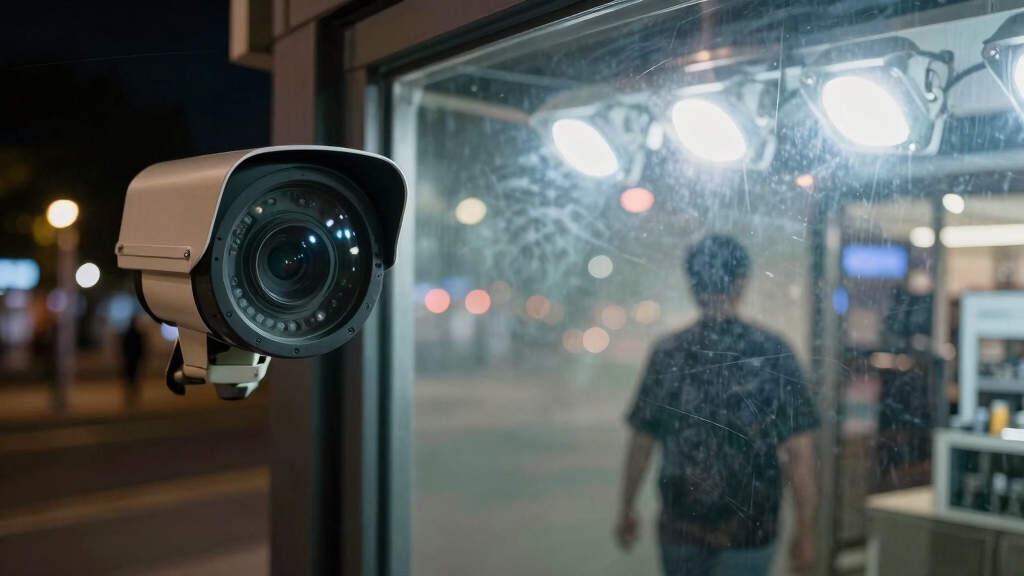
When you operate security cameras in dimly lit environments, inadequate lighting forces the camera sensors to struggle, often producing ghost images as they adjust.
Low light conditions reduce sensor sensitivity, causing blurred shapes, double images, or trailing effects resembling ghosts.
Infrared night vision, common in these settings, can reflect off surfaces like glass or metal, generating secondary ghosting images.
Shadows and insufficient night vision exacerbate these distortions, making it harder to discern real objects.
Additionally, direct sunlight or improperly angled light sources create lens flares that manifest as ghost images.
To minimize these effects, ensure balanced lighting, avoid placing cameras near reflective or transparent surfaces, and position light sources to reduce glare.
Proper illumination is critical for accurate sensor performance and clear image capture.
Using cameras with adjustable IR settings or positioning them at a 45-degree angle can reduce IR reflection and improve night image quality.
Common Camera Hardware Issues That Cause Ghost Images
You know, ghost images are a real headache, and they often come from hardware issues. For instance, if the sensor quality is lacking, especially in low light, you might end up with grainy visuals that just don’t look good.
Then there are the lenses. If they’re dirty, scratched, or smudged, that can really mess with how light is captured. It scatters the light and distorts the image, leading to those annoying ghost artifacts we all want to avoid.
And let’s not forget about the components. If they’re worn out or damaged, that can seriously degrade the integrity of your images. When that happens, the ghosting effects on your footage can get even worse. It’s definitely something to keep an eye on!
Additionally, poor-quality lenses can cause optical distortions that exacerbate ghost images and reduce overall clarity.
Sensor Quality Problems
Although sensor quality often goes unnoticed until problems arise, it plays a pivotal role in preventing ghost images on security cameras.
When your camera uses low-grade sensors, it struggles with low light, producing grainy, ghostly effects.
Sensor defects or damage directly cause visual anomalies, including ghosting.
Worn-out sensors degrade image fidelity, amplifying ghost image issues.
To address sensor quality problems, focus on:
- Selecting cameras with high-resolution, reputable sensors for clearer images.
- Regularly inspecting sensors for physical damage or deterioration.
- Avoiding budget models that cut costs on sensor components.
- Ensuring sensors are clean and free from dust or smudges affecting performance.
Additionally, using sensors with larger sizes and better low-light performance can significantly reduce ghosting in dim environments.
Lens Condition Effects
Inspecting the lens condition is essential because dust, dirt, smudges, or scratches can scatter incoming light and distort the captured image. This creates ghostly effects. When light hits these imperfections, it refracts irregularly, generating duplicate or blurred images on the sensor.
Even small scratches cause internal lens reflections, which appear as faint, ghost-like overlays in your footage. Smudges and dirt reduce contrast and clarity, blurring edges and amplifying ghost images, especially in bright or backlit scenes.
To minimize these issues, regularly clean the lens with appropriate tools and inspect for damage. Replacing a scratched or heavily soiled lens element is often necessary.
Maintaining pristine lens condition guarantees accurate light transmission and sharp image capture. This markedly reduces ghost image artifacts caused by hardware imperfections. Additionally, performing regular lens cleaning as part of maintenance helps prevent blurry images and preserves the camera’s overall performance.
Component Wear Impact
Beyond lens condition, the overall health of your camera’s components markedly influences image quality. As parts wear out, you’ll notice ghost images becoming more frequent due to hardware degradation.
Here are key factors to check:
- Sensor wear: Deteriorating or faulty sensors create defects, causing ghost artifacts.
- Lens deterioration: Scratches or internal damage scatter light, distorting images.
- Electronic component aging: Capacitors and circuits degrade, leading to signal noise and ghosting.
- Connector corrosion: Oxidized or loose connections disrupt signal integrity, producing overlapping or shadowy images.
Regular maintenance and timely replacement of worn parts help preserve image clarity. By monitoring these components, you can prevent or minimize ghost images caused by hardware wear. This ensures reliable security camera performance over time.
Additionally, understanding the impact of electromagnetic interference on wired systems can help in diagnosing and reducing signal disruptions that contribute to image ghosting.
How Shutter Speed and Camera Settings Affect Ghost Images?
When you use slow shutter speeds, you might see some interesting effects, like motion blur. This happens because the camera captures movement over a longer period, which can leave behind trailing ghost images of moving objects. Pretty cool, right?
But here’s something to watch out for: if you crank up the noise reduction settings too high—especially beyond 35 or 40—you might end up amplifying those ghosting effects instead of minimizing them. It’s a bit of a double-edged sword!
And don’t forget about exposure and white balance settings. If they’re off, you could introduce ghost artifacts that really distort the image. So, getting those settings right is crucial for a clean shot.
For optimal image quality and to minimize artifacts like ghost images, ensure your camera firmware is up to date and monitor wireless connectivity optimization settings through the app regularly.
Shutter Speed And Motion
Adjusting shutter speed plays a vital role in how motion is captured on security cameras and directly impacts the presence of ghost images.
When you set a slow shutter speed, moving objects leave motion blur, creating ghost-like trails.
To manage this, consider these key points:
- Use faster shutter speeds to minimize motion blur and reduce trailing images.
- Avoid high gain and excessive noise reduction settings, as they worsen ghost artifacts.
- Maintain proper exposure and frame rate to guarantee clear, crisp motion capture.
- Adjust white balance carefully to prevent color shifts that may enhance ghost images.
- Ensuring cameras are mounted on stable surfaces can also help reduce image distortion caused by vibrations.
Impact Of Noise Reduction
Noise reduction plays a critical role in minimizing grain and visual clutter in low-light security footage. However, excessive noise reduction can amplify ghosting effects.
When you set noise reduction too high, typically above 35-40 levels, you risk introducing trailing artifacts that resemble ghost images. This happens because aggressive noise filtering blends sequential frames, causing moving objects to leave faint afterimages.
Additionally, slow shutter speeds combined with strong noise reduction exacerbate motion blur, worsening ghosting. To reduce these effects, adjust your camera’s noise reduction settings carefully and avoid using maximum levels unless necessary.
Balancing shutter speed and noise reduction is key. Faster shutter speeds reduce motion blur, while moderate noise reduction maintains image clarity without creating ghost artifacts. Fine-tuning these parameters prevents ghost images and preserves footage integrity.
Proper positioning and mounting of cameras also helps maintain image quality and can reduce unwanted visual effects like ghosting by ensuring stable and clear footage.
Exposure And White Balance
When exposure settings aren’t properly calibrated, your security camera struggles to capture accurate images. This often results in ghost-like artifacts. Shutter speed, white balance, and exposure directly influence image clarity and ghosting effects.
Incorrect settings cause motion blur, color distortion, and image trails that mimic ghosts. To minimize ghost images, focus on these key adjustments:
- Use faster shutter speeds to reduce motion blur and trailing images.
- Calibrate white balance to match lighting conditions, preventing color shifts that create ghost artifacts.
- Adjust exposure to avoid over- or underexposed frames, which increase ghosting.
- Limit noise reduction and dynamic range settings to optimal levels, as excessive adjustments exacerbate ghost images.
Properly tuning these parameters markedly improves image fidelity and reduces ghosting on your security footage. Additionally, selecting cameras with infrared night vision capabilities ensures clearer images in low-light conditions, further minimizing ghost images.
How Signal Interference Affects Security Camera Footage?
Although security cameras are designed to provide clear and reliable footage, signal interference can markedly degrade the quality of the video feed.
Electromagnetic interference from nearby power lines, appliances, or wireless devices can introduce noise, causing ghost images or overlapping shadows.
You might also experience interference from other cameras or RF devices operating on similar frequencies, disrupting the signal integrity.
Using poor-quality, damaged, or unshielded cables further weakens signal transmission, leading to visual artifacts.
Improper grounding creates electrical noise, resulting in ghosting effects.
In wireless setups, walls and metal objects reduce signal strength, producing intermittent or distorted images.
To minimize these issues, ensure proper cable shielding, maintain adequate grounding, and position wireless cameras to avoid obstructions.
This approach helps preserve signal clarity and prevents ghost image formation.
In addition, analog CCTV systems are more susceptible to signal degradation over longer cable distances compared to IP camera digital transmission, which helps maintain video quality.
Environmental Factors That Trigger Ghost Images on Cameras
Beyond signal interference, environmental factors play a notable role in triggering ghost images on security cameras. When you install or adjust cameras, consider these key triggers:
Environmental factors significantly contribute to ghost images on security cameras during installation and adjustments.
- Reflections from nearby windows or shiny surfaces amplify infrared ghosting, causing double or shadow images.
- Improper camera placement near direct sunlight or glare sources introduces lens flare and distortions.
- Dirt, insects, spider webs, or mist on lenses create erratic blobs and ghost shapes by scattering light unpredictably.
- Nearby electronic devices can interfere electromagnetically, producing horizontal or vertical ghost lines on footage.
Understanding and mitigating these environmental influences helps you maintain clear, accurate video feeds and reduces ghost image artifacts notably.
How Software Glitches Create Ghost Images on Security Cameras?
Since security cameras rely heavily on software to process and compress video data, glitches in firmware or system software can introduce ghost images that distort footage.
These issues typically arise from corrupted code, outdated firmware, or compression artifacts, causing duplicate or blurry shadows to appear. You might also experience signal reflections in analog systems, which software fails to filter out properly.
| Cause | Effect | Solution |
|---|---|---|
| Firmware bugs | Image duplication | Update firmware |
| Compression errors | Blurred ghost images | Use higher bitrate codecs |
| Signal reflections | Shadowy duplicate images | Switch to digital systems |
Understanding these software-related causes helps you troubleshoot ghosting beyond hardware or environmental factors.
How to Spot and Fix Lens and Sensor Damage Causing Ghost Images?
Inspect your camera’s lens and sensor carefully if you notice persistent ghost images that don’t correlate with lighting or software issues.
Damage or dirt on these components often causes light scattering or sensor defects, producing ghosting effects.
To spot and fix these problems, follow these steps:
- Examine the lens for scratches, smudges, or dust that can scatter light. Clean gently with a microfiber cloth.
- Inspect the sensor for visible damage or debris. Use sensor cleaning tools if necessary.
- Test the camera in controlled lighting to rule out environmental causes.
- If ghosting persists, replace the lens or sensor. Worn-out hardware often leads to persistent image artifacts.
Regular maintenance prevents damage-related ghost images and guarantees optimal camera performance.
Best Camera Placement Tips to Prevent Ghost Images
Although camera placement might seem straightforward, positioning your security cameras incorrectly can markedly increase ghost images due to reflections, glare, and interference.
To minimize ghosting, avoid aiming cameras directly at reflective surfaces like windows or metal objects. Position cameras to reduce exposure to direct sunlight or bright artificial lights.
Maintain clear sightlines free from dirt, insects, or spider webs that cause erratic ghosting. Also, make certain to properly ground and shield cables to prevent signal interference.
| Placement Aspect | Recommendation |
|---|---|
| Avoid reflective areas | Position away from glass/metal |
| Lighting direction | Prevent direct sunlight glare |
| Environmental factors | Keep lenses clean and clear |
| Signal interference | Use shielded cables, proper grounding |
Following these technical placement tips will materially reduce ghost images on your security feeds.
Frequently Asked Questions
Can Ghost Images Be Caused by Power Surges in Security Systems?
Yes, power surges can cause ghost images on security cameras by disrupting the electrical signals within the system.
When a surge hits, it may induce electromagnetic interference or temporarily damage sensors and circuitry, leading to distorted or duplicate images.
To prevent this, you should use surge protectors, guarantee proper grounding, and maintain quality power supplies.
These steps help stabilize your system, minimizing ghosting caused by power fluctuations.
Do Different Camera Brands Handle Ghost Images Differently?
Imagine viewing a fogged window; some brands clear it better than others. Yes, different camera brands handle ghost images differently.
Higher-end brands use advanced sensors and superior image processing algorithms that reduce ghosting, especially in low light or reflective environments.
Budget brands often struggle with poor sensor quality and weaker noise reduction, worsening ghost artifacts.
Choosing a reputable brand with robust hardware and firmware improvements directly improves ghost image handling.
How Do Weather Conditions Like Fog or Rain Affect Ghost Images?
Fog and rain increase ghost images by scattering infrared light and camera flashes, creating diffuse reflections.
You’ll notice more glare and blurred shapes as water droplets and mist distort light paths.
Moisture on lenses causes additional scattering, worsening ghosting.
Raindrops can also attract dirt, further degrading image clarity.
To minimize this, keep lenses clean, use weatherproof housings, and adjust camera angles to reduce direct exposure to precipitation and fog.
Is Ghosting More Common in Analog or Digital Security Cameras?
Ghosting is more common in analog security cameras because their signal transmission is more susceptible to interference and signal reflections, which create duplicate shadowy images.
You’ll notice analog systems often suffer from cable quality, grounding issues, and long runs increasing ghost images.
Digital cameras handle signals better but can still show ghosting due to compression artifacts, poor settings, or low-quality sensors.
Can Ghost Images Affect Facial Recognition Accuracy?
Just like a distorted mirror in a funhouse, ghost images can seriously mislead your facial recognition system.
These phantom visuals blur key facial features, causing algorithms to misidentify or fail detection.
When ghosting occurs, the camera’s sensor and software struggle to differentiate true facial data from overlays or trails, reducing accuracy.
You’ll want to minimize ghosting through proper lighting, hardware quality, and settings to keep recognition reliable.
Keep Your Security Camera Footage Sharp and Reliable
You might think ghost images on your security cameras are just random glitches, but they often coincide with specific issues like lighting, hardware faults, or signal interference.
By understanding how shutter speed, environmental factors, and software glitches play a role, you can pinpoint the exact cause.
Don’t overlook lens or sensor damage, either.
With precise camera placement and regular maintenance, you’ll effectively eliminate ghost images and guarantee clear, reliable surveillance footage every time.