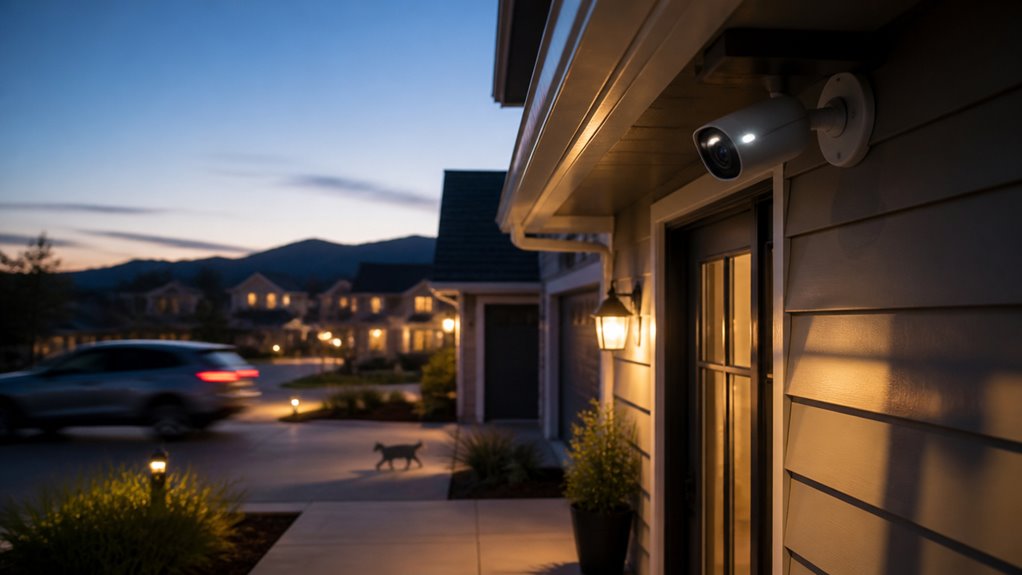

Home security cameras don’t always record continuously. You can choose modes like motion-activated, scheduled, or event-triggered recording to save storage and extend footage retention.
Continuous recording captures nonstop video but requires significant storage and bandwidth. Motion or AI-based triggers reduce false recordings and optimize space.
Storage capacity, resolution, and bitrate also limit how long footage is retained. Understanding these settings helps you balance quality, storage, and recording duration effectively.
Additional details explain how to maximize your camera’s recording potential.
Key Takeaways
- Home security cameras can record continuously 24/7 or selectively based on motion, schedules, or AI triggers.
- Continuous recording consumes the most storage and bandwidth compared to motion-activated or scheduled modes.
- Many cameras use motion-triggered recording to save storage and extend battery life, especially battery-operated models.
- Scheduled or event-triggered recording limits footage to specific times or stimuli, conserving storage space.
- Users can manually start and stop recording with on-demand modes, providing flexible control over capture.
How Long Do Home Security Cameras Usually Record?
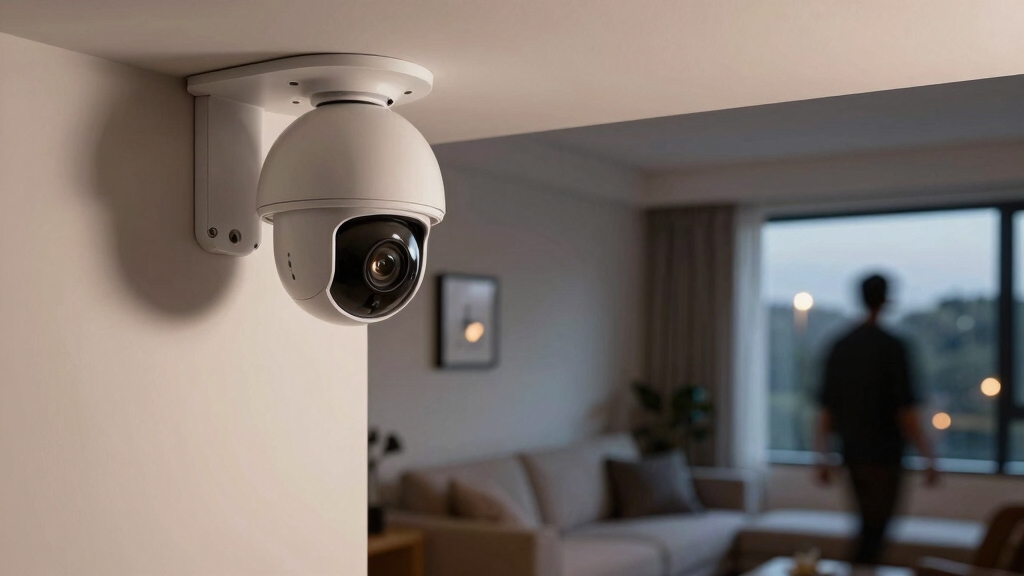
Typically, home security cameras record footage for a period ranging from one to several weeks, depending on system settings and storage capacity.
You’ll find many systems retain video between 7 and 30 days, with some extending up to 90 days under certain configurations.
Factors like resolution, bitrate, and the number of cameras directly impact how long footage remains available.
Higher resolution and bitrate consume more storage, shortening retention time.
Local storage devices, such as HDDs, NVRs, or SD cards, often use loop recording, overwriting the oldest data once capacity fills.
Cloud storage retention depends on your subscription tier, varying from about 7 to 60 days.
Unless you manually export footage, long-term preservation generally isn’t feasible, as systems prioritize recent recordings within storage limits.
Switching from continuous to motion-triggered recording can significantly extend the duration footage is retained.
What Are the Main Recording Modes for Home Security Cameras?
Home security cameras frequently operate in several distinct recording modes that tailor video capture to your specific needs and storage constraints.
Home security cameras use various recording modes to customize video capture for your needs and storage limits.
The primary modes include continuous recording, motion-activated recording, scheduled recording, event-triggered recording, and on-demand recording.
Continuous recording captures video nonstop, regardless of activity. Motion-activated recording conserves storage by recording only when movement is detected.
Scheduled recording limits capture to predefined time frames, optimizing storage use. Event-triggered recording, often powered by AI, initiates capture based on specific stimuli such as people or vehicles.
On-demand recording lets you manually start and stop recording. Each mode balances storage requirements and monitoring priorities differently. You should choose based on your environment, desired retention length, and storage capacity.
For optimal performance and clear footage, it is also important to consider camera placement and environmental factors during installation.
How Continuous Recording Works and What It Really Means?
When you enable continuous recording, your camera starts capturing video nonstop, no matter what’s happening around it.
Pretty cool, right? But keep in mind, this mode requires a lot of storage space since it records 24/7. That means it can fill up your available storage pretty quickly.
So, it’s really important to understand your storage limits and how the overwrite policies work.
This way, you can manage how long you keep your footage without any surprises.
Many NVR systems use compression technology to help optimize storage and extend recording time.
Continuous Recording Explained
Although continuous recording might seem straightforward, it requires your security system to capture video nonstop, without regard to motion or specific events.
This means your camera streams and stores footage 24/7, demanding constant data processing and storage management.
Here’s what continuous recording entails:
Captures all visual data regardless of activity or triggers.
Requires substantial storage capacity due to nonstop data flow.
Often employs loop recording to overwrite oldest footage when full.
Puts higher demands on bandwidth and processing power.
Guarantees no missed events but increases storage use markedly.
Continuous 1080p recording can consume approximately 24–48 GB of data daily per camera, significantly impacting storage and network resources due to its high data demand.
Storage Impact Overview
Continuous recording demands constant storage allocation, which directly influences how much footage your system can retain before it begins overwriting.
With continuous 24/7 capture, storage fills rapidly because video data accumulates nonstop, especially at higher resolutions and bitrates.
Most local storage devices like HDDs or NVRs have fixed capacities, so once full, they employ loop recording, overwriting the oldest footage to create space.
For instance, a 2 TB system with six HD cameras might hold about 20–25 days of continuous video before overwriting starts.
Compression algorithms help extend retention by reducing file sizes, but storage remains the primary limiting factor.
Cloud storage offers variable retention based on subscription tiers but also operates under fixed duration limits.
Ultimately, continuous recording requires balancing storage capacity, video quality, and camera count to manage retention effectively.
It is also important to ensure that DVR/NVR storage is not full or malfunctioning, as this can prevent new footage from being saved and disrupt continuous recording.
Practical Usage Limits
Typically, continuous recording demands significant storage resources that can quickly reach capacity, forcing systems to overwrite older footage to maintain operation. When you enable 24/7 capture, you must consider:
- Storage size limits retention length; larger drives extend recording time.
- Resolution and bitrate directly influence file size and storage consumption.
- Multiple cameras increase total data generated, reducing overall retention.
- Loop recording automatically deletes oldest clips once storage fills.
- Cloud plans vary in retention duration, often requiring paid subscriptions for longer storage.
Understanding these constraints helps you balance recording settings with storage capabilities. Continuous recording isn’t indefinite; it’s constrained by physical or cloud storage limits and system configurations.
To maintain critical footage, you may need to adjust quality settings, use motion-triggered recording, or invest in expanded storage options. Choosing the right SD card size and type is essential to ensure reliable and durable local storage performance.
How Motion-Activated and AI-Based Recording Save Storage Space?
Many home security cameras use motion-activated and AI-based recording to markedly reduce storage demands by capturing footage only when relevant activity occurs.
Instead of continuous recording, these systems initiate video capture when motion sensors detect movement or when AI algorithms identify specific objects like people or vehicles.
This targeted approach minimizes the volume of stored video, substantially extending retention time within the same storage capacity.
AI-based triggers also reduce false recordings caused by irrelevant motion, optimizing storage efficiency.
By recording selectively, you avoid rapid storage consumption typical of 24/7 recording, enabling longer archival periods without upgrading hardware.
Consequently, motion-activated and AI-driven recording provide a practical balance between thorough surveillance and efficient data management.
This method preserves critical footage while conserving disk space.
How Storage Capacity Limits Home Security Camera Recording Time?
Storage capacity directly determines how long your home security cameras can retain recorded footage before overwriting occurs.
When storage fills up, most systems use loop recording, automatically deleting the oldest data to make room for new video. Your retention duration depends on several technical factors:
Storage size (e.g., HDD, SD card capacity) sets the maximum data volume.
Recording mode (continuous vs. motion-activated) affects data generation rate.
Video resolution and bitrate influence individual file sizes.
Compression algorithms reduce storage needs, extending retention.
Device settings dictate overwrite behavior once storage limits are reached.
Understanding these constraints helps you balance recording time with available storage.
Increasing storage capacity or optimizing recording settings can extend how long footage remains accessible before automatic overwriting begins.
Different camera models offer varying storage options, from 16GB microSD cards to 1TB HDDs in local storage systems, affecting recording duration and cost.
How Multiple Cameras Affect Your Recording Duration?
Adding more cameras to your home security system directly reduces the overall recording duration available on your storage device. Each camera continuously generates data, multiplying storage consumption proportionally.
For example, if one HD camera records 24/7 and fills a 2 TB drive in 30 days, adding a second camera halves that retention to approximately 15 days, assuming equal settings. This linear increase in data rate shortens how long footage remains before automatic overwriting occurs.
You must consider resolution, bitrate, and compression settings across all cameras, as higher-quality streams accelerate storage depletion. To maintain desired retention periods with multiple cameras, you’ll need greater storage capacity or implement motion-triggered recording to reduce recording time.
Balancing camera count and storage guarantees effective video retention without premature data loss. Additionally, using cameras with local storage options can help you manage data securely and avoid recurring cloud fees.
How Cloud Storage Plans Impact Home Security Camera Retention?
After reflecting on how multiple cameras impact your local storage capacity and retention, it’s important to evaluate how cloud storage plans influence the duration your footage remains accessible.
Cloud plans vary markedly, affecting how long you can review recorded video. Basic plans typically offer shorter retention, while premium tiers extend access.
Key factors to reflect upon include:
- Retention period ranges from about 7 to over 60 days depending on the plan.
- Basic subscriptions often limit footage storage to 7–14 days.
- Premium plans may provide 30 days or more of cloud retention.
- Cloud storage capacity isn’t physically limited like local drives but depends on your subscription.
- Overwritten cloud footage generally can’t be recovered without manual backup.
Selecting the right cloud plan directly impacts how long you retain critical video evidence. Additionally, many Wyze models offer local microSD storage for continuous recording without fees, providing an alternative to cloud retention with local storage benefits.
Why Resolution and Bitrate Matter for Camera Storage?
Got it! Let’s break this down a bit.
So, when it comes to video quality, higher resolution and bitrate definitely give you that crisp, clear footage. But here’s the catch: they also gobble up a lot more storage space.
This tradeoff means that if you’re recording at those high settings, your system won’t hold onto the footage for as long. Unless, of course, you implement some solid compression techniques.
Finding that sweet spot is really important. You want to make sure you’re maximizing both your storage capacity and the clarity of your videos. Balancing these factors is key!
Most home security cameras, like Blink models, use motion-triggered recording rather than continuous recording to conserve battery life and storage space.
Impact On Storage
Because resolution and bitrate directly influence the size of video files, they play a crucial role in determining how much storage your home security system consumes. Higher resolution increases pixel data per frame, while higher bitrate raises the data transferred per second, both enlarging file size and reducing storage duration.
Consider these impacts on storage:
Higher resolution shortens recording time due to larger files. Elevated bitrate improves detail but demands more storage capacity. Compression methods can mitigate file size growth. Multiple cameras multiply total storage needs proportionally. Storage devices have fixed capacities; exceeding these triggers overwrites.
Understanding these factors helps you optimize storage allocation and retention periods effectively without compromising system performance.
Video Quality Tradeoffs
Resolution and bitrate directly influence the balance between video quality and storage demands in home security systems.
Higher resolution increases pixel count, producing clearer images but generating larger file sizes.
Similarly, a higher bitrate boosts video detail by transmitting more data per second, which also enlarges file size.
When you select high resolution and bitrate, your camera captures sharper, more detailed footage but consumes storage faster, reducing retention duration.
Conversely, lowering resolution or bitrate decreases image quality but conserves storage, allowing longer recording periods.
You must weigh your need for image clarity against available storage capacity.
Ideal configuration depends on your surveillance goals and storage constraints. Excessive quality settings can quickly exhaust storage, while too low settings may impair critical event identification.
Compression And Retention
Although higher resolution and bitrate enhance video clarity, they considerably impact how much storage your security system consumes. When configuring your camera, you need to balance image quality with storage capacity and retention duration.
Compression algorithms help reduce file size but can affect video fidelity. Understanding these factors allows you to optimize recording time effectively.
Higher resolution increases file size exponentially, reducing storage time. Bitrate controls data flow rate; higher bitrate means more detailed video but larger files.
Efficient compression extends retention by minimizing file size without major quality loss. Multiple cameras multiply storage demand, shortening overall retention.
Storage capacity, local or cloud, dictates how long footage remains before overwriting.
What Factors Influence How Long Footage Is Kept?
Several technical factors determine how long your home security footage can be stored before it’s overwritten or deleted.
Storage capacity is the primary constraint, whether you use local devices like HDDs, NVRs, or cloud services with subscription limits.
Higher video resolution and bitrate increase file sizes, reducing overall retention time.
Compression algorithms help extend storage by decreasing data size without severely affecting quality.
The number of cameras simultaneously recording also impacts available storage, as more cameras consume more space.
Recording mode plays a role: continuous recording fills storage faster than motion-activated or event-triggered modes.
Cloud retention varies by service tier, typically ranging from 7 to 60 days.
Ultimately, your camera settings and storage environment precisely determine how long footage remains accessible before automatic overwriting occurs.
How to Extend Your Home Security Camera’s Recording Time?
If you want to extend your home security camera’s recording time, a good first step is to boost your storage capacity. You can do this by adding larger local drives or using network video recorders. It really makes a difference!
Next, you might want to tweak your recording settings. For example, lowering the resolution and adjusting motion activation can help cut down on unnecessary footage. This way, you’re only capturing what really matters.
And don’t forget about cloud backup options! Many plans offer extended retention periods that go beyond what your local storage can handle. That way, you can have peace of mind knowing your footage is safe and sound.
Increase Storage Capacity
When you want to extend your home security camera’s recording time, increasing storage capacity is essential. Storage limits directly affect how long footage is retained before automatic overwrite occurs.
To boost capacity, consider these approaches:
Upgrade to larger hard drives or SD cards with higher storage sizes.
Use network video recorders (NVRs) or digital video recorders (DVRs) that support multiple terabytes.
Opt for expandable storage systems that allow adding drives as needed.
Choose cameras compatible with cloud storage plans that offer extended retention.
Implement storage management tools to monitor and allocate space efficiently.
Increasing storage guarantees you keep more footage without losing critical recordings. Balancing capacity with your camera count and recording quality optimizes retention duration precisely and effectively.
Optimize Recording Settings
Optimizing your home security camera’s recording settings frequently improves storage efficiency and extends footage retention. You can adjust resolution, bitrate, and recording mode to balance quality and storage use. Lowering resolution or bitrate reduces file size, allowing longer retention. Switching from continuous to motion-activated recording conserves storage by capturing only relevant events. Scheduled recording limits active periods to specific times.
| Setting | Effect on Storage | Recommendation |
|---|---|---|
| Resolution | Higher = larger files | Use 720p or 1080p for balance |
| Bitrate | Higher = more storage | Choose moderate bitrate |
| Recording Mode | Continuous uses most | Prefer motion-activated or scheduled |
Use Cloud Backup
Leveraging cloud backup markedly extends your home security camera’s recording time beyond local storage limits. By storing footage in the cloud, you bypass the physical capacity constraints of local drives, enabling longer retention periods depending on your subscription plan.
Cloud solutions often feature automatic backups, secure encryption, and remote access, enhancing both storage reliability and data security.
Key benefits include:
- Extended footage retention beyond local storage capacity
- Scalable storage options through tiered subscription plans
- Automatic overwrite prevention with continuous cloud archiving
- Remote access to live and recorded footage via apps
- Enhanced security with encrypted data transmission and storage
Using cloud backup lets you maintain longer historical records and reduces the risk of data loss due to local hardware failure or theft.
Frequently Asked Questions
Can Home Security Cameras Record Audio Along With Video?
Yes, many home security cameras can record audio along with video, but it depends on the camera model and settings.
You’ll need a camera equipped with a built-in microphone or an external audio input. Make sure audio recording is enabled in the device’s configuration.
Keep in mind that local laws may restrict audio recording, so you should verify legal compliance before activating this feature.
Audio quality varies based on hardware and environment.
Do Home Security Cameras Work During Power Outages?
Home security cameras generally don’t work during power outages unless they’ve backup power sources.
If your system uses batteries, uninterruptible power supplies (UPS), or solar panels, it can continue operating.
Cameras relying solely on direct power will shut off when power cuts out.
To guarantee continuous monitoring, consider integrating backup solutions or choosing models with built-in battery backup or alternative power options.
How Secure Is the Footage Stored on Cloud Platforms?
You expect encryption, authentication, and redundancy when securing footage on cloud platforms. Most providers use end-to-end encryption to protect your data during transfer and storage.
They require strong user authentication and offer multi-factor options to prevent unauthorized access. Additionally, they maintain redundant data centers to guarantee availability and backup.
However, you should review each provider’s security policies, update passwords regularly, and enable all available security features to maximize protection.
Can Home Security Cameras Detect Pets Separately From People?
Yes, many home security cameras use AI-based analytics to detect pets separately from people.
They distinguish animals by size, shape, and movement patterns, allowing you to customize alerts and reduce false alarms.
However, accuracy varies by model and software sophistication.
For precise pet detection, choose cameras with dedicated pet recognition features and regularly update firmware to improve object classification and reduce misidentifications between pets and humans.
Are There Privacy Concerns With Home Security Camera Recordings?
Just as a Victorian scribe guarded secrets, you should be mindful of privacy concerns with home security recordings.
Your cameras capture sensitive data, risking unauthorized access or misuse. You must safeguard devices with strong passwords, enable encryption, and control who views footage.
Additionally, be aware of local laws governing audio and video recording. Proper management guarantees your system protects rather than compromises your household’s privacy and legal compliance.
Maximize Security Camera Storage with the Right Recording Settings
Understanding your home security camera’s recording modes and storage limits is key to maximizing its effectiveness. Continuous recording acts like an ever-watchful sentinel, but it demands significant storage and power.
Motion-activated and AI-based recording smartly conserve space by capturing only relevant events. By balancing resolution, bitrate, and storage plans, you can extend your camera’s retention period. This ensures critical footage is available when you need it most.