
You get robust AES-128 encryption securing your Tapo camera’s streams and recordings, with SSL/TLS protecting data in transit.
Your account access is limited by unique hardware IDs and supports two-factor authentication to prevent unauthorized control.
While cloud storage increases exposure, local storage on encrypted microSD cards offers better privacy.
Network segmentation and WPA3 Wi-Fi further strengthen defenses.
Keeping firmware updated is vital to patch vulnerabilities.
Here’s how you can enhance your Tapo security both locally and remotely.
Key Takeaways
- Tapo cameras use AES 128-bit encryption and SSL/TLS protocols to secure video streams and data transmissions.
- Two-factor authentication and strong passwords are recommended to prevent unauthorized account access.
- Local storage with encrypted microSD cards reduces cloud exposure and enhances privacy control.
- Network segmentation and WPA3 support help mitigate risks from local network breaches.
- Regular firmware updates are essential to patch vulnerabilities and maintain overall camera security.
How Tapo Cameras Keep Your Data Safe With Encryption?
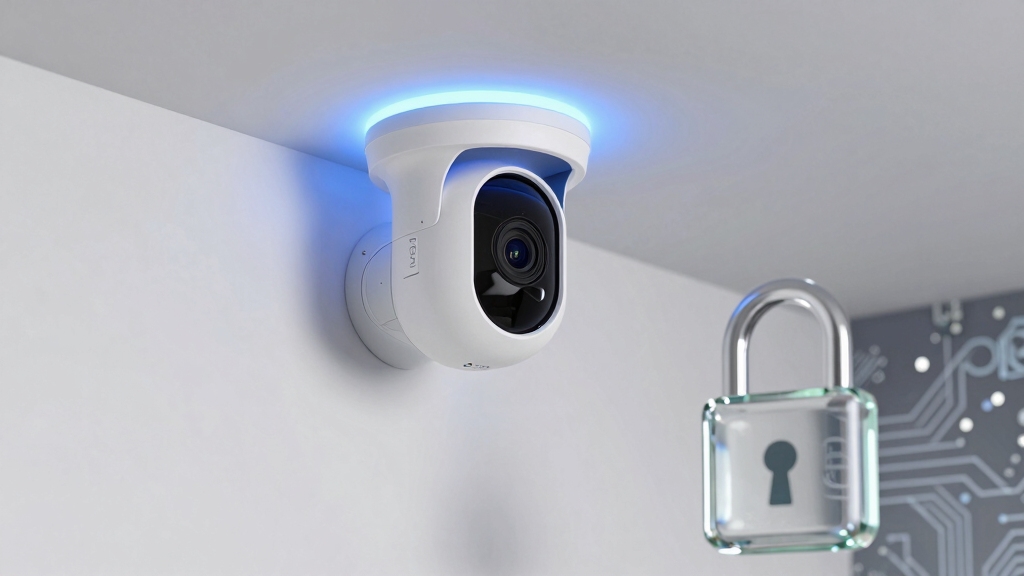
Although many smart cameras transmit data constantly, Tapo cameras secure your video streams and recordings using AES 128-bit encryption combined with SSL/TLS protocols. This ensures that data in transit remains confidential and tamper-resistant.
Tapo cameras protect your video streams with AES 128-bit encryption and SSL/TLS for secure, tamper-resistant data transmission.
This dual-layer encryption protects against interception and unauthorized access during transmission between your camera and the TP-Link cloud or app. Additionally, Tapo models support Wi-Fi encryption standards including WPA, WPA2, and select models even WPA3, reinforcing wireless communication security.
Access control is strictly enforced through TP-Link account authentication, limiting stream visibility to authorized users only. For enhanced protection, TP-Link strongly recommends enabling two-factor authentication (2FA), which adds a critical verification step beyond passwords.
Together, these encryption and authentication mechanisms create a robust framework to maintain the integrity and privacy of your camera data. It is also important to enable automatic firmware updates to ensure the latest security patches are applied promptly, reducing vulnerability to attacks.
Understanding Tapo Camera Network Security Risks and Protections
Building on the encryption and authentication methods that safeguard your Tapo camera data, it’s important to recognize potential network security risks that can arise during device operation.
Your camera continuously communicates with TP-Link’s cloud servers, which increases exposure to external network threats if those connections are compromised.
On a local network, unauthorized access can lead to decrypted video streams if your Wi-Fi security is weak or breached.
You can mitigate risks by enabling WPA3 where supported, enforcing strong passwords, and activating two-factor authentication on your TP-Link account.
Additionally, blocking outbound traffic at your router can keep the camera offline, limiting exposure.
Remember, your camera’s privacy depends heavily on your network’s security posture and account protections.
Maintaining strict controls and firmware updates is essential to minimize vulnerabilities.
For enhanced privacy, some users prefer offline recording options that avoid continuous internet connections altogether.
How Cloud vs. Local Storage Affects Your Privacy With Tapo Cameras?
When you choose between cloud and local storage for your Tapo camera, you directly impact how your video data is protected and accessed.
Cloud storage uploads motion-triggered clips to TP-Link servers in short bursts, increasing exposure to potential interception despite AES 128-bit encryption and SSL/TLS safeguards.
Local storage, typically via microSD cards or NAS, keeps data within your physical control but depends on your network’s security posture.
Consider these factors:
- Cloud storage requires a paid subscription and continuous internet connectivity, potentially increasing attack surface.
- Local storage supports offline operation, reducing external exposure but risking data loss if the device is compromised.
- Cloud clips can’t be selectively disabled during active subscriptions, limiting privacy control.
- Local storage demands robust local network security to prevent unauthorized access.
Choosing local storage enhances privacy control but requires diligent network defenses.
Additionally, devices use a unique UID identifier embedded in hardware to securely authenticate and manage remote access without exposing network ports.
Why You Need Strong Account Security and Two-Factor Authentication?
Securing your TP-Link account is critical because unauthorized access can expose your video streams, recordings, and camera controls. Your account acts as the gatekeeper to all camera functionalities. Weak passwords or single-factor authentication increase the risk of compromise.
Protect your TP-Link account—weak passwords or single-factor login risk exposing your video streams and camera controls.
Enabling two-factor authentication (2FA) adds an essential secondary barrier, requiring a time-sensitive code in addition to your password. This markedly reduces the likelihood of unauthorized logins, even if your password is leaked or guessed.
Given that Tapo cameras use AES 128-bit encryption and SSL/TLS to protect data in transit, account security remains the final defense line preventing attackers from intercepting or manipulating your feeds.
You should always enforce strong, unique passwords combined with 2FA to maintain robust protection over your camera’s sensitive data and controls.
For enhanced security, integrating cameras with systems supporting encrypted communication protocols can provide additional layers of protection against unauthorized access.
Key Privacy Controls to Protect Your Tapo Camera Footage
You know, you can easily activate Privacy Mode on your Tapo camera. This feature stops all video and audio streaming, so it’s perfect for those times when you want a little peace and quiet. No recordings or notifications will come through, which is pretty handy!
Now, when it comes to managing cloud uploads, it’s a bit tricky. You’ll need to keep in mind that motion-triggered clips are only uploaded if you have an active subscription. Plus, you can’t pause those uploads selectively.
For added security, using encrypted WiFi connections helps minimize the risk of unauthorized access to your camera footage.
Privacy Mode Features
Although Tapo cameras continuously monitor your environment, activating Privacy Mode immediately halts video and audio streaming as well as recording.
This ensures no data is captured or transmitted during this period.
This feature is vital when you want absolute control over your footage and prevent unintended surveillance.
Here’s what Privacy Mode offers you:
- Disables all live video and audio feeds instantly, stopping any ongoing data transmission.
- Suspends motion and sound-triggered event notifications until you deactivate the mode.
- Prevents any recording to local or cloud storage during its activation.
- Maintains camera functionality offline, allowing local management without compromising privacy.
Additionally, enabling end-to-end encryption enhances the security of your camera’s data during normal operation.
Managing Cloud Uploads
When managing cloud uploads on your Tapo camera, controlling where and how your footage is stored plays a critical role in maintaining privacy.
Without a Tapo Care subscription, your recordings remain local, saved on a microSD card, minimizing exposure.
Enabling cloud uploads sends motion-triggered clips in three-minute bursts to TP-Link’s servers, increasing potential attack surfaces.
You can’t selectively pause uploads without canceling the subscription, limiting granular control.
Data in transit benefits from AES 128-bit and SSL/TLS encryption, but constant outbound communication to AWS raises concerns.
For maximum security, consider disabling cloud uploads entirely and rely on local storage or offline operation.
Combining this with strong account security, including two-factor authentication, helps assure your footage stays private and reduces risks tied to cloud dependency.
Additionally, ensuring firmware updates are applied regularly can prevent vulnerabilities that might be exploited to intercept or disrupt your video feed.
How to Maximize Your Tapo Camera Security Locally and on Your Network?
To maximize your Tapo camera security, it’s a good idea to start by storing footage locally. You can use a microSD card or a compatible NAS for this. This way, you reduce reliance on the cloud, which can help keep your footage more secure.
Next up, let’s talk about network segmentation. Isolating your camera from your critical devices is a smart move. It minimizes the attack surface within your home network, making it harder for potential threats to access sensitive information.
For local storage, using a U3-rated, high-endurance card ensures reliable recording and prevents data loss during continuous use.
Local Storage Best Practices
Maximizing your Tapo camera’s security through local storage requires careful configuration and network management.
To make certain your footage remains protected on microSD cards or local NAS, follow these best practices:
- Use encrypted microSD cards if supported to prevent unauthorized access if the card is removed.
- Regularly update camera firmware to patch vulnerabilities that could expose local storage.
- Limit physical access to the camera and storage devices to mitigate tampering or theft.
- Disable cloud uploads if you want to keep footage strictly local and block external traffic at the router to prevent unauthorized remote access.
- Additionally, ensure proper wiring and storage management to maintain power stability and avoid data loss during recording.
Network Segmentation Strategies
Securing your Tapo camera extends beyond managing local storage and firmware updates. Network architecture plays a pivotal role in safeguarding your device.
Implementing network segmentation isolates your camera from critical devices. This reduces attack surfaces if an intruder compromises your home network.
You should place your Tapo camera on a dedicated VLAN or guest Wi-Fi, separate from personal computers and IoT devices with sensitive data. This limits lateral movement and exposure of video streams.
| Network Segment | Purpose |
|---|---|
| Camera VLAN | Isolate Tapo cameras |
| Guest Network | Restrict external access |
| Main LAN | Protect personal devices |
| IoT Devices VLAN | Separate other smart devices |
Such segmentation strengthens local security and complements Tapo’s encrypted communications and account protections. Additionally, maintaining strong encryption protocols and keeping your camera firmware updated are essential measures to prevent unauthorized access and ensure data integrity.
Frequently Asked Questions
Can Tapo Cameras Integrate With Other Smart Home Systems Securely?
Yes, you can securely integrate Tapo cameras with other smart home systems, especially those supporting standard protocols like Alexa or Google Assistant.
Just make sure you use strong account credentials and enable two-factor authentication to protect access.
Limiting cloud reliance by managing devices locally and segmenting your network reduces exposure.
Always keep firmware updated and monitor permissions, so your integrated setup maintains robust security without compromising convenience.
What Happens to My Data if I Cancel Tapo Care Subscription?
Think of your Tapo Care subscription as a river channeling your footage to the cloud. Once you cancel, the river dries up. Motion-triggered clips stop uploading to TP-Link’s servers. Your videos won’t be stored remotely anymore; instead, they remain locally on your microSD card if you have one.
You’ll lose cloud access, including remote playback and alerts. Your camera still functions offline, relying solely on local storage and network management.
Are Firmware Updates Automatic or User-Initiated on Tapo Cameras?
Firmware updates on Tapo cameras are typically user-initiated through the Tapo app, requiring you to manually check for and approve updates.
However, some models may support automatic updates if enabled in settings, helping you maintain security without constant monitoring.
It’s important to regularly verify update status to make sure your camera runs the latest firmware.
This reduces vulnerabilities and keeps security features current.
How Does Tapo Handle Data Breaches or Security Incidents?
When a data breach or security incident occurs, Tapo acts swiftly but quietly. They’ll investigate promptly, aiming to contain the issue and protect your data.
You can expect notifications if your account is affected, alongside guidance on securing your credentials, including enabling two-factor authentication.
TP-Link’s adherence to ISO standards means they prioritize structured incident response, but they don’t publicly disclose every detail. They keep you informed only as necessary to safeguard your privacy.
Can Multiple Users Access the Same Tapo Camera Account Safely?
Yes, multiple users can safely access the same Tapo camera account if you manage permissions carefully.
Tapo restricts video streams to authorized TP-Link account holders, so sharing credentials demands strong security practices. You should enable two-factor authentication (2FA) to protect the account and limit access only to trusted users.
Keep in mind all users share equal access, so coordinate account security and network protections to maintain safety.
Secure Your Tapo Camera Locally and Remotely
Think of your Tapo camera as a digital fortress, its encryption walls shielding your data from intruders.
But even the strongest fortress needs vigilant guards: your strong passwords and two-factor authentication.
Balancing cloud convenience with local storage control is like choosing between a public watchtower and a private vault.
By mastering these security measures, you hold the keys to your privacy, ensuring your footage stays protected in an ever-evolving digital battlefield.