
You can tell your home is bugged by checking for unusual openings, extra wires, or loose panels around outlets, vents, and furniture.
Listen for persistent buzzing or static and track unusual sounds or timing patterns. Use RF detectors and your phone’s camera to spot hidden cameras or transmitters, especially in darkened rooms.
Monitor your network for unknown devices and unexplained power spikes. If these signs persist, a deeper look into detection methods and professional help may be necessary.
Key Takeaways
- Inspect outlets, vents, and furniture for unusual holes, loose panels, or extra wiring that may conceal bugs.
- Use an RF detector to scan for unexpected wireless signals or sudden signal surges near power sources and hidden spots.
- Turn off lights and use a phone camera or flashlight to spot lens reflections or infrared lights from hidden cameras.
- Listen for consistent buzzing, static, or clicking sounds that might indicate active recording devices or transmitters.
- Check your home network and router for unknown devices or connections that could be linked to surveillance gear.
How to Detect Hidden Cameras and Microphones?
Physical signs often lead you to suspect surveillance, but hidden cameras and microphones require a more focused approach.
Physical signs might raise suspicion, but detecting hidden cameras and microphones demands careful, targeted inspection.
You need to inspect common concealment spots meticulously and use simple tools to uncover devices designed to blend in.
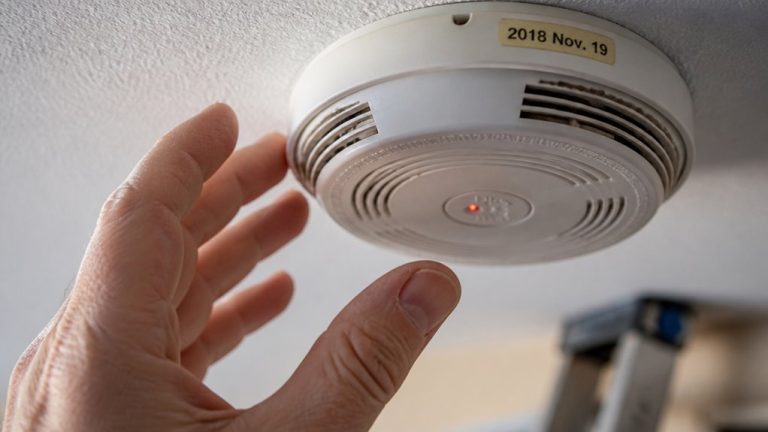
- Check outlets, smoke detectors, lamps, and clocks for unusual openings, loose panels, or new wires.
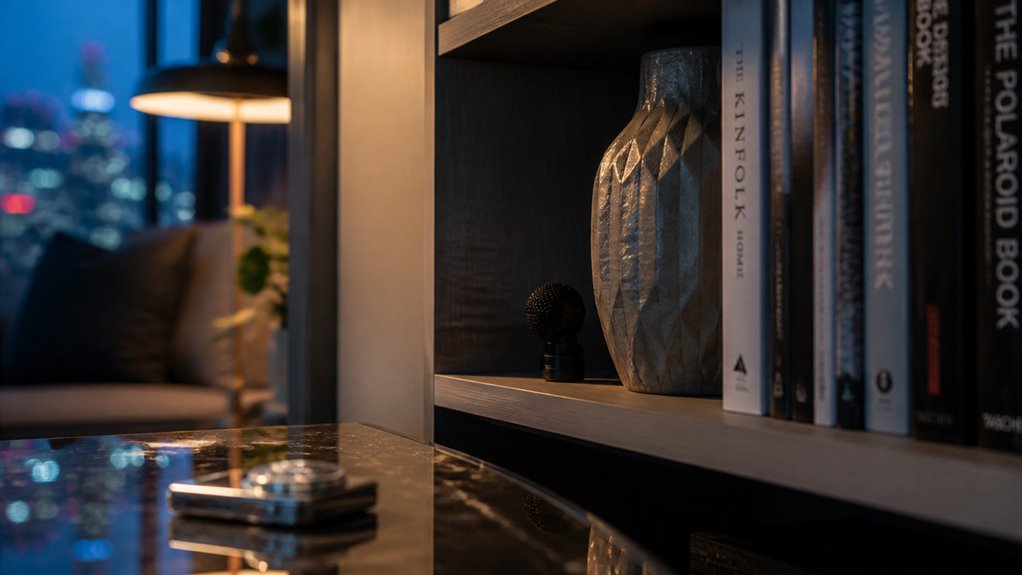
- In a dark room, scan with a flashlight or your phone camera to spot lens reflections or infrared lights.
- Look for small pinholes, lens glints, or tiny holes in décor, especially in corners and hard-to-reach areas.
- Use a radio frequency detector to identify wireless signals that hidden cameras or microphones may emit.
- Ensure you respect privacy boundaries when inspecting or sharing any findings to maintain trust and legality.
This methodical inspection helps you detect concealed surveillance without relying on guesswork.
What Unusual Sounds Mean You’re Being Recorded?
If you start hearing a constant buzzing or static sound in certain rooms, that might be a sign that there are hidden recording devices nearby.
It’s worth keeping an ear out for when these sounds happen.
If they occur at the same times regularly, that could indicate some electronic transmissions are going on.
Also, pay attention to the patterns.
Noticing where and when these noises pop up can really help you figure out if something suspicious is happening.
It’s all about connecting the dots!
Performing regular RF sweeps can help detect these hidden electronic transmissions and confirm if surveillance devices are present.
Identifying Buzzing Noises
Although buzzing noises can come from many household electronics, persistent or unusual sounds near walls, sockets, or devices may indicate hidden recording equipment. When you hear a consistent buzz, analyze its source carefully.
Pay particular attention if the sound:
- Repeats in specific rooms or near power outlets.
- Continues even after turning off related electronics.
- Occurs alongside slight interference on radios or TVs.
- Is accompanied by subtle changes in device behavior or unexplained power usage.
These clues suggest an active transmitter or microphone drawing power. Don’t dismiss faint buzzing as normal background noise. Instead, use a systematic approach: isolate the sound’s location, switch off electronics methodically, and observe any correlations.
Understanding signal interference can help you identify if the buzzing is caused by surveillance devices or common household electronics.
This will help you differentiate typical appliance sounds from signals of surveillance devices in your home.
Timing Of Static Sounds
Frequently, the timing of static sounds provides crucial clues that you might be under surveillance. If these noises appear consistently during quiet moments or coincide with your phone calls, it signals possible electronic recording. Irregular bursts of static, especially when you’re alone, suggest activated transmitters. Tracking when and where these sounds occur sharpens your understanding of their source.
| Time of Day | Possible Cause |
|---|---|
| Late Night | Device activation or scan |
| During Calls | Phone or line tapping |
| Random Intervals | Intermittent transmitter |
| Quiet Moments | Microphone sensitivity peak |
Maintaining a routine inspection and cleaning of your environment can help detect and prevent hidden surveillance devices before they cause ongoing issues.
Room-Specific Sound Patterns
When unusual sounds consistently originate from specific rooms, they often indicate the presence of recording devices. Pay close attention to recurring audio anomalies localized in one area, as these can reveal hidden bugs.
Typical indicators include:
- Buzzing or clicking noises near outlets or light fixtures.
- Sudden static bursts that coincide with movement or conversation.
- Repeated high-pitched squeals or beeps at irregular intervals.
- Distorted phone or radio signals confined to one room.
Such patterns suggest electronic interference linked to surveillance equipment. Focus your investigation on rooms where these sounds persist, examining common concealment spots like vents, lamps, and smoke detectors.
Document when and where the noises occur to identify suspicious trends and support further inspection or professional assessment.
Additionally, consider that some hidden cameras use infrared LEDs for discreet low-light operation, which can sometimes cause unusual audio or visual disturbances if improperly shielded.
How to Use Electronic Tools to Find Hidden Surveillance Devices?
You can kick things off by scanning your home with an RF detector. This handy tool helps you spot any unexpected wireless signals that might hint at hidden transmitters. It’s a straightforward first step that can really make a difference.
Next up, take a look at your network. Check for any unknown devices or unfamiliar connections. These could be linked to surveillance gear, and you definitely want to keep an eye on that.
Finally, don’t forget about your phone’s camera! You can use it along with a remote’s infrared light to uncover hidden cameras. These cameras often emit infrared signals, which are invisible to the naked eye. So, using your phone in this way can be a clever trick!
Additionally, many security cameras have a unique UID identifier that allows for secure remote access, making unauthorized devices easier to identify within your network.
RF Detection Techniques
Activate an RF detector to scan your home for hidden transmitters emitting wireless signals. Move slowly, paying close attention to spikes in signal strength, which often indicate the presence of a bug.
Focus on areas near power sources and common concealment spots like outlets, lamps, and smoke detectors. Avoid interference by turning off unrelated electronics during the scan.
- Sweep each room systematically, holding the detector close to walls and furniture.
- Note any sudden beeps or signal surges, marking their locations for further inspection.
- Adjust sensitivity settings to differentiate between background noise and suspicious transmissions.
- Recheck areas with persistent signals at different times to confirm consistency.
This method helps you identify wireless bugs using precise, targeted detection without relying on guesswork. Using devices that incorporate motion detection algorithms can further enhance the identification of active surveillance equipment.
Network Device Monitoring
Following an RF detector sweep, examining your home’s network devices offers another layer of insight for spotting hidden surveillance.
Start by accessing your router’s administration page to identify connected devices. Unknown or unfamiliar entries may indicate a covert transmitter.
Next, scan for unusual Wi-Fi networks or Bluetooth signals using your smartphone or specialized apps. Unexpected names or persistent signals can be red flags.
Turn off your Wi-Fi and Bluetooth to see if suspicious activity ceases, which suggests a device relies on your network.
Inspect power sources near routers, outlets, and lamps for extra wiring or modifications that could power concealed bugs.
Regularly monitoring network traffic and device lists helps you detect anomalies early. This allows you to isolate and investigate potential surveillance devices before they compromise your privacy.
Using Bluetooth detector apps can help identify short-range devices that may be transmitting within your home network.
Infrared Camera Scanning
Using infrared camera scanning offers a powerful way to detect hidden surveillance devices that rely on invisible light emissions. By leveraging this technology, you can identify camera lenses or sensors that emit infrared light, often invisible to the naked eye.
To effectively use infrared scanning, focus on these key steps:
- Turn off room lights to enhance the visibility of infrared reflections.
- Slowly scan suspicious objects like smoke detectors, clocks, lamps, and décor.
- Use your phone camera to spot bright or colored infrared points indicating a hidden lens.
- Test with a TV remote’s infrared light to see if devices respond or reveal hidden sensors.
This method provides a precise, non-invasive way to uncover covert cameras that standard visual checks might miss. For improved results, consider the impact of IR light reflection on visibility when scanning through glass surfaces.
How to Document and Verify Suspicious Activity?
Keep a detailed, dated log of any unusual noises, device behavior, or changes in your home’s environment. Note when and where these occur, focusing on patterns or repeated incidents.
Maintain a detailed, dated log of unusual sounds or changes, noting times and locations to identify patterns.
Photograph or video suspicious objects and wiring without disturbing their placement to preserve evidence. Track power usage and compare it against previous bills or similar homes to detect unexplained spikes.
Regularly review your notes for recurring anomalies or consistencies that suggest surveillance activity. If possible, get a trusted person to review your findings to reduce bias and enhance accuracy.
This methodical documentation helps verify whether suspicious activity is isolated or part of a larger, coordinated pattern. It lays the groundwork for informed decisions and potential further investigation.
When to Call a Professional for a Thorough Bug Sweep?
If you notice multiple signs of surveillance, such as repeated unusual noises, consistent device malfunctions, or unexplained power usage spikes, it’s time to call a professional for a thorough bug sweep.
Professionals bring specialized tools and expertise that go beyond basic checks. This guarantees hidden devices or subtle tampering won’t be missed.
Consider hiring a professional when:
- Suspicious signals or noises persist despite your initial investigations.
- You detect unknown devices on your network or unexplained power draws.
- Physical inspections reveal tampering but you can’t identify the device.
- You want to preserve evidence and guarantee thorough documentation for legal or security purposes.
Act promptly. A professional sweep can confirm suspicions or rule out threats, giving you peace of mind.
Frequently Asked Questions
Can Bugs Be Hidden Inside Household Appliances or Furniture?
Yes, bugs can definitely be hidden inside household appliances and furniture.
You should check items like lamps, smoke detectors, clocks, and even furniture backs or drawers for unusual openings, extra wiring, or loose panels.
Hidden devices often exploit power sources or inconspicuous spaces.
Use a flashlight to spot small lens reflections or pinholes.
Inspect seams and corners carefully. These areas are prime hiding spots for concealed surveillance equipment.
How Often Should I Check My Home for Surveillance Devices?
You should check your home for surveillance devices as often as a paranoid spy in a thriller. Maybe monthly if you’re really committed.
But realistically, quarterly inspections catch most sneaky setups before they settle in. Keep an eye on outlets, décor, and network devices regularly.
Don’t obsess over every creak, but trust your instincts when things feel off. Consistent, calm vigilance beats frantic, last-minute freakouts every time.
Are There Legal Consequences for Secretly Bugging a Home?
Yes, secretly bugging a home can lead to serious legal consequences. You could face criminal charges like invasion of privacy, wiretapping, or illegal surveillance, which vary by jurisdiction.
These charges often include fines or imprisonment. Civil lawsuits might also arise if the recorded parties sue for damages.
Always consider consent laws and local regulations before installing any monitoring device. This helps avoid violating privacy rights and triggering legal penalties.
Can Pets Detect Hidden Cameras or Microphones?
Sure, your dog isn’t exactly an undercover agent, but yes, pets can sometimes sense hidden cameras or microphones.
They react to subtle sounds or reflections you might miss, fixating on odd corners or avoiding certain rooms.
Don’t rely on Fido’s instincts alone; use their behavior as a clue, not proof.
Combine their cues with thorough inspections and tech checks to uncover any hidden surveillance devices effectively.
What Are Common Motives Behind Home Bugging?
Common motives behind home bugging include gathering sensitive personal or financial information, spying on relationships, or gaining leverage in disputes.
You might face bugging from jealous partners, corporate competitors, or even criminals seeking blackmail material.
Sometimes, government surveillance targets individuals for security reasons.
Understanding these motives helps you stay alert to suspicious signs and prioritize investigations based on who might want access to your private conversations or activities.
When Bug Detection Signs Should Not Be Ignored?
If you think your home might be bugged, don’t ignore the signs whispering in plain sight. Spotting physical clues, unusual sounds, or hidden devices can feel like solving a puzzle that protects your privacy.
Use electronic tools and document everything carefully, but know when to call in the pros. After all, your home should be a sanctuary, not a surveillance zone. Isn’t it worth fighting to keep it that way?