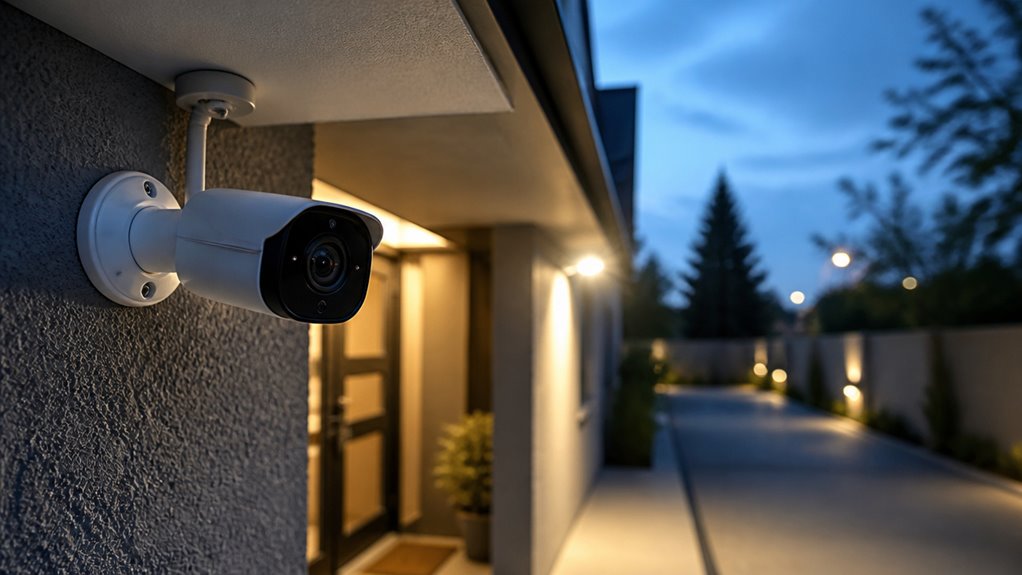

Look for a security camera offering at least 1080p resolution for clear detail. A wide-angle lens between 100°–140° helps balance coverage and clarity.
Make certain it has reliable night vision with quality IR LEDs or color night vision for low-light accuracy. Choose a durable, weather-resistant model with stable wired power or efficient battery options.
Prioritize smart AI detection to reduce false alerts and secure, encrypted storage. Understanding these essentials will guide you toward effective surveillance solutions.
Key Takeaways
- Choose cameras with at least 1080p HD resolution and HDR/WDR for clear, detailed images in various lighting conditions.
- Opt for wide-angle lenses (100°–140°) and frame rates between 15–30 fps for balanced coverage and smooth video.
- Ensure night vision features include high-quality IR LEDs and enhanced low-light sensors for clear color or black-and-white footage.
- Select power options like wired, battery, or solar based on location and ensure durable, weather-resistant construction for reliability.
- Prioritize smart detection features, secure storage (local and cloud), and encrypted connectivity for effective monitoring and data protection.
Video Quality and Resolution for Clear Security Footage
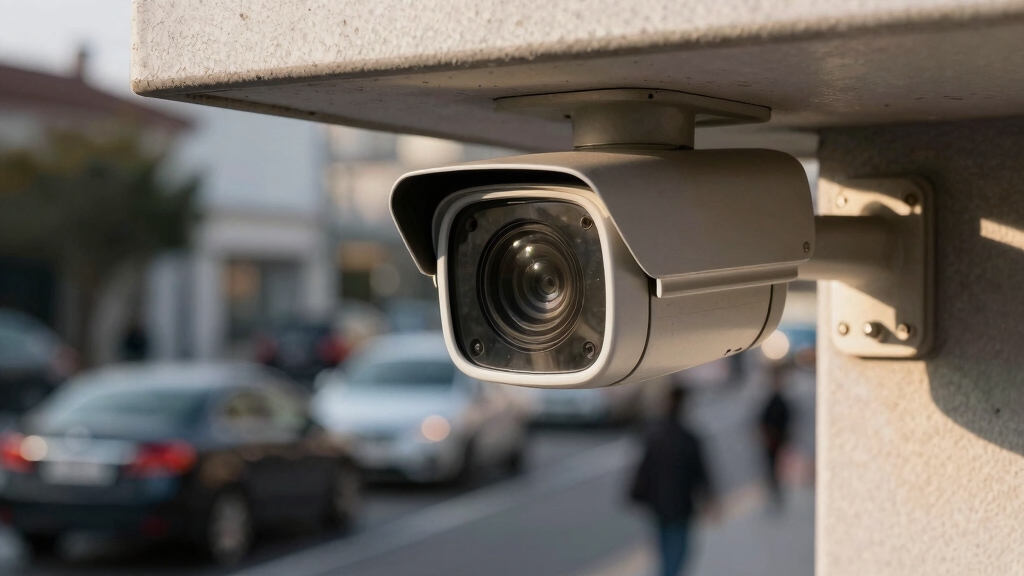
Achieving clear security footage starts with selecting a camera that delivers at least 1080p HD resolution. This ensures you can accurately identify facial features and clothing details.
For peak clarity, consider 2K (1440p) resolution, which balances detail and bandwidth efficiently. Maintain a frame rate no lower than 15 fps to prevent motion blur and preserve smooth video playback.
High Dynamic Range (HDR) capability is essential for capturing detail in scenes with extreme lighting contrasts, such as shadows or bright highlights.
Prioritize cameras with high signal-to-noise ratios and efficient compression codecs to maximize image quality without excessive storage demands.
Focus on resolution, frame rate, and dynamic range to achieve reliable, actionable footage critical for security and investigative purposes.
Additionally, ensure camera placement avoids recording areas with a reasonable expectation of privacy to minimize privacy concerns and legal risks.
Lens and Field of View: Key to Capturing Details
When it comes to capturing details, picking the right resolution is crucial. A good choice is 2K; it strikes a nice balance between clarity and storage space. You want those precise details without running into storage issues, right?
Now, let’s talk about lenses. A wide-angle lens with a field of view between 100° and 160° can really help. It means you won’t need as many cameras, yet you’ll still have solid coverage.
Oh, and don’t forget about frame rates! Keeping it at a minimum of 15 fps ensures that motion remains smooth and identification is clear. It all works together to create a better overall experience.
For optimal coverage, it’s also important to consider mounting heights and angles to avoid blind spots and capture clear facial and license plate details.
Optimal Resolution Choices
Selecting the best resolution and lens specifications directly impacts your security camera’s ability to capture critical details such as facial features and clothing. You should prioritize a minimum of 1080p HD to guarantee clear identification.
However, 2K (1440p) resolution offers the prime balance of detail and bandwidth efficiency. Additionally, frame rate plays a vital role; aim for at least 15 fps to maintain smooth motion clarity.
Consider these factors for prime resolution choices:
Resolution must be sufficient to distinguish key features without excessive data load. Lens quality and sensor size affect overall image sharpness at the chosen resolution. HDR capability enhances visibility in challenging lighting, preserving detail across shadows and highlights. Advanced features like Wide Dynamic Range (WDR) improve image quality by optimizing visibility in scenes with varying lighting conditions.
Wide-Angle Lens Benefits
Beyond resolution and frame rate, lens specifications markedly influence the camera’s coverage and detail capture. A wide-angle lens expands the field of view, enabling you to monitor larger areas with fewer cameras. This reduces blind spots and installation complexity while ensuring critical details remain visible. Typically, a wide-angle lens ranges from 100° to 160°, balancing coverage and image distortion.
| Field of View (Degrees) | Benefit |
|---|---|
| 100° | Wide coverage, minimal distortion |
| 120° | Ideal balance of detail and area |
| 140° | Maximizes area, slight distortion |
| 160° | Largest area, more distortion |
Choosing the right wide-angle lens maximizes your system’s efficiency and situational awareness without compromising image clarity. Proper lens alignment and maintaining an unobstructed field of view are essential to prevent blind spots and maximize coverage.
Balancing Frame Rate
Optimizing the frame rate is essential for capturing smooth, detailed motion without sacrificing image quality. You want at least 15 frames per second (fps) to guarantee fluid video that reveals critical details like facial expressions and movements.
However, higher frame rates increase bandwidth and storage demands, so balancing frame rate with resolution and field of view is vital. A wide-angle lens captures more area but can reduce pixel density per object, making a consistent frame rate even more important.
Consider these factors to balance frame rate effectively:
- Prioritize 15-30 fps to maintain smooth motion without excessive data load.
- Adjust frame rate based on lighting conditions; lower fps may suffice in low-activity zones.
- Match frame rate with resolution to avoid motion blur and pixelation.
This balance guarantees reliable, actionable footage. Additionally, keep in mind that higher resolutions such as 4MP or above enable effective digital zoom without substantial pixelation, complementing frame rate for better detail capture.
Night Vision Features for Reliable Security Cameras
When choosing security cameras, it’s really important to look for ones that have infrared LEDs. These will give you a night vision range of at least 30 feet, ensuring you get clear images even in total darkness.
Now, if you want a little extra detail, you might want to consider color night vision. Just keep in mind that it usually comes with a higher price tag.
Also, don’t overlook the importance of strong low-light performance. It’s crucial for accurately identifying people and vehicles once the sun goes down. So, make sure to factor that into your decision!
Additionally, optimizing camera settings for energy-efficient video compression can help extend battery life without sacrificing image quality.
Infrared LED Range
When selecting a security camera for effective night surveillance, the infrared (IR) LED range plays a crucial role in ensuring clear visibility in total darkness.
You want a camera with an IR range that covers the critical areas you need monitored, typically between 30 and 100 feet. The number and quality of IR LEDs directly affect image clarity and detection reliability in pitch-black conditions.
Consider these key points:
A minimum IR range of 30 feet is essential for clear identification at typical residential distances. Higher IR ranges up to 100 feet suit larger properties or commercial sites requiring extended coverage.
LED quality impacts infrared illumination uniformity, reducing blind spots and enhancing detail recognition.
Prioritize cameras with robust IR LED specifications to maximize night vision performance and security confidence. Positioning the camera and IR illuminators outside glass surfaces can significantly reduce IR reflection and improve night visibility.
Color Night Vision
Color night vision markedly enhances security camera performance by capturing detailed, full-color images in low-light or nighttime conditions. Unlike traditional infrared night vision, which produces monochrome images, color night vision utilizes advanced sensors and supplemental lighting to preserve color fidelity. This improves identification accuracy.
When selecting a camera with this feature, guarantee it integrates high-quality complementary illumination, such as white LEDs, to maintain natural color rendering without overexposure. This capability is especially critical for distinguishing clothing colors, vehicle hues, and other subtle visual cues.
While color night vision demands more power and may increase costs, its benefits in forensic analysis and real-time monitoring often justify the investment. Prioritize cameras that balance color accuracy with minimal noise to maximize nighttime security effectiveness.
For optimal results, ensure the camera is mounted at the recommended mounting height to achieve clear identification without blind spots.
Low-Light Performance
Although night vision technology has advanced markedly, low-light performance remains a critical factor in selecting reliable security cameras.
You need cameras equipped with high-quality infrared (IR) LEDs to guarantee clear visibility in total darkness, typically covering 30 to 100 feet.
The number and quality of IR LEDs directly affect the camera’s night vision effectiveness. Also, consider sensors with enhanced low-light sensitivity that capture more detail without relying solely on IR illumination.
Key low-light performance features to prioritize include:
- Infrared LED range sufficient for your surveillance area
- Sensors optimized for minimal noise and high detail under low illumination
- Adjustable IR cut filters for seamless day-to-night shifts
Some cameras combine bright spotlights with IR LEDs to enable full-color night recordings even in complete darkness.
Power Options for Reliable Outdoor Security Cameras
Since reliable power is essential for maintaining continuous surveillance, selecting the right power option for your outdoor security cameras directly impacts their effectiveness.
You should weigh wired connections against wireless options based on your installation environment. Wired cameras, powered via Ethernet or dedicated power cables, guarantee uninterrupted operation and stable connectivity.
However, they require professional installation and proximity to power sources. Alternatively, battery-powered cameras offer flexibility and ease of placement but demand regular recharging or replacement. This can compromise constant monitoring.
Solar-powered solutions present an autonomous option for remote locations lacking electrical infrastructure. Their efficiency depends on consistent sunlight exposure. Additionally, LTE-enabled cameras provide internet access without fixed lines, ensuring uptime in off-grid areas.
Prioritize power options that align with your site’s conditions to maintain secure, dependable outdoor surveillance. Cameras with built-in solar panels can extend operation up to six months, reducing maintenance needs in remote settings.
Smart Detection and AI for Accurate Security Alerts
Enhance your security system’s effectiveness by leveraging smart detection and AI technologies that minimize false alerts and focus on relevant activity.
These advanced features differentiate genuine threats from innocuous movements such as animals or debris, optimizing your alert accuracy. You’ll benefit from AI-driven person and vehicle detection, reducing unnecessary notifications and guaranteeing timely responses.
Key elements include:
Activity zones to define specific monitoring areas, limiting irrelevant alerts.
Motion tracking coupled with pan-tilt-zoom to maintain proactive coverage of large spaces.
False-alert controls that filter noise and enhance overall system reliability.
Implementing these capabilities guarantees your security camera delivers precise, actionable alerts. This reduces distractions and improves situational awareness.
How to Securely Store Your Security Camera Footage?
When you secure your security camera footage properly, you protect critical evidence from tampering and unauthorized access.
Start by choosing storage solutions that support AES-256 bit encryption to safeguard your data with military-grade security.
Opt for local storage with at least 32 GB capacity or higher, especially if your cameras record in resolutions above 1080p, guaranteeing sufficient retention without compromising quality.
Cloud storage with a minimum 14-day history provides an additional layer of backup and remote access convenience.
Use microSD cards sized 64 GB or 128 GB for higher resolution footage, and ensure your system supports open ONVIF standards for compatibility and flexibility.
Finally, regularly update firmware and passwords, and restrict access rights to maintain a secure storage environment.
Durability and Weather Resistance for Outdoor Use
Securing your camera footage is only part of maintaining an effective surveillance system. Protecting the physical hardware from environmental hazards is equally important. You need a security camera built to withstand harsh outdoor conditions.
Protecting your security camera hardware from environmental hazards is just as vital as securing the footage itself.
Look for an IP65 or higher ingress protection rating to ensure the camera resists dust and water effectively. Confirm it operates reliably within a temperature range of –20°F to 120°F, covering extreme climates. Vandal-resistant construction and secure mounting prevent tampering and physical damage.
Key durability features to prioritize include:
- IP65+ rating for thorough dust and water resistance
- Temperature tolerance suitable for your local climate extremes
- Robust, tamper-proof design with secure cable management
Choosing a camera with these specifications guarantees continuous, reliable performance outdoors.
Managing Your Security Camera With Apps and Connectivity
To get the most from your security camera, you’ll want to connect it through a dedicated mobile app that offers seamless control and real-time access.
These apps enable instant notifications, live feed viewing, and two-way audio communication. This ensures you stay informed and can interact remotely.
Integration with smart assistants like Alexa or Google Assistant further enhances usability. Secure connectivity is essential to prevent unauthorized access and maintain system reliability.
| Feature | Benefit | Consideration |
|---|---|---|
| Mobile App Control | Real-time monitoring & alerts | Secure login and encryption |
| Two-Way Audio | Remote communication | Requires microphone and speaker |
| Smart Assistant | Voice control & automation | Compatibility with your system |
| Connectivity Type | Wi-Fi or wired options | Wired preferred for entry points |
Frequently Asked Questions
How Do I Install a Security Camera Without Drilling Holes?
You can install a security camera without drilling holes by using adhesive mounts or strong double-sided tape designed for outdoor use.
Alternatively, use magnetic mounts if your surface is metal.
Another option is to place the camera on a stable surface like a shelf or use a tripod mount.
For wireless cameras, make certain they’ve robust battery life or solar power to avoid wiring complications.
Always confirm stability to prevent camera displacement.
Can Security Cameras Detect Sound or Only Motion?
Imagine a guard dog that not only barks at movement but also alerts you when it hears a suspicious sound.
Security cameras can do the same; you’re not limited to motion detection.
Many models include sound detection capabilities, picking up noises like breaking glass or voices.
This audio sensing complements motion sensors, enhancing security by triggering alerts for both visual and auditory events.
This ensures you don’t miss critical incidents.
What Is the Average Lifespan of a Security Camera?
You can expect the average security camera to last around 5 to 7 years with proper maintenance.
Factors like weather resistance (IP65 or higher), build quality, and power stability directly impact its lifespan.
Outdoor cameras exposed to extreme temperatures or vandalism might wear out sooner.
Regular firmware updates and cleaning your camera’s lens and housing will help you maximize its operational life and maintain peak performance over time.
Are There Privacy Concerns With Cloud Storage for Footage?
Yes, you should be aware that 62% of cloud storage breaches involve video footage, raising significant privacy concerns.
When you store footage in the cloud, your data is vulnerable to hacking or unauthorized access unless the provider uses strong AES-256 bit encryption.
Always verify the cloud service’s security protocols, opt for end-to-end encryption, and guarantee compliance with privacy regulations to protect your footage from exposure or misuse.
How Do I Reset My Security Camera if It Stops Working?
To reset your security camera, first locate the physical reset button, usually a small pinhole on the device.
Use a paperclip to press and hold it for 10 to 15 seconds until the indicator light flashes or changes color. This restores factory settings.
Afterward, reconnect the camera to your network and reconfigure it via the app.
If your model supports software resets, access the camera’s settings through the app and select “Reset” or “Restart.”
Choose Smarter Before Buying a Security Camera
When choosing a security camera, don’t let essential features slip through the cracks like shadows at dusk.
Prioritize high video resolution, wide lens coverage, and robust night vision to capture every detail.
Make certain reliable power options and airtight storage for your footage.
Smart AI detection sharpens your alerts, while durable, weatherproof designs guarantee longevity.
Seamless app connectivity puts control at your fingertips.
With these factors, you’ll build a fortress of vigilance that never blinks.
[…] security with dependable image clarity around the clock. Additionally, Tapo cameras incorporate HDR/WDR technology to maintain detail in scenes with extreme lighting contrasts, ensuring balanced exposure in […]