
To stop your alarm system from beeping, first identify the alert source by checking each device’s beep pattern and indicator lights. Confirm the security panel shows no error codes, then test and replace low batteries in sensors and backup units.
Use the control panel to temporarily silence alerts and verify power connections to prevent outages. If a sensor malfunctions, temporarily bypass it following system guidelines.
Persistent beeping means professional support or monitoring center advice may be needed. Explore steps to handle these issues thoroughly.
Key Takeaways
- Identify the beeping source by listening for unique beep patterns and checking flashing indicator lights on alarms and security devices.
- Inspect and replace low or faulty batteries in control panels, sensors, and detectors with recommended types to stop low-battery beeping alerts.
- Use the security control panel’s trouble or sensor management menu to locate and bypass malfunctioning sensors causing continuous beeping.
- Temporarily silence the alarm by entering the security code or pressing the silence/reset button on the control panel, then investigate the root cause.
- Contact the alarm monitoring company or professional support if beeping persists after basic troubleshooting and battery replacement.
How to Identify Which Alarm Is Beeping?
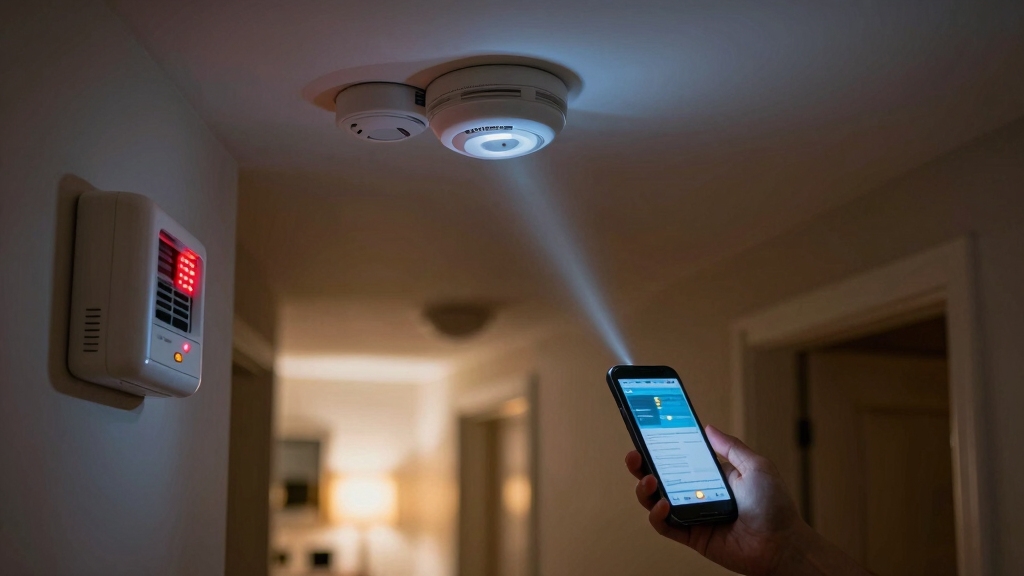
To pinpoint which alarm is beeping, start by checking each potential source systematically. This includes your burglar alarm system, smoke detectors, and carbon monoxide detectors.
Begin by methodically inspecting your burglar alarm, smoke detectors, and carbon monoxide alarms to identify the beeping source.
Approach each device individually, listening closely for distinct beep patterns. Each alarm type uses unique signals.
Inspect the security panel for error codes or flashing indicators. These often identify the faulting sensor or battery status.
Test smoke and carbon monoxide detectors by pressing their test buttons. If they emit a beep, they’re functioning and may not be the source.
Verify the location of the sound by moving device to device. This precise identification helps you avoid unnecessary troubleshooting and guides you toward the correct resolution method.
Avoid disarming or silencing alarms before confirming the source to maintain safety integrity.
Visual clues like flashing indicator lights often flash in tandem with the sound and can help locate the originating alarm.
How to Confirm Your Security System Is the Source of Beeping?
First things first, you’ll want to identify which device is actually making that annoying beep. It could be a smoke detector or a carbon monoxide alarm, so it’s important to narrow it down.
Once you’ve located the sound, check your security system. Look at the control panel and all the connected sensors to see if the beep is coming from there. Confirming that the alarm is indeed from your security system is key, as it ensures you’ll be taking the right steps to troubleshoot the issue.
If the beep relates to sensor issues, understanding how to identify faulted zones on your ADT panel can help you pinpoint the source quickly.
Identify Beeping Device
When you hear a persistent beep, confirming whether your security system is the source is essential before taking any action.
First, visually inspect your security control panel and keypad for flashing lights or error codes indicating alerts.
Next, check all devices linked to your system, such as motion detectors, door/window sensors, and external sirens, for any signs of activity.
Distinguish your system’s beep from other household alarms like smoke or carbon monoxide detectors by noting different beep patterns or locations.
Use your system’s user manual to identify specific alarm sounds.
If you’re uncertain, temporarily silence or disable other alarms one at a time to isolate the source.
Proper identification guarantees you address the correct device, preventing unnecessary interventions or overlooking critical alerts.
Also, performing a safety check before troubleshooting ensures there are no active break-ins or emergencies.
Verify Alarm Origin
How can you be certain that your security system is the source of the persistent beeping? First, distinguish the alarm sound from other household devices such as smoke or carbon monoxide detectors.
Then, inspect the security panel and all connected devices for alerts or error indicators. Confirming the source is essential before proceeding with troubleshooting or contacting support.
To verify the origin, follow these steps:
Listen carefully to identify if the beeping tone matches your security system’s alarm pattern.
Visually check the control panel for active alerts or blinking lights indicating system status.
Inspect all alarm devices individually to rule out other sources like smoke or CO detectors.
This method guarantees accurate identification and guides effective resolution. For more precise diagnostics, accessing the trouble menu on your security panel can help identify specific issues causing the beeping.
Test and Replace Batteries to Stop Alarm Beeping
Check all batteries associated with your alarm system using a reliable battery tester to accurately identify any that are dead or faulty.
Begin by removing batteries from the control panel, wireless sensors, and smoke or carbon monoxide detectors connected to the system.
Test each battery individually for voltage and capacity to confirm their condition.
Replace any battery that falls below manufacturer-specified voltage thresholds with the exact type recommended in your user manual.
After installation, reset the alarm system if necessary to clear low-battery alerts.
Remember, both wireless and hardwired components may rely on batteries, so don’t overlook any device.
Regular battery checks and timely replacements prevent false beeping, ensuring uninterrupted alarm functionality and system reliability.
For best results, use fresh alkaline or lithium batteries from reputable brands to maximize battery life and performance.
Silence Your Alarm Using the Control Panel
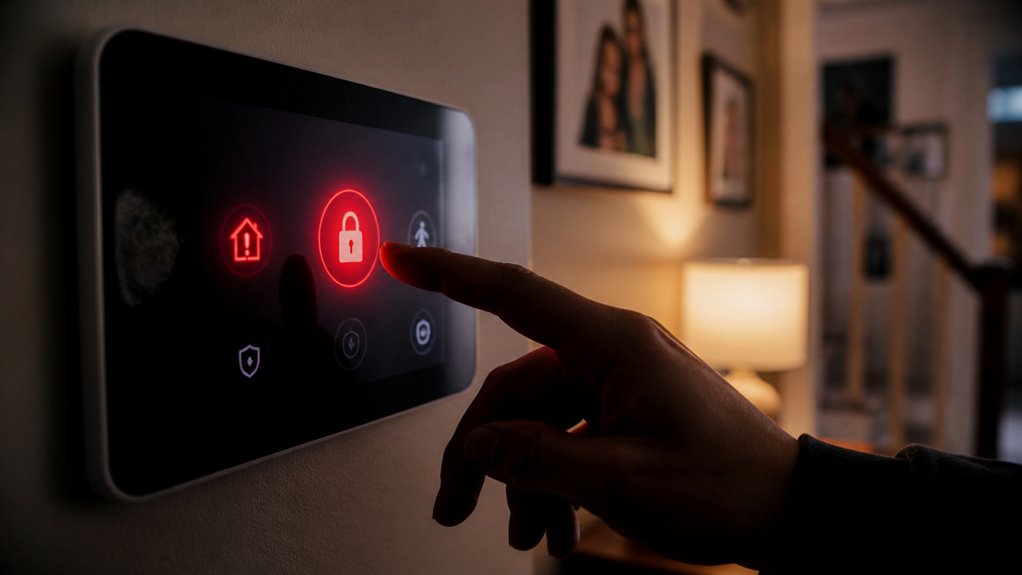
To silence your alarm, first, enter your unique security code on the control panel. This usually stops most of the beeping noises. If the sound doesn’t stop, no worries! Just press the status button on the keypad to temporarily mute the alarm.
Keep in mind that different systems might’ve slight variations, so make sure to follow these steps closely. You’ll be back in control of your security panel in no time! If you continue to experience persistent beeping, consider performing a power cycle reset to refresh the system and resolve potential faults.
Enter Security Code
When your alarm starts beeping, entering your unique security code on the control panel immediately silences the sound in most standard systems. Locate the keypad on the control panel and type your code carefully to disarm the alarm. This action resets the system and stops the audible alert.
Follow these steps to guarantee proper code entry:
Verify your security code is correct before inputting.
Press the “Enter” or “Disarm” button after typing the code to confirm.
If the alarm continues, re-enter the code or power cycle the panel if possible. Pressing the disarm button followed by your 4-digit code can also help silence ongoing beeps and acknowledge trouble conditions.
Use Status Button
Although entering your security code is the most common way to silence your alarm, pressing the status button on your control panel offers a quick alternative for stopping beeping sounds.
Locate the status button, usually labeled or indicated by an icon, and press it firmly. This action temporarily silences most beeping alerts without disarming the system.
Remember, this method doesn’t resolve underlying issues causing the beep but provides immediate relief.
It is important to enter your security code to silence tamper alerts and prevent false alarms during this process, as outlined in tamper alert handling procedures.
| Step | Action | Result |
|---|---|---|
| 1 | Locate status button | Identify control panel feature |
| 2 | Press status button firmly | Silence alarm beeping sound |
| 3 | Monitor panel for alerts | Confirm beep has stopped |
Use this technique for quick silencing, then investigate the cause.
Troubleshoot Power Loss Causing Alarm Beeping
If your alarm starts beeping unexpectedly, a power loss is often the culprit triggering the backup battery to activate.
First, verify power is reaching your system by checking the outlet and ensuring the power cord is securely connected to the control panel.
Next, inspect your circuit breaker panel for any tripped breakers or blown fuses disrupting electrical flow.
Finally, confirm the backup battery inside the control panel is functioning properly to provide temporary power until main power is restored.
Check outlet and power cord connections for secure attachment.
Inspect circuit breakers or fuses for interruptions.
Test backup battery condition inside control panel.
If the battery is low or faulty, consider replacing it with an official replacement battery to prevent further beeping and ensure system reliability.
Fix Sensor and Wiring Issues Triggering Beeping
Inspect your sensors and wiring carefully, as loose or faulty connections often cause persistent beeping in your alarm system.
Begin by identifying which sensor triggers the alert using the control panel’s notifications.
Start by pinpointing the specific sensor causing the alert via your control panel’s notifications.
Examine all motion detectors, door, and window sensors for secure mounting and intact wiring.
For hardwired sensors, check wires for breaks, corrosion, or loose terminals.
Tighten any loose connections and replace damaged wiring promptly to restore functionality.
Wireless sensors may need battery checks, but focus here remains on physical wiring integrity.
If the control panel flags a specific sensor, prioritize inspecting that device.
Avoid attempting complex repairs on hardwired components unless you have technical expertise.
Otherwise, contact a professional technician to prevent system damage or safety risks.
Before troubleshooting, it is important to notify authorities and place the system in test mode to avoid unnecessary emergency responses.
How to Temporarily Bypass a Malfunctioning Sensor?
First off, you’ll want to figure out which sensor is acting up. Check the control panel for any alerts—that should give you a clue.
Once you’ve pinpointed the problematic sensor, it’s time to access the control panel. Just enter your security code to get into the settings menu.
After that, look for the option to bypass the sensor. By enabling that, you can temporarily silence the beeping from the faulty device without turning off the whole system. Easy peasy!
Identify Faulty Sensor
Begin by accessing your security system’s control panel to identify which sensor is triggering the beeping. The control panel typically displays the faulty sensor’s location or code.
Once identified, inspect the sensor physically for damage or loose wiring. If the sensor is malfunctioning, you can temporarily bypass it through the control panel settings to stop the alarm beeping while maintaining overall system security.
Follow manufacturer instructions for bypassing sensors safely. Key steps to identify and bypass a faulty sensor include:
- Review control panel alerts to locate the malfunctioning sensor.
- Inspect sensor wiring and physical condition for faults.
- Use control panel menu to temporarily disable or bypass the problematic sensor.
This method prevents false alarms while you arrange for permanent repair or replacement.
Access Control Panel
To temporarily bypass a malfunctioning sensor, you’ll need to access your security system’s control panel and navigate to the sensor management or bypass menu.
Start by entering your security code to open the panel.
Locate the list of sensors, identifying the faulty one by its label or zone number.
Select that sensor and choose the option to temporarily bypass or disable it.
Confirm your selection to prevent the control panel from registering faults or triggering alerts from the malfunctioning sensor.
Keep in mind this bypass is temporary and should be reversed once repairs are completed.
Avoid disabling multiple sensors simultaneously to maintain system integrity.
If your panel interface varies, consult the user manual for precise navigation steps.
This method stops beeping caused by faulty sensors without compromising overall security.
Enable Sensor Bypass
After accessing your control panel and locating the faulty sensor, you’ll want to enable the sensor bypass function to temporarily disable its alerts. This prevents continuous beeping caused by malfunctioning sensors without compromising the rest of your system’s protection.
Follow these steps precisely:
Navigate to the sensor settings menu on your control panel.
Select the malfunctioning sensor and activate the bypass option.
Confirm the bypass to apply changes, ensuring the sensor is temporarily excluded from triggering alarms.
What to Do If Your Alarm Keeps Beeping?
When your alarm keeps beeping, start by pinpointing the exact source of the sound to avoid confusion with other household alarms like smoke or carbon monoxide detectors.
Check the security panel, sensors, and backup batteries thoroughly. Test batteries with a battery tester and replace if needed. Disarm the system using your code or keypad status button to silence the beeping.
Inspect wiring and power connections for faults or outages. Use the table below to guide your troubleshooting process:
| Issue | Action |
|---|---|
| Battery Low | Test and replace batteries |
| Power Loss | Check power cables and circuit breakers |
| Sensor Malfunction | Inspect wiring, bypass faulty sensor temporarily |
| Alarm Panel Alert | Disarm or press status button |
| Unknown Source | Verify source, confirm no fire or CO threat |
When to Contact Professional Alarm Support Services?
If you’ve followed all troubleshooting steps, such as checking batteries, power connections, sensors, and system controls, but the alarm keeps beeping, it’s time to reach out for professional help.
Persistent issues often require expert diagnostics and repairs beyond basic user capabilities. Contact your security vendor or alarm monitoring company to ensure your system functions correctly and your property remains safe.
Persistent issues need expert diagnostics to keep your security system reliable and your property safe.
Consider professional support when you encounter hardwired sensor malfunctions needing specialized repair.
Also, reach out if you experience unresolved beeping despite replacing batteries and resetting controls.
Additionally, contact support for system alerts related to power outages or signal verification.
Professional technicians can accurately identify faults, perform necessary replacements, and confirm system integrity.
Don’t delay contacting support if standard troubleshooting fails. Timely intervention prevents system failures and false alarms.
How Alarm Monitoring Centers Help With Beeping Alarms?
Alarm monitoring centers play a crucial role in managing beeping alarms by remotely evaluating your system’s alerts and verifying potential threats.
When your alarm beeps persist, the center receives signals that help pinpoint if it’s due to intrusion, fire, or carbon monoxide risk. They verify these alerts, allowing you to avoid unnecessary panic or false alarms.
If the beeping stems from low batteries or sensor malfunctions, the center notifies you to take corrective action.
Additionally, they can confirm power outages affecting your system’s operation.
By maintaining constant communication with your alarm system, monitoring centers provide expert guidance and immediate response coordination.
This ensures your property’s safety while assisting you in troubleshooting and silencing nuisance beeping effectively.
Frequently Asked Questions
Can Environmental Factors Cause My Alarm System to Beep Unexpectedly?
Yes, environmental factors can cause your alarm system to beep unexpectedly.
Temperature fluctuations, humidity, or dust can affect sensor performance, triggering false alerts.
Check for loose or dirty sensors and inspect wiring for damage caused by environmental stress.
Make sure sensors are properly sealed against moisture.
If you suspect environmental interference, clean sensors and relocate them if possible.
Persistent issues may require professional inspection to prevent false alarms and maintain system reliability.
How Often Should I Schedule Routine Maintenance for My Alarm System?
You should schedule routine maintenance for your alarm system at least twice a year to prevent it from turning into a never-ending beep fest.
Check batteries, sensors, wiring, and power connections during these visits.
Regular inspections confirm all components function correctly, reducing false alarms and system failures.
If you rely on a monitoring service, coordinate with them to verify signal integrity.
Consistent upkeep keeps your system reliable and your home secure.
Are There Specific Alarm System Brands More Prone to Beeping Issues?
You won’t find a definitive list of alarm brands more prone to beeping issues because malfunctions often stem from installation, maintenance, or environmental factors rather than brand alone.
However, older or lower-quality systems may beep more due to outdated components or less reliable sensors.
To minimize beeping, choose reputable brands, follow battery replacement schedules, and guarantee proper wiring.
Always consult your specific system’s manual for troubleshooting tailored to your model.
Can Software Updates Affect Alarm System Beeping Patterns?
When software updates roll in, they can definitely shake things up with your alarm system’s beeping patterns. Updates might fix bugs causing false alerts or introduce new alert tones.
You’ll want to review release notes carefully. Always back up your system settings before updating to avoid unexpected behavior.
If beeping changes after an update, recalibrate sensors or consult your vendor’s support. This ensures everything runs smoothly without a hitch.
Is It Safe to Ignore Occasional Short Beeping From My Alarm System?
No, you shouldn’t ignore occasional short beeping from your alarm system.
This typically signals low batteries, sensor faults, or power issues requiring immediate attention.
Check the control panel for error codes, test batteries, and inspect wiring connections promptly.
Ignoring these alerts risks system failure and compromises your security.
If you can’t identify the cause, contact your alarm service provider to ensure your system functions reliably and maintains your safety.
Know When Your Alarm System Needs Support
Now that you know how to identify and silence your beeping alarm, why let a simple issue disrupt your peace of mind?
You can quickly test batteries, check sensors, or use the control panel to stop the noise.
If the problem persists, don’t hesitate to contact professional support or your monitoring center for expert assistance.
Staying proactive guarantees your alarm stays reliable without unnecessary beeping interruptions.