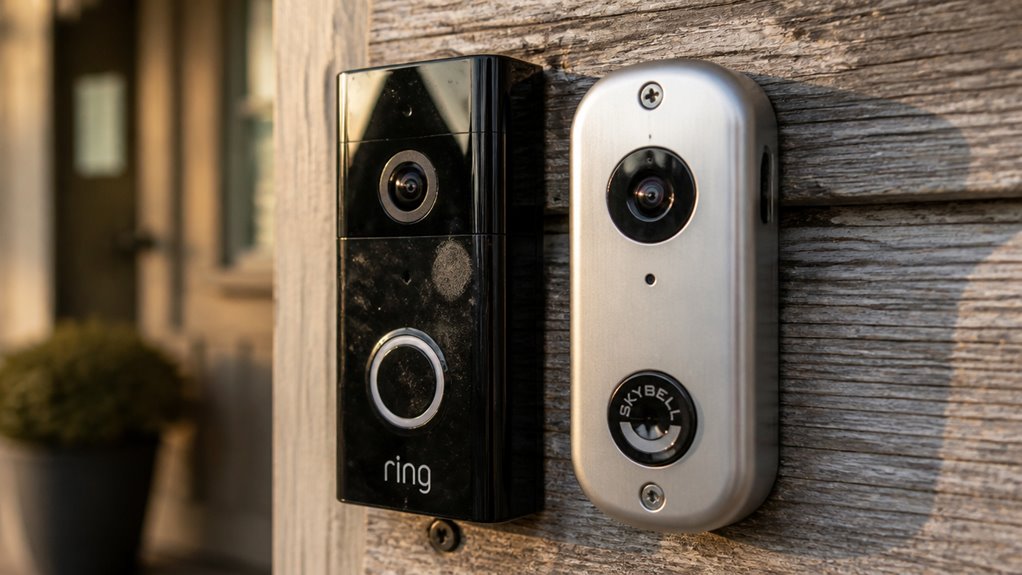

If you want a scalable security system with broad device compatibility, customizable motion detection, and professional monitoring (subscription needed), Ring is a solid choice.
It offers flexible battery or hardwired installation, but cloud storage requires a paid plan.
SkyBell focuses on doorbell-specific features with free seven-day cloud storage, wired power for reliability, and fewer false alerts.
It’s ideal for simpler setups without ongoing fees. Keep exploring to understand which suits your home setup best.
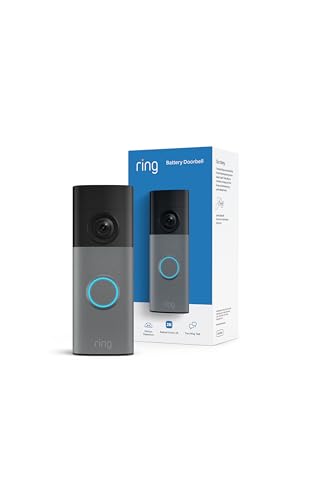
- Capture it all with Retinal 2K video — From wide views to tighter focus, it’s easy to see your…
- Zoom in up to 6x — Catch details at a distance, inspect faces, and more with up to 6x Enhanced…
- Connect to who’s there — See, hear, and speak in real time with Live View and Two-Way Talk.


- Honeywell Intrusion DBCAM-TRIMBR
Key Takeaways
- Ring offers a broad, scalable ecosystem with multiple device types, while SkyBell focuses mainly on specialized doorbell products.
- Ring provides customizable motion detection zones and 24/7 professional monitoring, whereas SkyBell emphasizes precise motion alerts with fewer false alarms.
- Ring supports both battery-powered and hardwired models, but SkyBell requires a hardwired setup for continuous power.
- SkyBell includes free 7-day cloud storage with no subscription, while Ring’s cloud recording requires a paid subscription starting at $4.99/month.
- SkyBell partners with RapidSOS for direct emergency service integration without extra fees; Ring’s emergency alerts need subscription-based professional monitoring.
Ring vs Skybell: Key Differences in Video Quality, Motion Detection, Storage, and Smart Home Features
| Comparison Factors | Ring Video Doorbell | SkyBell Video Doorbell |
|---|---|---|
| Primary Focus | Connected home security and expandable monitoring | Dedicated video doorbell monitoring |
| Video Resolution | Article discusses 1080p HD video | Article discusses 1080p HD video |
| Field of View | Varies by doorbell model | Article highlights 180° viewing on selected models |
| Motion Detection | Customizable motion zones and activity alerts | Motion-triggered alerts with model-dependent controls |
| Night Vision | Low-light and night monitoring on compatible models | Night vision capabilities on compatible models |
| Two-Way Communication | Live video and two-way audio | Live video and two-way audio |
| Power Options | Battery-powered and hardwired models | Hardwired installation for models discussed |
| Installation Flexibility | Suitable for homes with or without existing doorbell wiring | Requires compatible existing wiring or electrical installation |
| Video Recording | Cloud recording through eligible subscription plans | Article describes cloud-based recording with limited video history |
| Video Storage Duration | Depends on the selected subscription and service terms | Article describes up to seven days of cloud storage |
| Subscription Requirements | Paid plans generally needed for recorded video history | Article describes subscription-free recording on selected models |
| Smart Home Integration | Alexa and wider Ring ecosystem compatibility | Selected smart home integrations, depending on model |
| Mobile App Access | Ring app for live viewing and device management | SkyBell-compatible app or integrated platform |
| Security Ecosystem | Doorbells, cameras, alarms, and compatible sensors | Primarily doorbell-focused monitoring |
| Remote Monitoring | Live access, alerts, and eligible recorded events | Remote viewing and alerts on supported systems |
| Best Applications | Expandable residential security systems | Homes needing a dedicated wired video doorbell |
| Overall Recommendation | Choose for installation flexibility and a wider security ecosystem | Consider for simpler wired doorbell monitoring and supported recording options |
Key Factors to Consider When Choosing a Video Doorbell
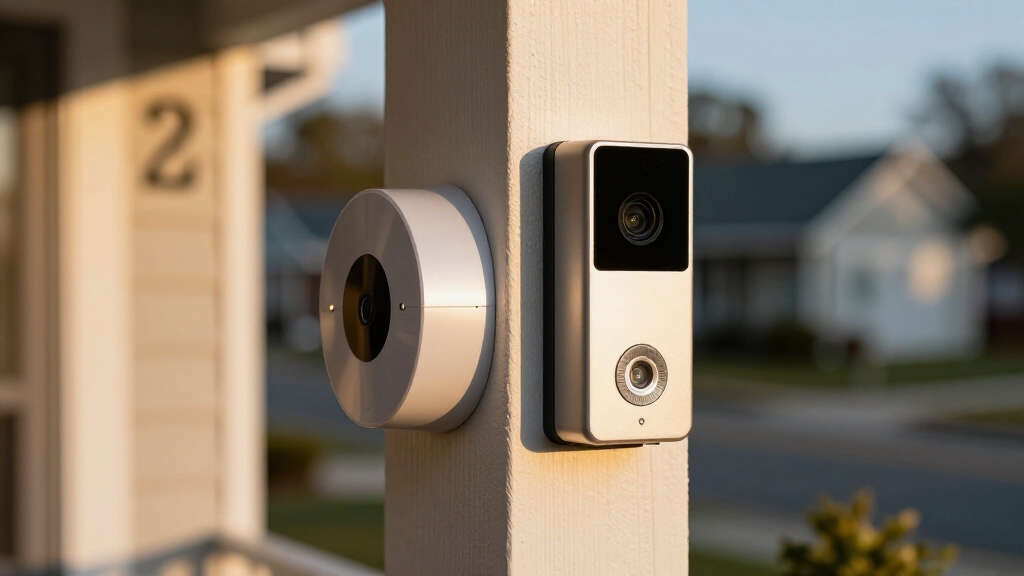
When choosing a video doorbell, you’ll want to weigh several critical factors to guarantee the device fits your home’s needs and your security priorities.
First, consider the product range: Ring offers a broad lineup with integration options, while SkyBell focuses mainly on specialized doorbells.
Next, think about recording and storage. SkyBell provides free seven-day video storage, contrasting with Ring’s subscription-based service.
Installation is another key factor. Ring’s battery and hardwired models offer flexibility, whereas SkyBell requires wired setup for constant power.
Compatibility matters, too. Ring supports a wider smart home ecosystem, including cameras and sensors, while SkyBell integrates with select platforms like Alexa and Google Home.
Finally, evaluate your budget and desired security depth to decide which brand aligns best.
Additionally, Ring’s system benefits from a cellular backup feature that ensures reliable operation even during power outages.
Ring vs SkyBell: Video Features and Installation Options
Although both Ring and SkyBell provide solid video doorbell options, their video features and installation methods highlight key differences that might affect your choice.
Ring offers 1080p video with customizable motion zones and integrates motion detection and activity logging into its app.
Ring provides 1080p video with customizable motion zones and built-in motion detection and activity logging.
SkyBell features 1080p HD video with a 180-degree field of view and emphasizes live video access on button press and on-demand monitoring.
Regarding installation, Ring supports both battery-powered and hardwired models, giving you flexibility, especially if your home lacks existing wiring.
SkyBell, however, is wired-only, providing constant power but requiring compatible wiring.
If you prefer a flexible installation or battery options, Ring might suit you better.
SkyBell’s wired setup offers uninterrupted power for continuous performance.
Ring also provides advanced motion detection technology with customizable motion zones and sensitivity settings to reduce false alerts and improve security.
Video Recording and Storage: Ring vs SkyBell
When you dive into the world of video recording and storage, you’ll quickly see some key differences between SkyBell and Ring.
For starters, SkyBell offers free cloud storage for up to seven days. That’s pretty handy, right? On the other hand, Ring requires a subscription for most of its recording features.
Now, let’s talk numbers. Ring’s plans kick off at $4.99 per month for just one doorbell. If you have multiple devices, you can opt for the unlimited plan at $9.99 a month.
It’s important to consider that cloud storage increases reliance on account and cloud security, which can impact your privacy and data protection.
Storage Options Comparison
Because video recording and storage are essential for reviewing doorbell footage, understanding the differences between Ring and SkyBell’s options helps you choose the best fit for your needs.
SkyBell offers free video storage for up to seven days, which is ideal if you want to avoid subscription fees. However, this limits your access to recent footage only.
Ring, on the other hand, requires a paid subscription for cloud recording on most models. This provides longer storage duration and the ability to review past events conveniently.
Ring’s plans support multiple devices, offering flexibility if you have several cameras. While SkyBell’s free storage suits budget-conscious users focused on a single doorbell, Ring’s subscription-based model is better if you want scalable, extended cloud storage across a broader security system.
For users prioritizing local storage, some devices like Wyze cameras offer continuous recording to local microSD cards without subscription fees, providing an alternative storage method.
Subscription Cost Differences
While SkyBell provides free video storage for up to seven days, Ring requires you to subscribe to access cloud recording features on most models.
If you choose Ring, subscription plans start at $4.99 per month for a single doorbell, letting you save and review video clips remotely.
For broader coverage, Ring’s $9.99 monthly plan supports unlimited devices, ideal if you have multiple cameras or sensors.
SkyBell’s free storage appeals if you want to avoid ongoing fees, but it limits your video history to a week.
Ring’s subscription also adds features like extended recording and activity logging, enhancing security management.
Ultimately, if cost is your priority, SkyBell offers a budget-friendly option.
Ring’s paid plans provide scalability and advanced functionality for larger setups.
It is important to consider that some providers, unlike Spectrum, offer open platforms that ensure better long-term compatibility and support.
Smart Home Compatibility and Security Features
You know, when it comes to smart home compatibility, Ring really shines. It offers a broader ecosystem and integrates seamlessly with Amazon Alexa and various security hubs. On the other hand, SkyBell is no slouch either—it supports Alexa and Google Home, plus some platforms like SmartThings.
Now, if we dive into security monitoring, Ring gives you a full-platform experience that’s pretty scalable. But SkyBell has its own strengths, focusing on precise motion detection and local storage. And here’s something interesting: SkyBell has teamed up with RapidSOS, which means you get a direct link to emergency services. That’s a feature Ring doesn’t currently offer. Pretty cool, right?
Additionally, Ring provides 24/7 professional monitoring with cellular backup to ensure continuous protection even during power or internet outages.
Smart Home Ecosystem
When setting up a smart home ecosystem, choosing a video doorbell that seamlessly integrates with your other devices can make a big difference. Ring and SkyBell both support Amazon Alexa, but Ring also connects with a broader range of smart home products, including security cameras, motion sensors, and alarms.
SkyBell focuses more narrowly on doorbell-centric integrations like Google Home and SmartThings.
- Ring offers extensive device compatibility, enabling a unified security network.
- SkyBell’s integrations are more specialized, ideal if you prioritize doorbell features.
- Ring’s ecosystem supports scalable expansion beyond doorbells.
- SkyBell emphasizes simple, focused smart home use with fewer device options.
Additionally, devices like the Blink Mini camera demonstrate how integration with the Amazon Alexa ecosystem can enhance in-home security with features like voice control and routines.
Ultimately, Ring suits users wanting an all-in-one security platform, while SkyBell fits those seeking streamlined doorbell integration.
Security Monitoring Options
Security monitoring options often play a crucial role in deciding between Ring and SkyBell for your home setup.
Ring offers wider smart home compatibility, integrating seamlessly with Amazon Alexa, security hubs, and additional devices like cameras and sensors.
SkyBell supports Alexa, Google Home, and select platforms such as SmartThings but focuses mainly on doorbell features with fewer expansion options.
Both brands emphasize security: Ring provides customizable motion detection and activity logging, while SkyBell boasts motion alerts with up to 95% fewer false alarms.
Choosing devices with customizable motion detection zones can help reduce false alerts and improve overall system effectiveness.
| Feature | Ring | SkyBell |
|---|---|---|
| Smart Home Compatibility | Alexa, security hubs, sensors | Alexa, Google Home, SmartThings |
| Motion Detection | Customizable zones, activity logs | Reduced false alerts (95%) |
| Video Access | Live and recorded footage | Live on-demand, button-press access |
| Storage | Subscription-based cloud | Free 7-day video storage |
| Ecosystem | Broad, multi-device | Narrow, doorbell-focused |
Emergency Service Integration
Although both Ring and SkyBell offer smart home compatibility and robust security features, their approaches to emergency service integration differ markedly.
SkyBell’s partnership with RapidSOS provides a direct line to emergency responders, enhancing response times.
Ring integrates emergency alerts within its broader security ecosystem but requires a subscription for full functionality.
SkyBell connects emergency services automatically via RapidSOS without extra fees.
Ring users must subscribe to access professional monitoring and emergency dispatch.
Both brands support Alexa integration, but Ring’s wider ecosystem offers more device connectivity.
SkyBell’s motion detection reduces false alarms, potentially minimizing unnecessary emergency calls.
Your choice depends on whether you want streamlined emergency access or a thorough, scalable security platform.
Moreover, maintaining your security devices includes regular testing and maintenance to ensure optimal emergency response performance.
Security and Emergency Features in Ring and SkyBell
You’ll often find that both Ring and SkyBell prioritize safety, but they approach security and emergency features differently.
SkyBell’s partnership with RapidSOS gives you a direct line to emergency services, enhancing immediate response capabilities. Its motion detection technology also reduces false alerts by up to 95%, minimizing unnecessary interruptions.
On the other hand, Ring offers a broader security platform that integrates with multiple devices like cameras and sensors, providing thorough monitoring and activity logging.
While Ring emphasizes customizable motion zones and a larger ecosystem for scalable security, SkyBell focuses on delivering a specialized doorbell experience with reliable local storage and simplified monitoring.
Your choice depends on whether you want an all-in-one security setup or a focused, efficient doorbell system with robust emergency connectivity. It is important to note that devices like First Alert smoke detectors do not contain built-in cameras, so separate security cameras are required for video monitoring.
Pricing and Subscription Plans for Ring and SkyBell
When comparing pricing and subscription plans, each brand takes a distinct approach that impacts your long-term costs and service options.
Ring requires a subscription for most cloud recording features, while SkyBell offers free video storage for up to seven days, a key cost-saving advantage.
- Ring’s plans start at $4.99/month for one device, scaling to $9.99/month for unlimited cameras and doorbells.
- SkyBell provides complimentary video storage, reducing your need for ongoing fees.
- Ring’s subscription supports a broader security ecosystem, adding value if you expand beyond doorbells.
- SkyBell’s no-subscription model suits budget-conscious users focused on a single device.
Choosing between these depends on whether you prioritize scalability or cost simplicity.
Choosing Between Ring and SkyBell Based on Your Home Setup
Evaluating your home’s existing infrastructure and security needs plays a pivotal role in deciding between Ring and SkyBell.
Assessing your home’s current setup and security requirements is essential when choosing between Ring and SkyBell.
If your home lacks doorbell wiring, Ring’s battery-powered models offer installation flexibility, while SkyBell requires hardwired setups.
Ring suits you better if you want a holistic security ecosystem with cameras, sensors, and alarms, thanks to its broad product range and smart home compatibility.
Conversely, if you prefer a specialized doorbell with free local video storage and reduced false alerts, SkyBell fits well.
Consider your preference for subscription plans too; Ring’s cloud storage needs a monthly fee, whereas SkyBell provides free seven-day storage.
Ultimately, your choice hinges on whether you prioritize scalable multi-device security or a focused, simpler doorbell solution tailored to your existing setup.
Frequently Asked Questions
Can Ring or Skybell Doorbells Operate Without Wi-Fi Connectivity?
Neither Ring nor SkyBell doorbells can fully operate without Wi-Fi connectivity because they rely on internet access to stream video, send alerts, and enable remote features.
You won’t get live video or motion notifications without Wi-Fi.
However, SkyBell’s free local video storage may allow some limited access to recorded clips onsite.
But real-time interaction and cloud functions require a stable Wi-Fi connection for both brands.
What Warranty Terms Do Ring and Skybell Offer for Their Products?
Think of warranty terms like a safety net for your gadgets.
Ring offers a standard one-year limited warranty covering defects in materials and workmanship, giving you peace of mind for a year.
SkyBell also provides a one-year limited warranty with similar coverage.
Both brands expect you to handle installation and misuse carefully, but neither extends beyond that initial year.
You’ll want to act quickly if issues arise.
Are There Any Differences in Customer Support Quality Between Ring and Skybell?
You’ll find Ring offers extensive customer support with 24/7 availability, live chat, and a large online help center, reflecting its broader user base.
SkyBell provides solid support but with more limited live assistance and business hours.
If you value quick, round-the-clock help, Ring might suit you better.
However, SkyBell’s focused product line means its support is specialized and knowledgeable, which benefits users needing detailed doorbell-specific guidance.
Do Ring and Skybell Doorbells Support Multiple User Access?
Yes, both Ring and SkyBell doorbells support multiple user access, allowing you to share control and viewing privileges with family members or trusted individuals.
Ring’s app lets you invite users with varying permission levels, enhancing security management within its broader ecosystem.
SkyBell also permits multiple users, focusing on shared access to live video and alerts.
You’ll find Ring offers more granular controls, while SkyBell emphasizes straightforward sharing for doorbell monitoring.
How Do Ring and Skybell Handle Data Privacy and User Information?
You’ll find that both Ring and SkyBell take data privacy seriously but handle it differently.
Ring encrypts your video and user data, requiring subscriptions for cloud storage. This means your info is stored offsite with Amazon’s security protocols.
SkyBell offers free local-style storage, reducing cloud exposure. It partners with RapidSOS for emergency services, emphasizing data control.
You should review each company’s privacy policies carefully to understand how your information is used and shared.
Which Video Doorbell Is Right for Your Home?
Choosing between Ring and SkyBell isn’t just about features. It’s about peace of mind at your doorstep.
While Ring offers extensive smart home compatibility and all-encompassing subscription plans, SkyBell shines with its unique video quality and local storage options.
You’ll want to weigh your home setup and security needs carefully. The right video doorbell doesn’t just see visitors; it protects your sanctuary.
After all, isn’t your home worth nothing less than the best?
- Capture it all with Retinal 2K video — From wide views to tighter focus, it’s easy to see your…
- Zoom in up to 6x — Catch details at a distance, inspect faces, and more with up to 6x Enhanced…
- Connect to who’s there — See, hear, and speak in real time with Live View and Two-Way Talk.
- Honeywell Intrusion DBCAM-TRIMBR
Last update on 2026-11-05 / Affiliate links / Images from Amazon Product Advertising API