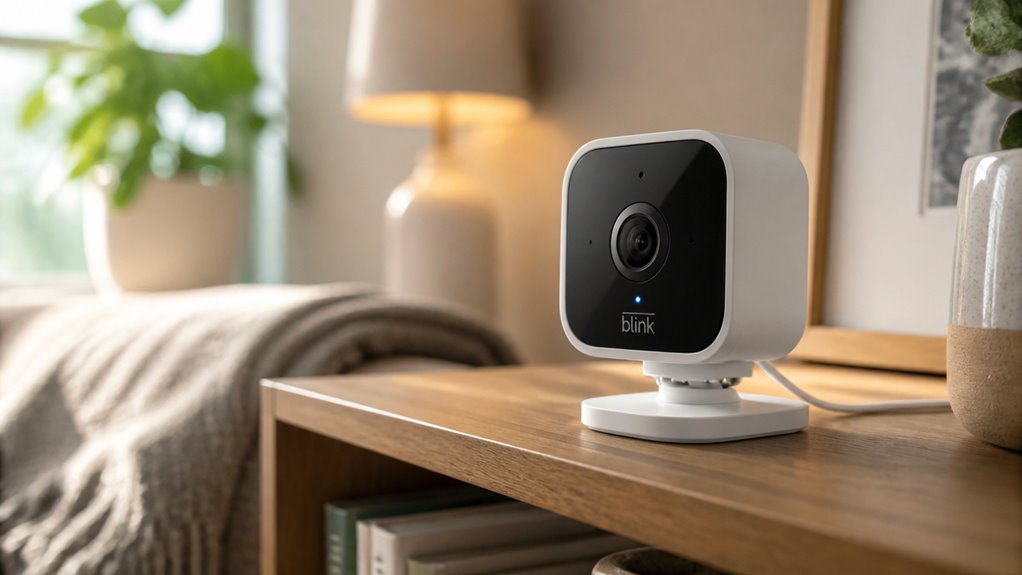

You’ll find the Blink Mini offers clear 1080p HD video, basic motion alerts, and two-way audio, making it a straightforward option for indoor monitoring on a budget.
Its plug-in design suits small spaces, while Alexa integration lets you control and view footage hands-free.
However, it lacks advanced features like facial recognition and local storage without extra hardware or subscription.
If you want to understand its setup, performance, and best use cases, there’s more detailed insight ahead.
Key Takeaways
- Blink Mini offers 1080p HD video with basic motion detection and two-way audio, ideal for simple indoor monitoring.
- It integrates seamlessly with Amazon Alexa for voice control and live viewing on Echo Show and Fire TV devices.
- The camera requires 2.4 GHz Wi-Fi and relies heavily on network stability for smooth live streaming and alerts.
- Local storage needs the Sync Module and USB drive, while cloud storage requires a Blink subscription.
- Night vision is adequate for indoor use but can suffer from overexposure and less detail in complete darkness.
Why Is Blink Mini a Budget-Friendly Indoor Camera?
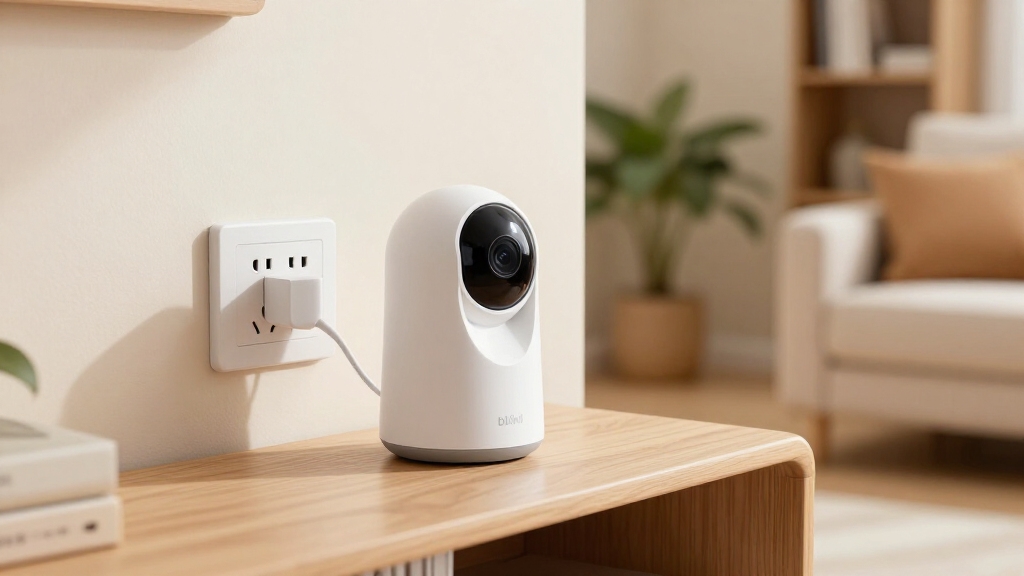
When you’re looking to set up basic indoor security without breaking the bank, the Blink Mini stands out by cutting down on extras and focusing on essential features.
For affordable indoor security, the Blink Mini prioritizes core features while trimming unnecessary extras.
Priced around $35, often discounted below $30, it offers 1080p HD video, motion detection, two-way audio, and Alexa integration at a low cost.
Its compact, plug-in design suits small spaces, reducing complexity and manufacturing costs. However, it lacks advanced capabilities like facial recognition or extensive smart alerts, which keeps the price down.
The absence of included free cloud storage and the need for additional accessories such as a Sync Module for local storage reflects a trade-off between affordability and functionality.
Because it relies heavily on Wi‑Fi for operation, any network instability can affect live streaming and alert reliability, making network reliability a key consideration for users.
How to Set Up the Blink Mini Quickly and Easily?
When you unbox your Blink Mini, you’ll discover a compact camera and a power adapter that make setup a breeze. Seriously, it’s designed to be super user-friendly.
Next up, connecting the camera to your Wi-Fi network is a quick process through the Blink app. This ensures you get reliable streaming and timely alerts, which is pretty essential for keeping an eye on things.
For the best performance, think about mounting the camera in a central indoor spot. Just make sure it has a clear view and easy access to a power outlet. Trust me, it’ll make a world of difference!
Mount the camera at a height of at least 10 feet to prevent tampering and improve coverage, angling the lens slightly downward for optimal monitoring optimal camera height.
Unboxing And Initial Setup
Setting up the Blink Mini unfolds with surprising ease, allowing you to get your indoor security system up and running quickly.
When you unbox the camera, you’ll find the Blink Mini unit, a USB power cable, and a power adapter.
The compact design means minimal parts, reducing setup complexity. You simply plug the camera into a power outlet and position it where you want monitoring.
The lightweight build and included mounting hardware give you flexibility in placement without needing tools immediately.
The clear packaging and included quick-start guide guarantee you understand the initial steps.
While the setup focuses on hardware readiness, the process avoids unnecessary components, emphasizing Blink Mini’s user-friendly and straightforward design for quick deployment in your indoor environment.
For best performance, it is recommended to place the camera where it can maintain a strong network signal to ensure consistent connectivity.
Connecting To Wi-Fi
To connect your Blink Mini to Wi-Fi, start by ensuring your smartphone or tablet is linked to the same 2.4 GHz network you plan to use for the camera.
Open the Blink app and create or log into your account, then follow the prompts to add a new device. The app will guide you through scanning the QR code on the camera and entering your Wi-Fi credentials.
The Blink Mini only supports 2.4 GHz networks, so dual-band routers require selecting the appropriate band.
Connection success is confirmed by the app displaying a live video feed. This streamlined process minimizes setup time, though it requires a stable Wi-Fi signal.
Weak connectivity can cause delays or failure, so position the camera near your router during initial setup for best results.
Since Blink Mini uses motion-triggered recording, it helps conserve storage and extend battery life by capturing footage only when movement is detected.
Mounting And Placement Tips
Once your Blink Mini connects smoothly to Wi-Fi and you see the live video feed, the next step focuses on ideal mounting and placement to maximize coverage.
Position the camera at a height between 6 to 7 feet for prime field of view, avoiding low spots where objects or people might obscure the lens.
Use the included stand or optional Pan & Tilt Mount for flexible angles, ensuring the lens captures key entry points or high-traffic areas.
Keep the Blink Mini near a power outlet, as it requires constant plug-in power.
Avoid placing it directly against windows or facing strong light sources to reduce glare and overexposure.
Thoughtful placement enhances motion detection accuracy and image clarity, making your setup efficient and effective.
Mount indoor cameras at mid-wall height or in corners to optimize coverage while minimizing privacy intrusion with hallway and living area monitoring.
Blink Mini 1080p HD Video Quality
You’ll notice that the Blink Mini delivers clear 1080p video with decent detail, making it a solid choice for basic indoor monitoring. Pretty handy, right?
Its night vision is decent, although some users have reported mixed results in low-light conditions.
When it comes to streaming and recording, things generally run smoothly. Just keep in mind that video quality can vary a bit depending on your lighting and network stability. So, if you have good lighting and a strong connection, you should be all set!
The Blink Mini supports two-way audio for clearer communication during monitoring sessions.
Video Clarity And Detail
How well does the Blink Mini deliver on its promise of 1080p HD video quality? You’ll find that the camera generally provides clear and sharp footage suitable for basic home monitoring.
The 1080p resolution captures a good level of detail, allowing you to identify faces and objects within typical indoor environments. However, some users report occasional overexposure in bright areas, which can reduce clarity.
Key points to contemplate about video clarity and detail include:
Crisp 1080p resolution supports real-time monitoring and recorded clips.
Accurate color representation in well-lit conditions.
Limited dynamic range may cause loss of detail in highlights and shadows.
Occasional pixelation during fast motion or low bandwidth streaming.
Suitable for identifying intruders but falls short of professional-grade clarity.
Advanced image processing features like Wide Dynamic Range (WDR) can optimize visibility in challenging lighting conditions, something to consider when comparing video quality across cameras.
Night Vision Performance
Although the Blink Mini includes night vision as a standard feature, its performance can vary depending on the environment and user expectations.
You’ll find the infrared LEDs provide adequate illumination in typical indoor low-light conditions, allowing the camera to capture recognizable shapes and movements.
However, fine details may suffer in complete darkness or areas with reflective surfaces, leading to slight overexposure or washed-out imagery.
While the 1080p sensor maintains decent contrast, the monochrome night footage lacks depth compared to daylight video.
If you expect crisp, color-accurate night images, this camera might feel limited.
Still, for basic monitoring during nighttime, it delivers reliable visibility.
Positioning cameras in well-lit areas or supplementing with external lighting can improve night vision performance.
Streaming And Recording Quality
Night vision sets a baseline for the Blink Mini’s imaging capabilities.
However, daytime and well-lit streaming and recording reveal the camera’s full video potential.
You’ll get sharp 1080p HD video that captures details clearly, making it suitable for monitoring indoor spaces.
The camera streams smoothly with minimal lag, and recordings maintain consistent clarity under good lighting.
Exposure control can be inconsistent, occasionally washing out bright areas.
Key points about streaming and recording quality include:
- True 1080p resolution delivers detailed, clear footage
- Streaming latency remains low for near real-time monitoring
- Bright environments may cause occasional overexposure
- Recorded clips retain good detail, aiding identification
- Night vision quality varies, less sharp than daytime video
For enhanced nighttime monitoring, cameras with supplemental lighting can improve motion capture and identification in low-light conditions.
Blink Mini Night Vision Performance
When you rely on the Blink Mini for after-dark monitoring, its night vision capability delivers mixed results. The camera uses infrared LEDs to illuminate dark areas, allowing you to see in complete darkness.
In well-controlled environments, you’ll find the night vision produces clear, discernible images sufficient for basic indoor security. However, the image quality can suffer from overexposure near light sources, reducing detail in certain areas.
Compared to pricier models, the Mini’s night vision lacks depth and sharpness, making it harder to identify finer features or distant objects. While it meets fundamental expectations for a budget indoor camera, you shouldn’t expect professional-grade clarity.
Blink Mini Motion Detection and Alerts: How Reliable?
Besides its night vision capabilities, the Blink Mini’s motion detection plays a key role in keeping you informed about activity in your space. Alerts trigger reliably when motion is detected, helping you respond promptly.
However, the system relies on basic motion sensing without advanced filtering, which can lead to some false alarms. Customization options let you adjust sensitivity and detection zones, but these remain limited compared to higher-end models.
Accurate motion-triggered notifications are confirmed in PCMag tests.
Customizable sensitivity and detection zones allow for tailored alerts.
The device lacks advanced smart detection like facial recognition or pet filters.
Basic motion recording initiates automatically upon detection.
There is potential for occasional false alerts due to simple motion algorithms.
Unlike some Wyze models, the Blink Mini does not support person detection or AI-powered alert enhancements.
How Good Is Blink Mini’s Two-Way Audio?
Blink Mini’s two-way audio is usually pretty clear, so you can have straightforward conversations through the camera in real time.
It makes it easy to talk back and forth.
However, some users have mentioned that there can be occasional sound quality issues that might mess with how clearly you can communicate.
Audio Clarity Quality
Frequently praised for its clear two-way audio, the Blink Mini allows you to engage in live conversations with minimal distortion or delay.
You’ll notice that the microphone picks up sound crisply, and the speaker delivers voice output at a balanced volume, ensuring messages come through intelligibly.
However, in noisier environments, audio clarity can diminish slightly, leading to occasional muffling or background interference.
Key aspects of the Blink Mini’s audio clarity include:
- Clear voice transmission with minimal latency
- Balanced speaker volume suitable for indoor spaces
- Effective noise filtering under moderate conditions
- Slight audio quality drop in loud or echo-prone rooms
- Consistent performance during real-time communication
Communication Ease
Building on its clear audio clarity, the Blink Mini makes two-way communication straightforward and reliable for daily use. You can easily initiate conversations through the app, letting you speak and listen in real time. This feature is ideal for quick check-ins or addressing visitors.
The microphone and speaker balance well, minimizing delays and echo during exchanges. While the audio range is sufficient for typical indoor spaces, it performs best in close proximity to the camera. This means you won’t rely on it for distant room coverage.
The interface is intuitive, allowing you to toggle talk mode without hassle. Overall, Blink Mini’s two-way audio offers functional, responsive communication that suits basic home monitoring needs without complex setup or advanced sound processing.
Sound Issues Reported
Although many users appreciate the Blink Mini’s two-way audio for everyday communication, some have reported sound quality issues that can affect the overall experience. You might notice occasional audio lag or muffled sound, which can hinder clear conversations.
The microphone sensitivity and speaker volume don’t always capture voices crisply, especially in noisier environments. These inconsistencies suggest the audio hardware is basic, fitting the camera’s budget positioning.
Here are key points to contemplate:
- Audio clarity varies depending on ambient noise and distance
- Occasional delays in audio transmission reported
- Speaker volume may be insufficient for larger rooms
- Microphone picks up background noise sometimes
- Two-way talk works best for short, straightforward exchanges
If you prioritize pristine sound, these limitations might influence your satisfaction.
How Can You Store Blink Mini Footage?
Storage flexibility plays a crucial role in how you manage and access Blink Mini footage. You can store videos primarily via Blink’s cloud subscription or locally with a Sync Module.
The cloud plan offers convenience but requires ongoing fees, while local storage needs additional hardware but avoids subscriptions. Without either, you cannot save clips, limiting review options.
Here’s a quick comparison:
| Storage Type | Requirements | Pros |
|---|---|---|
| Cloud Storage | Subscription plan | Easy access, no hardware |
| Local Storage | Sync Module + USB | No fees, offline access |
| No Storage Option | None | Live view only |
Choosing the right option depends on your budget and desire for footage availability.
How Blink Mini Integrates With Alexa and Blink Ecosystem?
Integrating the Blink Mini with Alexa and the broader Blink ecosystem enhances its functionality and user convenience by enabling voice control and seamless device management. You can easily monitor your home using voice commands, such as asking Alexa to show live video feeds on Echo Show devices.
Integrating Blink Mini with Alexa allows effortless voice control and easy monitoring of your home via Echo Show.
This integration streamlines interaction with multiple Blink cameras and supports routines for automation. However, full access to recorded footage requires a Blink subscription or Sync Module.
- Control Blink Mini via Alexa voice commands
- View live streams on Echo Show and Fire TV
- Manage multiple Blink devices in a unified app
- Automate camera actions through Alexa routines
- Requires Blink subscription or Sync Module for cloud/local storage
This setup suits users invested in Amazon’s smart home environment seeking straightforward camera control.
Accessories to Enhance Your Blink Mini
When looking to maximize the functionality of your Blink Mini, several accessories can markedly enhance your experience. The Pan & Tilt Mount allows you to remotely adjust the camera’s angle, expanding your field of view without physically moving the device.
If you want to extend storage capabilities beyond the cloud subscription, the Sync Module 2 is essential. It enables local video storage via USB, providing more control over footage access and privacy.
Additionally, consider compatible wall mounts or adhesive brackets for flexible placement options, especially in tight indoor spaces. These accessories help overcome Blink Mini’s fixed positioning and storage limitations, making it more versatile.
However, they may require additional investment, so weigh their benefits against your specific monitoring needs and budget constraints.
Who Should Choose Blink Mini for Home Security?
If you’re looking to keep an eye on your indoor spaces without breaking the bank or dealing with complex setups, the Blink Mini offers a compelling option.
It suits you well if you need straightforward, budget-friendly monitoring with reliable 1080p video and motion detection.
However, it’s best for users prioritizing simplicity over advanced smart features or local storage.
You should consider the Blink Mini if you:
- Want an affordable, plug-in indoor camera with easy setup
- Value clear video quality and basic motion alerts
- Need two-way audio for quick communication
- Are already invested in the Blink or Alexa ecosystem
- Don’t require advanced analytics like facial recognition or extensive local storage options
This camera fits casual users focused on fundamental home security.
Frequently Asked Questions
Does Blink Mini Support Outdoor Use or Weather Resistance?
No, the Blink Mini doesn’t support outdoor use or offer any weather resistance.
It’s designed strictly for indoor environments, relying on a plug-in power source that isn’t weatherproof.
If you place it outside, exposure to rain, humidity, or temperature fluctuations could damage the device or void its warranty.
For outdoor monitoring, you’d need a different model specifically rated for weather resistance and outdoor durability.
What Is the Warranty Period for the Blink Mini Camera?
You get one year of limited warranty coverage with the Blink Mini camera. This warranty protects you against defects in materials and workmanship under normal use.
It doesn’t cover damage from accidents, misuse, or unauthorized repairs. You can rely on this warranty period to seek repairs or replacements if your camera malfunctions within that timeframe.
Be sure to register your device and keep your purchase receipt for warranty claims.
Can Blink Mini Record Continuously Without Motion Triggers?
No, the Blink Mini can’t record continuously without motion triggers.
It’s designed for motion-activated recording only, so it starts capturing video when it detects movement.
If you want continuous recording, you’ll need a different camera model.
Blink Mini focuses on basic, budget-friendly security with motion alerts rather than full-time monitoring.
Keep in mind, continuous recording would also require more storage and potentially a different setup than what Blink Mini offers.
Is the Blink Mini Compatible With Non-Alexa Smart Home Systems?
You’ll find the Blink Mini plays best in Alexa’s garden, as it’s tailored for Amazon’s ecosystem.
While it doesn’t natively support non-Alexa smart home systems like Google Home or Apple HomeKit, you might explore third-party integrations or workarounds.
These aren’t officially endorsed.
This limited compatibility means if you rely on diverse smart platforms, Blink Mini may not seamlessly mesh with your setup, keeping its strengths mostly within Amazon’s domain.
How Secure Is the Blink Mini’s Data and Video Encryption?
You can expect Blink Mini to use standard encryption protocols to secure your data and video streams, typically employing AES-128 or AES-256 encryption for storage and transmission.
However, details on specific encryption methods aren’t extensively disclosed publicly. To maximize security, you’ll want to make certain your Wi-Fi network is secure and use strong account passwords.
Keep in mind, data security also depends on Blink’s cloud infrastructure and your adherence to best practices.
Final Verdict on the Blink Mini Indoor Camera
You might expect a budget-friendly camera to cut corners, but the Blink Mini proves otherwise with sharp 1080p video and reliable motion alerts.
While it lacks some advanced features of pricier models, its easy setup and Alexa integration offer convenience you’d usually pay more for.
If you want solid indoor security without breaking the bank, Blink Mini strikes a smart balance between affordability and functionality.
This makes it a practical choice for everyday monitoring.