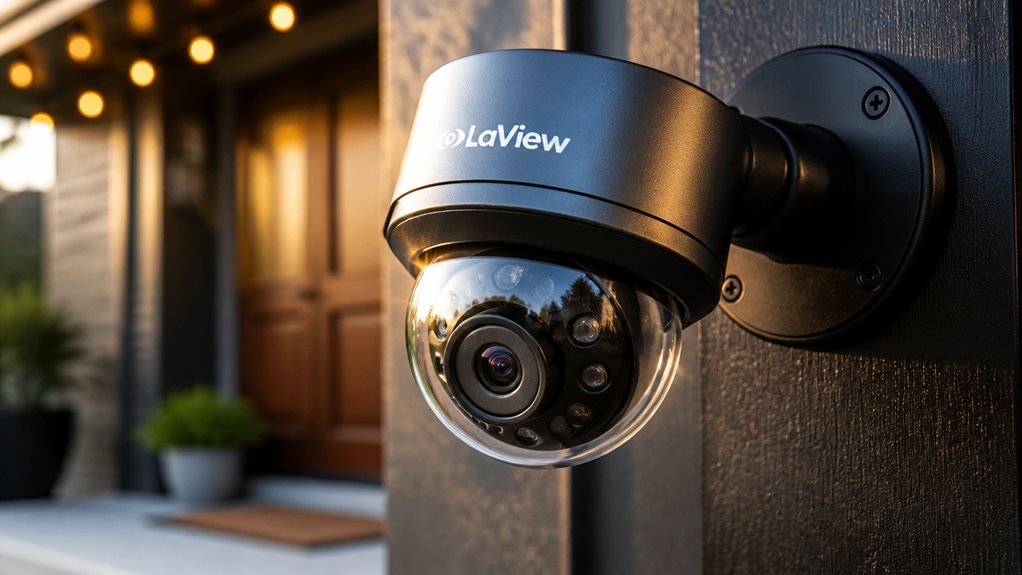

LaView security cameras deliver sharp 4MP indoor video with good real-time alerts and live monitoring, making them budget-friendly for basic surveillance.
However, they require constant power and offer limited placement flexibility, especially the L2 light-bulb model.
Recording can be inconsistent due to Wi-Fi and firmware issues, and privacy controls are minimal with basic encryption.
If you seek affordable cameras prioritizing live viewing over recording reliability, LaView could fit your needs.
Explore detailed features and potential trade-offs next.
Key Takeaways
- Laview cameras offer budget-friendly 4MP indoor and light-bulb models with sharp daytime video and decent nighttime clarity.
- Real-time monitoring is strong with about a 2-second alert response, but recording reliability and motion detection can be inconsistent.
- Cameras require constant power, limiting placement flexibility, and often depend on unstable 2.4 GHz Wi-Fi, affecting remote access and recordings.
- The proprietary app supports live streaming and two-way audio but has a steep learning curve and occasional usability issues.
- Privacy controls are limited, with minimal encryption, no multi-factor authentication, and concerns about data collection and retention policies.
LaView Security Camera Types and Features
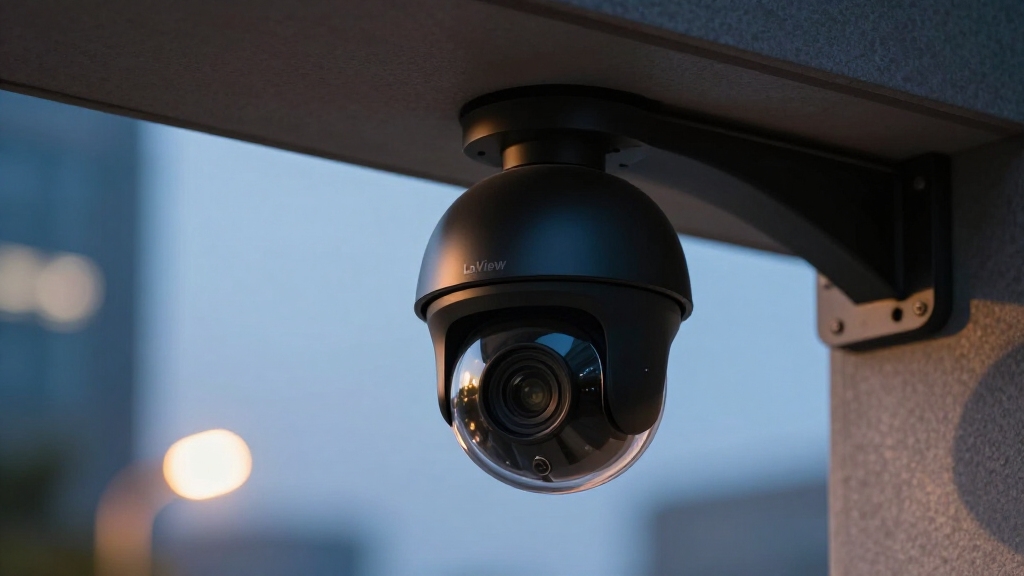
LaView frequently offers a diverse lineup of security cameras designed to meet various home surveillance needs, including indoor Wi-Fi cameras and innovative light-bulb cameras.
LaView provides a wide range of security cameras suited for various indoor surveillance needs.
The L2 light-bulb camera, for example, powers through an E27 socket, eliminating the need for wall outlets. You’ll find models across multiple price points, from budget-friendly two-camera bundles around $55 to individual units near $50.
These cameras typically provide resolutions up to 2560 × 1440, delivering sharp daytime video and adequate nighttime clarity. While motion tracking is supported, recording reliability varies, with some models showing erratic capture.
Most devices require constant power, which might limit placement flexibility. The systems often integrate with mobile apps, but usability can be challenging. Some models rely on 2.4 GHz Wi-Fi connectivity, which can affect streaming stability and remote access.
Best LaView Cameras for Indoor Use
If you’re looking into LaView’s indoor cameras, you’ve got some interesting options. They offer both Wi-Fi cameras and light-bulb cameras, each designed with specific video resolutions and styles that cater to indoor monitoring needs. For instance, the 4MP Bulb Camera is a standout—it provides clear daytime footage and decent night clarity. However, keep in mind that some models mightn’t deliver consistent recording performance.
Now, let’s talk about the app. It can be a mixed bag. While some cameras have quick alert times and are pretty responsive, others might give you a bit of a headache when it comes to setup and navigation. So, your overall experience can vary quite a bit depending on the model you choose. Additionally, many users value cameras with local storage options to avoid recurring subscription fees and enhance privacy.
Top Indoor Models
When selecting indoor security cameras, you want devices that balance sharp video quality with reliable performance and user-friendly features.
LaView’s top indoor models include the 4MP Bulb Security Camera and the F1 camera, each offering distinct advantages.
The 4MP Bulb model delivers clear daytime and very good nighttime video with 2560 × 1440 resolution, ideal for real-time monitoring.
However, its recording reliability and app usability may pose challenges.
The F1 camera, praised for setup and responsiveness, presents a solid budget option but still requires wired power.
This limitation affects placement flexibility.
Both models incorporate motion detection, though performance varies.
Keep in mind, LaView’s privacy controls remain sub-standard.
Weigh security needs carefully alongside price and features when choosing an indoor model.
For enhanced privacy and storage control, some users may prefer cameras with local storage options that avoid reliance on cloud services.
Video Quality Comparison
Comparing video quality among the best indoor cameras reveals specific strengths and limitations that impact their suitability for various monitoring needs.
The LaView 4MP Bulb Security Camera delivers sharp, clear daytime video at 2560 × 1440 resolution, capturing fine details that enhance evidentiary value. Its nighttime footage maintains brightness and clarity, supporting effective low-light monitoring.
The L2 light-bulb camera’s unique form factor offers convenience, but its video recording can be erratic, with occasional inconsistencies in motion capture and frame stability.
While both models support motion tracking, reliability issues reduce their performance in continuous recording scenarios. Overall, LaView’s indoor cameras excel in real-time video clarity, especially in well-lit environments.
However, you should consider potential recording irregularities when evidence-grade footage is essential. Additionally, using cameras with PoE power delivery can simplify installation and improve system reliability.
App and Usability
How well does the LaView app support day-to-day camera management and monitoring? The app offers essential functions like live streaming, motion alerts, and two-way audio. However, some users find its interface unintuitive, especially on the L2 model, which TechHive labeled as obtuse.
Consumer Reports measured an average alert response time of about two seconds on the 4MP Bulb Camera, enabling relatively prompt notifications during live events. Setup can be challenging, particularly for budget bundles.
The F1 indoor camera system received praise for ease of use and reliability. While the app is feature-packed, inconsistent recording reliability affects overall usability.
You’ll benefit most from real-time monitoring rather than relying heavily on recorded footage. Some models suffer from erratic motion detection and lagging video playback. Unlike some systems that emphasize local storage to reduce ongoing costs, LaView relies more on cloud-based recording options.
LaView Camera Video Quality
LaView cameras deliver impressive video quality, particularly in their 4MP Bulb Security Camera model. It provides sharp, clear daytime footage with most details easily discernible.
You’ll notice the 2560 × 1440 resolution captures fine textures and colors effectively. Nighttime video remains bright and clear enough for practical use.
The bulb camera’s unique form factor doesn’t compromise image fidelity, making it ideal for real-time monitoring.
| Feature | Specification |
|---|---|
| Resolution | 2560 × 1440 (4MP) |
| Daytime Clarity | Sharp, detailed |
| Nighttime Brightness | Very good |
| Frame Rate | Typically 15-20 FPS |
| Field of View | Approximately 110° |
This technical balance suits users wanting detailed, consistent visuals without premium costs. Proper camera positioning and mounting is essential to maintain image quality and prevent tampering.
Recording and Motion Detection Reliability
Although the cameras deliver clear video quality, you may encounter inconsistencies with their recording reliability and motion detection performance.
Reviews highlight that models like the L2 bulb camera exhibit erratic recording, with missed clips and lagging playback impairing evidence capture.
Motion detection, while supported with tracking features, often suffers from false triggers or delayed alerts, reducing responsiveness.
The reliance on constant power limits placement flexibility, which can affect optimal motion sensing zones.
Real-time monitoring remains viable, but if you need dependable recording for later review, these cameras might fall short.
Understanding these limitations is vital, especially if your priority is consistent event capture rather than sporadic live viewing.
Technical constraints in firmware and app integration likely contribute to these reliability issues.
Users should also be aware that unstable Wi-Fi connectivity can cause missed recordings and unreliable remote access.
LaView App Features and Usability
What challenges might you face when maneuvering the app designed for controlling these security cameras?
LaView’s app can feel obtuse, making navigation and setup less intuitive than expected.
You’ll find features like real-time alerts averaging about a 2-second response time, which supports prompt monitoring.
However, the interface sometimes complicates routine tasks such as camera grouping or adjusting motion sensitivity.
The app supports motion tracking and live streaming but may lag or behave inconsistently, reflecting the cameras’ recording reliability issues.
The app offers motion tracking and live streaming but can lag, highlighting the cameras’ inconsistent recording performance.
Setup demands constant power connections, limiting placement flexibility.
Despite being feature-packed, the app’s user experience has a steep learning curve, especially for less tech-savvy users.
Network stability and bandwidth limitations can further impact streaming quality and responsiveness, affecting overall usability of the remote access features.
Privacy and Security With LaView Cameras
When you use LaView cameras, it’s really important to take a close look at their data privacy controls. Consumer Reports has actually rated them as sub-standard, which is a bit concerning.
One major issue is that the devices don’t have strong security measures for recording. This means personal footage and information can be left vulnerable, which is definitely something to think about. Additionally, LaView cameras often lack advanced AI-powered monitoring features that can enhance threat detection and reduce false alarms.
Data Privacy Controls
Since LaView prioritizes affordability, its data privacy controls come with notable limitations that you should carefully consider before purchasing.
The system collects more personal data than necessary and lacks thorough options to restrict data sharing.
Encryption standards for stored and transmitted data appear basic, increasing the risk of unauthorized access.
Unlike competitors, LaView offers minimal user control over what information is logged or shared with third parties.
The camera’s app provides limited settings to manage data retention periods or opt out of non-essential data collection.
Additionally, LaView doesn’t implement granular permissions for accessing recordings or account information.
If you prioritize stringent privacy safeguards, these gaps may pose concerns, especially given the cameras’ constant connectivity and cloud integration.
To enhance security, it is essential to replace default credentials immediately and use strong, unique passwords for each camera.
Recording Security Measures
Beyond data privacy controls, the security measures protecting your recordings with LaView cameras show clear limitations.
Encryption protocols for stored and transmitted video are minimal, increasing vulnerability to interception. The cameras lack multi-factor authentication, putting your account and footage at greater risk from unauthorized access.
Firmware updates addressing security flaws arrive sporadically, potentially leaving devices exposed for extended periods. Additionally, recorded data retention policies remain unclear, raising concerns about data persistence and potential misuse.
- Limited or absent end-to-end encryption on video streams and storage
- No support for multi-factor authentication on user accounts
- Infrequent security-focused firmware updates
- Insufficient transparency on data retention and deletion practices
These gaps mean you should carefully consider LaView’s recording security before deploying their systems in sensitive environments.
LaView Cameras: Price and Value Comparison
LaView cameras stand out by offering a range of affordable options that cater to different home security needs without breaking the bank.
For example, the L2 light-bulb camera is priced at around $49.99, while budget indoor bundles with two cameras range from $55 to $89 depending on the retailer.
This pricing positions LaView as a budget-friendly choice, especially for users prioritizing real-time monitoring over continuous recording.
Video quality is strong during daytime with 4MP or 2560 × 1440 resolution, but motion detection and recording reliability can be inconsistent.
Although the app may feel unintuitive, alert response times average about two seconds.
You’ll find LaView offers solid image quality and competitive pricing, but you should weigh these against concerns about app usability, recording reliability, and limited data privacy protections.
Pros and Cons of the LaView L2 Bulb Camera
Although the L2 Bulb Camera introduces an innovative approach by combining lighting and surveillance in one device, it presents a mixed performance profile.
You’ll appreciate the sharp daytime video at 2560 × 1440 resolution and the bright, clear nighttime footage. However, the camera’s recording reliability is inconsistent, with erratic motion detection and lagging video reported.
Its reliance on an E27 socket limits placement flexibility to areas with standard light fixtures. You should also consider the app’s complexity and the device’s weak privacy safeguards, which reduce overall security.
- Sharp daytime video quality with 4MP resolution
- Integrated light bulb design for discreet installation
- Unreliable recording and motion detection performance
- Weak data privacy and security protections
LaView Customer Support and Setup Experience
When setting up LaView cameras, you’ll encounter a process that can be straightforward but occasionally challenging due to app navigation and device connectivity issues.
The setup requires you to download LaView’s proprietary app, which some users find unintuitive, leading to occasional confusion during device pairing.
You’ll need to connect cameras to a constant power source and guarantee stable Wi-Fi, as intermittent signals may cause setup failures or lag.
LaView’s customer support is accessible via email and phone, but response times vary, and technical guidance can sometimes lack depth, requiring patience.
The system supports QR code scanning for device registration, yet troubleshooting network or firmware glitches often demands multiple attempts.
Who Should Buy LaView Security Cameras?
So, if you’re on a budget and looking for simple real-time video monitoring, LaView cameras might just be what you need. They provide sharp image quality without breaking the bank.
But, just a heads-up: the reliability of recording can sometimes be hit or miss. Plus, you might need a bit of patience when it comes to setting up the app.
Now, for those who are really concerned about privacy, it’s worth noting that LaView’s data protection measures aren’t as strong as some other options out there. So, it’s definitely something to think about before making your decision.
Budget-Conscious Homeowners
Budget-conscious homeowners often prioritize cost-effectiveness without sacrificing essential security features. LaView security cameras frequently address this need with competitive pricing and solid image quality.
You’ll find models like the L2 light-bulb camera at around $50, and multi-camera bundles near $55 to $60, making them accessible. The 4MP Bulb Security Camera offers sharp daytime video and very good nighttime clarity, suitable for basic monitoring.
However, you should weigh limitations in app usability and recording reliability. Key considerations for budget-conscious buyers include:
- Competitive pricing with options at multiple price points
- Sharp 4MP video quality for clear daytime and night footage
- Some reliability issues in recording and motion detection
- App performance can be unintuitive, requiring setup patience
Real-Time Monitoring Needs
Although LaView cameras may face challenges with recording reliability, they excel in delivering prompt real-time video feeds. This makes them suitable for users who prioritize live monitoring over continuous footage capture.
If you need immediate alerts and quick visual confirmation, LaView’s systems provide an average alert response time of about two seconds, supporting timely intervention. The 4MP Bulb and L2 models offer sharp daytime resolution up to 2560 × 1440, with decent nighttime clarity, enhancing live observation quality.
However, erratic recording and occasional lagging motion detection mean you shouldn’t rely on these cameras for evidence-grade footage. You should consider LaView if your focus is on active, on-demand surveillance rather than long-term video archives. This is especially true within budget constraints and fixed placement environments requiring constant power.
Privacy-Conscious Buyers Caution
Since LaView cameras demonstrate notable weaknesses in data privacy and security measures, you should carefully assess your tolerance for potential vulnerabilities before purchasing.
These cameras lack robust encryption, have substandard data privacy controls, and may share more data than necessary. If you prioritize securing your recordings and personal information, LaView mightn’t be the best fit.
Consider who should buy LaView cameras:
Budget-conscious users needing real-time monitoring without sensitive data concerns. Those willing to accept weaker security for lower cost. Buyers prioritizing image quality over recording reliability or privacy. Users with a technical background able to implement additional security layers.
If privacy and data protection are critical, explore alternatives with stronger security frameworks.
Frequently Asked Questions
Can Laview Cameras Integrate With Smart Home Systems Like Alexa or Google Assistant?
Yes, LaView cameras can integrate with smart home systems like Alexa and Google Assistant, allowing you to control them via voice commands and view live feeds on compatible devices.
However, this integration is generally basic, focusing on live streaming rather than advanced automation.
You should expect limited functionality compared to more established brands.
Always review the specific model’s compatibility and app features to make certain it meets your smart home needs effectively.
What Is the Typical Lifespan of a Laview Security Camera?
Lifespan longevity largely lies in your LaView camera’s usage and upkeep.
Typically, you can expect a functional life of around 3 to 5 years, given regular maintenance and stable power supply.
Factors like constant power dependency and environmental exposure influence durability.
Since LaView cameras rely on steady power rather than batteries, consistent voltage and careful handling help prevent premature wear.
This ensures your security system stays sharp and serviceable over time.
Are Laview Cameras Compatible With Third-Party Cloud Storage Services?
No, LaView cameras generally don’t support third-party cloud storage services natively. You’ll typically be limited to using LaView’s proprietary cloud platform or local storage options, like microSD cards, depending on the model.
This limits your flexibility if you prefer services like Google Drive or Dropbox for video backup. You’ll want to verify the specific camera’s features, but in most cases, integration with external cloud providers isn’t officially supported.
Do Laview Cameras Support Two-Way Audio Communication?
Laview cameras generally do support two-way audio communication, letting you listen and speak through the device. This feature enhances real-time interaction, useful for monitoring or deterring intruders.
However, app responsiveness and audio clarity can vary by model. For example, the L2 light-bulb camera’s app has received criticism for complexity, which might affect your experience using two-way audio effectively during live monitoring.
Can Laview Cameras Function Without an Internet Connection?
LaView cameras generally require an internet connection to access remote features like live streaming, alerts, and cloud storage.
However, some models support local recording to an SD card, allowing basic functionality without internet.
You can monitor footage locally via a connected device on the same network, but without internet, you won’t get remote access or push notifications.
LaView Security Camera Review: Our Final Take
Choosing LaView security cameras is like assembling a finely tuned instrument. Each feature harmonizes to deliver reliable surveillance with solid video quality and intuitive app controls.
You’ll appreciate their balance of affordability and performance, especially for indoor use. While motion detection can occasionally miss subtle movements, overall recording reliability stands strong.
If you seek a cost-effective, user-friendly system with decent customer support, LaView cameras offer a practical solution tailored to your security needs.