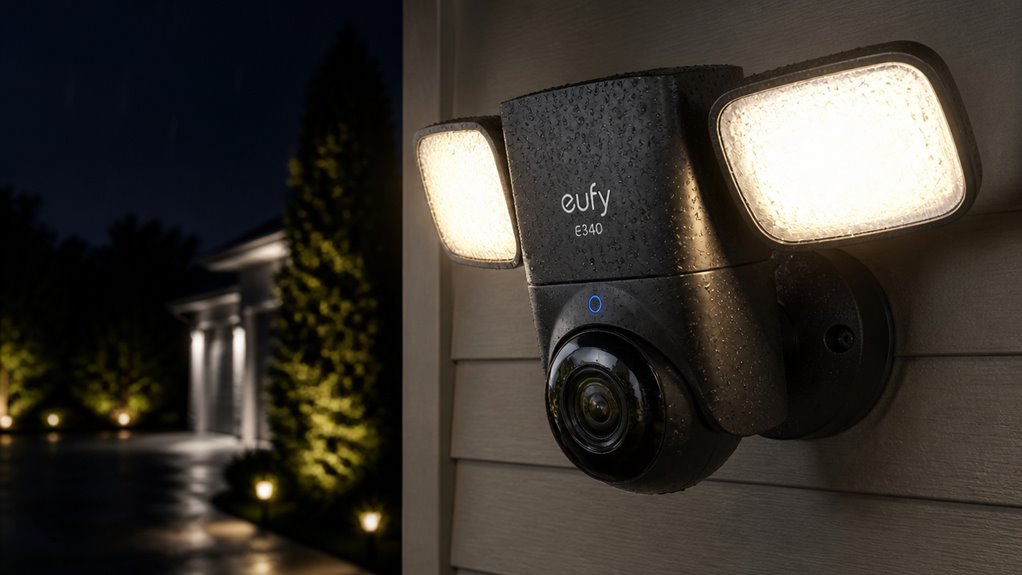

The Eufy e340 Floodlight Security Camera offers you a hardwired, weatherproof design with a 360° pan-and-tilt system for extensive coverage.
Its dual-camera setup pairs a 3K main lens with a 2K secondary, enhancing detail and situational awareness.
You’ll benefit from AI tracking that distinguishes people, vehicles, and animals, while a 2,000-lumen floodlight boosts nighttime clarity with color vision.
Flexible storage options include microSD or HomeBase 3 integration for privacy and convenience.
Explore further to uncover how its app streamlines control and customization.
Key Takeaways
- The Eufy e340 features dual 3K and 2K cameras with 360° pan-and-tilt for expansive, detailed coverage and flexible monitoring angles.
- Its 2,000-lumen floodlight and color night vision enhance low-light visibility and deter intruders effectively.
- AI detection tracks people, vehicles, and animals, reducing false alarms and enabling continuous subject monitoring.
- Local storage options include microSD cards and HomeBase 3 hub, offering privacy, large capacity, and offline access to recordings.
- Hardwired installation ensures consistent power and reliable floodlight operation but increases setup complexity and requires a dedicated hub.
Key Features That Set the Eufy e340 Floodlight Camera Apart
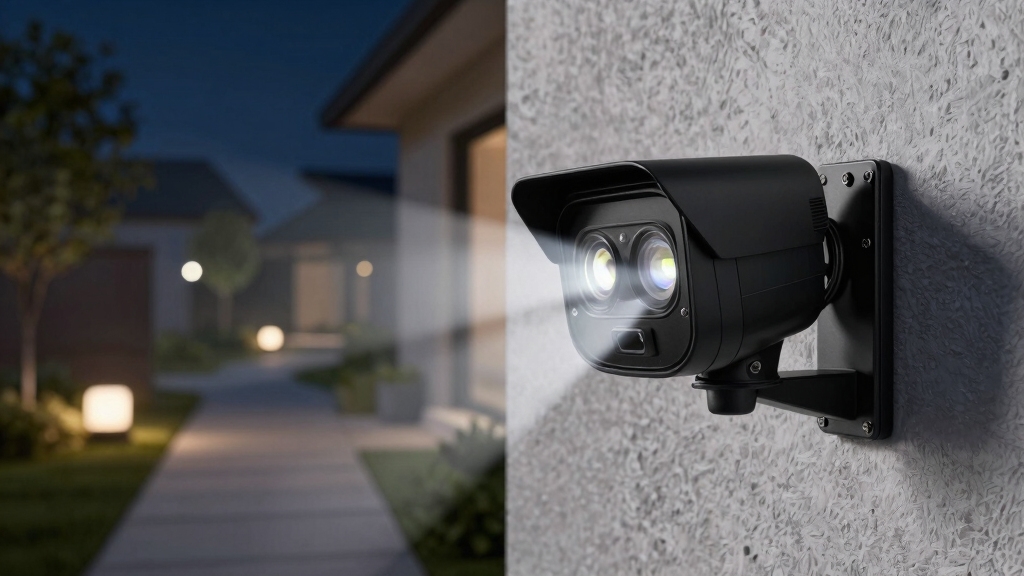
While many outdoor security cameras offer basic monitoring, the Eufy e340 Floodlight Camera distinguishes itself through a combination of advanced hardware and thoughtful features that enhance both security and illumination.
You get a hardwired design, ensuring consistent power without battery concerns. Its dual-camera setup pairs a 3K main camera with a 2K secondary lens, delivering sharp, high-resolution video with strong contrast.
The 360° pan-and-tilt mechanism minimizes blind spots, while the 2,000-lumen floodlight provides robust area lighting. Built for exterior use, its waterproof construction guarantees durability in various weather conditions.
This blend of high-quality optics, extensive coverage, and powerful lighting sets the e340 apart, making it a holistic solution for outdoor security needs without relying on battery power or compromising video clarity. Additionally, Eufy’s emphasis on local storage and offline AI enhances data privacy and keeps footage secure within the home.
How the Dual-Camera System Enhances Security Coverage?
Because the Eufy e340 incorporates a dual-camera system combining a 3K main camera with a 2K secondary lens, it markedly broadens the scope and detail of surveillance coverage.
The Eufy e340’s dual 3K and 2K cameras significantly expand surveillance coverage and detail.
You get a wider field of view without sacrificing image clarity, as the 3K lens captures fine details while the 2K lens delivers expansive area monitoring.
This setup minimizes blind spots, especially when paired with the device’s 360° pan-and-tilt functionality.
The dual cameras work together to support flexible framing and tracking, allowing you to monitor both broad zones and close-up activity efficiently.
By leveraging two resolutions, the system balances detailed identification with all-encompassing situational awareness.
This enhances your ability to detect and respond to potential security threats across a larger perimeter.
Additionally, the camera’s processor performs compression using codecs like H.265 to ensure smooth real-time streaming without sacrificing video quality.
Lighting and Night Vision Improvements for Better Visibility
You’re really going to appreciate the Eufy e340—it packs a powerful 2,000-lumen floodlight that brightens up dark areas like nobody’s business. Seriously, it makes a huge difference in visibility!
And let’s talk about the color night vision. It works wonders alongside its impressive low-light performance, ensuring you get clear and detailed footage even when the lighting isn’t ideal.
All these enhancements come together to minimize blind spots, which is a big win for your security monitoring after dark. You’ll feel a lot more secure knowing you can see everything clearly!
Its color night vision technology rivals advanced models like the Wyze v3 and v4, providing enhanced clarity during nighttime monitoring.
Enhanced Floodlight Brightness
A key feature that sets the Eufy e340 Floodlight Security Camera apart is its powerful 2,000-lumen floodlight, which markedly enhances nighttime visibility.
This intense illumination covers a broad area, greatly reducing dark spots and improving overall security effectiveness after sunset.
The brightness not only deters potential intruders but also supports the camera’s dual-lens system by providing ample light for sharp, high-resolution video capture.
You’ll notice clearer details in the footage, even in challenging low-light conditions.
The floodlight’s consistent output guarantees reliable performance throughout the night, making it a practical choice for outdoor surveillance where visibility matters.
However, since the camera is hardwired, you’ll need a suitable installation location with power access to fully leverage this enhanced lighting capability.
For optimal performance, it is recommended to mount the camera at 8–10 feet high with a slight downward angle to maximize field of view and reduce vandalism risk.
Color Night Vision
Building on the floodlight’s strong illumination, the Eufy e340 enhances nighttime security with its color night vision capabilities. This feature allows you to see more accurate and vivid color details in low-light conditions, improving identification and situational awareness.
The combination of dual cameras and bright floodlights reduces reliance on traditional infrared night vision, which often renders scenes in monochrome.
| Feature | Benefit |
|---|---|
| Color Night Vision | Clearer, more detailed images |
| Dual Cameras | Wide and close-up color capture |
| 2000 Lumens Floodlight | Bright, uniform illumination |
| Reduced Infrared Dependence | Less monochrome imagery |
| Enhanced Identification | Improved security response |
You can trust this system to deliver sharper, more informative nighttime footage. Proper mounting and positioning of the floodlight camera further optimize its performance and reliability.
Low-Light Performance
Even when natural light fades, the Eufy e340 maintains clear visibility through its advanced low-light performance. Its dual-camera system, combining a 3K main and 2K secondary lens, captures sharp, detailed images with strong contrast even in dim conditions.
The integrated 2,000-lumen floodlights provide powerful illumination, effectively reducing shadows and enhancing image clarity. Color night vision further improves your ability to identify subjects without relying solely on infrared.
Reviews highlight that the camera’s wide-angle and zoom capabilities remain effective after dusk, allowing you to monitor both broad areas and finer details. This combination of bright floodlighting and sensitive optics guarantees consistent surveillance quality, minimizing blind spots and improving overall security during nighttime hours.
Additionally, the camera’s performance is enhanced by built-in heaters that prevent lens fogging and condensation, ensuring clear images in humid and cold conditions.
AI Detection Types and Tracking Functions You Should Know
Since effective security depends on timely and relevant alerts, understanding the Eufy e340’s AI detection types and tracking functions is essential.
You’ll benefit from its ability to distinguish between motion, person, vehicle, and animal alerts, which minimizes false alarms and sharpens focus on genuine threats.
The system uses dual cameras and a 360° pan-and-tilt mechanism to follow subjects as they move, providing continuous monitoring without blind spots.
Motion sensors extend detection beyond the camera’s direct view, enhancing coverage.
Hybrid zoom and rotation controls let you fine-tune monitoring angles via the app, allowing dynamic tracking.
While it lacks advanced recognition like facial or package detection, the Eufy e340’s AI tracking remains robust, delivering detailed, actionable alerts for practical, real-time security management.
Storage Options and Managing Recordings on the Eufy e340
You’ll love that the Eufy e340 focuses on local storage. This means you can save your footage directly without being tied to any mandatory cloud subscriptions. How convenient is that? Plus, it supports microSD cards of up to 128 GB, giving you plenty of flexibility for on-device recording.
And if you’re looking for even more storage options, integrating with the HomeBase 3 is a great move. It not only expands your storage capacity but also enhances the way you manage your recordings. So, whether you’re storing a few clips or a lot, you’re covered!
Additionally, the system’s support for flexible storage options allows you to choose between local and cloud storage for optimal data security and accessibility.
Local Storage Capabilities
Managing recordings on the Eufy e340 benefits greatly from its robust local storage options, which eliminate reliance on cloud subscriptions for core functionality. You can store footage directly on a connected HomeBase 3 device, offering a secure and private repository for your video data.
This setup guarantees your recordings are accessible even without internet access, improving reliability and control over your security footage. The system supports continuous and event-based recording, allowing you to balance storage use and retention according to your needs.
Through the mobile app, you can easily review, manage, and delete recordings, streamlining storage maintenance. Overall, the Eufy e340’s local storage capabilities provide a practical, cost-effective solution, enhancing data privacy while maintaining convenience and flexibility for monitoring and playback. For users requiring extensive local storage, Network Video Recorders (NVR systems) offer a robust alternative with higher capacity and continuous recording support.
MicroSD Card Support
Although the Eufy e340 primarily emphasizes local storage via HomeBase 3, it also supports microSD cards up to 128 GB, offering an additional, flexible recording option.
This allows you to store recorded clips directly on the camera, reducing reliance on external hubs. Using a microSD card provides a straightforward way to manage recordings locally, especially if you prefer avoiding cloud storage or want immediate physical access to footage.
You can easily insert and format the card through the mobile app, which simplifies setup and maintenance.
However, keep in mind that storage capacity limits recording duration, so regular monitoring and deletion of unnecessary clips are essential.
Optimizing recording modes and using motion-activated recording can help extend storage by reducing unnecessary video data.
HomeBase 3 Integration
Since the Eufy e340 supports integration with the HomeBase 3 hub, it greatly expands your storage options and recording management capabilities.
HomeBase 3 offers encrypted local storage, eliminating the need for cloud subscriptions while enhancing data security. It supports larger storage capacities compared to microSD cards, accommodating extensive footage without frequent overwrites.
You can easily review, organize, and delete recordings via the Eufy mobile app, which synchronizes seamlessly with HomeBase 3. This integration also enables centralized management if you deploy multiple Eufy devices, simplifying surveillance oversight.
However, relying on HomeBase 3 requires a dedicated hub connected to your network, which adds to initial setup complexity and cost.
To maintain optimal security and performance, it is important to regularly update the HomeBase 3 and camera firmware to benefit from the latest software and firmware updates.
Using the Mobile App to Customize and Control Your Camera
You can easily fine-tune the Eufy e340 Floodlight Security Camera’s settings through its mobile app, which offers a straightforward interface for real-time control and customization.
The app lets you adjust brightness, toggle night-vision modes, and refine AI tracking parameters to suit your specific security needs.
You can pan and tilt the dual cameras remotely, enabling flexible monitoring angles without physically repositioning the device.
Playback controls allow precise review of recorded clips stored locally or on HomeBase 3, enhancing incident analysis.
Two-way audio is accessible, facilitating live conversations through the camera.
While the app remains largely user-friendly and free of advertisements, smart-home integration is limited. This may restrict convenience for users relying on broader automation systems.
Frequently Asked Questions
Can the Eufy e340 Be Integrated With Alexa or Google Assistant?
You can integrate the Eufy e340 with Alexa, allowing voice commands to view live feeds on Echo Show devices. However, its compatibility with Google Assistant is limited or not fully developed.
While Alexa support offers convenient hands-free control, Google Assistant integration lacks depth. This restricts seamless smart-home interaction.
You should consider this if you rely heavily on Google’s ecosystem, as the camera’s app and controls remain the primary management tools for most features.
How Difficult Is the Installation Process for the Hardwired Setup?
You’ll find the installation process moderately challenging since the Eufy e340 requires hardwiring. This means you’ll need basic electrical skills or professional help.
Curiously, its 360° pan-and-tilt feature demands precise mounting for peak coverage. You’ll have to connect the floodlight to your home’s power supply, which isn’t plug-and-play.
While the instructions are clear, expect to spend time aligning cameras and configuring settings via the app for full functionality.
Does the Camera Support Multiple User Accounts for Shared Access?
Yes, you can set up multiple user accounts for shared access through the mobile app.
This allows family members or trusted individuals to monitor the camera feed and receive alerts.
You control permissions and can manage who’s viewing or administrative rights.
However, keep in mind that the app’s user management may have some limitations compared to more advanced security systems.
It’s best suited for basic shared access needs.
Is There a Way to Adjust Floodlight Intensity Manually?
Want to control how bright your floodlight shines? Yes, you can manually adjust the floodlight intensity through the mobile app.
The app lets you tweak brightness levels to fit your needs, whether you want subtle illumination or maximum brightness. This flexibility helps you optimize lighting for different times or settings.
You’ll also find controls for night-vision mode and AI tracking, making the system adaptable and user-friendly.
Final Verdict: Eufy e340 Floodlight Security Camera Reviews
In sum, the Eufy e340 floodlight camera offers a sophisticated blend of dual-camera coverage and advanced AI detection that significantly elevates your home security.
Its improved lighting and night vision guarantee clear visibility, while versatile storage options keep your recordings accessible.
Using the mobile app, you can effortlessly tailor settings to your needs.
Much like a trusty pocket watch in a digital age, this camera combines timeless reliability with modern innovation, making it a smart investment for vigilant homeowners.