
Your smoke alarm chirps during a power outage because it switches to backup battery mode, triggering a low-battery alert or fault signal.
To stop the beeping, first identify if your alarm is hardwired or battery-operated.
Then, safely check and replace the backup battery, ensuring correct installation and polarity.
Afterward, reset the alarm by holding the test button to clear residual power.
Proper cleaning can also reduce false alerts.
If chirping persists despite these actions, you’ll want to explore further troubleshooting and replacement guidance.
Key Takeaways
- Replace the backup battery in hardwired smoke alarms to stop beeping triggered by power failure.
- Press and hold the reset/test button for 15–30 seconds to reset the alarm and discharge residual power.
- Clean vents and sensor chambers regularly to prevent dust-induced false chirping during outages.
- Switch off the circuit breaker before disconnecting hardwired alarms to safely access and reset the unit.
- If chirping persists after battery replacement and reset, check alarm age and consider replacing it.
Why Does My Smoke Alarm Chirp When the Power Goes Out?
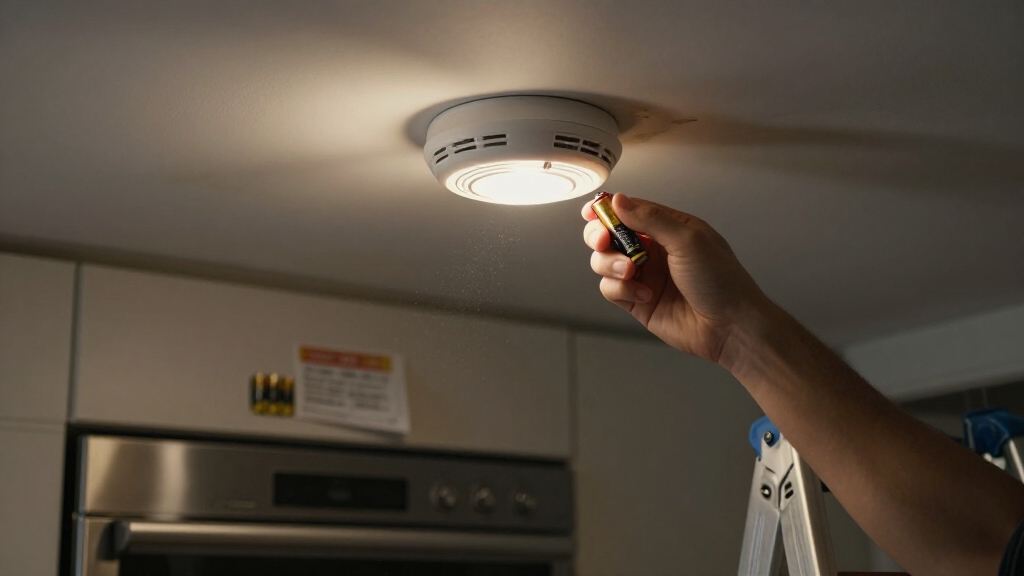
When the power goes out, your hardwired smoke alarm often chirps because its backup battery activates to maintain functionality.
This chirping serves as a low-battery alert for the secondary power source, ensuring continuous operation during mains failure.
The alarm’s internal circuitry detects the shift from AC power to battery mode, triggering the warning signal.
In contrast, battery-powered alarms may chirp due to low battery voltage, faulty installation, or internal faults unrelated to power loss.
A single chirping detector can mimic multiple alarms, complicating identification.
This intentional alert mechanism helps you diagnose power interruptions and battery status promptly, preventing unnoticed downtime.
Understanding this behavior enables you to respond effectively, ensuring your alarm remains operational during outages and safeguarding your property from undetected hazards.
Regular maintenance and timely replacement of the backup battery are essential to prevent these alerts and maintain uninterrupted protection.
Identify Your Smoke Alarm Type During a Power Outage
Recognizing the type of smoke alarm you have is key to diagnosing and addressing chirping during a power outage.
Hardwired alarms rely on backup batteries when mains power fails, often causing chirps if the battery is weak or failing.
Hardwired smoke alarms chirp during outages when their backup batteries are weak or failing.
Battery-powered units may chirp due to low battery voltage, improper battery placement, or internal faults independent of the outage.
Identifying whether your alarm is hardwired or battery-operated helps you isolate the cause accurately.
Note that a single chirping detector can mimic multiple alarms, so pinpoint the exact unit before troubleshooting.
Some models feature a silence or hush function, temporarily halting chirps without resolving underlying issues.
Persistent beeping after power restoration might indicate residual charge or hardware malfunction, requiring further diagnostic steps specific to your alarm type.
Many hardwired detectors include backup batteries that automatically activate during power loss to maintain functionality and safety.
How to Check and Replace Your Smoke Alarm Battery?
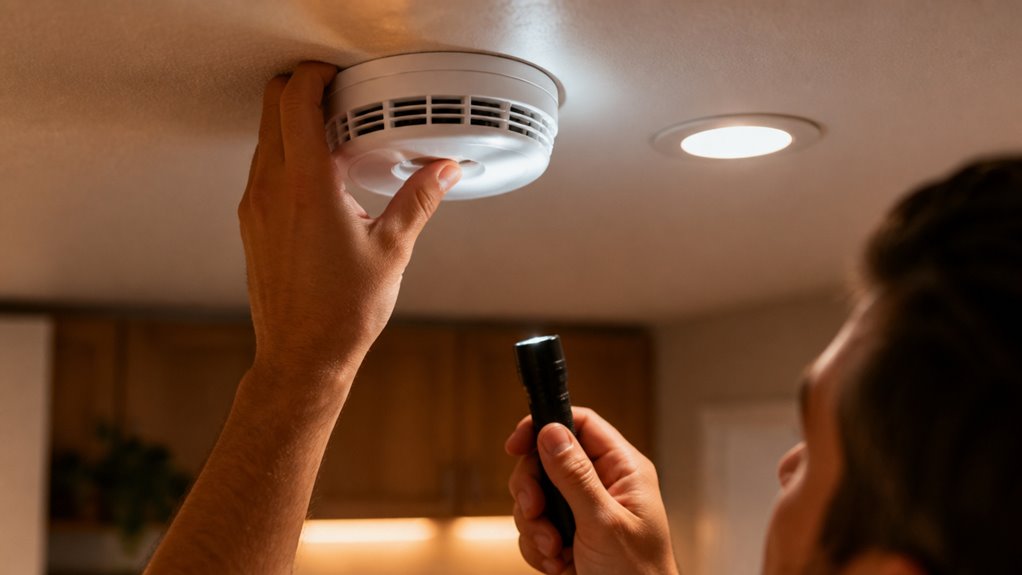
Start by removing your smoke alarm from its mounting bracket to access the battery compartment. Open the compartment carefully and inspect the battery for corrosion, leakage, or depletion.
Replace the old battery with a fresh one, ensuring correct polarity. Misalignment can cause persistent chirping. Use the recommended battery type specified by the manufacturer to maintain optimal performance.
Once replaced, close the compartment securely and reattach the alarm to the bracket. Press the Test button to verify the unit powers on and the chirping stops.
For hardwired alarms, a weak backup battery often triggers beeping during outages, so timely replacement is essential. Regular battery checks prevent false alarms and guarantee reliable operation during power interruptions.
Avoid touching internal components to prevent damage or false readings. Remember to dispose of old batteries properly at designated recycling or hazardous waste facilities to protect the environment and comply with safety guidelines.
How to Reset Your Smoke Alarm After a Power Outage?
Press and hold the reset or test button on your smoke alarm for 15 to 30 seconds to clear temporary faults caused by the power outage. This action discharges residual power and resets internal circuitry, often stopping the chirping.
If your alarm is battery-operated, consider removing the battery first to fully discharge stored energy before pressing the button. For hardwired alarms, confirm the circuit breaker is off before resetting to avoid electrical hazards.
Follow these steps for an effective reset:
Hold the reset/test button continuously for the recommended duration. Confirm a single beep indicating successful reset. Reinstall batteries correctly, confirming proper polarity. Restore power and verify the alarm remains silent.
This method resolves resets linked to transient faults without replacing components. For comprehensive guidance, always refer to your alarm’s model-specific reset instructions to ensure the correct procedure.
How to Safely Disconnect Hardwired Smoke Alarms?
After successfully resetting your hardwired smoke alarm, you may still need to disconnect it safely during a power outage or maintenance.
First, switch off the circuit breaker supplying power to the alarm to eliminate electrical hazards.
Next, carefully remove the detector from its mounting bracket, usually by twisting counterclockwise or releasing side tabs.
If your model includes a wiring harness, gently unplug it to fully isolate the unit. Confirm no residual power remains before proceeding.
Disconnecting the alarm stops the chirp temporarily, but avoid leaving it disconnected longer than necessary to maintain safety.
Always verify that beeping isn’t signaling an actual fire before disabling the alarm.
Reconnect the unit and restore power promptly after resolving the issue to guarantee continuous protection.
For added safety, remember to shut off electricity to the detector before removal to avoid shock hazards.
How to Clean Your Smoke Detector to Stop False Chirping?
To stop that annoying false chirping from your smoke detector, you’ll want to tackle any dust buildup. It’s pretty simple—just clear out the debris from the vents and sensor chambers.
A great way to do this is by using compressed air. Just make sure to blow out those particles gently, so you don’t damage any of the sensitive components inside.
Keeping your smoke detector clean is key! Regular cleaning helps ensure accurate sensor readings and can prevent those pesky chirps that have nothing to do with the battery or power issues. So, give it a little attention, and you’ll be good to go! Remember, cleaning complements proper battery maintenance but doesn’t replace the need to monitor low battery alerts.
Clear Dust And Debris
Regularly cleaning your smoke detector prevents dust and debris from triggering false chirps or interfering with its sensors. Accumulated particles can obstruct sensor chambers or vents, causing malfunctions that mimic battery faults.
To maintain peak performance and reduce false alarms, focus on these key steps:
Remove the detector from its mounting base carefully to avoid damage. Use a soft brush or vacuum attachment to gently clear dust from vents and sensor openings. Inspect the interior for visible debris that could block sensor elements. Wipe the outer casing with a dry cloth to remove surface contaminants.
Consistent cleaning minimizes sensor interference, helping your alarm operate accurately during power fluctuations and outages. This proactive maintenance supports reliable detection and prevents unnecessary chirping caused by environmental buildup. Remember to remove the battery before cleaning to ensure safety and prevent accidental alarms.
Use Compressed Air
Building on the importance of removing visible dust and debris, using compressed air targets particles lodged deep within your smoke detector’s sensor chambers and vents.
These microscopic contaminants can interfere with the sensor’s ability to detect smoke accurately, triggering false chirps.
To clean effectively, detach the alarm from its mounting bracket and hold the can of compressed air upright to avoid moisture discharge.
Direct short bursts into all openings, focusing on the sensor chamber and speaker grill.
Avoid prolonged spraying, which can damage sensitive components.
Afterward, visually inspect the detector to confirm debris removal, then reinstall it securely.
This method reduces false alarms caused by dirt accumulation and complements battery replacement and reset procedures, enhancing overall detector reliability during power outages.
Regular compressed air cleaning prevents sensor errors that mimic low battery or malfunction alerts.
For persistent chirping issues, it is also important to consider the end-of-life of the smoke detector as a potential cause that cleaning alone cannot resolve.
How to Know When to Replace Your Smoke Alarm?
You’ll often notice signs indicating it’s time to replace your smoke alarm, especially if it continues chirping despite battery changes, resets, and cleaning.
Persistent beeping after these steps typically signals an internal fault or end of the device’s lifespan. Smoke alarms usually have a 10-year functional limit, beyond which sensor degradation impairs reliability.
To determine replacement necessity, evaluate these factors:
- Continuous chirping after fresh battery installation and proper resets
- Alarm age exceeding 10 years based on manufacture date
- Repeated faults following power restoration or cleaning
- Failure to silence despite using hush or reset functions
Replacing your alarm guarantees dependable operation and prevents false alerts, maintaining safety during outages and normal conditions. Regular maintenance such as monthly testing and biannual cleaning is essential to keep your smoke detector functioning optimally and avoid unexpected failures from dust buildup.
Frequently Asked Questions
Can I Use Rechargeable Batteries in My Smoke Alarm?
You can use rechargeable batteries in your smoke alarm, but you need to ensure they meet the alarm’s voltage and capacity requirements.
Rechargeable NiMH batteries typically have a slightly lower voltage than alkaline ones, which might cause false low-battery chirps.
It’s essential to choose high-quality rechargeable cells and test the alarm after installation.
Always follow the manufacturer’s recommendations, as some alarms may not perform optimally or may void warranties when using rechargeables.
How Often Should I Test My Smoke Alarm During an Outage?
You should test your smoke alarm at least once every 24 hours during a power outage, like you’d check a lifeline in rough seas.
Frequent testing guarantees backup batteries function correctly and the unit isn’t falsely signaling.
Use the Test button to confirm its status.
If the alarm fails or chirps persist, replace batteries or reset it immediately.
Regular checks maintain reliability when mains power is unavailable.
What Sound Indicates a Smoke Alarm Malfunction?
A smoke alarm malfunction is usually indicated by a consistent, repetitive chirping or beeping sound that doesn’t stop after battery replacement or reset.
Unlike the steady alarm for smoke detection, malfunction sounds are often short, intermittent chirps occurring at regular intervals.
If the beeping continues after cleaning and power restoration, it signals internal faults or battery backup failure.
Recognizing this helps you decide if the unit needs replacement to guarantee safety.
Can Humidity Cause False Smoke Alarm Chirps?
Yes, humidity can cause false smoke alarm chirps. High moisture levels may interfere with the sensor’s optical or ionization chamber, triggering false alerts or low-battery warnings.
You should monitor humidity in areas near alarms and safeguard proper ventilation. If chirping persists despite stable power and fresh batteries, clean the detector to remove condensation residues.
Controlling environmental moisture helps prevent sensor malfunctions and reduces nuisance chirps caused by humidity fluctuations.
Are There Smart Smoke Alarms That Notify Outages Automatically?
Yes, you can get smart smoke alarms that notify you automatically during power outages. These devices connect to your Wi-Fi network and send alerts to your smartphone if they detect a loss of power or battery issues.
This helps you respond quickly, even when you’re away. Brands like Nest Protect and First Alert Onelink offer these features, integrating advanced sensors with real-time notifications for enhanced safety and convenience.
Know When the Smoke Alarm Needs Replacement
Think of your smoke alarm as a vigilant guardian. Its chirp signals unseen vulnerabilities during power outages.
By accurately identifying your alarm type, maintaining fresh batteries, and performing timely resets, you restore its reliable watch.
Cleaning and knowing when to replace it guarantees this sentinel never falters.
Treat these steps as tuning a finely calibrated instrument. Precision maintenance keeps your safety net intact, silencing false alarms and securing your peace of mind.