
Blink cameras offer solid basic security through 1080p video, motion-triggered alerts, and optional local storage via Sync Module 2. However, they heavily rely on stable Wi-Fi and cloud processing for advanced features like person detection.
This dependence introduces risks like delayed alerts, potential footage loss during outages, and privacy concerns from sending video to external servers. You’ll want robust passwords and two-factor authentication to protect your account.
Exploring deeper reveals important trade-offs in performance and privacy.
Key Takeaways
- Blink cameras rely on Wi‑Fi for live streaming and cloud syncing, making network stability crucial for security and functionality.
- Cloud storage and AI features send video to external servers, increasing exposure to interception and unauthorized access risks.
- Local storage via Sync Module 2 improves privacy and reliability by storing footage on a USB drive, reducing cloud dependence.
- Strong passwords, two-factor authentication, and regular app updates are essential to protect account access and video data.
- Cameras lack internal storage, so Wi‑Fi outages or cloud breaches risk permanent footage loss or unauthorized viewing.
How Secure Are Blink Cameras for Basic Home Monitoring?
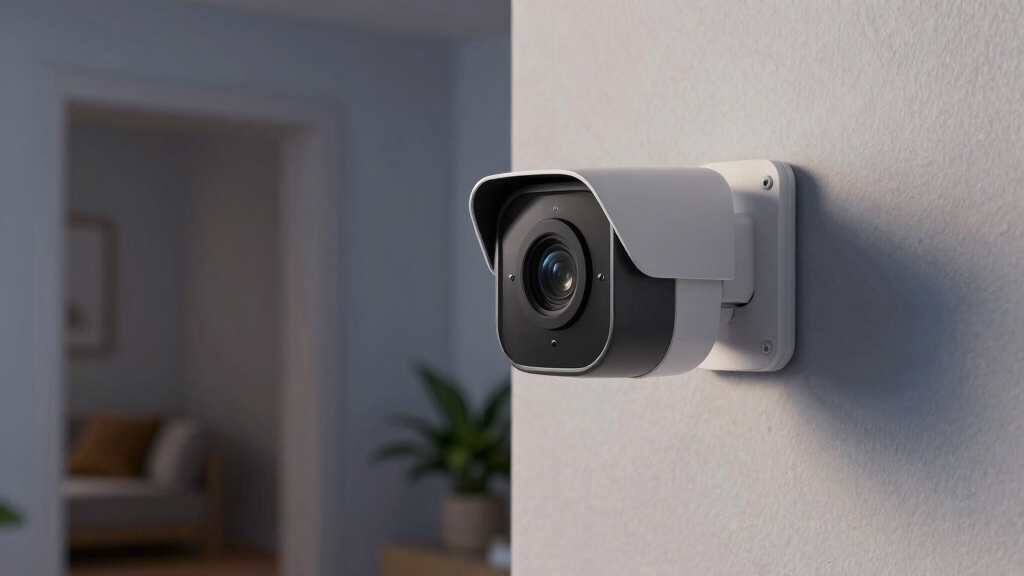
Typically, Blink cameras deliver a secure foundation for basic home monitoring by combining HD video, motion-triggered recording, and configurable motion zones.
Blink cameras provide essential home security with HD video, motion-triggered recording, and customizable motion zones.
You’ll find their core security functionality reliable for small spaces or budget-conscious setups, supporting two-way talk and night vision to enhance situational awareness.
However, Blink’s security depends heavily on your network’s Wi-Fi stability, as connectivity interruptions directly impact camera responsiveness and recording.
Configuring motion zones accurately is critical to minimizing false alerts and focusing surveillance.
While Blink lacks advanced detection and has limited field of view compared to premium systems, it adequately covers essential monitoring needs.
To maximize security, you must guarantee proper camera placement, tuned detection settings, and robust Wi-Fi, since these factors directly influence Blink’s effectiveness in protecting your home.
Additionally, Blink’s use of PIR heat-sensing sensors helps reduce false alarms from vehicles, animals, and wind, improving alert accuracy.
What Video Quality and Motion Detection Do Blink Cameras Offer?
Blink cameras really shine when it comes to video quality. You’ll get 1080p HD visuals, which means you can expect clear images without hogging too much bandwidth. That’s a nice balance, right?
Now, let’s talk about motion detection. Blink cameras come with configurable zones, so you can set them up to minimize those pesky false alerts. Plus, if you opt for a subscription, some of the newer models even offer cloud-based person detection.
Video Resolution Standards
Blink cameras deliver video in 1080p HD resolution, ensuring clear and detailed footage for basic home monitoring needs.
This standard strikes a balance between sufficient image quality and efficient data use, suitable for everyday security tasks.
When evaluating Blink’s video resolution standards, consider these key points:
- Field of View: Blink models offer between 110° and 143°, impacting the spatial coverage of each camera’s video feed.
- Night Vision: Infrared night vision provides black-and-white video in low light, maintaining resolution but sacrificing color accuracy.
- Cloud-Dependent Enhancements: Features like person detection rely on cloud processing, which doesn’t affect the native 1080p resolution but does enhance motion-triggered alerts.
Unlike some competitors, Blink cameras do not currently support local storage options, requiring cloud storage for continuous recording.
Understanding these factors helps you assess whether Blink’s video quality aligns with your monitoring requirements.
Motion Detection Features
Although video quality sets the foundation for surveillance effectiveness, motion detection features determine how efficiently your system captures relevant events. Blink cameras record in 1080p HD and trigger recording based on motion. Recent models offer cloud-based person detection via subscription.
You can configure motion zones to focus on critical areas and reduce false alerts. However, the field of view varies from 110° to 143°, affecting coverage. Keep in mind that motion detection relies heavily on Wi-Fi stability and camera placement.
While Blink cameras provide basic motion detection, options like Reolink offer on-device AI detection that operates without subscription fees, enhancing privacy and reducing false alerts.
| Feature | Capability | Limitation |
|---|---|---|
| Video Quality | 1080p HD | No 4K support |
| Motion Detection | Motion zones, person detection (cloud-based) | Requires subscription for AI features |
| Field of View | 110° to 143° | Narrower than premium models |
How Does Blink Depend on Wi-Fi for Security and Performance?
You really rely on Wi-Fi to keep your Blink cameras running smoothly and securely. So, having a stable network is super important for consistent performance.
If there are interruptions or if your signal is weak, you might notice issues like degraded video streaming, less accurate motion detection, and unreliable recordings.
It’s good to understand how these dependencies work. That way, you can get a clearer picture of how any network limitations could impact your overall system effectiveness.
Ensuring network stability and throughput is crucial because it directly affects streaming quality, latency, and remote access reliability.
Wi-Fi Connectivity Importance
When setting up a Blink camera system, you’ll quickly realize that Wi-Fi connectivity forms the backbone of its operation and security.
Blink relies entirely on a stable Wi-Fi connection to transmit live video, trigger motion alerts, and sync recordings to cloud or local storage.
Without consistent Wi-Fi, you risk delayed alerts or lost footage, undermining security.
Consider these key dependencies:
- Real-time video streaming requires low-latency, continuous Wi-Fi to maintain the maximum 90-minute live view limit.
- Motion detection alerts depend on prompt data upload, so network interruptions cause missed or late notifications.
- Cloud-based features like person detection and storage require secure Wi-Fi to protect data integrity and privacy.
Thus, your Wi-Fi’s performance directly influences Blink’s effectiveness and security posture.
For optimal performance and data protection, it is essential to implement network segmentation to segregate CCTV traffic and minimize interference.
Network Reliability Impact
In a Blink camera system, network reliability directly dictates both security and performance by guaranteeing uninterrupted data flow between the camera, cloud services, and your app.
Blink cameras rely exclusively on Wi-Fi for transmitting live video, motion alerts, and recorded clips. If your Wi-Fi signal weakens or drops, video streams stall, motion detection alerts delay, and cloud uploads fail, compromising timely incident awareness and recording integrity.
Additionally, the cloud-dependent AI features like person detection require consistent connectivity; otherwise, you lose enhanced detection capabilities. Local storage via Sync Module 2 still depends on Wi-Fi for app access to recordings.
Consequently, to maintain Blink’s baseline security and operational efficiency, you must guarantee your Wi-Fi network offers stable, low-latency coverage with sufficient bandwidth to handle multiple simultaneous camera streams without interruption.
To avoid streaming interruptions and signal interference, it is also crucial to assess Wi-Fi signal strength at each camera location during installation.
Performance Limitations Linked
Blink cameras consistently depend on a reliable Wi-Fi connection to deliver their core security functions, making network performance a critical factor for both system responsiveness and data integrity.
If your Wi-Fi falters, you’ll experience delayed alerts, interrupted live views, and potential loss of recorded footage.
This reliance creates specific performance limitations:
- Live streaming caps: Blink limits continuous live view to 5–90 minutes, influenced by network stability and bandwidth.
- Cloud dependency: Features like person detection require steady upload speeds; interruptions degrade detection accuracy.
- Storage synchronization: Wi-Fi outages can delay or prevent video uploads to cloud or local Sync Module storage, risking data loss.
Understanding these constraints helps you optimize your network setup to maintain Blink’s intended security performance. Monitoring and upgrading your network to prevent WiFi signal interference is essential for stable and reliable camera feeds.
What Storage Options and Recording Security Do Blink Cameras Provide?
You’ll find that Blink cameras offer two primary storage options: cloud-based and local storage via the Sync Module 2. Cloud storage requires a paid subscription starting around $3 per month. It enables features like person detection and Blink Moments, but it stores video remotely, increasing reliance on account and cloud security.
Alternatively, the Sync Module 2 supports local storage through a USB drive up to 256GB. This allows you to keep recordings on-site without recurring fees. Blink cameras themselves lack internal storage, so all footage routes through either cloud or Sync Module 2.
Recorded clips are accessible via the app regardless of storage method. While local storage may appeal for privacy and reduced cloud dependence, both options depend on secure Wi-Fi and app credentials to prevent unauthorized access. For a more comprehensive security setup, integrating with an ecosystem that offers cellular backup and professional monitoring can enhance protection and response times.
What Are Blink Cameras’ Live View and Night Vision Limits?
When evaluating live view capabilities, you’ll find that Blink cameras impose specific limits on streaming duration.
Some reviews cite a maximum continuous live view time of around 90 minutes, while others note a more restrictive 5-minute live streaming window.
These constraints impact real-time monitoring effectiveness, especially during extended surveillance needs.
Night vision functionality, standard across recent models, typically offers infrared black-and-white imaging rather than full color.
This can affect scene detail in low light.
Key limitations include:
- Live view streaming capped between 5 to 90 minutes, depending on model and conditions.
- Night vision restricted to infrared monochrome, limiting color information in darkness.
- Field of view narrowed (110° to 143°), reducing peripheral monitoring coverage during live view.
These factors define Blink’s suitability for basic rather than advanced security scenarios. For more reliable and uninterrupted surveillance, strategic wiring and solar positioning can be essential for camera systems with continuous power needs, as outlined in wiring and solar positioning.
What Privacy Risks Come With Blink’s Cloud Features?
Cloud features bring convenience but also introduce notable privacy risks that you need to consider carefully.
When you rely on Blink’s cloud storage, your video data transmits over the internet to remote servers. This increases exposure to interception or unauthorized access if encryption or authentication is weak.
Your account credentials become a critical attack vector. If compromised, attackers could access live feeds and stored clips.
Additionally, Blink’s cloud-based AI features like person detection require sending sensitive video data to external servers for processing. This further expands your data’s exposure surface.
You must guarantee strong, unique passwords and enable multi-factor authentication to mitigate these risks.
Finally, since Blink cameras lack internal storage, any cloud disruption or breach could lead to permanent loss or leakage of your recorded footage.
To enhance device security, Blink and similar systems often rely on a unique device identifier that helps authenticate devices during remote access and updates.
How Local Storage With Sync Module 2 Improves Blink Camera Security?
Local-storage integration via the Sync Module 2 markedly enhances Blink camera security by guaranteeing reduced dependence on internet connectivity and remote servers.
Local storage with Sync Module 2 significantly strengthens Blink security by minimizing reliance on internet and cloud servers.
By storing video footage locally on a USB drive connected to the Sync Module 2, you mitigate risks tied to cloud vulnerabilities and subscription lapses. This setup offers:
- Improved data control: Your recordings are physically stored on a device you manage, limiting exposure to external breaches.
- Increased reliability: Local storage guarantees continuous recording even during Wi-Fi outages, preventing gaps in surveillance.
- Privacy preservation: Without mandatory cloud uploads, your sensitive footage remains off third-party servers, reducing potential data interception.
Thus, utilizing the Sync Module 2 for local storage bolsters your Blink system’s security posture by guaranteeing data sovereignty, system uptime, and privacy safeguards.
How to Keep Your Blink Account and App Secure?
You should regularly update your Blink app and account credentials to maintain robust security.
Frequent app updates patch vulnerabilities and enhance encryption protocols, reducing attack surfaces.
Change your password to a strong, unique combination periodically.
Enable two-factor authentication (2FA) to add an extra security layer against unauthorized access.
Monitor account activity for unfamiliar logins or devices.
Secure your Wi-Fi network with WPA3 encryption and a complex password, since Blink cameras rely on your network’s integrity.
Avoid using public or unsecured networks when accessing the app.
Additionally, limit app permissions on your mobile device and keep your operating system updated to prevent exploitation via software vulnerabilities.
Is Blink Right for You? When to Consider Other Options?
When evaluating home security options, how do you determine if Blink cameras meet your specific needs?
Blink suits you if you want affordable, basic coverage with HD video, motion detection, and decent battery life.
However, consider other options if:
- You require advanced detection features like on-device AI or a broader field of view beyond Blink’s 110°-143° range.
- Continuous live streaming beyond Blink’s 5 to 90-minute limit is critical for your monitoring strategy.
- You prioritize fully local storage or enhanced privacy without relying on cloud processing and subscriptions.
Ultimately, Blink delivers solid core functionality ideal for small spaces or budgets but lacks advanced analytics and extended monitoring capabilities.
Assess your security priorities carefully to decide if Blink’s tradeoffs align with your home protection goals.
Frequently Asked Questions
Can Blink Cameras Integrate With Other Smart Home Systems?
Yes, you can integrate Blink cameras with other smart home systems, primarily through Amazon Alexa. Blink is owned by Amazon, so it works smoothly with Alexa-enabled devices for voice commands and routines.
You can view camera feeds on Echo Show or Fire TV. However, Blink’s compatibility outside the Amazon ecosystem is limited. If you rely on platforms like Google Home or Apple HomeKit, integration options are minimal or nonexistent.
How Do Blink Cameras Handle Firmware Updates and Security Patches?
Firmware updates and security patches for Blink cameras roll out automatically, ensuring your system stays current without you lifting a finger.
These updates address vulnerabilities and improve functionality through the Blink app when your device connects to Wi-Fi. You can’t manually trigger updates, so it’s essential to keep your cameras online.
Timely installation depends on stable network access, making your Wi-Fi’s reliability a cornerstone of ongoing security maintenance.
What Is the Warranty and Customer Support Like for Blink Cameras?
You get a one-year limited warranty on Blink cameras covering defects and hardware issues.
If you encounter problems, Blink’s customer support offers online resources, FAQs, and chat or phone assistance, though wait times can vary.
For technical troubleshooting or warranty claims, you’ll typically initiate contact through the app or website.
Support is adequate for basic issues but might feel limited if you need advanced technical help or rapid response times.
Are Blink Cameras Resistant to Physical Tampering or Vandalism?
You won’t find Blink cameras to be indestructible fortress shields against vandals.
While models like the Outdoor 4 offer weather resistance rated at IP65, protecting against dust and water jets, their physical tampering resistance is modest.
They lack reinforced casings or tamper alarms, so if someone’s determined, they could be disabled.
You’ll want to install them out of easy reach and combine them with strong app security to mitigate risks.
How Do Blink Cameras Perform in Extreme Weather Conditions?
Blink cameras, especially the Outdoor 4 model, perform well in extreme weather due to their IP65 rating, meaning they resist dust and water jets.
You can rely on them in rain, snow, and dust storms, but avoid submersion.
Their weather-resistant design guarantees durability, while battery operation maintains function during power outages.
However, extreme cold may reduce battery efficiency.
Consider placement and battery maintenance to maximize performance in harsh climates.
Make Your Blink Camera Setup Safer Today
Blink cameras offer solid basic home monitoring with 1080p video and reliable motion detection. However, they rely heavily on Wi-Fi and cloud storage, which introduces privacy risks.
Importantly, over 70% of IoT devices face vulnerabilities linked to cloud services, emphasizing the need for caution. Using local storage via Sync Module 2 and securing your account strengthens protection.
If you prioritize advanced security controls and offline options, exploring alternative systems might better suit your needs.