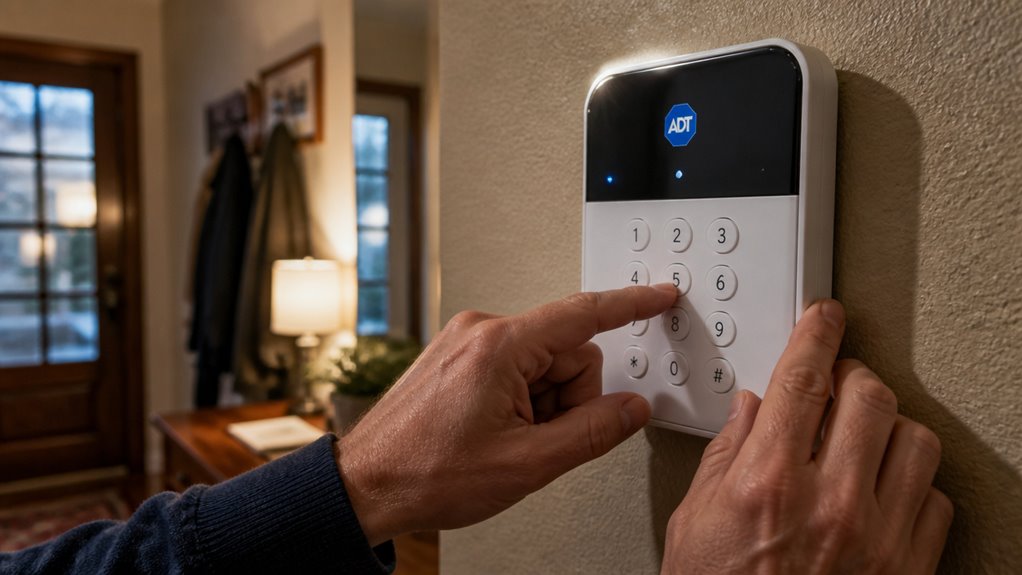

To deactivate your ADT alarm system, first cut power by unplugging the transformer or switching off the circuit breaker feeding the control panel.
Then, open the panel enclosure and disconnect the backup battery to fully shut down the system.
Carefully remove sensors and peripherals after power loss.
Finally, contact ADT to cancel your monitoring service.
Follow strict safety precautions throughout. If you want to handle complex steps or avoid risks, keep exploring the detailed guidance ahead.
Key Takeaways
- Locate and disconnect the transformer or circuit breaker supplying power to the ADT alarm panel to shut down AC power.
- Remove the backup battery inside the control panel after cutting AC power for a full system shutdown.
- Open the main control enclosure carefully using a screwdriver, ensuring power is disconnected before accessing internal components.
- Detach sensors, motion detectors, and cameras only after the panel is fully powered down to avoid damage or alarms.
- Contact ADT customer service to cancel monitoring and confirm account termination after hardware disconnection.
Cut Power to Your ADT Alarm Panel Safely
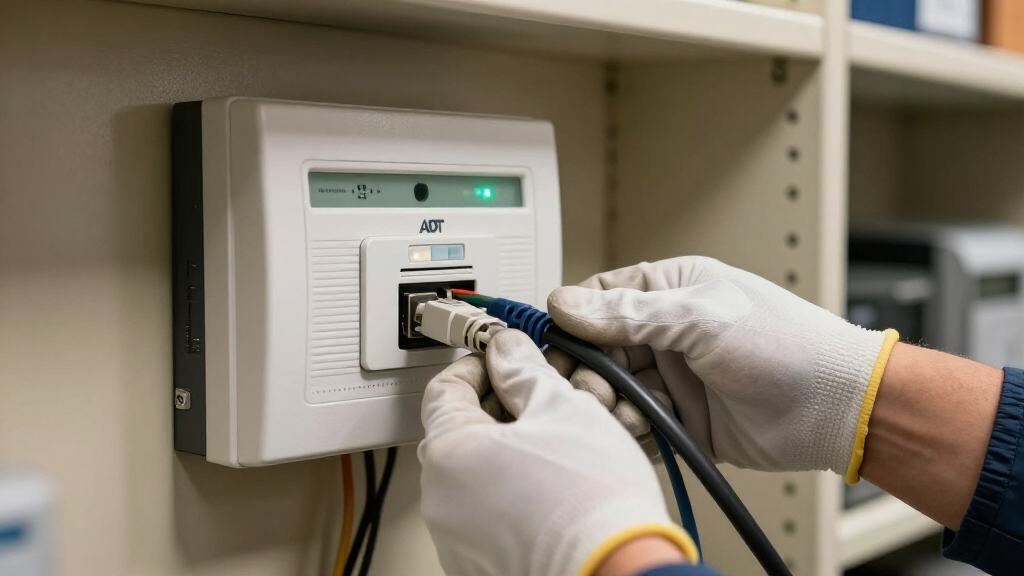
Before you begin, make sure to locate the power source for your ADT alarm panel. This is typically a transformer plugged into a nearby wall outlet or connected via a circuit breaker.
This transformer often appears as a small beige or light-colored “power brick.” If it’s plugged in, carefully unplug it from the outlet.
If your system uses a circuit breaker instead, identify and switch off the breaker supplying the panel. This step cuts AC power, which is essential because the panel relies on this source to operate.
For complete power shutdown, you should also remove the backup battery inside the panel after disconnecting the transformer to ensure safe shutdown of the system.
Disconnect Backup Battery to Shut Down System
Locate and open the main control panel to access the backup battery. This battery powers your ADT alarm system when AC power is removed.
The backup battery is typically a black or gray rectangular unit with attached leads. Carefully disconnect the battery connector or unplug the leads to fully shut down the system.
Make sure the AC power is already cut before proceeding to avoid electrical hazards.
It is important to disarm the ADT system completely before disconnecting the battery to prevent accidental alarms.
| Step | Action | Notes |
|---|---|---|
| 1 | Open main control panel | Use screwdriver or release clips |
| 2 | Identify backup battery | Black/gray rectangular unit |
| 3 | Disconnect battery leads | Unplug or detach connectors |
| 4 | Confirm system shutdown | Panel display should go blank |
| 5 | Close panel securely | Prevent accidental re-connection |
How to Get Inside Your ADT Alarm Panel?
Accessing your ADT alarm panel requires finding the main control enclosure, typically mounted on a wall in a utility room, garage, basement, or closet. This metal or beige box houses the system’s internal components.
To open it:
- Locate the panel’s cover, which may have release clips or screws.
- Use a screwdriver if screws secure the cover; otherwise, press the clips firmly.
- Gently pull the cover away to reveal the wiring and backup battery inside.
- Make certain power is disconnected before touching internal components to avoid electric shock.
Opening the panel grants access to the battery and wiring needed for further deactivation steps. It is important to first unplug the backup battery to fully cut system power and avoid electrical issues before proceeding.
If you have trouble locating or opening the panel, consider consulting professional assistance to avoid damage or injury.
Remove Sensors and Peripheral Devices From Your ADT System
Begin removing sensors and peripheral devices once the main control panel is fully powered down by disconnecting both AC power and the backup battery.
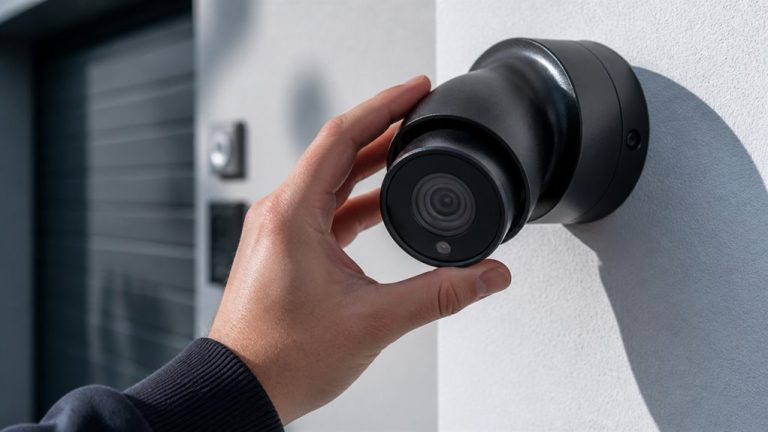
Locate each sensor, including door/window contacts, motion detectors, and cameras, and detach them carefully. Use a screwdriver or press release clips to remove mounts.
Unplug additional devices like Pulse gateways if applicable to guarantee complete disconnection.
| Device Type | Removal Method |
|---|---|
| Door/Window Sensors | Unscrew or unclip |
| Motion Detectors | Detach from mounting |
| Cameras | Unplug and unscrew |
| Network Devices | Disconnect power/data |
Handle wiring cautiously to avoid damage. Removing peripherals cleans the system and eliminates unnecessary power draw.
Ensure to follow proper device deactivation procedures to avoid system errors or damage during removal.
This prepares it for final deactivation steps.
Cancel ADT Monitoring Service After Hardware Removal
Once you’ve removed your ADT hardware, the next step is to reach out to ADT directly to cancel your monitoring service. It’s important to do this to prevent any surprise charges down the line.
Make sure to confirm that your account termination has been processed. This way, you can rest easy knowing everything is squared away.
Also, take a moment to understand any remaining service obligations. This will help ensure that your cancellation is complete and hassle-free.
For security, remember to change or deactivate any access codes associated with your system before finalizing cancellation.
Contacting ADT Directly
To fully deactivate your ADT alarm system, you’ll need to reach out to ADT directly to cancel your monitoring service.
Physical disconnection alone doesn’t stop your account or billing. Contacting ADT makes certain your service obligations end properly.
Follow these steps to contact ADT:
- Locate your account number and personal identification details.
- Call ADT customer service using the official contact number.
- Request cancellation of your monitoring service explicitly.
- Confirm any final billing or contract termination terms.
This process guarantees your monitoring is officially terminated.
Keep records of your communication for future reference.
Without this step, ADT may continue billing or consider your service active despite hardware removal.
Be aware that many plans include long-term monitoring contracts which may have early cancellation fees or specific termination requirements.
Verifying Account Termination
Even once you’ve physically disconnected your ADT alarm hardware, you’ll want to verify that your monitoring service has been fully terminated to prevent further charges.
Start by contacting ADT customer service directly. Use the official phone number or online portal to confirm your account status.
Request explicit confirmation that your monitoring contract is canceled and that no future billing will occur.
Ask for a written or electronic confirmation for your records.
Check your bank or credit card statements in the following weeks to make certain no unauthorized charges appear.
If you notice continued billing, contact ADT promptly to resolve discrepancies.
Keep in mind that unlike some providers, ADT may have specific policies regarding contract cancellation and equipment financing balances that could affect your final charges.
Understanding Service Obligations
Although you may have removed your ADT alarm hardware, your monitoring service remains active until you formally cancel it with ADT. Disconnecting physical components doesn’t end your contractual obligations or billing.
To fully terminate service, you must contact ADT’s customer support.
Follow these steps to understand and fulfill your service obligations:
- Verify your account status and outstanding balance through your ADT portal or customer service.
- Request formal cancellation of monitoring services, specifying your hardware removal date.
- Obtain written confirmation of service termination and final billing details.
- Hand over any leased or rented equipment if required to avoid additional fees.
Completing these actions guarantees you avoid unnecessary charges and properly close your ADT monitoring account. Be aware that written notice is usually required, and early termination fees may apply depending on your contract terms.
Follow Safety Tips When Deactivating Your ADT Alarm System
When you’re getting ready to deactivate your ADT alarm system, the first thing you want to do is disconnect the power at the transformer or breaker. This step is super important because it helps prevent any electrical shock while you’re working on it.
Once that’s done, go ahead and carefully detach the backup battery inside the control panel. This is crucial since the battery can keep the system running even if the main power is off.
Now, a quick word of caution: don’t cut any wires unless you’re absolutely sure you know the wiring layout. It can get tricky! If anything feels unclear or you’re not sure how to proceed, it’s always a good idea to reach out for professional help.
Better safe than sorry, right?
Also, keep in mind that disconnecting the battery may trigger the external bell or siren, so consider consulting a professional if you’re uncertain about this step to avoid any surprises with external siren activation.
Power Disconnection Safety
Exercise caution as you disconnect power from your ADT alarm system to prevent electrical shock and damage.
Always identify the main power source: either the transformer plug or the circuit breaker supplying the panel.
Before unplugging, make sure your hands are dry and use insulated tools if needed.
Follow these steps precisely:
- Locate and unplug the beige or light-colored transformer from the wall outlet, or switch off the corresponding breaker if applicable.
- Confirm no residual power by checking that the control panel display powers down.
- Avoid cutting wires unless you fully understand the wiring layout to prevent hazards or system damage.
- If unsure or if panel access is restricted, seek professional assistance to safely disconnect power.
Adhering to these steps safeguards you and your equipment during deactivation.
For full power isolation, it is also recommended to disconnect the backup battery to ensure the system is completely powered down.
Handling Backup Battery
You should always disconnect the backup battery immediately after removing AC power to fully deactivate your ADT alarm system. The backup battery, usually a black or gray rectangular unit inside the control panel, can keep the system running for hours after unplugging the transformer.
Open the main control panel enclosure carefully, locate the battery, and detach its leads to guarantee complete power loss. Confirm the panel display goes blank as proof of successful disconnection.
| Step | Action |
|---|---|
| Remove AC Power | Unplug transformer or switch off breaker |
| Open Control Panel | Use screwdriver or press release clips |
| Disconnect Backup Battery | Unplug battery leads inside the panel |
Following this sequence is vital for safe and effective system shutdown.
Avoiding Electrical Hazards
To prevent electrical hazards during ADT alarm system deactivation, always handle power components with care and follow manufacturer instructions closely.
Begin by unplugging the transformer or switching off the circuit breaker supplying power to the control panel.
Next, open the panel using appropriate tools, then disconnect the backup battery to ensure no residual power remains.
Avoid cutting wires unless you fully understand the wiring layout.
If you’re unsure, seek professional help.
Follow these key safety steps:
- Always unplug the AC power source before accessing internal components.
- Use insulated tools and avoid touching exposed wiring.
- Disconnect the backup battery only after removing AC power.
- Contact ADT or a qualified technician if the panel location is unclear or access is difficult.
When to Ask a Pro for Help With Your ADT System?
Although many ADT alarm system tasks can be handled independently, certain situations demand professional expertise to assure safety and proper deactivation. You should seek a pro if you face complex wiring, unclear panel locations, or risk of electrical shock.
Professionals also handle monitoring service termination correctly, avoiding unwanted charges.
| Situation | Risk Level | Recommended Action |
|---|---|---|
| Difficult panel access | High | Hire a professional |
| Unclear power source | Moderate | Consult a technician |
| Complex wiring or cutting wires | High | Use expert services |
| Service cancellation process | Low | Contact ADT customer support |
| Electrical shock concerns | High | Always get professional help |
When in doubt, prioritize safety and precision by involving a qualified technician.
Frequently Asked Questions
Can I Reactivate My ADT System After Deactivation?
Yes, you can reactivate your ADT system after deactivation by restoring power to the control panel and reconnecting the backup battery.
Once the hardware is powered, you’ll need to contact ADT customer service to resume monitoring and update your account.
They may guide you through system reprogramming or keypad setup.
Reactivation requires both physical reconnection and service reinstatement to guarantee full functionality and monitoring.
Will Deactivating Affect My Home Insurance Policy?
Think of your home insurance like a fortress. Removing your ADT alarm is like lowering the drawbridge. Yes, deactivating your alarm can impact your policy since insurers often require active security systems for discounts or coverage.
You should notify your insurer before deactivation to understand how it affects your terms. Failing to inform them might lead to higher premiums or denied claims. Always check your policy’s fine print and communicate changes promptly.
How Long Does It Take for ADT to Confirm Service Cancellation?
ADT typically confirms service cancellation within 24 to 72 hours after you request it.
To ensure timely processing, you should contact ADT’s customer service directly via phone or their online portal.
Be sure to provide your account details and cancellation request.
Keep a record of your cancellation confirmation number or email.
Note that physical disconnection of hardware alone doesn’t guarantee service termination.
Official confirmation depends on ADT’s processing of your cancellation request.
Are There Fees for Early Termination of ADT Service?
Yes, you’ll likely face early termination fees if you cancel ADT service before your contract ends.
These fees vary based on your agreement’s length and remaining months.
To avoid surprises, review your contract carefully and contact ADT customer service for exact fee details.
Understanding these charges upfront helps you plan your cancellation without unexpected costs and ensures you comply with the terms of your monitoring agreement.
Can I Transfer My ADT System to a New Address?
Moving your ADT system is like transplanting a delicate plant. It needs careful handling.
Yes, you can transfer your ADT system to a new address.
Contact ADT customer service to update your location and schedule a technician visit for reinstallation.
Don’t attempt to move and reconnect it yourself. Precise sensor alignment and panel setup are vital.
This guarantees your security system works seamlessly in your new home.
Final Thoughts on How to Deactivate ADT Alarm System
Deactivating your ADT alarm system requires careful steps to avoid damage or false alarms.
Start by cutting power and disconnecting the backup battery. Then access the panel to remove sensors and devices.
Don’t forget to cancel your monitoring service once hardware is removed.
Follow safety protocols strictly; precision matters. If you’re unsure, call a professional to ensure your system’s deactivation is handled correctly and securely.