
Yes, security cameras can have audio capabilities, allowing you to capture, transmit, and sometimes interact through sound.
They use built-in or external microphones, often combined with speakers for two-way talk.
Audio can be streamed digitally in IP cameras or recorded with video in analog systems.
Proper wiring, placement, and configuration optimize sound quality and reliability.
Keep legal consent requirements in mind to avoid issues.
You can explore how these features work and what to take into account for installation and compliance.
Key Takeaways
- Many security cameras feature built-in or external microphones to capture audio alongside video.
- Two-way audio cameras include speakers for real-time communication through the device.
- Audio recording may be one-way (listen-only) or two-way (talk and listen) depending on the system.
- Audio quality depends on microphone placement, wiring, and network conditions for IP cameras.
- Legal restrictions on audio recording vary by jurisdiction, requiring compliance with consent laws.
Audio Features in Security Cameras: What’s Possible
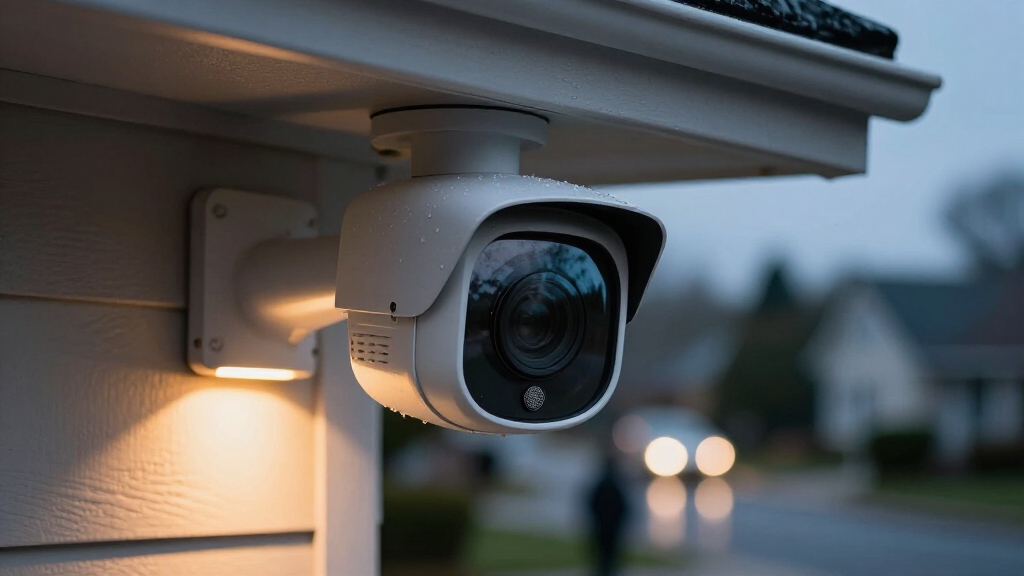
When you look into security cameras with audio features, you’ll find a range of capabilities designed to enhance surveillance beyond just video.
Cameras may include built-in microphones for direct sound capture or support external microphone inputs for flexible placement.
Many models offer one-way audio, allowing you to listen or record without speaking back. Two-way audio systems add a speaker to enable real-time communication.
Both wired and wireless/IP cameras support these features, transmitting audio either alongside video through a single cable or wirelessly over a network.
Some analog cameras combine audio with video signals before recording, whereas IP cameras stream digital audio to NVRs or apps.
Audio capabilities improve event context, facilitate active deterrence, and often integrate with smartphone applications for remote monitoring and interaction.
To maintain security and ensure optimal performance, it is important to regularly update camera firmware to support these audio functionalities.
How Security Cameras Capture Audio?
Security cameras capture audio by utilizing built-in microphones or connecting external microphones through dedicated inputs. When a microphone is built into the camera, it directly converts sound waves into electrical signals.
Security cameras capture audio using built-in or external microphones that convert sound waves into electrical signals.
The camera’s processor then encodes these signals alongside the video feed. External microphones plug into an audio input port and often require additional power, transmitting audio signals to the camera for integration.
In analog systems, audio is usually combined with the video signal before being sent to a recorder. IP cameras digitally stream audio and video simultaneously over a network.
Wireless cameras transmit audio data wirelessly while maintaining synchronization with video. Proper microphone placement and sensitivity settings guarantee optimal audio capture, typically effective within 30 to 40 feet, depending on environmental noise and device design.
Some security cameras also use sound detection technology to recognize specific sounds like glass breaking and trigger alerts.
Types of Audio Features in Security Cameras
Many security cameras come equipped with different audio features to match various surveillance needs. You’ll find cameras with built-in microphones that capture sound directly, while others offer microphone input ports allowing external mics for enhanced audio pickup.
Two-way audio cameras include both a microphone and a speaker, enabling real-time communication.
Analog cameras often combine audio with video signals before transmission to an NVR or DVR, whereas IP cameras transmit video and audio simultaneously over networks.
Audio capabilities vary: one-way audio supports recording or listen-only modes, while two-way talk allows live interaction. Some systems integrate audio monitoring through smartphone apps or connected devices.
Choosing the right type depends on your surveillance goals, environment, and whether you require communication or just audio recording alongside video footage. It is also important to consider overall safety practices when installing audio-enabled security cameras to ensure privacy and legal compliance.
Audio Transmission, Installation, and Quality Tips
Setting up audio transmission in your camera system requires careful attention to wiring, power requirements, and signal paths to guarantee clear sound capture and delivery.
Ensuring clear audio in your camera system starts with proper wiring, power, and signal management.
For wired cameras, make sure audio cables are shielded and paired with video lines if combined, minimizing interference.
External microphones may need dedicated 12VDC power sources, so confirm compatibility before installation.
Wireless or IP cameras transmit audio digitally, but network bandwidth and signal strength directly affect quality.
Position microphones close to sound sources to enhance clarity; expect effective pickup within 30 to 40 feet under optimal conditions.
Consider ambient noise levels and use directional or noise-canceling mics when possible.
Test two-way audio systems to verify speaker output and microphone sensitivity.
Proper cable management and firmware updates further optimize audio performance and reliability in your security setup.
Additionally, recording settings such as continuous versus motion-triggered recording can impact overall system storage and retention, affecting how long audio and video data are preserved in your security system’s footage retention.
Legal Rules for Recording Audio With Security Cameras
Although audio recording can enhance surveillance capabilities, you must comply with local laws when capturing sound with your security cameras. Regulations vary widely; some jurisdictions require one-party consent, meaning you can record audio if you’re part of the conversation.
Others impose two-party or all-party consent, prohibiting recording without everyone’s permission. You need to verify state, federal, and local statutes before enabling audio features. Additionally, public versus private property distinctions affect legality.
Many systems default to muted audio to prevent inadvertent violations, so you must actively disable mute if recording sound. Using audio without consent can result in legal penalties, including fines or criminal charges.
To guarantee compliance, consult legal counsel or resources specific to your area. Configure your device’s audio settings accordingly before deployment. When in doubt, disabling audio recording minimizes legal exposure and risk.
Frequently Asked Questions
How Do I Enable Audio Recording on My Security Camera?
To enable audio recording on your security camera, first access its settings via the app or software.
Locate the audio or microphone option and make sure it’s unmuted or enabled.
If your camera supports two-way audio, enable both microphone and speaker features if needed.
Confirm your device has a built-in mic or connected external mic.
Finally, check local laws to ensure compliance before activating audio recording. Save settings to apply changes.
Can I Add Audio to a Camera That Doesn’T Have a Microphone?
You can add audio to a camera without a built-in microphone by connecting an external microphone if the camera has an audio input port.
Not all cameras support this feature, so check your model’s specifications. For cameras without audio input, adding sound isn’t feasible.
What’s the Best Placement for Optimal Audio Pickup?
For ideal audio pickup, place your camera close to the sound source, ideally within 30 to 40 feet.
Position the microphone away from noisy equipment and reflective surfaces to reduce distortion and echo.
Avoid placing it near HVAC vents or open windows where wind noise can interfere.
If your camera supports two-way audio, make sure the speaker faces the area where you want to communicate clearly without obstruction.
Proper orientation and proximity maximize clarity.
How Do Two-Way Audio Cameras Handle Background Noise?
Two-way audio cameras handle background noise using noise reduction and echo cancellation technologies built into their microphones and speakers.
These features help isolate voices from ambient sounds, improving clarity during communication.
You should place the camera closer to the speaker and away from noisy areas to enhance effectiveness.
Some models allow you to adjust sensitivity or enable software filters, so you can customize audio quality based on your environment and minimize interference from background noise.
Can I Access Camera Audio Remotely via Smartphone Apps?
Yes, you can access camera audio remotely via smartphone apps if your security camera supports audio streaming.
Most IP and Wi-Fi cameras with built-in microphones or two-way audio allow you to listen live or speak through the app.
Make sure your camera is connected to your network and configured properly.
Check that the app permissions include audio access, and verify local laws before enabling remote audio features to stay compliant.
Final Answer: Can Security Cameras Have Audio?
You can definitely equip your security cameras with audio, enhancing your surveillance beyond just visuals.
Modern cameras capture and transmit sound with impressive clarity, but you’ll want to take into account installation and legal guidelines carefully to avoid any pitfalls.
Remember, while the technology feels cutting-edge, recording audio without proper consent can feel as outdated as a rotary phone in today’s digital age.
Stay informed, install responsibly, and use audio features to boost your security effectively.