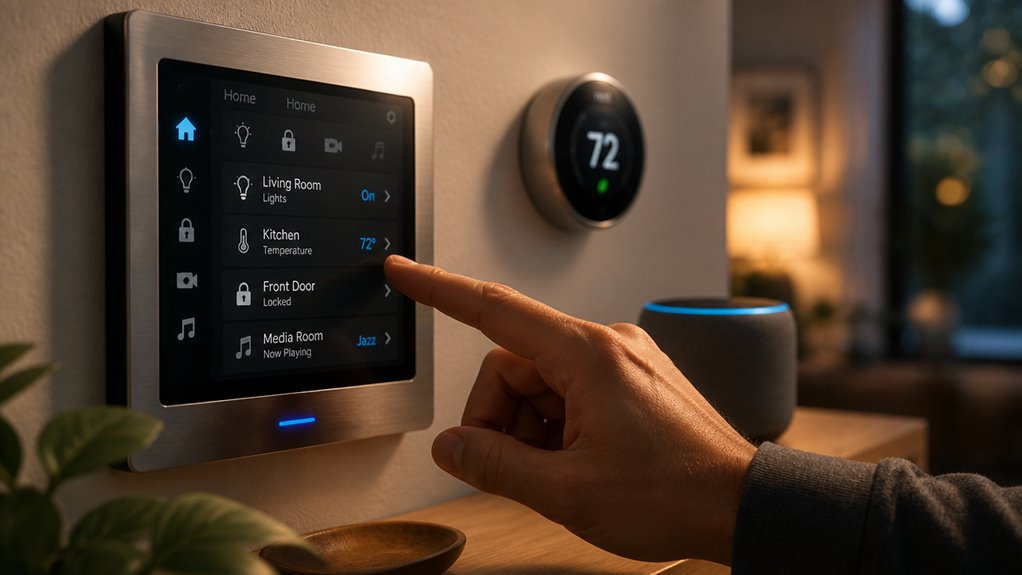

You can control your IoT-connected smart device locally using physical buttons or switches that operate independently of networks. This ensures immediate response and fail-safe operation.
Alternatively, manage devices remotely via mobile apps or web dashboards with encrypted cloud access. This enables configuration and automation.
Voice assistants offer hands-free control through secure authentication and natural language commands.
Underlying protocols like Wi-Fi, Zigbee, or Matter affect reliability and interoperability. Understanding these control methods helps optimize convenience, security, and responsiveness for your smart device setup.
Key Takeaways
- Use local physical buttons or switches for immediate, reliable control without relying on network connectivity.
- Manage devices remotely via mobile apps or web dashboards with secure authentication and cloud integration.
- Employ voice assistants for hands-free control through encrypted communication and natural language processing.
- Choose appropriate network protocols like Wi-Fi, Zigbee, or Matter to balance range, power, and interoperability.
- Ensure security with end-to-end encryption, multi-factor authentication, and role-based access for safe device operation.
How Physical Buttons and Switches Control Smart Devices?
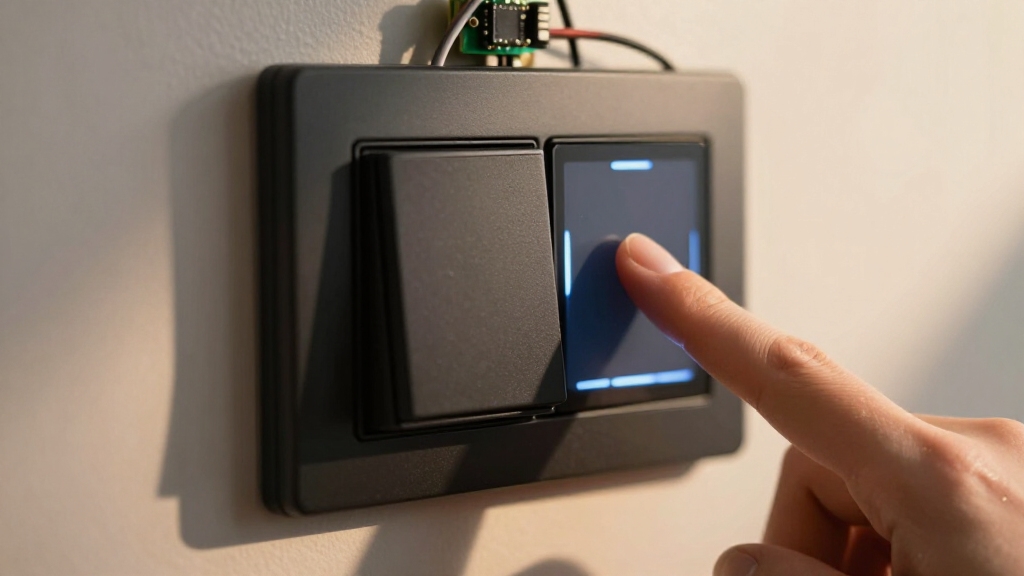
Physical buttons and switches provide the most direct and reliable way to control smart devices. They allow you to interact with them instantly without relying on apps or network connectivity.
Physical buttons offer immediate, dependable control of smart devices without needing apps or internet access.
When you press a button or flip a switch, the device’s onboard controller immediately registers the input and executes predefined commands locally. This method reduces latency and eliminates dependency on Wi-Fi or cloud services, ensuring continuous operation even during network outages.
Physical controls often integrate with device firmware to trigger specific functions, such as toggling power, adjusting settings, or resetting the device. Because these controls bypass external communication layers, they enhance security by limiting exposure to remote attacks.
You’ll find physical interfaces essential for critical functions requiring immediate response and fail-safe operation in your IoT environment. Additionally, firmware updates should be applied whenever possible to reduce security risks associated with offline operation and physical control reliance, as noted in firmware updates.
Managing Your Smart Devices With Mobile Apps
While onboard buttons offer immediate control, mobile apps provide a more flexible and feature-rich way to manage your smart devices.
First, you’ll pair the device with the app, usually requiring account sign-in and manufacturer setup steps.
Once connected, apps let you configure settings, update firmware, and create automation rules remotely.
They communicate commands over protocols like Wi-Fi, Bluetooth Low Energy, Zigbee, or Matter, often supporting both local and cloud-based control.
Mobile apps enhance security by enforcing encryption and multi-factor authentication, limiting unauthorized access.
You can monitor device status, receive alerts, and troubleshoot issues directly from your phone.
For optimal security, it is important to replace default passwords with complex, unique ones for each device and app account.
Managing Smart Devices Via Web Dashboards
If you prefer controlling your smart devices from any internet-enabled device without installing apps, web dashboards offer a powerful alternative. These browser-based interfaces provide centralized access for device status, configuration, and command execution.
You’ll benefit from platform-agnostic control and often enhanced security features like multi-factor authentication and role-based access. Web dashboards typically connect via cloud services, enabling remote management and monitoring.
Choosing compatible device specifications and ensuring firmware updates can optimize the performance and reliability of smart device control.
| Feature | Benefit | Example Use Case |
|---|---|---|
| Centralized Access | Manage multiple devices | Home lighting control |
| Platform Agnostic | Control from any browser | Office HVAC adjustments |
| Security Controls | MFA, encryption, access roles | Prevent unauthorized access |
| Real-Time Monitoring | Instant status updates | Surveillance camera feeds |
| Remote Management | Control from anywhere | Troubleshoot device issues |
How Voice Assistants Enable Hands-Free Smart Device Control?
You can totally link your smart device to a voice assistant platform that works with it. This lets you control everything hands-free just by talking! How cool is that?
With this setup, you don’t have to worry about pressing buttons or scrolling through apps. It makes interacting with your devices so much easier.
Plus, using voice commands means you can get things done faster and with less hassle. It’s all about making life more accessible and efficient, right?
For added security, it’s important to enable two-factor authentication on your voice assistant accounts to protect your devices from unauthorized access.
Voice Assistant Integration
Because voice assistants link directly to compatible smart devices, they enable seamless hands-free control through simple spoken commands. You start by integrating your device with the assistant’s ecosystem, typically via the manufacturer’s app or a cloud platform.
This setup establishes a secure communication channel, often leveraging OAuth authentication and encrypted MQTT or HTTPS protocols. Once linked, you can issue natural language commands that the assistant translates into device-specific actions.
The voice assistant manages command parsing, intent recognition, and device addressing, then dispatches control signals over Wi-Fi, Zigbee, or other protocols. This integration reduces reliance on manual interfaces and mobile apps, streamlining device interaction.
You must guarantee proper configuration and maintain firmware updates to preserve compatibility, security, and responsiveness in the voice-controlled environment. Wireless systems often use IP-based connectivity for easier integration and remote monitoring, enhancing the capabilities of voice assistant control.
Hands-Free Command Benefits
Voice assistants frequently enhance smart device control by enabling hands-free commands that improve convenience and accessibility.
When you link your IoT device to a compatible voice platform, you can issue commands verbally without needing to access physical buttons or mobile apps.
This reduces interaction latency, especially in scenarios requiring quick responses, such as adjusting lighting or security settings.
The voice interface leverages natural language processing to interpret your intent accurately and transmits commands securely over Wi-Fi or other protocols.
Additionally, hands-free control supports accessibility for users with mobility limitations, ensuring broader usability.
To maintain secure communication, it is important to enable encryption protocols like WPA3 on your wireless network to protect data transmission.
Key Network Protocols for Smart Device Control
When you’re diving into the world of smart devices, you’ll come across a few key protocols that are super important for controlling them. You’ve got Wi-Fi, Zigbee, Z-Wave, and Bluetooth Low Energy. Each of these is tailored for different ranges and power needs, so it’s good to know what each one brings to the table.
Understanding these common smart home protocols is really helpful. It can guide you in choosing the right technology for reliable local control of your devices. Plus, with the rise of IP-based standards like Matter, managing devices from different brands has become a lot easier. You can enjoy seamless interoperability within one ecosystem, making your smart home experience even better! However, it’s important to consider potential network vulnerabilities when connecting devices to ensure secure and uninterrupted operation.
Common Smart Home Protocols
Although smart devices come with various control options, their effectiveness hinges on the underlying network protocols that enable communication.
You’ll often encounter Wi-Fi for devices requiring high bandwidth, like cameras. Mesh protocols such as Zigbee and Z-Wave excel in low-power, reliable residential automation.
Bluetooth Low Energy suits short-range control, especially for personal device interaction. Each protocol has trade-offs in range, power consumption, and network topology.
Selecting the right one depends on your device’s function and environment. These protocols facilitate command transmission, status reporting, and device coordination.
Ensuring your smart home uses compatible protocols enables seamless control and integration across devices. Understanding these standards helps you optimize network performance and reliability while maintaining security and responsiveness in your smart device ecosystem.
Network stability and throughput affect streaming quality, latency, and remote access, making network performance a critical factor in smart device control.
IP-Based Interoperability Standards
When integrating diverse smart devices, IP-based interoperability standards play a crucial role in simplifying communication across different manufacturers and ecosystems.
Protocols like Matter leverage IP networking to unify device control, enabling seamless cross-brand compatibility.
By adopting such standards, you guarantee your devices speak a common language, reducing complexity in your smart environment.
These protocols support local and remote control, allowing commands to flow securely over Wi-Fi or Ethernet with minimal latency.
They also facilitate robust security measures like encryption and certificate-based device authentication, preserving command integrity.
Implementing IP-based standards streamlines setup, improves reliability, and enhances device management through standardized APIs.
Ultimately, using these key network protocols empowers you to control heterogeneous IoT devices efficiently, providing a stable, scalable, and secure smart device ecosystem.
Additionally, IP-based connectivity often utilizes Power over Ethernet to simplify installation by combining data and power delivery over a single cable.
Choosing Between Local and Remote Smart Device Control
Deciding between local and remote control for your smart device hinges on your priorities for latency, reliability, and security.
Local control processes commands within your home network, delivering lower latency and greater reliability since it doesn’t rely on internet connectivity.
Local control ensures faster responses and higher reliability by operating entirely within your home network, independent of the internet.
This is ideal if you require instant device response or want to avoid downtime during internet outages.
Remote control, however, enables you to manage devices from anywhere via cloud services or mobile apps, offering convenience and broader access.
Many systems support hybrid models, allowing seamless switching between local execution and cloud-based control.
When choosing, consider your network’s stability, device capabilities, and use cases.
Prioritize local control if responsiveness and offline operation matter most, but opt for remote control when accessibility beyond your home network takes precedence.
In addition, ensuring secure connectivity is critical to protect your smart device from unauthorized access and potential data breaches.
Keeping Your Smart Device Control Secure
Securing your smart device control starts with robust encryption to protect command and telemetry data as it travels across networks.
Implement end-to-end encryption using industry-standard protocols like TLS to safeguard communications against interception.
Enforce multi-factor authentication on device dashboards and remote access points to reduce unauthorized entry risks.
Use role-based access control to restrict user privileges strictly to necessary functions, minimizing attack surfaces.
Manage device identities with unique per-device certificates, ensuring trusted command channels.
Regularly deploy firmware and software updates to patch vulnerabilities that could enable control hijacking.
Additionally, monitor logs and session activity to detect anomalies promptly.
Automating Smart Device Control Using Cloud Platforms
Although managing individual smart devices manually works for basic setups, automating control through cloud platforms markedly enhances scalability and efficiency.
By leveraging cloud IoT brokers, you can route commands and telemetry at scale, enabling centralized management of multiple devices across locations.
Platforms typically use protocols like MQTT for reliable message delivery and topic-based structures to segregate telemetry from control commands.
You can define automation rules or AI-assisted routines that trigger device actions based on sensor data or time schedules, reducing manual intervention.
Cloud platforms also provide robust security layers, including encryption, multi-factor authentication, and role-based access control, ensuring safe remote operation.
Additionally, they support firmware updates and log monitoring, helping you maintain device integrity and quickly respond to anomalies or intrusions.
Frequently Asked Questions
Can Multiple Users Control the Same Smart Device Simultaneously?
Yes, multiple users can control the same smart device simultaneously, provided the device supports multi-user access.
You’ll typically manage this via role-based access control, assigning permissions to each user to limit actions appropriately.
Cloud platforms or dedicated apps often enable shared control, syncing commands in real-time.
To avoid conflicts, the system handles concurrent inputs, ensuring consistent device state and secure authentication for every user involved.
How Do Smart Devices Handle Control Conflicts or Simultaneous Commands?
Imagine two family members trying to adjust the smart thermostat simultaneously.
Smart devices handle control conflicts by prioritizing commands based on timestamps or user roles, ensuring only one command executes at a time.
They use locking mechanisms or queues to process inputs sequentially, preventing conflicting actions.
This preserves system stability and user experience.
Device logs record events for audit and troubleshooting, maintaining secure, coordinated control across multiple users.
What Happens if My Smart Device Loses Internet Connectivity During Remote Control?
If your smart device loses internet connectivity during remote control, it typically switches to local control if supported.
Commands sent remotely won’t reach it until connection restores, but physical buttons or local network inputs still work.
Some devices queue commands for later execution once online.
To avoid service disruption, make certain your device supports local control or configure fallback automation.
Monitoring tools can alert you about connectivity loss for timely troubleshooting.
Are There Any Health Risks Associated With Frequent Use of Wireless Control Protocols?
Imagine invisible waves humming around you. Wireless control protocols like Wi-Fi, Bluetooth, and Zigbee emit low-level radio frequency energy.
Current scientific consensus says these frequencies pose no significant health risks when used within regulated limits.
You should, however, make sure devices comply with safety standards and maintain proper distance if concerned.
Staying informed and using certified products helps you minimize exposure while enjoying seamless, reliable smart device control.
How Can I Reset My Smart Device if It Becomes Unresponsive to Commands?
If your smart device becomes unresponsive, start by pressing its physical reset button or switch, often requiring a long press (10-30 seconds).
If unavailable, power cycle the device by unplugging and plugging it back in. You can also use the dedicated mobile app or web dashboard’s reset option.
After resetting, re-pair the device with your network and app. Always check the manufacturer’s guide for specific reset instructions to avoid configuration loss.
Choose the Right Control Method for Your Smart Device
Imagine effortlessly managing your smart devices with a tap, voice command, or automated routine. Seamlessly blending technology into your daily life, you gain precise, reliable command over your IoT ecosystem.
By mastering physical controls, apps, voice assistants, and secure network protocols, your control is streamlined and safe, whether local or remote.
Embrace automation and cloud platforms to transform complex setups into intuitive solutions. This keeps your smart environment responsive and secure at all times.