
You’ll find DSC trouble codes flag various issues, from core power faults like 06 (DC Trouble) and 08 (AC Trouble) to device-level alerts such as 09 (Device Fault) and 10 (Low Battery).
Panel-level codes, 155 for system trouble or 161 for panel-wide DC faults, indicate broader system concerns. Knowing these codes helps you pinpoint problems quickly and track paired trouble/restore events.
Understanding distinctions between panel, device, and communication faults sets the stage for effective troubleshooting ahead.
Key Takeaways
- DSC trouble codes include core issues like 06 (DC Trouble), 08 (AC Trouble), and 10 (Device Low Battery) for power-related faults.
- Panel-level codes such as 155 (System Trouble) and 161 (DC Trouble) indicate system-wide or panel-specific power and event problems.
- Device-level codes 09 (Device Fault), 10 (Low Battery), and 11 (Device Tamper) identify sensor or module malfunctions and tampering.
- Communication faults are flagged by codes like 12 (RF Delinquency) and 13 (Module Supervisory), signaling wireless or module issues.
- Paired trouble/restore codes track condition changes and should be monitored to confirm resolution of reported faults.
Core DSC Trouble Codes And What They Mean
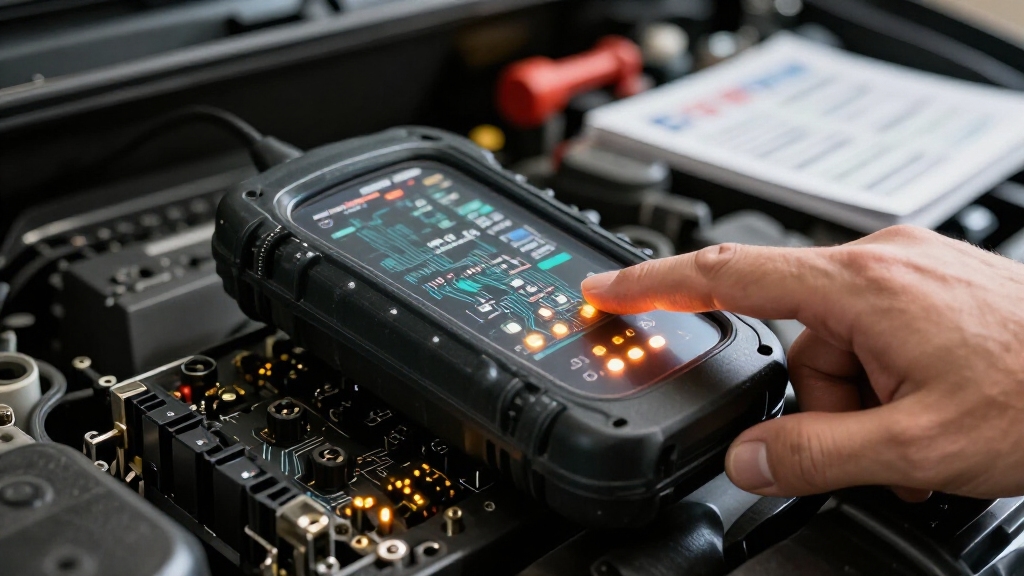
While troubleshooting your DSC security system, understanding the core trouble codes is essential for quick diagnosis.
Mastering DSC trouble codes is key to fast, accurate system troubleshooting and minimizing downtime.
The primary codes you’ll encounter include 01 (True Output/Inverted) and 02 (Timed Output/Latched Output), which relate to output signal states.
Code 04 indicates a Service Required condition, signaling scheduled maintenance or attention.
Code 05 flags Loss of Clock, affecting system timing integrity.
Code 06, one of the most referenced, denotes DC Trouble, highlighting power supply issues.
These core codes form the foundation for interpreting system alerts across reporting, maintenance, and diagnostics.
By grasping these definitions, you’ll efficiently pinpoint critical system faults and streamline troubleshooting workflows without confusion.
Ultimately, this will reduce system downtime and improve operational reliability.
To effectively clear alerts like the yellow triangle, it’s important to know how to view and acknowledge trouble codes using the keypad commands before proceeding with repairs.
Distinguishing DSC Panel-Level vs Device-Level Trouble Codes
You’ll notice that DSC trouble codes are split into two main categories: panel-level and device-level.
Panel-level codes cover broader system issues, like System Trouble and DC Trouble, while device-level codes focus on specific faults, such as Device Low Battery and Device Tamper.
Now, even though some codes might overlap in meaning, it’s important to understand these distinctions.
Knowing which code belongs to which category can really help you diagnose and tackle alarm system problems more effectively.
Before performing any reset, you can access the Trouble menu (*][2) to identify specific trouble codes and understand the issues.
Panel-Level Trouble Categories
Because DSC systems manage both panel-level and device-level functions, understanding the distinction between their trouble codes is crucial for accurate diagnostics.
Panel-level trouble categories focus on systemic issues affecting the entire alarm panel’s operation, such as power supply faults, communication failures, and tamper conditions.
Key panel-level codes include 155 (System Trouble), 156 (Latched System Event), 157 (System Tamper), 161 (DC Trouble), and power-related faults like AC Trouble and Low Battery.
These codes indicate problems that impact the panel’s overall functionality rather than individual devices.
Recognizing panel-level trouble helps you prioritize system-wide maintenance and avoid misinterpreting device-level alerts.
Keep in mind, panel trouble codes often appear in reporting and maintenance logs, reflecting status conditions that require immediate attention to maintain system integrity and reliability.
Proper installation and regular maintenance are essential to ensure system reliability and swift resolution of panel-level trouble codes.
Device-Level Fault Indicators
Distinguishing device-level fault indicators from panel-level trouble codes lets you pinpoint issues affecting individual sensors or modules rather than the entire system.
Device-level codes focus on faults like 09 – Device Fault, 10 – Device Low Battery, and 11 – Device Tamper, each identifying specific component problems.
These codes enable targeted troubleshooting by isolating malfunctioning devices, such as wireless sensors or keypads, without implicating the panel’s core functions.
Unlike panel-level codes that address system-wide concerns (e.g., AC or DC power issues), device-level indicators help you verify device health and communication status.
Monitoring these codes guarantees you address localized faults promptly, improving system reliability.
You’ll find device-level trouble codes chiefly in the communicator status and maintenance reports, providing granular insight into the panel’s peripheral components.
Regular maintenance, including battery replacement and cleaning, helps prevent frequent beeping issues related to device faults.
Code Overlap And Differences
Although DSC trouble codes often appear similar, understanding their application at the panel versus device level is essential for effective diagnostics.
Panel-level codes, such as 155 – System Trouble or 161 – DC Trouble, indicate overarching system issues like power failures or tampering events affecting the entire panel.
Conversely, device-level codes, including 09 – Device Fault or 10 – Device Low Battery****, specify problems localized to individual sensors or modules.
You’ll notice overlap in categories like AC Trouble and Low Battery, but panel codes reflect system-wide states, while device codes pinpoint component-specific faults.
Recognizing these distinctions helps you prioritize troubleshooting.
System-level issues often require broader interventions, while device-level troubles usually demand targeted maintenance or replacement.
This separation guarantees accurate diagnostics and efficient resolution within the DSC ecosystem.
For comprehensive system recovery, performing a power cycle reset can often restore normal operation after resolving trouble conditions.
Common DSC Trouble Codes For Device And Power Issues
Understanding common DSC trouble codes related to device and power issues helps you quickly identify and address system faults. Key codes you’ll encounter include 06 – DC Trouble, indicating a direct current power fault, and 08 – AC Trouble, signaling alternating current failure.
Device-specific problems show up as 09 – Device Fault and 10 – Device Low Battery, alerting you to sensor or module malfunctions and low battery conditions. Monitoring these codes guarantees your security system maintains reliable power and device operation.
Additionally, 07 – Bus Voltage troubles reflect communication line voltage irregularities, critical for device-to-panel signaling. By mastering these codes, you can efficiently troubleshoot power disruptions and device errors, preventing system downtime and maintaining peak performance. Always follow safe disconnection procedures when handling battery or power issues to avoid damage and maintain system integrity.
Extended DSC Trouble Codes And Their Meanings
When you encounter extended DSC trouble codes, they provide detailed insights into specific system conditions beyond basic device and power issues.
Codes like 12 indicate RF delinquency, signaling communication problems between wireless devices and the panel. Code 13, module supervisory, flags faults in system modules requiring attention.
Additionally, paired codes such as 1/2, 3/4, and 5/6 represent panel-level trouble and restore events for AC fail, low battery, and battery absence respectively.
These extended codes help you quickly identify supervisory faults and panel health conditions.
Understanding these codes enables precise fault isolation in the PowerSeries Pro platform’s structured reporting, improving maintenance efficiency and system reliability.
They complement core codes by covering communication and panel supervisory statuses essential for thorough system diagnostics.
Before beginning troubleshooting, it is critical to contact authorities and place the system in test mode to ensure coordinated response and prevent false alarms.
Interpreting DSC Trouble Codes In Reporting And Maintenance Logs
Since DSC trouble codes appear consistently across reporting and maintenance logs, you can rely on them to diagnose system conditions efficiently.
These codes are structured to indicate specific fault types such as system events, tamper alerts, and power issues. Understanding their context helps you prioritize responses and maintain system integrity.
When interpreting these logs, consider the following:
1. Identify whether the code references panel-level, device-level, or communicator status faults.
2. Recognize paired trouble/restore codes to confirm whether conditions have cleared.
3. Focus on frequently reported codes such as 06 (DC Trouble), 08 (AC Trouble), and 10 (Device Low Battery).
4. Use hexadecimal communicator status codes to pinpoint complex system faults.
This approach guarantees precise diagnostics and streamlines maintenance workflows. For enhanced safety and compliance, ensure you follow manufacturer wiring instructions when addressing electrical issues indicated by these codes.
Troubleshooting Power And Communication Faults Using DSC Codes
To begin troubleshooting power issues, you’ll want to look for key DSC codes. For example, code 06 indicates a DC Trouble, while code 08 points to an AC Trouble. These codes can be really helpful as they highlight voltage and power supply problems.
Once you’ve tackled the power side of things, it’s time to shift your focus to communication faults. Here, you’ll want to analyze device-level codes along with communicator status hex codes. These can indicate any transmission failures you might be dealing with.
Additionally, maintaining the correct time and date settings on your DSC alarm system ensures accurate logs and reliable fault monitoring.
Identifying Power Troubles
4. Recognize paired trouble/restore codes (e.g., panel AC fail/restore) to track event resolution.
5. An FC code indicates a communication failure where the panel cannot send signals to the monitoring center, requiring prompt troubleshooting.
Diagnosing Communication Issues
Although power issues often dominate DSC troubleshooting, communication faults require equal attention to maintain system integrity.
When diagnosing communication troubles, focus on the communicator status codes, especially the 6-digit hexadecimal codes that indicate specific faults.
Codes linked to system trouble (155), module supervisory (13), and RF delinquency (12) often point to communication breakdowns between devices and the panel.
You should verify wiring connections, signal strength, and module configurations to isolate faults.
Pay special attention to latched system events (156) that might indicate persistent communication failures.
Use the maintenance and reporting tables to cross-reference trouble codes, ensuring you address both transient and latched conditions.
Key DSC Codes For System Health And Supervisory Faults
Focus on these essential DSC codes for system health and supervisory faults:
- 06 – DC Trouble: Indicates issues with the DC power supply, affecting battery and panel power.
- 08 – AC Trouble: Signals AC power loss or instability, critical for system uptime.
- 13 – Module Supervisory: Flags supervisory faults within system modules needing maintenance.
- 09 – Device Fault: Highlights faults in connected devices, impacting overall system operation.
Understanding these codes helps you quickly identify and resolve power and supervisory faults to keep your DSC system fully operational.
Frequently Asked Questions
How Do I Reset DSC Trouble Codes After Fixing the Issue?
To reset DSC trouble codes after fixing the issue, first disarm your system.
Then, enter your installer or user code followed by the [*] key, typically [*] + 2 to access the trouble menu.
Clear the trouble by pressing [#] or following the panel prompts to acknowledge and reset faults.
If trouble persists, power-cycle the panel by disconnecting AC and backup battery briefly, then reconnect to refresh system status.
Can DSC Trouble Codes Trigger Automatic Alerts to Monitoring Services?
Yes, DSC trouble codes can trigger automatic alerts to monitoring services.
Once a trouble condition occurs, the panel communicates the specific trouble code via its communicator, often using a 6-digit hexadecimal format.
This enables remote monitoring centers to receive immediate notifications for issues like DC Trouble, AC Trouble, or device tamper events.
You don’t have to manually report these, as the system automatically forwards trouble signals to your monitoring provider.
What Tools Are Needed to Read DSC Trouble Codes Remotely?
You’ll need a compatible DSC alarm panel connected to a communicator module, like the PowerSeries IP or cellular communicator, to read trouble codes remotely.
Use DSC’s AlarmNet platform or compatible monitoring software that supports DSC’s 6-digit hexadecimal communicator status codes. These tools let you access real-time trouble events, including power and device faults.
Additionally, some third-party apps integrate with DSC panels for remote diagnostics and alert management.
How Often Should DSC Trouble Codes Be Reviewed for Maintenance?
You should review DSC trouble codes at least monthly to catch issues early. More frequent checks, such as weekly or after any system event, are ideal.
Regular monitoring guarantees timely detection of power faults, device tampering, or communication failures before they escalate. Automate alerts when possible to streamline oversight.
Consistent reviews help maintain system integrity, prevent false alarms, and guarantee reliable operation, especially for critical power and supervisory troubles.
Are DSC Trouble Codes Standardized Across All DSC Panel Models?
DSC trouble codes are largely standardized across most DSC panel models, especially core codes like DC Trouble, AC Trouble, and Device Low Battery.
You’ll find consistent categories such as System Trouble and Tamper events across platforms. However, some extended codes and reporting formats can vary slightly depending on the panel series or firmware version.
Always verify your panel’s documentation to make certain you interpret codes correctly for your specific model.
Dsc Trouble Codes List: Final Troubleshooting Tips
Understanding DSC trouble codes is essential for maintaining system reliability. Did you know that over 60% of fire alarm system failures stem from unresolved device-level trouble codes?
By accurately interpreting these codes, you can quickly identify and address power, communication, and supervisory faults. This proactive approach minimizes downtime and enhances safety.
Keep your logs detailed and regularly review both panel-level and device-level codes to ensure your DSC system operates optimally.