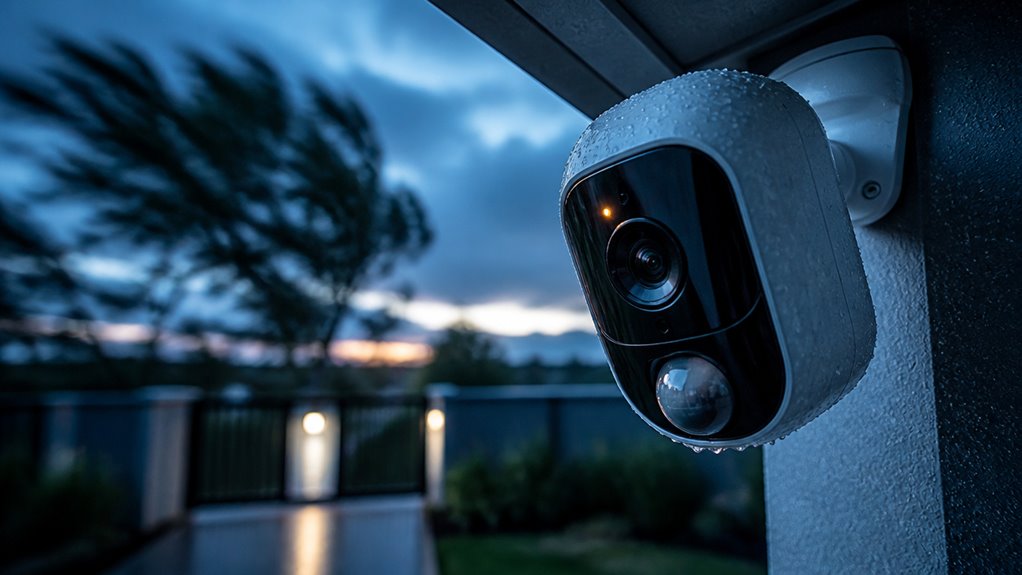

Motion alerts on security cameras work by using sensors like Passive Infrared (PIR), ultrasonic, or microwave to detect environmental changes caused by movement.
When these sensors identify shifts, such as heat signatures or disturbances in emitted waves, they trigger the camera to start recording immediately.
Advanced systems combine multiple sensors and AI algorithms to reduce false alarms and improve accuracy.
You can customize detection zones and sensitivity to focus on critical areas, ensuring reliable alerts. Exploring further reveals how these features optimize security performance.
Key Takeaways
- Sensors detect motion by sensing changes in infrared, ultrasonic, microwave signals, or light interruptions within predefined detection zones.
- Dual-technology sensors reduce false alerts by requiring simultaneous triggers from multiple sensor types like PIR and microwave.
- AI algorithms analyze motion patterns and classify objects to minimize false alarms and confirm genuine activity before alerting.
- Upon detection, cameras trigger recording and send real-time notifications with time-stamped footage via apps, email, or SMS.
- Custom detection zones and sensitivity settings focus alerts on critical areas, improving accuracy and reducing unnecessary notifications.
How Motion Sensors Detect Movement?
Although motion detection relies on various technologies, sensors primarily detect movement by identifying changes in their environment through emitted or received signals.
When you set up a security camera, its sensors continuously monitor for variations in emitted waves, such as infrared, ultrasonic, or microwave frequencies, or changes in received signals like light beam interruptions.
For instance, passive infrared (PIR) sensors detect shifts in infrared radiation caused by body heat. Ultrasonic sensors emit high-frequency sound waves and note disturbances caused by motion.
These sensors analyze alterations in signal patterns or energy levels, triggering alerts when predefined thresholds are crossed.
This precise detection minimizes error by focusing on environmental fluctuations directly linked to movement. It ensures your camera activates only when real activity occurs.
Motion detectors rely on technologies like PIR, ultrasonic, or microwave to identify active movement and require continuous motion to stay triggered.
Types of Motion Sensors in Cameras
Motion sensors in security cameras use distinct technologies to detect movement accurately. You’ll encounter several types:
Passive Infrared (PIR) sensors detect changes in infrared energy, sensing body heat shifts.
Passive Infrared (PIR) sensors identify motion by detecting shifts in body heat through infrared energy changes.
Microwave sensors emit continuous electromagnetic waves, mapping objects; any disturbance activates the sensor.
Ultrasonic sensors send high-frequency sound waves and trigger alerts upon wave disruption.
Dual-technology sensors combine PIR and microwave, requiring both to detect motion, minimizing false alarms.
Photosensor detectors use focused light beams; interruption signals movement.
Additionally, some cameras rely on pixel analysis software that compares image frames for changes, enhancing detection precision.
Understanding these sensor types helps you choose cameras optimized for your environment, balancing sensitivity and false alarm reduction effectively.
Each sensor technology suits different scenarios, from indoor monitoring to outdoor security.
For optimal performance, it is important to install motion-activated cameras at recommended heights and angles to minimize blind spots and false alerts.
How Motion Alerts Trigger Recordings?
When your security camera detects movement, it immediately initiates recording to capture the event in detail. This detection relies on sensors like PIR, microwave, or pixel analysis comparing sequential image frames for changes.
Once motion is registered, the camera’s firmware triggers the video encoder to start saving footage to internal storage or cloud servers. The recording duration often depends on preset parameters or continued motion presence.
Hybrid systems may use AI algorithms to confirm genuine activity before recording, reducing false triggers. This precise activation guarantees you don’t waste storage on idle footage while maintaining thorough coverage of relevant events.
The quick shift from detection to recording is vital for capturing clear evidence, enabling timely review and response without delay or data loss.
Advanced detection technologies, similar to the photoelectric sensor advantages used in fire alarms, improve the accuracy and speed of motion alerts.
Actions Triggered by Motion Alerts
When your security camera spots some movement, it quickly sends you notifications via apps, emails, or texts, so you’re always in the loop. Pretty handy, right?
But that’s not all! These alerts can also kick off automated responses.
This means things like lights, alarms, or floodlights can spring into action to scare off any potential intruders.
You know what’s great? You can customize these actions to fit your needs.
This way, you can ensure rapid and effective security measures without having to lift a finger!
For enhanced accuracy, many systems integrate AI-powered analytics to reduce false alarms and improve alert reliability.
Immediate Notification Methods
Security cameras kick into action instantly by starting video recording the moment they detect movement, ensuring no critical event goes unnoticed.
Simultaneously, they send immediate notifications directly to your smartphone app, email, or via SMS, allowing you to respond quickly.
These alerts include time-stamped footage or snapshots, enabling rapid assessment of the situation.
Advanced systems use push notifications optimized for low latency, minimizing delays between detection and alert delivery.
You can customize notification settings to prioritize specific motion types or zones, reducing unnecessary alerts.
This immediate communication supports real-time monitoring, letting you verify threats remotely and take appropriate action.
These notification methods rely on efficient sensor data processing combined with fast network transmission, ensuring timely and actionable motion alerts for enhanced security management.
For optimal performance, it is important to assess Wi-Fi signal strength at camera locations to avoid streaming interruptions that could delay alerts.
Automated Security Responses
Although motion alerts primarily notify you of potential security events, they also trigger automated responses that actively enhance protection. When your camera detects motion via PIR, microwave, or dual-technology sensors, it can immediately activate alarms, lights, or floodlights to deter intruders.
Simultaneously, it starts video recording and sends real-time notifications to your device, enabling prompt intervention. Advanced systems integrate AI to differentiate threats from harmless movement, reducing false alarms before triggering responses.
You can customize actions based on zones or time schedules, ensuring targeted security without unnecessary alerts. Some setups even initiate emergency calls or notify authorities automatically.
This automation streamlines monitoring, saves storage by recording only relevant events, and provides a proactive defense layer beyond simple alerting. This makes your security system more efficient and responsive. Many cameras also offer integration with smart home ecosystems to enable real-time alerts and voice control, enhancing convenience and security.
How Cameras Reduce False Alarms?
Since false alarms can overwhelm users with unnecessary alerts, cameras employ several techniques to minimize them effectively. Dual-technology sensors, combining PIR and microwave detection, require simultaneous triggers to confirm motion. This reduces false positives from pets or wind.
Proper installation plays a pivotal role by directing sensors away from irrelevant sources like windows or busy streets. Cameras also use baseline mapping to recognize stationary objects, preventing repeated triggers from unchanged backgrounds.
Smart algorithms analyze motion patterns, distinguishing relevant activity from environmental noise such as foliage movement. Additionally, custom detection zones restrict monitoring to critical areas, conserving resources and limiting alerts.
These combined methods guarantee you receive accurate motion alerts. This enhances security system reliability while minimizing disruptions caused by false alarms. Enabling Smart Alerts further reduces false alarms by using AI to classify and filter motion types, such as animals or shadows.
How AI Improves Motion Detection Accuracy?
When you integrate AI into motion detection systems, it markedly sharpens accuracy by analyzing visual data beyond simple pixel changes.
Integrating AI into motion detection enhances accuracy by interpreting complex visual cues, not just pixel shifts.
AI algorithms classify objects, distinguishing between humans, animals, and inanimate objects. This substantially reduces false alarms. It learns environmental baselines, filtering out irrelevant movements like swaying trees or shadows.
This nuanced analysis enables your security camera to focus on genuine threats.
With AI, you benefit from:
- Up to 95% fewer false alerts by ignoring non-threats
- Real-time identification of suspicious activity
- Adaptive learning to evolving environments
- Enhanced detection sensitivity without extra noise
Additionally, combining AI with features like 3D digital noise reduction helps reduce graininess and false triggers in low-light conditions.
Setting Up Custom Zones for Motion Alerts
You can set up specific detection areas within your camera’s field of view. This way, you’ll get motion alerts focused on the most critical zones. It’s a handy feature!
Adjusting the sensitivity of these zones is also important. It helps you strike a balance between capturing relevant movement and reducing those pesky false alarms. By customizing these settings, you’re really optimizing your system to respond only to the important activity. Pretty neat, right?
Additionally, ensuring your camera’s unique device identifier (UID) is correctly linked helps maintain secure and reliable motion alert functionality.
Defining Detection Areas
Although motion detection technology has advanced considerably, defining detection areas remains essential for optimizing security camera performance.
You set custom zones to focus the camera’s motion sensors on critical regions, minimizing false alarms and conserving storage.
By precisely delimiting where motion triggers alerts, you guarantee the system reacts only to relevant activity.
When defining detection areas, keep in mind:
Prioritize entrances and vulnerable access points to catch intrusions promptly.
Exclude high-traffic but non-threatening zones like sidewalks or tree branches.
Adjust zones for pets or moving vehicles to reduce nuisance alerts.
Tailor coverage based on lighting and environmental conditions for consistent detection.
This targeted approach sharpens your camera’s accuracy, enhancing security while cutting down unnecessary notifications.
Additionally, integrating intelligent motion detection technology can further reduce false alerts by differentiating humans from animals or objects.
Optimizing Zone Sensitivity
Since motion sensitivity directly affects alert accuracy, fine-tuning custom zones is essential for effective motion detection. You should define zones that focus detection on critical areas while excluding irrelevant regions like busy streets or tree branches.
Adjust the sensitivity level within each zone to balance responsiveness and false alarms. Higher sensitivity captures subtle movements but may increase false triggers. Lower sensitivity reduces nuisance alerts but risks missing small motions.
Use your camera’s software tools to draw precise polygons or grids that align with your property layout. Regularly test and recalibrate zones to adapt to environmental changes such as seasonal foliage or lighting shifts.
Proper zone optimization conserves storage, extends battery life, and enhances security by ensuring alerts reflect genuine threats only.
Benefits of Motion Alerts for Security
A key benefit of motion alerts in security systems lies in their ability to provide real-time notifications whenever movement is detected. This allows you to respond immediately to potential threats.
By leveraging precise sensors and advanced algorithms, these alerts minimize false alarms while maximizing relevant event detection. You gain enhanced situational awareness without constant monitoring, enabling timely intervention and improved safety.
Motion alerts offer you:
- Instant updates on suspicious activity, empowering rapid response.
- Efficient storage by recording only when motion occurs, simplifying review.
- Customizable detection zones to focus on critical areas, reducing distractions.
- Integration with alarms and lights to deter intruders proactively.
Implementing motion alerts elevates your security setup, optimizing both vigilance and resource management.
Frequently Asked Questions
Can Motion Alerts Work Without an Internet Connection?
You can have motion alerts without an internet connection, but with limitations.
Your camera detects motion locally using sensors like PIR or pixel analysis. It can trigger recording or alarms on-site.
However, without internet, it can’t send real-time alerts via app, email, or text. Instead, you’ll rely on local notifications like lights or sirens.
For remote alerts, an internet connection is essential to transmit data instantly.
How Do Weather Conditions Affect Motion Alert Performance?
Imagine raindrops acting like static on a radio signal. Weather conditions like rain, fog, or snow can blur your camera’s sensors, causing false alerts or missed movements.
Wind can sway branches, triggering unnecessary alarms. Extreme cold or heat affects sensor sensitivity, especially PIR sensors detecting body heat.
To maintain accuracy, you’ll need weather-resistant cameras with AI filtering to reduce false positives and smart settings that adapt to environmental changes.
What Is the Typical Battery Life for Wireless Motion Sensors?
You can typically expect wireless motion sensors to last between six months and two years on a single battery, depending on usage and sensor type.
Sensors using passive infrared (PIR) consume less power, extending battery life.
Advanced models with AI and continuous monitoring drain batteries faster.
To maximize longevity, set custom detection zones and reduce false triggers.
Regular maintenance and proper installation also help maintain efficient battery performance.
Can Multiple Cameras Share Motion Alert Settings?
Like a conductor leading an orchestra, you can synchronize multiple cameras to share motion alert settings through centralized platforms or apps.
This means you set detection zones, sensitivity, and alert preferences once, and all linked cameras follow suit.
It streamlines management, ensures consistent monitoring, and reduces setup time.
Just make sure your system supports multi-device integration, often via cloud services, so your cameras react uniformly to motion events.
Are Motion Alerts Compatible With Smart Home Assistants?
Yes, motion alerts are compatible with smart home assistants like Alexa or Google Assistant. You can integrate your security cameras through the assistant’s app to receive real-time notifications.
This allows you to control alerts via voice commands, automate responses like turning on lights, or view live footage on smart displays. Compatibility depends on the camera’s ecosystem and app support, so verify your devices support the assistant’s protocols for seamless interaction.
Make Every Motion Alert Count with Advanced Camera Features
By understanding how motion alerts work on security cameras, you’ll enhance your system’s effectiveness and reduce false alarms.
Remember, “a stitch in time saves nine.” Prompt alerts let you act quickly, preventing potential issues before they escalate.
With advances in AI and custom zones, you can tailor your setup to detect genuine threats accurately. This precision not only improves security but also guarantees you’re notified only when it truly matters.