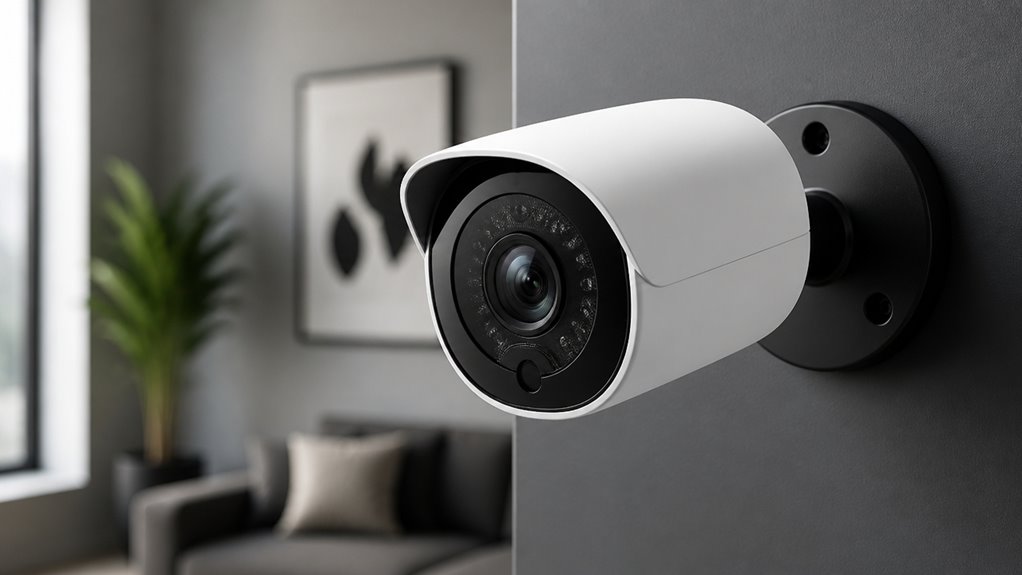

You’ll appreciate Aoqee’s security camera for its sharp 2K video clarity and wide-angle lens that captures vivid daytime and color night footage.
Its AI-driven smart detection smartly reduces false alarms by distinguishing humans, pets, and vehicles. Solar charging sustains battery life with minimal manual input, while 2-way audio and multiple storage options add versatility.
The camera also offers solid weatherproofing and seamless smart home integration. Explore further to uncover tips for installation, battery care, and maximizing its features.
Key Takeaways
- Aoqee cameras offer 2K resolution and color night vision with a wide-angle lens for clear, detailed outdoor monitoring day and night.
- AI-powered smart detection filters false alarms by distinguishing humans, pets, and vehicles, enhancing alert accuracy and response.
- Built-in solar panels provide continuous trickle-charging, reducing manual charging needs and maintaining over 90% battery during low-light periods.
- Supports two-way audio with noise-canceling microphone and connects via 2.4GHz WiFi for remote access and smart-home integration.
- Durable IP65-rated design withstands weather extremes, with recommended mounting at 7–10 feet for optimal detection and solar charging.
Understanding Aoqee’s Video Quality
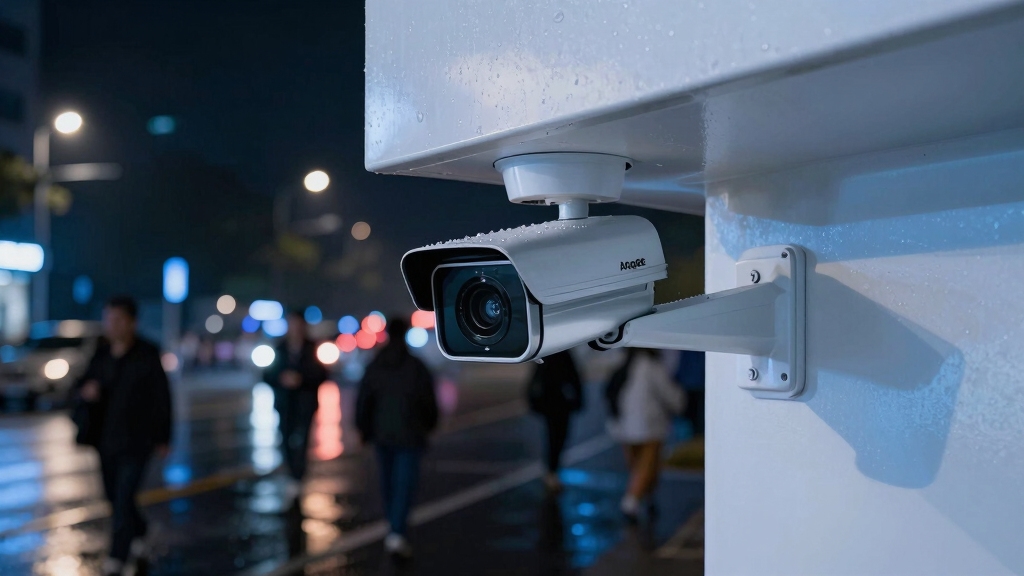
How does the Aoqee security camera deliver on video quality for both day and night surveillance?
Aoqee ensures crisp 2K daytime footage and vivid color night vision for reliable surveillance around the clock.
You’ll get clear, high-definition footage thanks to its 2K resolution at 2304×1296 pixels running at 15fps.
During the day, the wide-angle lens captures sharp, detailed outdoor views, enhancing your monitoring range.
At night, Aoqee’s color night vision with a built-in spotlight produces vivid, low-light images, unlike traditional monochrome night modes.
This means you can identify colors and details even in darkness.
The camera’s video quality thrives in bright conditions, and the advanced night vision compensates well when lighting is limited.
Additionally, the camera benefits from a larger sensor size, reducing grain and improving performance in low-light environments through enhanced dynamic range.
How Aoqee’s Solar Power Keeps Your Camera Running?
You’re going to love how Aoqee’s built-in solar panel keeps your camera powered up. It efficiently captures sunlight, ensuring your camera runs smoothly without any interruptions. Pretty neat, right?
Even during those long stretches of low light, the battery holds over 90% charge, so you can count on consistent performance no matter the conditions.
And if you need a little extra power, the external charging port gives you the flexibility to use USB power or connect additional solar panels. It’s all about keeping you connected and ready to capture every moment!
For indoor use, you can also rely on USB charging to provide consistent and faster recharge without depending on light conditions.
Continuous Solar Charging
Aoqee’s solar power system consistently assures your security camera stays charged without manual intervention. The built-in solar panel efficiently converts sunlight into energy, maintaining your device’s power levels during daylight hours.
You’ll benefit from uninterrupted surveillance, as the system compensates for fluctuating sunlight by continuously trickle-charging the battery. Even in less sunny conditions, the panel sustains a sufficient energy flow to keep the camera operational.
This design eliminates the need for frequent manual recharging, enhancing convenience and reliability. To maximize performance, position the camera in direct sunlight.
The external charging port also allows for supplementary power sources if needed. Proper solar panel positioning ensures optimal energy absorption and continuous charging throughout the year.
Efficient Battery Maintenance
Building on the continuous solar charging system, the camera’s battery management guarantees consistent power retention even during extended periods of low sunlight.
You’ll benefit from over 90% battery capacity during dark winters, ensuring minimal downtime. The integrated power-saving modes automatically adjust consumption based on lighting, prolonging operational time without manual intervention.
This smart system balances charging and usage efficiently, so your camera stays reliable. For users seeking simplicity and minimal technical involvement, battery-powered cameras with solar add-ons provide an ideal plug-and-play solution.
| Feature | Benefit |
|---|---|
| Solar Charging | Continuous power supply |
| Battery Retention | 90%+ charge in low sunlight |
| Power-Saving Modes | Extended battery lifespan |
With these features, you won’t worry about frequent recharges or sudden power loss. This makes Aoqee’s battery maintenance both efficient and user-friendly.
External Power Flexibility
Many outdoor security cameras struggle with consistent power. This model overcomes that challenge by integrating a built-in solar panel that continuously charges the battery.
This design guarantees your Aoqee camera remains operational without frequent manual recharging, even during extended periods of sunlight. The solar panel works most effectively in bright, sunny locations, maintaining over 90% battery capacity through darker months.
Additionally, an external charging port allows you to connect a USB power source or an extra solar panel, enhancing flexibility in various installation environments. This dual charging approach lets you tailor power management according to your location’s sunlight availability.
For reliable operation, it is important to inspect power cables and connections regularly to ensure stable power delivery.
How Smart Detection Cuts False Alarms?
You’re going to love how Aoqee’s PIR human detection really cuts down on those pesky false alarms. Instead of reacting to every little movement, it zeroes in on heat signatures. Pretty smart, right?
But it doesn’t stop there! With smart motion filtering, it can tell the difference between humans, pets, and vehicles. That means you only get alerts that actually matter to you—no more distractions!
And here’s another cool feature: image zone customization. You can set it up to detect motion only in specific areas. This way, you’ll minimize those unnecessary triggers from everything happening in the background. It’s all about keeping things relevant and hassle-free!
Plus, features like real-time monitoring and AI integration enhance effectiveness by enabling proactive responses to potential threats.
PIR Human Detection
PIR human detection markedly enhances the Aoqee security camera’s accuracy by distinguishing between human movement and irrelevant motion triggers.
You’ll benefit from its passive infrared sensor, which detects heat signatures unique to humans. This significantly reduces false alarms caused by animals, shadows, or environmental factors like wind-blown leaves.
This targeted detection guarantees your alerts are relevant, saving you time and preventing unnecessary disturbances. The technology works by sensing infrared radiation changes when a person enters its field of view, activating the camera only for meaningful events.
Additionally, integrating PIR detection with 3D digital noise reduction further refines motion detection accuracy by minimizing graininess and false triggers in low-light conditions.
Smart Motion Filtering
Because false alarms can quickly become overwhelming, the Aoqee security camera employs smart motion filtering to refine detection accuracy. This technology distinguishes between humans, pets, and vehicles, reducing unnecessary alerts triggered by irrelevant movement like swaying branches or passing animals.
By analyzing motion patterns and object shapes, the system filters out non-threatening activity. This allows you to focus on genuine security events. The camera’s AI-driven algorithms continuously adapt to your environment, enhancing precision over time.
This means your notifications are meaningful and fewer in number, preventing alert fatigue. Ultimately, smart motion filtering improves reliability and user experience by ensuring you only respond to important incidents.
This makes the Aoqee camera a practical choice for minimizing false alarms without compromising security vigilance. Additionally, the integration of AI and machine learning enables more precise threat classification and swift response.
Image Zone Customization
Building on smart motion filtering, the Aoqee security camera further sharpens detection accuracy through Image Zone Customization. This feature lets you define specific areas within the camera’s field of view to monitor closely, ignoring irrelevant zones prone to triggering false alarms.
By focusing detection on critical zones, you reduce unnecessary notifications, enhancing response efficiency. The customization is precise, allowing you to draw and adjust multiple zones via the app, tailoring monitoring to your property’s unique layout.
This targeted approach works seamlessly with the camera’s AI-driven human, pet, and vehicle recognition, ensuring alerts only for relevant movements.
Ultimately, Image Zone Customization elevates security by minimizing distractions and focusing attention where it matters most. Integrating such features with motion sensors and obstacle detection can further enhance automated responses to potential security threats.
How To Use Two-Way Audio On Your Aoqee Security Camera?
Accessing the two-way audio feature on your Aoqee security camera allows you to communicate clearly with anyone near the camera in real time.
Simply open the Wansview app, select your camera, and tap the microphone icon to start speaking through the camera’s built-in speaker. The noise-canceling microphone guarantees your voice is transmitted clearly, minimizing background noise.
Use the listen function to hear responses. This setup supports multi-user audio sharing, making it ideal for households or small offices.
| Feature | Benefit |
|---|---|
| Noise-canceling mic | Clear communication |
| Remote talkback | Speak from anywhere |
| Multi-user support | Multiple people can communicate |
| Real-time audio | Immediate interaction |
| Integrated speaker | Loud and clear output |
This feature enhances security by enabling instant verbal warnings or greetings. For optimal audio clarity and security, ensure your camera is mounted at the recommended height and positioning to reduce interference and maximize effectiveness.
Local SD Card vs. Cloud Storage For Aoqee Cameras
When choosing how to store your Aoqee security camera footage, you’ll find two primary options: local SD card storage and cloud storage.
Local SD cards support up to 128GB, allowing 24/7 continuous recording without extra costs or subscription pressure. You can download footage directly to your phone, ensuring quick access and complete control.
However, if the camera is damaged or stolen, you risk losing your recordings. Cloud storage offers remote access, automatic backups, and protects footage even if the device is compromised.
Aoqee provides a 30-day free trial, but ongoing service requires a subscription. Both options use advanced encryption for security.
Your choice will depend on your preference for immediate access and cost versus offsite protection and convenience.
Installing And Setting Up Your Aoqee Security Camera Outdoors
For peak performance, positioning your Aoqee security camera outdoors requires careful consideration of both environmental factors and device capabilities.
Choose a location with ample sunlight for the built-in solar panel to maintain battery life efficiently. Mount the camera at a height that optimizes the wide-angle lens and PIR human detection range while minimizing false alarms.
Secure it firmly with the included hardware, guaranteeing waterproof seals remain intact. Connect the camera to your 2.4GHz WiFi for stable remote access.
| Factor | Recommendation | Reason |
|---|---|---|
| Sunlight Exposure | Direct, unobstructed | Maximizes solar charging |
| Mounting Height | 7-10 feet | Enhances detection accuracy |
| WiFi Signal | Strong, stable | Ensures reliable connectivity |
| Weather Protection | Use seals and covers | Maintains waterproof integrity |
| Field of View | Clear, wide area | Optimizes surveillance coverage |
Aoqee Camera’s Compatibility With Alexa, Google Home, And WiFi
Integrating your Aoqee security camera with Alexa and Google Home brings hands-free control and seamless smart home compatibility to your surveillance setup. You can easily access live feeds, control camera functions, and receive alerts through voice commands, enhancing convenience.
The camera connects via 2.4GHz WiFi, ensuring stable wireless performance without complex wiring. Using the Wansview app, you configure and manage settings effortlessly, syncing with your smart assistants for real-time interaction.
Voice commands activate live viewing or adjust settings without your phone. It’s compatible with both Alexa routines and Google Home automations. Reliable 2.4GHz WiFi connectivity supports stable remote access.
App integration enables multi-user control and notifications. This compatibility streamlines your monitoring while fitting smoothly into existing smart home ecosystems.
Outdoor Durability And Weatherproofing Of The Aoqee Security Camera
Because outdoor security cameras face harsh environmental conditions, the Aoqee camera is engineered with robust weatherproofing to maintain reliable performance year-round.
It features a durable casing rated for water and dust resistance, allowing it to withstand rain, snow, and dust storms without compromising functionality.
You’ll appreciate how the design supports continuous operation in diverse climates, ensuring you won’t miss vital footage. The camera’s materials resist corrosion and UV damage, extending its lifespan when exposed to sunlight.
| Feature | Specification |
|---|---|
| Weatherproof Rating | IP65 |
| Operating Temperature | -20°C to 50°C (-4°F to 122°F) |
| Material Durability | UV-resistant, corrosion-proof |
| Protection Level | Waterproof, dustproof, all-weather |
This resilience makes the Aoqee ideal for outdoor security needs.
Year-Round Battery And Performance Tips For Your Aoqee Camera
Building on the camera’s rugged design, maintaining consistent power throughout the year guarantees uninterrupted security coverage. The Aoqee camera’s built-in solar panel is highly effective in sunny locations, keeping the battery above 90% even during darker winter months.
To optimize performance, position the camera where sunlight exposure is maximized. Leverage battery-saving modes during extended low-light periods. The external USB charging port offers a reliable backup when solar charging is insufficient.
- Install the camera in direct sunlight for peak solar charging.
- Enable battery-saving modes during nights or overcast days.
- Use the external charging port for quick manual recharges.
- Regularly clean the solar panel to maintain charging efficiency.
Following these tips guarantees your Aoqee camera delivers consistent performance year-round.
Frequently Asked Questions
What Is the Warranty Period for the Aoqee Security Camera?
The Aoqee security camera typically comes with a one-year warranty period, covering manufacturing defects and hardware issues.
This means you can rely on customer support for repairs or replacements if problems arise within that time frame.
It’s important to register your product and keep the purchase receipt to guarantee warranty validity.
While the warranty safeguards your investment, always review specific terms for exclusions or conditions to maximize your coverage benefits.
Can Multiple Users Access the Camera Simultaneously?
Yes, you can have multiple users access the camera simultaneously. The system supports multi-user audio sharing and remote monitoring through the app, allowing several people to view live footage and communicate via two-way audio at the same time.
This feature is ideal for families or teams needing shared surveillance access. You’ll manage permissions easily within the app, ensuring secure, coordinated use without interfering with each other’s monitoring or control capabilities.
Is Professional Installation Available for the Aoqee Camera?
Professional installation isn’t officially offered for the Aoqee camera, so you’ll likely need to set it up yourself.
Thankfully, the process is straightforward with wireless setup via the Wansview app and no complex wiring.
If you prefer, you can hire a third-party installer for assistance, especially if you want ideal placement or integration with existing systems.
The camera’s design supports easy DIY installation, making professional help optional rather than necessary.
How Does the Camera Handle Firmware Updates?
Just like a knight upgrading his armor, your Aoqee camera handles firmware updates smoothly and automatically.
It regularly checks for new firmware via the app and installs updates seamlessly.
This ensures your device stays current with security patches and new features.
You can also manually trigger updates through the Wansview app.
This process is efficient and user-friendly, minimizing downtime while maintaining peak camera performance and security.
Are There Any Subscription Fees After the Cloud Trial Ends?
You won’t face mandatory subscription fees after the cloud trial ends.
The camera offers a 30-day free cloud storage trial. Afterward, you can continue using local SD card storage without any extra charges.
This means you’re not pressured to subscribe to cloud plans, and your recordings remain accessible through encrypted local storage.
If you want cloud features, subscriptions are optional, giving you full control over your costs.
Stay Protected Day and Night with Aoqee’s Smart Surveillance Power
With Aoqee’s sharp video clarity and solar-powered endurance, you’ll keep watch like a vigilant guardian under any sky. Smart detection trims false alarms, while two-way audio bridges the gap between you and your surroundings.
Whether you choose local SD or cloud storage, setup is straightforward, and compatibility with Alexa or Google Home fits seamlessly into your smart life. Built tough for all seasons, Aoqee stands ready, your reliable sentinel in security’s ever-changing dance.