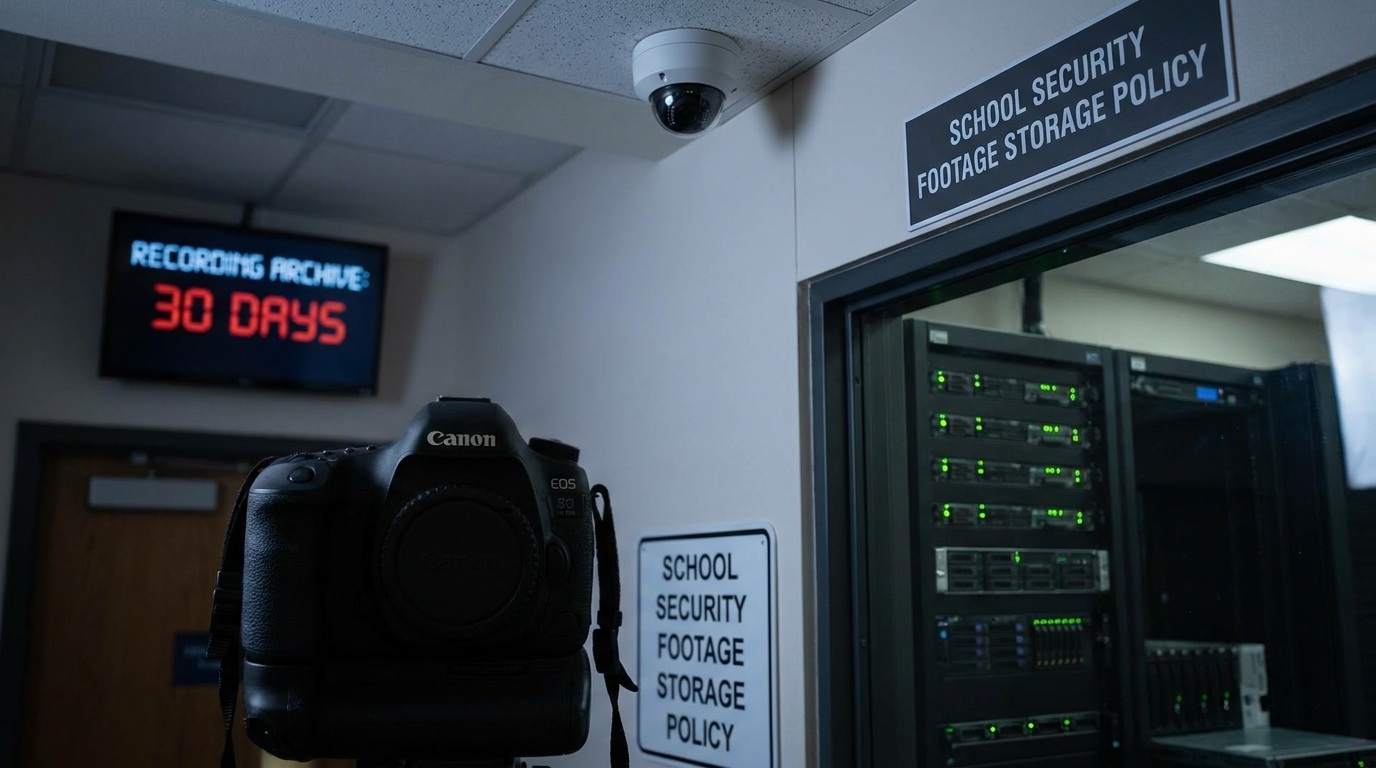

You’ll find that schools typically keep security camera footage between 30 and 90 days. They automatically overwrite older files to manage storage limits.
Extended retention happens if there’s an ongoing investigation or legal matter. Legal requirements and privacy policies guide how long footage stays available and who can access it.
Whether audio is recorded also depends on these policies. Storage capacity, camera resolution, and access controls influence retention practices.
Understanding these factors helps clarify how schools handle your security footage and related rules.
Key Takeaways
- School security footage is typically retained for 30 to 90 days unless flagged for investigation or legal review.
- Automatic overwriting occurs when storage is full to maintain continuous recording within the retention window.
- Retention duration balances storage capacity, resolution, and district priorities while complying with legal and privacy policies.
- Extended retention and archiving happen only for ongoing investigations, legal holds, or specific incident reviews.
- Access to footage is restricted to authorized personnel, with parental access limited to footage involving their child only.
How Long Do Schools Typically Retain Security Footage?
Schools typically retain security camera footage for about 30 to 90 days, depending on district policies and storage capabilities.
Retention periods vary based on the school’s system settings and available storage. Many schools use systems that automatically overwrite the oldest recordings once storage is full, ensuring continuous recording without manual deletion.
Retention depends on system settings, with automatic overwriting ensuring continuous recording without manual deletion.
Smaller systems with limited storage often keep footage for shorter periods. Schools anticipating investigations or legal reviews may extend retention.
This approach balances preserving vital evidence with managing storage constraints. As you handle or request footage, note that retention timelines reflect operational needs and technical limits.
Footage older than the designated window is usually no longer available unless specifically archived for ongoing matters. Schools often implement loop recording settings to manage storage efficiently and delay overwriting important footage.
What Key Factors Affect School Footage Retention?
Understanding why footage retention periods vary requires looking at the factors that directly influence how long video recordings are stored.
You’ll find that storage capacity plays a pivotal role. More cameras and higher resolution footage consume space faster, reducing retention time.
Continuous 24/7 recording fills storage more quickly than motion-triggered recording, so the recording method impacts how long footage lasts.
Frame rate and compression settings also determine file size and storage efficiency.
Additionally, system settings often dictate whether older footage is overwritten once storage fills.
Smaller systems with limited storage typically keep footage for shorter periods, while those anticipating investigations may retain footage longer.
Using efficient compression codecs can significantly extend retention time by reducing file sizes without sacrificing quality.
How Do Legal and Policy Rules Impact Footage Storage?
When it comes to storing school security footage, it’s really important to keep state and local laws in mind. These laws often specify how long you can keep that footage and who gets access to it. So, having clear written retention and access policies is key. They help ensure not only that you’re staying compliant but also that you’re protecting everyone’s privacy and security.
Plus, these rules provide guidance on when footage needs to be deleted or, in some cases, preserved for legal reasons. It’s all about finding that balance between safety and privacy! Additionally, schools should regularly review and update their policies to reflect changes in state and federal regulations to maintain lawful and transparent practices.
State And Local Laws
Although no federal law mandates a uniform retention period for school security footage, state and local regulations play a pivotal role in shaping how long video recordings are stored.
You’ll find that these laws often set specific minimum or maximum retention limits to protect student privacy and guarantee compliance. Some states require schools to delete footage within a certain timeframe unless it’s needed for investigations or legal proceedings.
Local policies may also restrict where cameras can be placed to avoid areas with a reasonable expectation of privacy.
Additionally, these regulations often influence your school’s written surveillance policies, guiding how footage is handled, stored, and eventually deleted.
Staying informed about your state and local laws is essential for balancing security needs with legal obligations. Proper camera placement, including avoiding privacy-sensitive areas, is critical to ensure compliance with these regulations.
Retention And Access Policies
Because legal and policy requirements vary widely, your school’s retention and access policies must clearly define how long footage is stored and who can view it.
Typically, footage is retained between 30 and 90 days, but this depends on district rules, storage capacity, and the nature of recorded events.
You’ll need to specify conditions for extending retention, such as investigations or legal holds.
Access should be limited to authorized personnel, including administrators, security staff, and, when appropriate, law enforcement.
You must also establish procedures for parental access, ensuring privacy protections and redactions where necessary.
Maintaining access logs and enforcing strict permission controls are essential to prevent unauthorized viewing or sharing.
Clear, written policies help your school comply with local laws, safeguard privacy, and manage footage responsibly.
Additionally, enabling automatic firmware updates on cameras helps maintain security and functionality, ensuring footage integrity over time.
Who Can Access School Security Camera Footage?
Access to school security camera footage is usually pretty tight. It’s mainly reserved for authorized administrators and security staff who need it for safety reasons.
Now, if you’re a parent wanting to check footage that involves your child, you might be able to do so, but only under certain conditions. So, it’s not just a free-for-all.
And then there’s law enforcement. They can access the footage, but only during investigations. These rules are in place to help protect everyone’s privacy and ensure that schools comply with legal standards. It’s all about keeping things safe and fair!
Additionally, the recorded footage plays a crucial role in supporting investigations and enhancing security outcomes.
Authorized Personnel Access
Access to school security camera footage is strictly controlled to protect student privacy and maintain security. Only authorized personnel, such as school administrators and designated security staff, have permission to view or handle the recordings.
These individuals undergo training on privacy protocols and legal compliance to ensure footage isn’t misused. Access is typically granted through secure systems requiring authentication, and every viewing or download is logged for accountability.
This controlled access minimizes risks of unauthorized disclosure or tampering. General staff or students don’t have the ability to access footage, as that would violate privacy policies and potentially legal standards.
Schools enforce these measures rigorously to balance safety needs with respecting individuals’ rights. Additionally, schools often implement end-to-end encryption to further secure the transmission and storage of camera footage.
Parental and Law Enforcement
While school administrators and security personnel primarily control security footage, parents and law enforcement have conditional access under specific circumstances. Law enforcement typically gains access during investigations, often requiring formal requests. Parents may view footage involving their child, but schools apply strict privacy and redaction rules. It is essential to obtain explicit consent and adhere to privacy boundaries when sharing or accessing such footage.
| Access Type | Conditions for Access |
|---|---|
| School Admins | Routine monitoring and incident review |
| Law Enforcement | Investigation, with legal request |
| Parents | Footage involving their child only |
| Unauthorized | Strictly prohibited, subject to penalties |
Why Don’t Most School Cameras Record Audio?
Because audio recording in schools is subject to stricter legal standards than video, most camera systems don’t capture sound.
Many states require explicit notice or consent before recording audio, which complicates compliance.
Additionally, audio recordings raise privacy concerns, especially in settings where students and staff have a reasonable expectation of confidentiality.
To avoid potential legal and ethical issues, schools often disable audio capabilities or limit them to specific areas.
By focusing solely on video, schools reduce liability risks and simplify surveillance policies.
This approach also aligns with most districts’ priorities: maintaining safety without infringing on personal privacy.
Regular monitoring and privacy considerations guide decisions on surveillance system features in educational environments.
How Do Schools Manage Footage Storage and Backup?
Although most school cameras skip audio recording to protect privacy and comply with legal standards, managing the visual footage they do capture requires careful attention to storage and backup.
You need to balance retention duration with available storage capacity and legal policies. Schools typically use a mix of on-site and cloud storage systems to secure footage.
Backup strategies guarantee footage remains accessible during power outages or hardware failures.
Here’s how schools manage footage storage and backup effectively:
- Storage Allocation: Schools select DVR, NVR, or cloud solutions based on camera count, resolution, and recording type (continuous or motion-triggered).
- Retention Policies: Footage is retained 30–90 days, with older files overwritten unless flagged for investigation.
- Backup Systems: Uninterruptible power supplies and redundant storage protect data integrity and minimize loss during outages.
Additionally, many schools leverage scalable NVR systems to handle high-resolution video streams efficiently while enabling remote access and event-triggered recording.
Frequently Asked Questions
Can Parents Request Copies of Security Footage Involving Their Child?
Yes, you can often request copies of security footage involving your child, but access depends on school policies and legal restrictions.
Schools usually limit who can review footage to authorized personnel.
Footage shared with parents may be redacted to protect privacy.
You’ll likely need to submit a formal request and follow specific procedures.
Keep in mind, unauthorized sharing is prohibited.
Schools handle these requests carefully to comply with privacy laws.
Are There Specific Areas Where School Cameras Are Prohibited?
Privacy-protected places prohibit placing cameras. You won’t find surveillance in spots where students expect solitude, such as bathrooms, locker rooms, or private offices.
Schools strictly steer clear of these sensitive spaces to safeguard student dignity and comply with privacy laws. Instead, cameras focus on common corridors, entrances, and playgrounds, balancing security with respect.
Always check your school’s policy to understand where cameras can and can’t capture footage.
How Do Schools Handle Footage During Power Outages?
During power outages, schools rely on backup power systems like uninterruptible power supplies (UPS) to keep security cameras running without interruption.
These systems prevent footage loss by maintaining recording until power is restored. If backup power isn’t available, cameras temporarily stop recording, and schools may experience gaps in footage.
To safeguard critical evidence, many schools also use cloud storage or off-site backups, ensuring footage is preserved even during outages.
What Happens to Footage After the Retention Period Expires?
After the retention period expires, your school’s security system typically overwrites or deletes the oldest footage to free up storage space.
This process happens automatically, especially in systems with limited capacity.
If footage is tied to an ongoing investigation or legal matter, it might be archived longer.
Otherwise, once the set time lapses, you’ll no longer have access to that video as it’s permanently removed to maintain storage efficiency and comply with policies.
Do Schools Use Cloud Storage for Security Camera Footage?
Yes, many schools use cloud storage for security camera footage, especially when they want longer retention or off-site backup.
You’ll find that cloud plans often offer scalable space and remote access, which helps maintain footage beyond on-site DVR or NVR limits.
However, you should consider costs, privacy policies, and compliance with local laws before choosing cloud storage, as it involves transmitting sensitive data over the internet.
Final Thoughts on How Long Schools Keep Security Footage
When it comes to school security footage, think of it as a safety net, carefully woven with legal guidelines, storage limits, and privacy concerns.
You’ll find retention times vary, shaped by policies, purpose, and access rules. While audio is usually off-limits, video remains an essential resource for safety and accountability.
By understanding these factors, you can better appreciate how schools protect students and staff while balancing transparency and privacy.