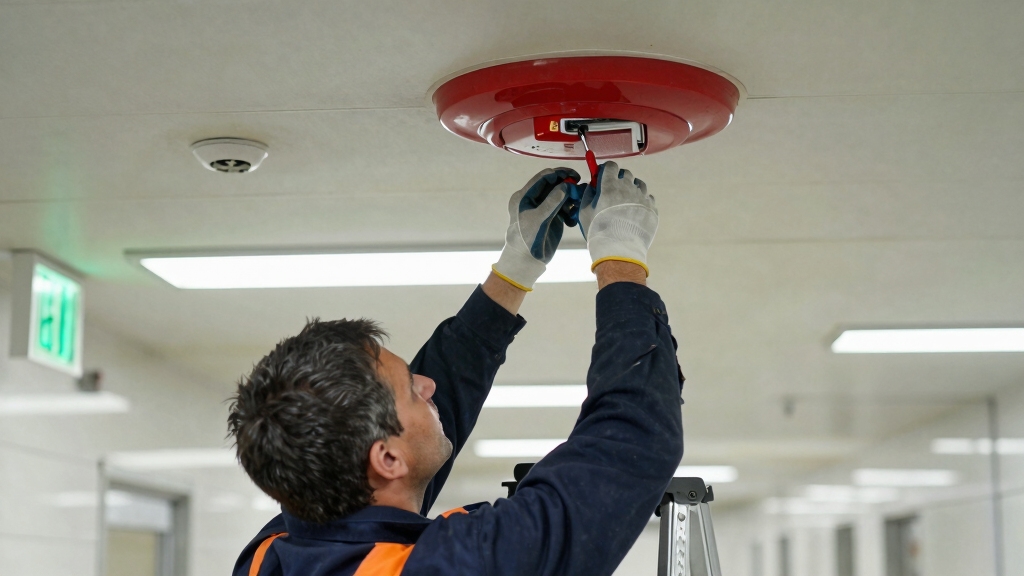

To turn off a fire alarm in a commercial building, first locate the fire alarm control panel, usually found near the main entrance, lobby, or security office.
Use your authorized key or passcode to access it, then silence the alarm temporarily using the panel’s controls. Check the triggered zone to identify the cause before resetting.
Always prioritize safety and confirm there’s no real fire before resetting the system. Following proper procedures guarantees safe control.
Learn what steps come next for full management.
Key Takeaways
- Access the fire alarm control panel with authorized key or passcode to avoid triggering additional alarms.
- Review panel display to identify triggered zone and confirm no real fire threat before silencing or resetting.
- Use the silence function to temporarily mute alarms while investigating, ensuring the system remains active.
- Perform a reset on the control panel after clearing the alarm condition, following manufacturer instructions.
- Notify central monitoring and fire department before testing, silencing, or resetting to prevent false emergency responses.
Where to Find the Fire Alarm Panel in Commercial Buildings?
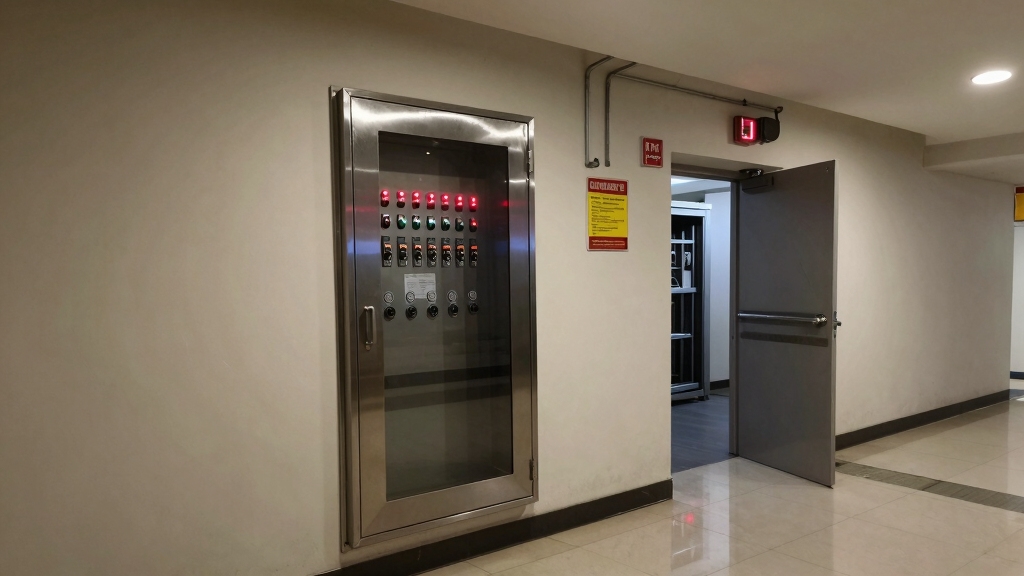
Located strategically for quick access, fire alarm control panels in commercial buildings are typically found in areas like the lobby, security office, utility room, or near the main entrance.
Fire alarm control panels are usually placed in accessible spots such as the lobby, security office, or near entrances.
You’ll recognize the panel by its display or indicator lights showing system status and any triggered alarms. It acts as the central hub, monitoring smoke detectors and safety devices throughout the building.
Access to the panel requires a key or passcode to prevent unauthorized use and avoid triggering additional alarms.
Keep in mind that specific panel locations vary depending on the building’s layout and the model installed. Knowing exactly where the panel is will help you respond quickly and efficiently during an alarm event.
After resetting a pull station, always perform a control panel reset to clear the alarm condition and confirm system readiness.
Understanding Fire Alarm System Types and Controls
Knowing where the fire alarm control panel sits is just the start. You need to understand the system type: hardwired, wireless, or hybrid, as each uses different controls.
The panel acts as the central hub, monitoring detectors and safety devices, displaying system status and alerts. Access requires a key or passcode to prevent accidental triggers.
Controls typically include silence, reset, and test functions. Silencing temporarily stops alarms but doesn’t deactivate the system permanently; it reactivates if another detector triggers.
Identifying the triggered zone on the panel helps you investigate the cause before resetting. Remember, only authorized personnel should operate these controls, following the manufacturer’s instructions and compliance rules to maintain safety and avoid false alarms.
Before performing any testing or troubleshooting, always contact authorities to notify and coordinate with the central monitoring station and fire department, ensuring the system is placed in test mode and preventing false emergency responses.
How to Access the Fire Alarm Control Panel Safely?
Alright, so first things first: you’ll want to find the fire alarm control panel. It’s typically located in places like the lobby, the security office, or right by the main entrance.
Now, remember, this isn’t just anyone’s playground. Only authorized personnel with the right key or passcode should be accessing it. This helps prevent any accidental triggers of false alarms, which we definitely want to avoid!
When you do get to the panel, make sure to follow all the strict procedures in place. It’s really important to guarantee safety for everyone and keep disruptions to a minimum while you’re accessing it.
Additionally, ensure your alarm system has the proper permit and registration to comply with local regulations and avoid penalties.
Panel Location Identification
Finding the fire alarm control panel quickly can make all the difference during an emergency or maintenance check.
You need to know its typical locations to avoid wasting critical time.
Most panels are placed in:
- The building lobby or main entrance area
- The security office or control room
- Utility or electrical rooms
- Near fire safety equipment or stairwells
Each panel acts as the system’s central hub, displaying status and alerts via indicator lights or screens.
Before accessing it, be aware that panels often require a key or passcode to prevent accidental triggers.
Knowing the panel’s exact location in your building layout helps you respond swiftly and safely when silencing or resetting alarms.
Always familiarize yourself with these spots ahead of time.
For smaller buildings, the fire alarm control panel is often part of the simplest fire alarm system, which uses zone-based detection for straightforward monitoring.
Authorized Access Procedures
Although accessing the fire alarm control panel is essential during emergencies or maintenance, it requires strict authorization to prevent accidental or unauthorized use. You must have proper clearance and the designated key or passcode to open the panel.
Unauthorized attempts can trigger additional alarms or compromise safety. Always verify your identity with building management or security before proceeding. Once authorized, approach the panel calmly and use the key or enter the code exactly as instructed by your facility’s protocol.
Never force the panel open or share access credentials. Proper access guarantees the panel remains secure and functional, allowing you to silence alarms or perform necessary checks without risking false triggers or system damage.
Always follow your building’s official guidelines when handling the control panel. Additionally, it is crucial to enter the security code on the keypad to silence tamper alerts and prevent monitoring notifications during panel access.
Avoiding False Alarm Triggers
To steer clear of false alarm triggers, handle the fire alarm control panel with care and follow strict access protocols. Access is limited to authorized personnel only, using the proper key or passcode.
Before interacting with the panel, confirm no real fire hazards exist to prevent unnecessary silencing. When accessing the panel, follow these essential steps:
- Locate the panel in designated areas like the lobby or utility room.
- Use authorized keys or passcodes to open and avoid additional alarms.
- Silence alarms only after verifying no fire threat is present.
- Reset the system following manufacturer instructions to restore normal operation.
Regular inspection and maintenance are necessary to ensure advanced alarms function reliably when needed.
How to Silence the Fire Alarm Temporarily?
When you need to silence a fire alarm temporarily, start by accessing the fire alarm control panel with your authorized key or passcode.
Locate the panel, usually found in the lobby, security office, or near the main entrance.
Once inside, press the silence button or select the silence function on the display. This action mutes the sirens, bells, and internal beepers without resetting the system.
Remember, only silence alarms when you’re confident there’s no real fire threat, as the system will automatically reactivate if it detects new smoke or after a timeout.
Always follow your building’s fire safety protocols and consult the system manual for model-specific instructions.
Never disable alarms permanently; temporary silencing is strictly for false alarms, testing, or maintenance.
Keep in mind that monitored systems typically continue to transmit alarm signals to a central station even when silenced, ensuring emergency services remain informed.
How to Identify the Cause of a Fire Alarm Trigger?
Start by checking the fire alarm control panel to identify which zone triggered the alarm. This central hub will show you the exact location, helping narrow down your investigation quickly.
Begin by reviewing the fire alarm control panel to pinpoint the triggered zone and focus your investigation.
Next, inspect the indicated zone for these common causes:
- Actual fire or smoke presence. Prioritize safety and evacuate if detected.
- Environmental factors like dust, steam, or construction debris affecting sensors.
- Low or failing detector batteries causing false alerts.
- Equipment malfunctions or wiring issues within the detection system.
Confirm there’s no real fire threat before proceeding. Communicate with building occupants accordingly and document your findings.
Addressing these factors promptly guarantees safety and prevents future false triggers. Only reset the system once you’ve thoroughly verified the cause and guaranteed the area is secure.
If the alarm system shows signs of malfunction or persistent issues, it is best to contact a professional technician to inspect and repair the system safely.
Handling False Fire Alarms and Repeated Triggers
After confirming there’s no real fire threat and addressing the root cause, your focus shifts to managing false alarms and repeated triggers.
First, identify the source. Dust, low batteries, or sensor malfunction often cause false alarms. Clean or replace affected detectors promptly to prevent recurrence.
Avoid disabling the system permanently; instead, use the silence function temporarily while investigating. Document each false alarm event to track patterns and inform maintenance teams.
Communicate clearly with building occupants to reduce panic and maintain trust. Repeated triggers may signal a need for system inspection or upgrade.
Always follow manufacturer guidelines and local fire codes. By taking these steps, you ensure safety while minimizing disruptions, keeping the fire alarm system reliable and compliant without compromising emergency readiness.
For hardwired alarms, remember to turn off the main breaker controlling the circuit before attempting any physical disconnection or maintenance.
When and How to Reset the Fire Alarm System?
Before you reset the fire alarm system, it’s super important to make sure there’s no actual fire or danger around. Safety first, right?
Once you’ve done that, you can go ahead and follow the manufacturer’s instructions for resetting the system. Just take it step by step to clear out any triggered zones.
After you’ve completed the reset, don’t forget to switch the panel back to standby mode. That way, it can go back to monitoring everything normally. Easy as pie!
Remember to notify central monitoring before resetting or disconnecting power to avoid false alarms and ensure proper system handling.
Confirm Safety First
Although it’s tempting to reset the fire alarm system quickly, you must first confirm there’s no real fire or hazard present.
Before resetting, always verify safety to avoid endangering occupants or violating codes.
Follow these steps:
- Check the fire alarm control panel for the triggered zone and any alerts.
- Physically inspect the indicated area for smoke, fire, or other hazards.
- Make certain all occupants are safe and evacuate if any risk exists.
- Identify false alarms caused by malfunctions, dust, or low batteries.
Only after you’ve thoroughly confirmed safety can you proceed to reset the system.
Skipping this critical step risks lives and property and may result in code violations.
Always prioritize safety before silencing or resetting alarms in a commercial building.
Follow Reset Procedures
Once you’ve confirmed there’s no real fire threat, you can proceed to reset the fire alarm system following the specific procedures for your building’s model.
Start by accessing the fire alarm control panel with the authorized key or passcode.
Locate the reset button or reset option on the panel display.
Press or select it to initiate the reset sequence.
This action clears triggered alarm zones and silences any remaining alerts.
Follow the system manual carefully, as some models may require additional steps or confirmation prompts.
Make sure all indicators on the panel extinguish, signaling a successful reset.
Remember, only reset after thoroughly investigating the cause and confirming safety.
Avoid resetting if hazards persist and always comply with your building’s fire safety protocols.
Return Panel To Standby
Complete the reset process by returning the fire alarm control panel to standby mode, ensuring the system is ready to detect any new threats.
After confirming no fire hazard exists, follow these steps precisely:
- Enter your authorized key or passcode to access the control panel.
- Initiate the reset function as per your system’s manual.
- Verify that all zone indicators turn off, signaling a successful reset.
- Turn the key to the off position or exit the access menu to lock the panel.
This procedure restores the system to normal operation, ready to monitor for any future alarms.
Never skip this step, as leaving the panel unreset can compromise safety and violate fire codes. Always follow manufacturer guidelines carefully.
Important Safety Rules for Managing Fire Alarms
When managing fire alarms, you must never disable the system permanently, as doing so violates fire codes and puts everyone at risk.
Only silence alarms temporarily when you’ve confirmed there’s no real fire threat, such as during false alarms, testing, or maintenance.
Silence alarms only briefly after confirming no real fire threat during false alarms, testing, or maintenance.
Always use authorized access methods, control keys or vendor codes, to avoid triggering additional alarms or system faults.
Never bypass battery backups or shut down systems without proper procedures, since non-functional alarms during emergencies can endanger occupants.
Keep communication clear with building users and coordinate with local fire authorities as needed.
Always follow manufacturer instructions and your building’s fire safety plan.
Regular maintenance and prompt troubleshooting of malfunctions help prevent false alarms and guarantee the system’s reliability and compliance with safety regulations.
Frequently Asked Questions
How Often Should Fire Alarm Systems Be Professionally Inspected?
You should have fire alarm systems professionally inspected at least once a year to make certain they function properly and comply with safety codes.
Some local regulations or building types may require more frequent checks, like quarterly or semi-annually.
Regular inspections help catch malfunctions early, prevent false alarms, and keep occupants safe.
Don’t skip these; staying proactive is key to maintaining reliable fire protection in your commercial building.
Can Fire Alarm Systems Be Integrated With Building Automation?
Yes, you can integrate fire alarm systems with building automation to enhance safety and efficiency.
This integration lets you monitor alarms, control ventilation, and manage emergency lighting automatically.
You’ll get real-time alerts and coordinated responses across systems, minimizing response time during incidents.
Just make certain compatibility between your fire alarm and building automation platforms.
Work with authorized professionals to configure and maintain the setup properly for compliance and reliability.
What Are the Legal Penalties for Disabling Fire Alarms Illegally?
If you disable fire alarms illegally, you risk hefty fines, legal action, and even criminal charges. Authorities treat this as a serious safety violation because it endangers lives and property.
You could face penalties from local fire codes, OSHA, or building regulations. Courts may impose fines, business shutdowns, or jail time depending on the severity.
Always follow legal procedures and never tamper with alarms without authorization to avoid these consequences.
How to Handle Fire Alarms During Building Renovations?
Of course, you want the fire alarm to be silent while renovations turn your building upside down. Too bad safety doesn’t take breaks.
Instead, coordinate with your fire safety team to implement temporary measures like relocating detectors or using approved covers. Always keep alarms operational, inform the fire department, and comply with codes.
Never disable alarms permanently or you risk endangering everyone and facing serious penalties. Stay safe and smart throughout renovations.
Are There Smartphone Apps for Monitoring Commercial Fire Alarms?
Yes, you can use smartphone apps to monitor commercial fire alarms, especially with modern wireless or networked systems.
These apps let you check system status, receive alerts, and sometimes silence alarms remotely.
You’ll need authorized access and specific software from the alarm manufacturer, like C-TEC’s app.
Always make sure you follow your building’s security protocols and fire safety regulations when using these apps to manage alarms effectively and safely.
Key Takeaways for Handling Commercial Fire Alarm Systems Responsibly
Turning off a fire alarm in a commercial building isn’t just flipping a switch. It’s steering the ship through a storm. You’ve learned where to find the control panel, how to silence alarms safely, and when to reset.
Remember, managing fire alarms demands both caution and clarity. Treat the system like a guardian; respect its warnings, act wisely, and keep safety as your compass to navigate any alarm situation confidently.