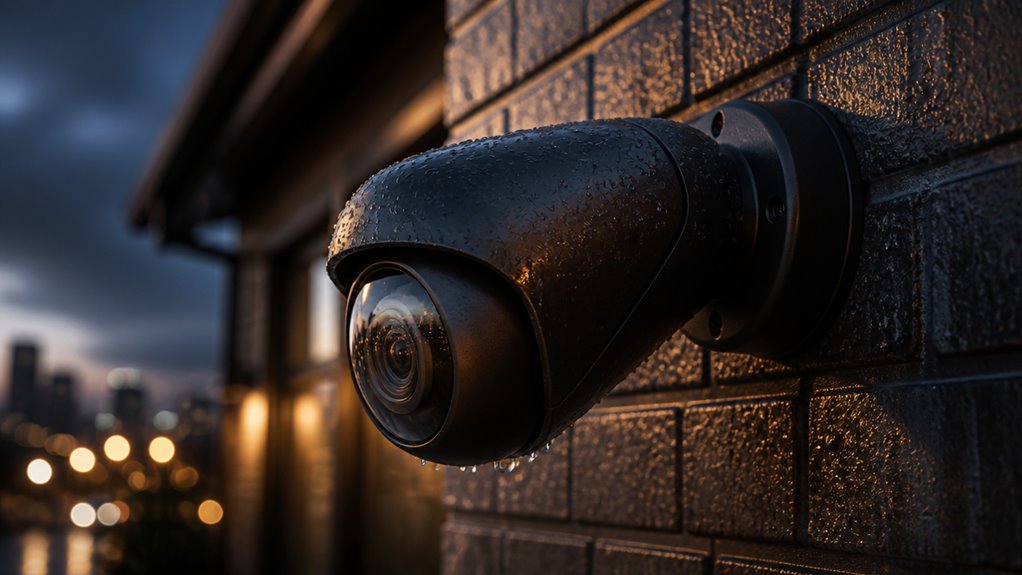

If you want reliable, subscription-free security with clear 2K to 4K video, Defender cameras deliver local storage via microSD or DVR/NVR setups, cutting ongoing costs.
You’ll find wired, Wi-Fi, and solar-powered options with straightforward app setup and customizable motion detection.
Night vision varies from monochrome IR to advanced color on select models. While smart features and battery options are limited, the lineup excels in affordability and offline recording.
Exploring further reveals detailed specs and use cases.
Key Takeaways
- Defender cameras offer local storage with no mandatory subscription fees, appealing to budget-conscious users seeking cost-effective home security.
- The lineup includes 2K to 4K resolution models with wired PoE, Wi-Fi, and cellular-powered options for versatile installation.
- Night vision varies by model, featuring color night vision in Sentinel 4K and monochrome infrared in Guard and Defender GO cameras.
- Storage options range from 16GB microSD cards in Guard models to up to 1TB HDDs in Sentinel DVR/NVR systems, ensuring offline recording.
- Installation supports Ethernet, Wi-Fi, or solar power, with straightforward setup but limited advanced smart-home integration or battery-only models.
Why Choose Defender Security Cameras?
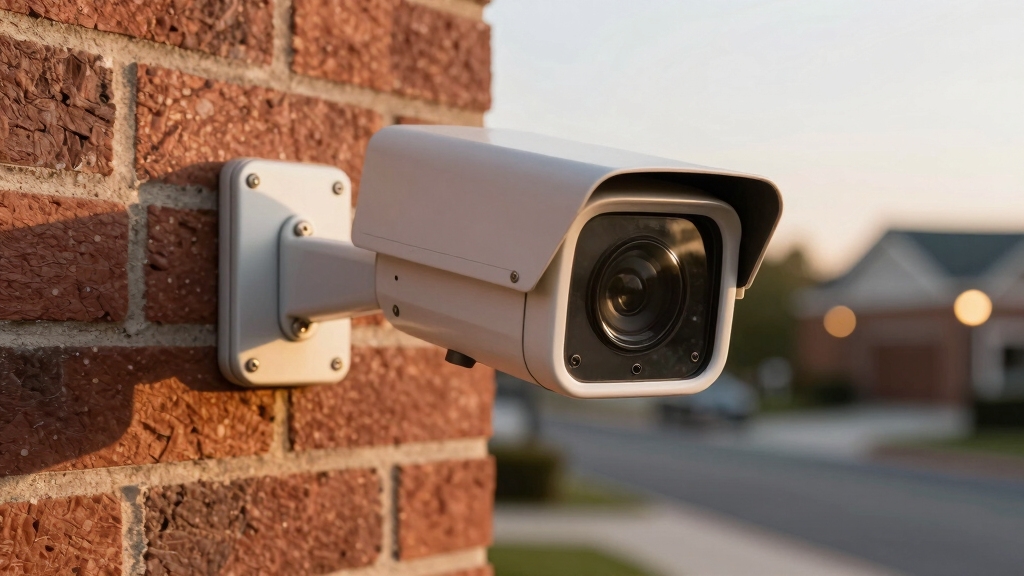
While many security camera brands emphasize cloud-based features and subscription services, Defender Security Cameras stand out by focusing on local storage and eliminating mandatory fees. This appeals to users seeking cost-effective, straightforward surveillance solutions.
Defender Security Cameras prioritize local storage and no fees, ideal for budget-friendly, simple surveillance.
You’ll find models supporting microSD cards or DVR/NVR recording with built-in storage, eliminating monthly expenses. Defender’s lineup covers basic-to-midrange features without advanced AI automation, making setup and operation simpler.
Options include wired PoE systems, Wi-Fi cameras, and cellular-powered units, accommodating various installation needs. The brand prioritizes practical home security over integration with complex smart-home ecosystems.
If you want reliable video capture with customizable motion detection and no ongoing fees, Defender offers solid value, especially for those who prefer offline storage and local edge processing and straightforward system management.
Defender Security Cameras Video and Night Vision Quality
Defender cameras come with a range of sensor options, starting from 4MP for 2K resolution and going all the way up to 4K Ultra HD. This means you can expect clear and detailed footage, which is always a plus!
Now, when it comes to night vision, you’ll notice some differences based on the model you choose. Some cameras offer color night vision, while others provide black-and-white imaging. It really depends on how the camera is configured.
For safety in commercial environments, it is important to maintain maximum travel distances for fire extinguishers to ensure quick access in case of emergencies.
Resolution and Sensor Details
Because video clarity directly impacts security effectiveness, Defender cameras offer varying resolutions tailored to different surveillance needs.
The Guard model uses a 4MP sensor, recording up to 2K (2560 × 1440) resolution, delivering approximately 30% more detail than standard 1080p.
For higher precision, the Sentinel series features 4K Ultra HD sensors, producing crystal-clear images suitable for detailed monitoring.
These sensors maintain solid color accuracy and contrast in well-lit conditions, optimizing clarity for identification purposes.
You’ll find that the Frontier PTZ and Defender GO also operate at 2K resolution with comparable sensor specifications.
All models emphasize local storage compatibility, leveraging their sensors’ output for efficient recording without sacrificing quality.
This spectrum of sensor resolutions guarantees you can select a Defender camera that aligns precisely with your surveillance clarity requirements.
Proper positioning and manual angle adjustment help maintain optimal image quality and prevent blind spots.
Night Vision Capabilities
Night vision performance plays a critical role in Defender security cameras’ effectiveness during low-light conditions.
Depending on the model, you’ll find either black-and-white or color night vision. The 4K Sentinel series offers advanced color night vision, providing clearer, more detailed images in darkness.
This is achieved by utilizing infrared LEDs combined with sensor technology, enhancing object and facial recognition at night. The Guard and 2K Defender GO models typically rely on monochrome infrared night vision, which delivers reliable contrast but lacks color detail.
Infrared illumination activates automatically in low light, maintaining video clarity up to approximately 30 feet, though range varies by model. Like Eufy cameras, Defender models benefit from advanced AI detection to improve recognition accuracy in low-light conditions.
Color Versus Black-and-White
Video quality in Defender security cameras varies markedly between color and black-and-white night vision modes, directly impacting detail recognition in low-light scenarios.
Color night vision, available on higher-end models like the 4K Sentinel and Guard Pro, utilizes advanced infrared and white LED illumination to deliver accurate color representation after sunset.
This enhances your ability to identify clothing colors, vehicle hues, and other critical details.
In contrast, black-and-white night vision, common in more basic models, relies solely on infrared LEDs, producing clear but monochromatic images that emphasize contrast over color.
While black-and-white mode offers excellent clarity and longer infrared range, it lacks the contextual color data that can be essential for forensic review.
Your choice depends on whether color accuracy or extended night clarity better suits your security needs.
Additionally, incorporating technology with enhanced contrast can significantly improve object recognition under low-light conditions, complementing the video quality features.
Defender Camera Models and Their Key Features
When you explore Defender’s lineup, you’ll find distinct camera models tailored to different security needs and installation preferences.
The Guard series offers 2K resolution with a 4MP sensor, local microSD storage, and customizable motion detection. This makes it ideal for straightforward, budget-conscious setups.
The Sentinel series targets higher-end users with 4K Ultra HD wired PoE cameras, DVR/NVR recording, smart human detection, and audio capabilities.
For off-grid locations, the Frontier PTZ provides solar power and 4G cellular connectivity. This ensures continuous surveillance without Wi-Fi.
Additionally, the Guard Pro balances enhanced features like full-color night vision and app compatibility while maintaining plug-in Wi-Fi operation.
Each model emphasizes practical home security with varying resolutions, power sources, and connectivity options. They’re designed for ease of installation and lower ongoing costs.
Selecting cameras with PoE technology compatibility can further simplify installation and enhance network efficiency for wired models.
Defender Security Cameras’ Local Storage and Subscription Options
Defender cameras really put local storage front and center. Many of them come with microSD cards or built-in HDDs, which means you can access your footage without relying on the cloud. How great is that? Plus, you won’t have to worry about any pesky subscription fees, so you can manage your data without the hassle of recurring costs.
When it comes to storage options, there’s a nice variety to choose from. For instance, the Guard model starts with a 16GB microSD card, which is perfect for basic needs. On the other hand, if you need something more robust, the Sentinel DVR/NVR setups offer up to 1TB HDDs. This range really caters to different user needs and recording durations, making it easy to find the right fit for you.
These local storage options support offline recording capabilities, allowing continuous footage capture without needing an internet connection.
Local Storage Benefits
One key advantage of Defender Security Cameras lies in their local storage capabilities, which offer users greater control over their footage without recurring costs.
You can store video directly on microSD cards or built-in hard drives, depending on the model. For instance, the Guard series includes a 16GB microSD card, while the Sentinel systems use DVR/NVR setups with up to 1TB HDDs.
This setup eliminates reliance on cloud services, reducing exposure to subscription fees and potential data privacy risks. Local storage also enables offline access and faster retrieval of recorded footage.
You’ll benefit from straightforward data management, lower ongoing expenses, and enhanced security since your data remains physically within your property, not on third-party servers.
This makes Defender an attractive option for budget-conscious users prioritizing autonomy. Additionally, regularly updating firmware and configuring strong encryption helps maintain data privacy and security for locally stored footage.
Subscription-Free Usage
Although many security camera brands push cloud-based subscriptions, Defender Security Cameras let you avoid recurring fees by emphasizing local storage options. You can rely on internal microSD cards or DVR/NVR units for storing footage without mandatory cloud plans.
This approach reduces your total cost of ownership while maintaining data control and offline accessibility. Key aspects of Defender’s subscription-free usage include:
No required monthly fees across major models. Included 16GB microSD card with Guard cameras. DVR/NVR local recording in Sentinel series. Optional cloud storage available but not enforced. Data remains accessible without internet connection.
Additionally, Defender’s NVR-compatible systems support remote access for convenient live and recorded video monitoring without extra subscription costs.
This model suits users seeking straightforward, budget-conscious security solutions without compromise on essential recording reliability.
Storage Capacity Options
Defender Security Cameras provide a range of local storage options designed to meet varying capacity needs without locking you into subscription plans.
The Guard model includes a 16GB microSD card, allowing you to store footage directly on the device, eliminating cloud reliance.
Sentinel systems utilize wired DVR/NVR setups with built-in storage, often featuring 1TB HDDs that support extended recording durations.
The 2K Defender GO also supports microSD storage and offers optional local or cloud recording, giving you flexibility.
Across the lineup, Defender emphasizes offline storage to reduce ongoing costs and enhance data privacy.
You won’t find mandatory monthly fees here, though cloud services remain optional.
This storage approach suits users prioritizing straightforward, cost-effective surveillance without sacrificing video retention capabilities.
Many systems also support local SD card storage up to 128GB for continuous recording without subscription fees, providing additional convenience and control.
Installing and Connecting Defender Security Cameras
Setting up your Defender security camera involves straightforward steps tailored to the specific model’s power and connectivity requirements.
First, determine whether your camera uses Wi-Fi, PoE, or cellular connectivity to guarantee compatibility.
Then, mount the camera securely using the included brackets or screws.
Connect the camera to power, either via an outlet or Ethernet cable, depending on the model.
Next, link the camera to your local network or NVR/DVR system.
Finally, configure the camera through the Defender app or the NVR interface for peak performance.
Key installation and connection steps include:
- Selecting a stable mounting location with adequate coverage.
- Running Ethernet cables for PoE models or confirming Wi-Fi signal strength.
- Inserting microSD cards or connecting to local storage devices.
- Pairing cameras with the Defender app or NVR system.
- Adjusting camera angles and settings after initial setup.
Power Options for Defender Security Cameras
When you’re setting up Defender security cameras, it’s important to think about their power options. Most models typically use wired power, either through electrical outlets or Power over Ethernet (PoE) connections. This setup gives you a steady energy source, but it can limit where you place the cameras.
On the flip side, there are some cool options out there! For instance, the Frontier PTZ model comes with solar-powered batteries and even has cellular connectivity. That’s pretty handy if you’re looking for flexibility. Plus, if you’re considering Wi-Fi cameras, just keep in mind that they’ll need AC power and access to a 2.4 GHz network. So, weigh your options based on your specific needs and setup!
Wired Power Requirements
Several wired power options exist across Defender’s security camera lineup, each tailored to specific installation needs and environments.
When you choose a Defender wired camera, you’ll typically deal with direct AC power connections or Power over Ethernet (PoE), depending on the model.
The Guard series requires a standard electrical outlet, limiting placement flexibility but ensuring continuous power.
Sentinel models leverage PoE, combining data and power over a single Ethernet cable for streamlined installation and reliable connectivity.
Key wired power considerations include:
- AC power adapters for Guard series cameras
- PoE-enabled Ethernet cables for Sentinel systems
- Power requirements adhering to 12V or 24V standards based on model
- Continuous power delivery preventing battery depletion
- Installation proximity to power sources impacting placement options
These wired setups focus on maintaining stable, uninterrupted operation without reliance on batteries.
Solar And Battery Options
Defender occasionally incorporates solar and battery-powered options to enhance installation flexibility and support off-grid security needs. Models like the Frontier PTZ use integrated solar panels paired with rechargeable batteries, allowing continuous operation without wired power.
This setup suits remote locations lacking electrical outlets. Battery-only options provide temporary power but require regular recharging to maintain uptime. These power solutions reduce cable clutter and increase placement versatility but may limit runtime depending on sunlight exposure and battery capacity.
| Power Type | Typical Models | Key Advantages |
|---|---|---|
| Solar + Battery | Frontier PTZ | Continuous off-grid power |
| Battery Only | Limited models | Portable, no wiring needed |
| Wired Power | Guard, Sentinel | Reliable, no power interruptions |
Understanding these options helps you match your installation needs precisely.
Wi‑Fi Connectivity Power
While solar and battery power options offer off-grid flexibility, many users prioritize Wi-Fi connectivity combined with consistent power sources for straightforward home installations.
Defender’s Wi-Fi cameras, like the Guard Pro, rely on 2.4 GHz Wi-Fi and AC power, ensuring stable video streaming and uninterrupted operation.
You’ll find these cameras plug into standard outlets, limiting placement but simplifying power management.
Defender doesn’t mix battery-powered models with Wi-Fi, focusing instead on reliable mains power for continuous function.
Consider these key points about Wi-Fi connectivity power:
- Requires AC power connection, restricting mobility
- Uses 2.4 GHz Wi-Fi for network communication
- Supports easy app-based setup and remote viewing
- Prioritizes stable, uninterrupted power delivery
- Suitable for users valuing consistent performance over portability
Strengths and Limitations of Defender Security Cameras
Although you won’t find the advanced AI features or extensive smart-home integration common in premium brands, Defender security cameras deliver solid image quality and reliable local storage without subscription fees.
Defender cameras offer clear images and dependable local storage without the need for costly subscriptions.
You get 2K to 4K resolution options, with color or black-and-white night vision depending on the model, ensuring clear footage under varied lighting.
Their systems emphasize local storage—microSD cards or DVR/NVR setups—eliminating ongoing costs. However, you’ll encounter limited smart detection capabilities; for example, the Guard lacks facial recognition, and only select models offer human detection or two-way audio.
Power options vary, but many require wired connections or AC power, restricting placement flexibility. The ecosystem remains smaller, and advanced automation features are minimal, making these cameras best suited for straightforward, cost-conscious home security setups.
Defender Security Cameras Pricing Compared to Competitors
Several Defender camera models offer pricing that appeals to budget-conscious buyers seeking reliable security without premium costs.
When you compare Defender to competitors, you’ll notice its focus on affordability combined with local storage eliminates recurring fees, a key differentiator.
Consider these pricing points relative to features and market alternatives:
Entry-level Guard cameras start around $35–$40, undercutting many basic 1080p competitors.
The Sentinel 4K system’s camera at $95 plus $269 for the NVR is competitive against premium wired systems.
Defender’s no-subscription model reduces total cost of ownership versus brands requiring monthly fees.
Midrange models like the Guard Pro ($126) and Frontier PTZ ($169) balance cost with enhanced features.
Competitors often bundle cloud services, increasing long-term expenses beyond Defender’s local storage approach.
This pricing strategy suits buyers prioritizing upfront cost and minimal ongoing charges.
Who Should Consider Buying Defender Security Cameras?
Who benefits most from Defender security cameras?
If you prioritize straightforward, reliable home security without recurring subscription fees, Defender suits you well.
You’ll appreciate the local storage options, such as microSD cards or DVR/NVR systems, that keep footage accessible without cloud dependency.
Defender’s lineup fits those needing basic-to-midrange features like 2K or 4K resolution, customizable motion detection, and wired or Wi-Fi connectivity.
Installation is manageable if you’re comfortable with app setup or Ethernet cabling.
You should consider Defender if you want solid image quality, color night vision in higher-end models, and lower ongoing costs, without advanced AI automation or extensive smart-home integration.
However, if you require battery-powered or solar-only models with cutting-edge smart features, Defender’s practical, budget-conscious design mightn’t meet those needs.
How Defender Security Cameras Compare to Other Brands?
How do Defender security cameras stack up against competitors in the consumer market? You’ll find Defender emphasizes local storage and simplicity over advanced AI or smart-home integration.
Compared to brands like Ring or Arlo, Defender prioritizes cost-effective, straightforward security solutions without mandatory subscriptions. Here’s how they compare:
Local storage included, avoiding ongoing fees common with cloud-based competitors.
Resolution ranges from 2K to 4K, competitive but without premium image-processing features.
Installation options cover Wi-Fi, PoE, and cellular, offering flexibility but less ecosystem integration.
Limited advanced analytics like facial recognition, focusing on fundamental motion and human detection.
Pricing is generally lower, appealing if you want solid image quality without paying for smart-home extras.
You’ll appreciate Defender if you value affordability and offline recording over cutting-edge automation.
Frequently Asked Questions
Can Defender Cameras Integrate With Popular Smart Home Systems?
Defender cameras generally don’t integrate seamlessly with popular smart home systems like Alexa, Google Home, or Apple HomeKit. They focus on straightforward, local storage and basic functionality rather than advanced smart-home ecosystem compatibility.
While some models support app-based remote viewing and notifications, you won’t find native support for voice control or automation routines. If you prioritize smart home integration, Defender mightn’t meet those needs fully.
Do Defender Cameras Support Continuous 24/7 Recording?
Yes, you can set some Defender cameras for continuous 24/7 recording, but it depends on the model.
The Sentinel series with DVR/NVR systems supports nonstop recording to a built-in HDD, allowing full-time surveillance.
Models like the Guard rely on local microSD cards and generally focus on motion-triggered recording. Continuous recording might be limited or require manual settings.
Always verify storage capacity and power needs to maintain nonstop operation reliably.
How Secure Is the Defender App and Data Transmission?
Think of your data as a fortress, and Defender’s app as the moat protecting it.
The app uses data encryption to secure your video streams and stored footage, reducing risks of interception.
You’ll benefit from encrypted remote mobile viewing, ensuring that only authorized devices access your camera feeds.
While Defender doesn’t offer the most advanced cybersecurity features, it provides solid, industry-standard protections.
This keeps your surveillance data reasonably safe during transmission and storage.
Are There Any Warranty or Customer Support Options?
You’ll find Defender offers a limited warranty, typically covering defects in materials and workmanship for one year after purchase.
If your camera malfunctions within this period, you can request repair or replacement.
Customer support includes phone and email assistance, with representatives knowledgeable about installation and troubleshooting.
You can also access online resources like manuals and FAQs.
However, support options may vary by retailer and region, so check specifics when buying.
Can Defender Cameras Be Used Effectively in Extreme Weather Conditions?
You can use Defender cameras effectively in many outdoor environments, as most models are weather-resistant with IP65 or higher ratings, protecting against rain and dust.
However, extreme weather like severe cold, intense heat, or heavy snow may impact performance or durability.
The solar-powered Frontier PTZ is designed for harsher conditions with battery backup and cellular connectivity.
Still, you should verify specific model specs to confirm suitability for your local climate.
Defender Cameras Combine Durability, Clear Video, and Flexible Storage Options
If you’re seeking reliable security, Defender cameras offer impressive night vision with up to 50 feet of clear visibility, ensuring round-the-clock protection.
Their blend of local storage and optional subscriptions gives you flexible data control. While not the cheapest, their robust build and solid video quality justify the investment.
Considering these factors, Defender suits users prioritizing durability and detailed footage without heavily relying on cloud services.

[…] unlike some competitors, Vision Well cameras typically do not offer 4K Ultra HD resolution, which limits the highest detail available in their […]