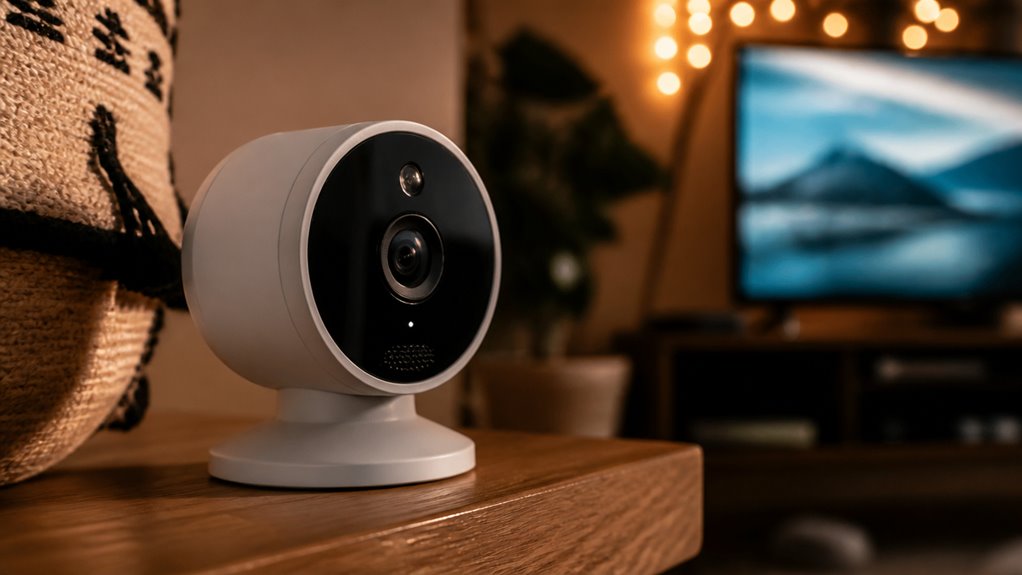

If you want an affordable indoor camera that integrates tightly with your Roku TV, this model offers smooth 1080p video, reliable motion and sound alerts, plus easy local or cloud storage options.
Setup and alerts are managed through the Roku Smart Home app. Keep in mind it mainly works best within the Roku ecosystem and requires 2.4 GHz Wi-Fi.
While it lacks advanced night vision and broad third-party compatibility, it’s a practical choice for straightforward indoor monitoring. Explore the features and caveats to decide if it fits your needs.
Key Takeaways
- Roku Security Camera offers seamless integration with Roku TVs for live feed monitoring and management via the Roku Smart Home app.
- It provides 1080p video quality with smooth 20 fps, infrared night vision, and two-way audio for clear indoor surveillance.
- Motion, sound, and smart detection alerts are customizable, with advanced alert features requiring a subscription.
- Local microSD storage (up to 32 GB) is available without subscription, while cloud storage with extended retention needs a paid plan.
- Best suited for Roku ecosystem users seeking affordable, TV-centric indoor monitoring, but limited third-party compatibility and 2.4 GHz Wi-Fi may restrict use.
What Makes the Roku Indoor Camera Unique?
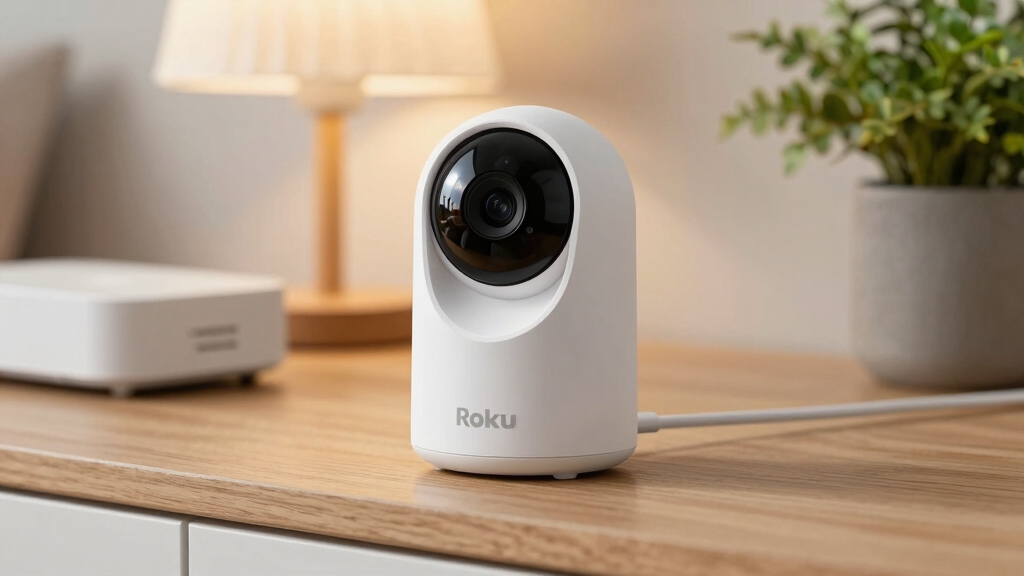
Among indoor security cameras, the Roku Indoor Camera stands out primarily because of its seamless integration with Roku TVs. This allows you to monitor live feeds directly on your television screen.
This feature streamlines your security experience, especially if you already use Roku devices. You’ll find it easy to set up the camera using the Roku Smart Home app, which also supports motion and sound alerts.
The camera relies on a 2.4 GHz Wi-Fi connection and offers local storage via microSD, but advanced features require a subscription.
While it supports voice commands and some compatibility with Google Home and Alexa, these integrations remain limited outside Roku’s ecosystem.
Its affordable price and ecosystem focus make it a practical choice if you want a straightforward, TV-centric monitoring solution.
Unlike Spectrum’s discontinued cameras, the Roku Indoor Camera does not depend on proprietary networks and offers cross-platform compatibility for broader smart home integration.
How Good Is the Video Quality and Night Vision?
The Roku Indoor Camera really shines when it comes to video quality. During the day, you get crisp 1080p footage that captures sharp details, making it super easy to keep an eye on things.
Now, let’s talk about night vision. The infrared footage is surprisingly clear, giving you reliable visibility even in low-light situations. So, when you evaluate both daytime and nighttime performance, you can easily see if this camera meets your expectations for 24/7 security. Unlike some higher-end models, it does not offer 4K resolution, which means it has lower detail and zoom capabilities compared to 4K video quality cameras.
Daytime Video Clarity
Video quality plays a pivotal role in evaluating the Roku Indoor Camera’s effectiveness for daytime monitoring.
You’ll notice the 1080p resolution delivers a crisp and clear image that captures fine details well. The camera streams video at around 20 frames per second, which guarantees smooth motion without noticeable lag.
Colors appear natural and balanced, contributing to accurate scene representation in well-lit environments. However, while the image sharpness is generally good, you might observe minor softness around edges in complex scenes.
This is typical for cameras in this price range and doesn’t materially hinder usability. Overall, the Roku Indoor Camera provides reliable daytime video clarity that should meet standard indoor security needs without compromising on detail or fluidity during live viewing.
Due to its resolution and frame rate, the Roku Indoor Camera balances video clarity and power efficiency similarly to other battery-powered models that emphasize power-efficient streaming.
Infrared Night Vision
Infrared night vision markedly enhances the Roku Indoor Camera’s usability in low-light conditions.
You’ll find the camera delivers clear infrared footage, maintaining sharp details even in darkness. The 1080p resolution combined with infrared LEDs guarantees you don’t miss important visual cues at night, making it reliable for overnight monitoring.
Key points to take into account:
Crisp, detailed video quality with infrared illumination.
Effective visibility up to a reasonable indoor distance.
Consistent frame rate (around 20 fps) for smooth footage.
Infrared LEDs automatically activate in low light.
No color night vision; footage appears in grayscale.
For optimal infrared performance, mounting the camera at mid-wall height or in corners can maximize coverage and minimize blind spots indoors.
Setting Up and Using the Roku Smart Home App
Maneuvering the Roku Smart Home app is essential for setting up and managing your Roku Indoor Camera effectively.
You begin by connecting the camera to your 2.4 GHz Wi-Fi network using the app’s guided prompts, which streamline the process but require patience if your network is unstable.
Once connected, the app provides live video streaming, allowing you to position your camera optimally.
You can also access settings to adjust motion sensitivity and audio preferences.
The app’s interface integrates camera feeds alongside other Roku smart devices, promoting centralized control.
However, its functionality is somewhat limited outside the Roku ecosystem, potentially complicating use with third-party devices.
For comprehensive home monitoring, it is important to note that First Alert smoke detectors do not contain cameras and thus require separate security cameras for video surveillance.
What Alerts and Smart Detection Features Are Available?
After setting up your Roku Indoor Camera through the Smart Home app, you’ll want to explore how it keeps you informed about activity in your home. The camera sends alerts directly to your device, helping you stay aware of any unusual movements or sounds.
Roku’s smart detection features go beyond basic motion alerts, offering more specific notifications to reduce false alarms. Key alert and detection features include:
- Motion alerts that notify you of movement within the camera’s view
- Smart detection for people, packages, vehicles, and pets
- Sound detection, including possible smoke alarm sounds
- Real-time notifications via the Roku Smart Home app and Roku TV interface
- Option to customize alert sensitivity and types based on your preferences
These features provide a balanced mix of responsiveness and relevance to keep you accurately informed. Many security systems now incorporate AI-powered detection to differentiate between people, pets, and vehicles, reducing false alarms and enhancing alert accuracy.
How Storage Works for the Roku Camera?
Sure! Here’s a more conversational version of that text:
You have a couple of options for storing your Roku camera footage: locally or in the cloud. It really depends on what you need and whether you have a subscription.
If you go with cloud storage, you can access your video clips for up to 14 days. Just keep in mind that this option requires a subscription. On the flip side, local storage lets you use a microSD card, which can hold up to 32 GB of footage. This way, you can save your clips without worrying about ongoing fees.
Both options have their pros and cons. Think about convenience, cost, and how quickly you want access to your footage—those factors will help you decide what works best for you! Roku cameras typically use H.265 compression to efficiently manage storage and bandwidth.
Cloud Storage Benefits
Security and convenience play a pivotal role in how the Roku Indoor Camera handles storage. When you subscribe to Roku’s cloud service, your video clips are securely stored offsite for 14 days. This gives you easy access anytime via the app or Roku TV.
This setup enhances protection against local device damage or theft, ensuring you won’t lose critical footage.
Here are key benefits of Roku’s cloud storage:
- Continuous 14-day video clip retention for review
- Instant access to recorded events from multiple devices
- Seamless integration with motion and sound alerts
- Faster event viewing compared to no-subscription mode
- Offloads storage needs from your local device
This cloud-based approach balances security and accessibility, though it requires a subscription for full functionality. Additionally, using motion-triggered recording can help optimize local storage usage when cloud access is limited.
Local Storage Options
Local storage offers a practical alternative for managing your video data without relying solely on cloud services.
With the Roku Indoor Camera, you can use a microSD card up to 32 GB to store footage locally. This means you can access recordings directly without a subscription, avoiding possible delays or limits tied to cloud storage.
However, local storage only saves video clips on the card, so if the card is damaged or removed, your data could be lost.
Also, local storage doesn’t provide the advanced alert intelligence or extended 14-day retention available through Roku’s subscription.
While local storage is cost-effective and offers immediate access, it lacks some convenience and security features of cloud storage. This makes it a useful but limited option depending on your needs.
For outdoor cameras, ensuring adequate sunlight exposure is crucial for maintaining reliable power and continuous operation.
How the Roku Indoor Camera Works With Roku Smart Home?
Integrating the Roku Indoor Camera into the Roku Smart Home ecosystem enhances your ability to monitor and control your living space seamlessly.
Integrating the Roku Indoor Camera elevates your home monitoring and control within the Roku Smart Home ecosystem effortlessly.
You can view the camera feed directly on your Roku TV, providing a convenient, large-screen experience without switching devices.
The Roku Smart Home app acts as a central hub, allowing live streaming, motion alerts, and two-way audio control.
Voice remotes add another layer of convenience, enabling you to arm the system or control compatible devices hands-free.
However, the system works best if you’re invested in Roku’s ecosystem, as third-party integrations may be limited.
Key features include:
- Live camera viewing on Roku TV
- Motion and sound alerts via Roku Smart Home app
- Two-way audio communication
- Voice remote control integration
- Compatibility primarily within Roku’s smart home environment
For optimal performance, it is important to verify camera compatibility with the Roku platform and ensure firmware updates are applied regularly.
What Are the Pros and Cons of the Roku Indoor Camera?
Frequently praised for its affordability and ease of use, the Roku Indoor Camera delivers solid 1080p video quality and convenient integration with Roku TVs.
You get crisp daytime footage, clear night vision, and two-way audio, all accessible through the Roku Smart Home app or directly on your TV.
The camera’s low price and local storage option enhance its value. However, you’ll depend heavily on the Roku ecosystem, which limits compatibility with non-Roku devices.
Advanced features like smart detection and cloud storage require a subscription, adding ongoing costs. Some users find event refresh rates slow without that subscription.
Also, the need for a 2.4 GHz Wi-Fi network might restrict placement. Overall, it’s a strong choice if you prioritize budget-friendly, Roku-centric home monitoring but less ideal for mixed ecosystems.
Should You Get the Roku Indoor Camera?
When deciding whether to pick the Roku Indoor Camera, you should weigh its strengths against your specific home setup and monitoring needs.
It offers crisp 1080p video, clear night vision, and seamless integration with Roku TVs, making it ideal if you’re already invested in the Roku ecosystem.
However, its reliance on the Roku Smart Home app and subscription for full features may limit flexibility.
Consider these points before buying:
- Affordable price with solid video quality
- Easy live viewing on Roku TVs
- Subscription needed for cloud storage and smart alerts
- Limited integration outside Roku devices
- Wired setup requiring 2.4 GHz Wi-Fi
If you want straightforward indoor monitoring and own Roku products, it’s a practical choice.
Otherwise, evaluate other options.
Frequently Asked Questions
What Is the Warranty Period for the Roku Indoor Camera?
Roku doesn’t explicitly state the warranty period for the Indoor Camera in its main product details.
Typically, Roku products come with a standard limited warranty of one year, covering defects in materials and workmanship.
However, to be sure, you should check the official Roku warranty page or contact their customer support.
This guarantees you understand your coverage, especially if you plan to rely on the camera for consistent home security monitoring.
Can the Roku Indoor Camera Be Used Outdoors or Only Indoors?
You should use the Roku Indoor Camera only indoors, as it’s specifically designed for indoor monitoring.
Its construction and features, like the wired setup and Wi-Fi reliance, aren’t suitable for outdoor conditions such as weather exposure or temperature fluctuations.
Using it outdoors could damage the device or impair functionality.
If you need outdoor surveillance, you’ll want a camera explicitly rated for outdoor use with weatherproofing and durability.
How Long Is the Power Cable for the Wired Camera?
The power cable for the wired Roku Indoor Camera is approximately 6 feet long.
This length offers reasonable flexibility, letting you position the camera within a moderate distance from your power outlet.
However, if your setup requires more reach, you might need an extension cable.
Keep in mind that the camera must stay connected to power continuously.
Planning your placement around the cable length is essential for ideal monitoring without interruptions.
Does the Camera Support Multiple User Accounts for Monitoring?
You can think of the Roku Indoor Camera’s user access like a well-guarded gate: multiple users can monitor the camera, but they all need to log in through the same Roku Smart Home app account.
It doesn’t support separate individual user accounts with distinct permissions for monitoring.
Is There a Way to Integrate the Camera With Non-Roku Smart Home Hubs?
You can integrate the Roku Indoor Camera with non-Roku smart home hubs like Google Home and Alexa, but the compatibility is somewhat limited.
While basic functions such as viewing the camera feed or receiving alerts may work, advanced features often require the Roku ecosystem.
If your smart home setup is mixed, you might face restrictions or reduced functionality outside Roku’s app and devices.
Consider your existing hubs before relying on full integration.
Is the Roku Indoor Camera Right for Your Home Security Needs?
If you’re weighing the Roku Indoor Camera, it offers solid video quality and seamless integration with the Roku Smart Home ecosystem.
While its storage options and alert features meet basic needs, they might not satisfy power users seeking advanced capabilities.
Think of it as a reliable compass, helpful in guiding your home security but not the entire map.
Ultimately, your decision hinges on whether you prioritize ease of use and ecosystem compatibility over cutting-edge tech.