
To tell if a smoke detector has a camera, start by shining a flashlight at various angles in a dark room. Look for small, sharp lens reflections or shiny spots that differ from ventilation vents.
Use your phone camera’s zoom and infrared mode to detect hidden IR LEDs or unusual light glows. Check wiring for extra or mismatched cables and scan your network for unfamiliar devices linked wirelessly.
Testing alarm function and inspecting mounts also helps confirm legitimacy. These methods provide a structured way to uncover concealed surveillance devices.
Key Takeaways
- Shine a flashlight across the smoke detector surface in a dark room to spot small, sharp circular lens reflections indicating hidden cameras.
- Look for miniature lens holes, pin-sized openings, or dark transparent plastic distinct from standard ventilation vents.
- Use a smartphone camera in infrared mode to detect unusual bright spots or IR emitters typical of night vision cameras.
- Inspect wiring for irregularities like extra wires, non-standard connectors, or additional circuit boards suggesting surveillance modifications.
- Check for mismatched models, irregular seams, or device orientation facing private areas instead of the room center.
Spot Visual Clues Indicating Hidden Cameras in Smoke Detectors
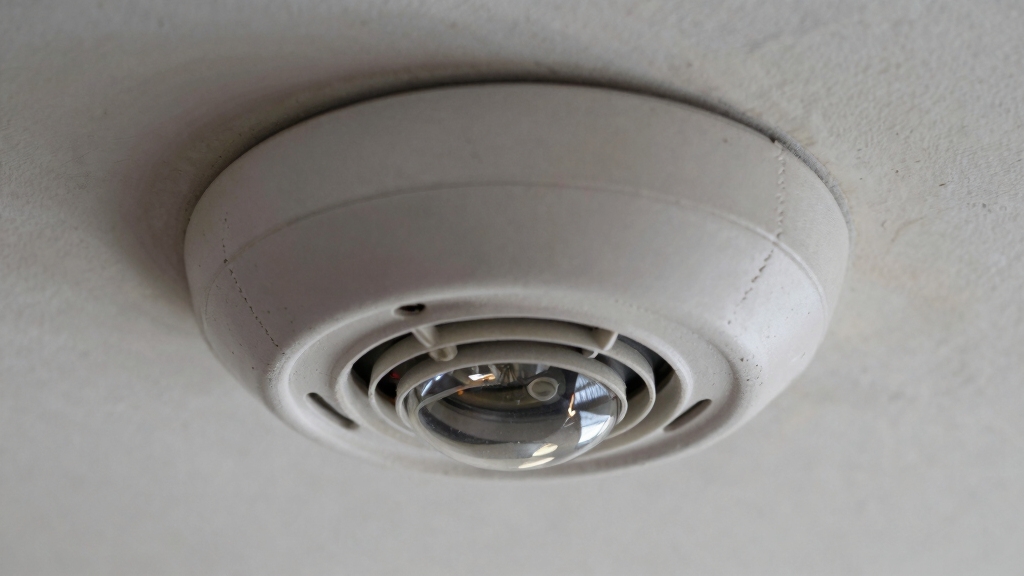
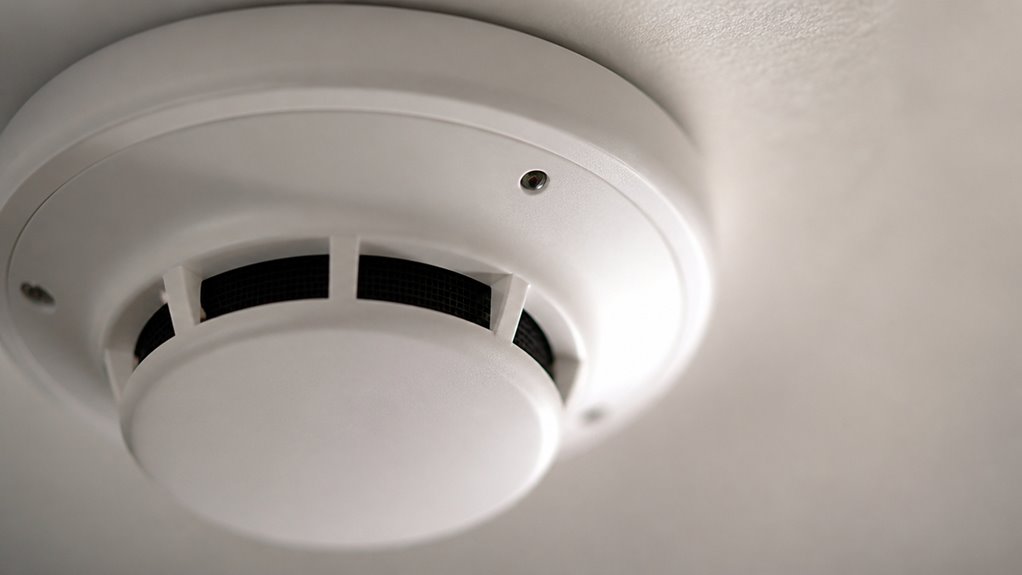
When you inspect a smoke detector for hidden cameras, start by closely examining its external features for visual clues that deviate from standard designs.
Look for miniature lens holes or pin-sized openings that differ from typical ventilation vents. Identify shiny, rounded surfaces or dark transparent plastic that could conceal a camera lens.
Watch for tiny lens holes, shiny rounded surfaces, or dark transparent plastic hiding a camera lens.
Check for irregular seams, glue marks, or recently disturbed mounting plates indicating tampering. Compare the detector with others nearby to detect mismatched brands, models, or unusual aesthetics.
Also, analyze the device’s orientation; if it faces private areas like beds or showers instead of the room’s center, that raises suspicion.
These precise visual indicators help you identify covert surveillance embedded within ostensibly standard smoke detectors.
Keep in mind that official First Alert smoke detectors do not contain built-in cameras, so any camera found is likely a third-party concealed camera installed inside the housing.
Check Wiring Patterns for Cameras in Smoke Detectors
When you’re checking out smoke detectors, make sure you really pay attention to the number of wires. Usually, standard smoke detectors have four identical wires. But if you spot a setup that only has two, that might indicate it’s connected to a camera for power and video output.
Also, keep an eye out for any odd electrical connections. If something looks off compared to the usual fire safety wiring patterns, it could be a sign that the device has been modified to include surveillance components. Noticing these little details can really help you figure out what’s going on with the device.
Additionally, understanding the wiring harness connection in smoke detectors can help identify non-standard setups that might include cameras.
Wire Count Differences
Examine the wiring configuration closely to detect discrepancies that suggest a hidden camera within a smoke detector.
Standard smoke detectors typically have four wires: two for power, one for interconnect, and one for ground or signal. If you notice fewer wires, often just two, it may indicate a simplified circuit consistent with a camera’s power and video transmission needs.
Additionally, uniformity in wire gauge and insulation usually characterizes legitimate fire safety devices. Any variation, such as thinner wires or unusual color coding, can hint at non-standard electronics.
Carefully compare the wire count and layout against those in nearby detectors or manufacturer specifications. This precise assessment helps you identify anomalies in wiring patterns that could reveal covert surveillance hardware embedded inside the smoke detector housing.
Legitimate detectors use standardized wiring such as 12-2 or 12-3 NMB cables to ensure safety and code compliance, so deviations from this may be a red flag.
Unusual Electrical Connections
Beyond counting wires, you should analyze the specific wiring patterns and connections inside the smoke detector.
Standard smoke alarms typically have four identical wires configured for power and interconnectivity.
If you spot wiring that deviates, such as an additional pair of wires or a distinct cable that doesn’t integrate with fire safety circuitry, this could indicate camera components.
Pay close attention to any non-standard connectors, unusual solder joints, or cables leading to video output plugs rather than typical alarm terminals.
Also, observe if any wires connect to a secondary circuit board or LED beyond the operational indicator light, as this may power a camera or transmitter.
Such irregular electrical arrangements suggest the device is modified for surveillance rather than solely smoke detection.
Always ensure that any modifications comply with manufacturer wiring instructions to avoid compromising safety and code compliance.
How to Use a Flashlight to Spot Hidden Camera Lenses?
To spot hidden camera lenses, first, make sure to turn off the lights in the room. Then, grab your flashlight and shine it steadily across the surface of the smoke detector. You’re looking for those subtle reflective spots.
Keep an eye out for small, sharp glints that stand out from the surrounding plastic. These glints often point to hidden camera lenses. Don’t rush it—slowly adjust the angle and distance of your light. This way, you can really focus on any suspicious reflections that might be hiding behind the casing. Happy hunting! Combining flashlight inspection with infrared light detection can improve your chances of finding active hidden cameras.
Shining Light Techniques
Frequently, shining a focused light source such as a flashlight directly onto a smoke detector can reveal hidden camera lenses. This is done by producing distinctive reflections not typical of standard plastic casings.
When you do this, carefully observe the light’s behavior on the surface. Camera lenses often create small, bright glints or sharp reflections due to their curved glass elements. This is unlike the diffuse reflection from plastic covers.
To effectively use this technique, turn off ambient lighting to increase contrast. Slowly sweep the flashlight beam across the detector’s face at eye level.
Focus on small circular spots that reflect sharply. Adjust the angle of the light to catch reflections from concealed lenses. Use your phone’s zoom combined with a flashlight for enhanced scrutiny.
This method helps isolate optical anomalies indicative of hidden cameras. Complementing this approach with lens detector technology can improve detection of covert cameras disguised within environments.
Identifying Reflective Surfaces
Regularly using a flashlight to examine a smoke detector’s surface helps you detect the subtle reflective properties of hidden camera lenses.
Shine the light at various angles across the detector’s face, focusing on areas with small circular openings or dark transparent plastic that could conceal a lens.
Observe for any sharp, pinpoint reflections distinct from the matte or diffused finish of the casing.
Move the flashlight slowly to see if the reflection shifts or intensifies, indicating a curved glass lens rather than flat plastic.
Use a phone camera zoom combined with the flashlight to enhance visibility of minute details.
This method isolates optical anomalies that standard inspection might miss, enabling you to identify covert cameras by their unique reflective signatures without depending on lens glints or infrared detection.
For better detection in low-light conditions, consider disabling built-in IR LEDs or using an external IR illuminator to reduce infrared glare.
Detecting Lens Glints
Shining a focused flashlight at a smoke detector’s surface reveals subtle lens glints that betray concealed cameras. These reflections differ from the matte or diffused plastic of standard detectors.
To detect hidden lenses, carefully scan the device’s face in a darkened room. Move the light source slowly to catch sharp, circular glints. Use your phone’s zoom and flashlight to examine suspicious areas closely.
Turn off ambient lighting to enhance lens reflection visibility. Shine the flashlight at multiple angles for consistent glints. Focus on small, rounded shiny spots or dark transparent areas.
Use slow, sweeping motions at eye level for repeatable reflections. Confirm findings by comparing with other smoke detectors nearby.
This precise optical inspection helps expose covert camera lenses effectively. Keep in mind that optical interference from spider webs can sometimes create misleading reflections on smoke detectors.
Detect Infrared Lights With Your Smartphone Camera
To detect infrared lights on a smoke detector, you can use your smartphone camera to reveal hidden IR LEDs that are invisible to the naked eye.
First, darken the room completely and open your camera app. Point your phone steadily at the smoke detector, scanning slowly for small bright spots that may appear white, red, or purple on the screen.
Darken the room, open your camera, and scan the smoke detector for bright spots indicating infrared light.
These spots indicate infrared emitters, commonly integrated into night vision cameras. Confirm your camera’s IR sensitivity by testing it on a known remote control or IR device beforehand.
Note that standard smoke detectors lack IR LEDs, so any detected IR light is suspicious. This method provides a non-invasive, effective way to identify covert cameras embedded in smoke detectors through their infrared illumination.
For more accurate detection, keep in mind that IR light reflection can cause glare or false positives when viewing through glass or reflective surfaces.
Scan Your Home Network for Hidden Cameras
After using your smartphone to detect infrared lights, the next step is to examine your home network for any hidden cameras disguised as smoke detectors. These devices often connect via Wi-Fi or Bluetooth, making network analysis essential.
Start by logging into your router’s interface to review connected devices. Look for unfamiliar or suspicious names and IP addresses. Use a Wi-Fi scanner app to identify unknown devices broadcasting signals.
Consider employing an RF detector to detect wireless transmissions around the smoke detector. Finally, check for Bluetooth devices linked to your network, as some hidden cameras use this protocol.
- Log into your router to review connected devices
- Scan Wi-Fi for unknown device names or IPs
- Use an RF detector near suspicious smoke detectors
- Search for Bluetooth devices linked to your network
- Identify devices with surveillance-related naming patterns
Additionally, verifying the unique device identifier (UID) of suspicious cameras can help confirm their identity and ensure they are not unauthorized surveillance devices.
Test Smoke Detectors to Confirm They’re Genuine Alarms
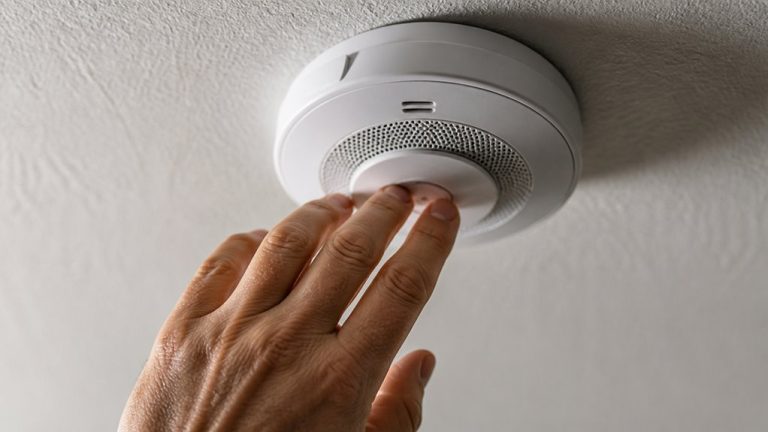
Regularly testing smoke detectors is essential to verify they function as intended and aren’t covert surveillance devices. Generate smog or strike a match near the detector to trigger the alarm sound, confirming genuine operation.
Additionally, inspect labels for model numbers and verify specifications to rule out embedded camera functions. If possible, open the casing for internal assessment of camera hardware. Use app settings to confirm the absence of video options. Document your findings systematically.
| Test Method | What to Check | Expected Result |
|---|---|---|
| Alarm Activation | Smoke/heat triggers alarm | Audible alarm within seconds |
| Label Verification | Model/manufacturer details | Matches standard smoke detector |
| App Inspection | Surveillance-related options | No camera/video settings |
| Physical Inspection | Internal components | No camera lenses or circuits |
| Documentation | Photos and notes | Clear evidence for reporting |
Frequently Asked Questions
Can Hidden Cameras in Smoke Detectors Record Audio as Well as Video?
Yes, hidden cameras in smoke detectors can record audio as well as video. Many covert surveillance devices integrate miniature microphones alongside cameras to capture sound.
However, functionality depends on the specific model and design. You should analyze the device’s internal components or review technical specifications to confirm audio capabilities.
Keep in mind, audio recording may be subject to legal restrictions depending on your jurisdiction.
Are There Legal Restrictions on Installing Cameras Inside Smoke Detectors?
You absolutely can’t just slap a camera inside a smoke detector without thinking twice. Legal restrictions are strict.
Installing hidden cameras often violates privacy laws, especially in private spaces like bathrooms or bedrooms. You must analyze local, state, and federal regulations carefully.
Unauthorized surveillance can lead to heavy fines or criminal charges. Always make certain you have explicit consent and proper disclosure before embedding any recording device in smoke detectors.
How Often Should I Inspect Smoke Detectors for Hidden Cameras?
You should inspect smoke detectors for hidden cameras at least every three to six months, especially in sensitive or private areas.
Regular checks help you detect any modifications or suspicious wiring early.
Additionally, perform inspections after any maintenance or renovations.
Use a combination of visual, lighting, and smartphone IR scanning techniques for thorough analysis.
Staying vigilant guarantees your privacy and safety aren’t compromised by covert surveillance devices.
Can Pets Trigger False Alarms if Cameras Are Installed in Detectors?
Imagine your smoke detector with a hidden camera is like a sensitive microphone in a noisy room. Yes, pets can trigger false alarms, especially if the camera uses motion detection or infrared sensors.
These may misinterpret pet movement or body heat as suspicious activity. These false positives occur because the detection algorithms aren’t always calibrated to distinguish small animals. This can cause unnecessary alerts and reduce system reliability in homes with pets.
What Are Common Brands Known for Spy Camera Smoke Detectors?
You’ll typically find spy camera smoke detectors from lesser-known or generic brands rather than major fire safety manufacturers.
Common names include Conbrov, FREDI, and SODIAL, which focus on covert surveillance gear.
These brands often market devices blending smoke detection and hidden cameras, but beware they might lack proper fire certification.
To verify legitimacy, analyze model specs and cross-check with official safety standards before trusting any combined device.
Protect Your Privacy With a Careful Inspection
Now that you know how to spot hidden cameras in smoke detectors, you’re armed to protect your privacy like a digital fortress.
Visual clues, wiring checks, flashlight inspections, and infrared detection with your smartphone are your first line of defense.
Don’t forget to scan your home network and test the detectors themselves to confirm they’re genuine.
With these precise steps, you’ll uncover any covert surveillance faster than a lightning strike in a clear sky.