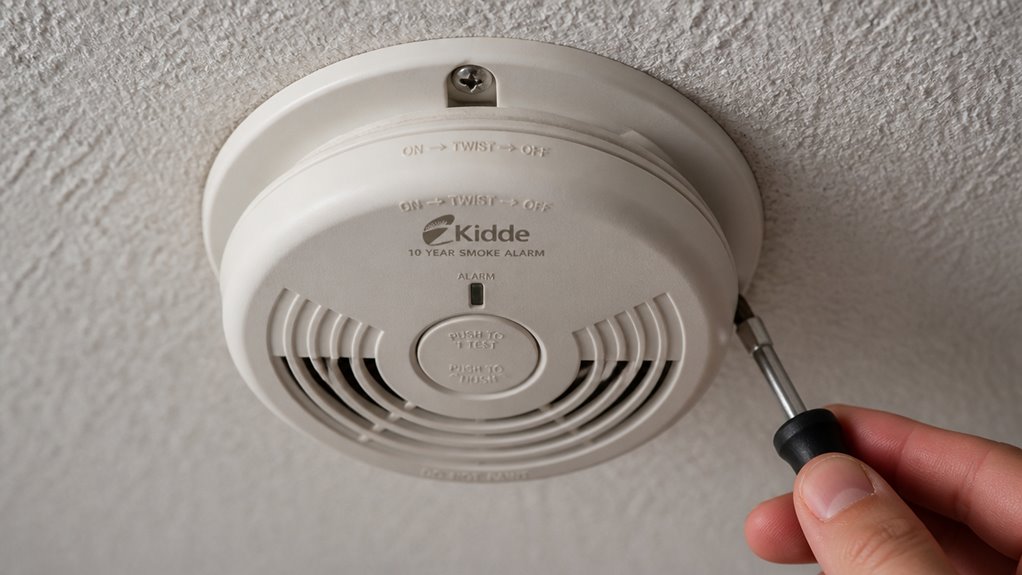

If your Kidde smoke alarm is beeping, first identify the beep pattern to determine if it’s a low battery, malfunction, or end-of-life alert.
Replace the battery using the recommended type and make certain it’s securely installed.
Reset the alarm by powering it down and holding the test button.
Check installation, wiring, and environmental factors like dust or temperature.
Clean the sensor with compressed air to eliminate false alarms.
Keep going to understand the full steps for reliable alarm performance.
Key Takeaways
- Replace or firmly reinstall the battery with a fresh, recommended type to stop low-battery chirps.
- Clean the alarm’s sensor and vents with compressed air to remove dust causing false beeps.
- Check and secure the battery compartment door and mounting bracket to prevent loose contacts.
- Reset the alarm by removing power, holding the test button 5–15 seconds, then restoring power.
- Replace the unit immediately if end-of-life chirps persist or after 10 years of service.
Identify Common Beep Patterns and What They Mean
Before you try anything else, you should identify the beep pattern your Kidde smoke alarm is making, since different patterns signal different issues.
Intermittent chirps usually mean a low battery, a loose battery, or poor battery contact.
Intermittent chirping often signals a low battery, loose connection, or poor battery contact in your smoke alarm.
Continuous alarms generally indicate an active hazard like smoke or carbon monoxide, not just a battery problem.
If you hear required end-of-life chirps, your alarm has likely reached 7 to 10 years of service and needs replacement.
Be aware that various beep sequences can also signal malfunctions or nuisance conditions.
Correctly identifying these patterns helps you address the root cause quickly and safely, preventing unnecessary alarm silencing and ensuring your home’s protection remains intact.
If the beeping continues after battery replacement and reset, it may be time to consider sensor cleaning and maintenance to resolve dust or sensor issues.
Replace the Battery in Your Kidde Smoke Alarm
Start by locating the battery compartment on your Kidde smoke alarm and carefully removing the old battery.
Make sure to use the battery type recommended by Kidde to guarantee proper function.
Check the battery’s expiration date and choose a fresh one with a use-by date no more than 4 to 5 years ahead.
Insert the new battery firmly, ensuring it snaps securely into place and makes solid contact with the terminals.
A loose or poorly connected battery can cause intermittent beeping.
After installation, press the test button to confirm the alarm operates normally.
If it chirps again, double-check the battery placement.
Replacing the battery correctly often stops the beeping and keeps your alarm reliable for safety.
For optimal performance, always use the specified battery type recommended by the manufacturer to avoid malfunction or false alarms.
Reset Your Kidde Smoke Alarm
Sure! Here’s a more conversational version:
So, you want to reset your Kidde smoke alarm? No worries, it’s pretty straightforward!
First things first, you’ll need to power it down. If it’s battery-operated, just remove the battery. If it’s hardwired, disconnect the power.
Once that’s done, find the test button on your alarm. Press and hold it for about 5 to 15 seconds, but keep in mind that the exact timing can depend on your specific model.
After you’ve held the button, go ahead and reinstall the battery or restore the power. And that’s it—you’re all set!
Remember to test your alarm monthly to ensure it’s working properly and replace it every 10 years to maintain optimal sensor sensitivity.
Power Down Procedure
Power down your Kidde smoke alarm by removing it from its mounting bracket and disconnecting any power source, especially for hardwired models.
Start by turning off the circuit breaker to cut power safely, then detach the alarm from the base.
Next, remove the battery to fully disconnect power.
This step prevents accidental shocks and allows the unit to reset properly.
Holding down the test button while the alarm is powered down can aid in discharging residual charge, but avoid pressing it unless instructed.
Once powered down, wait at least 15 seconds before reconnecting the battery and remounting the alarm.
Restoring power after this pause helps clear any temporary faults that cause beeping.
Following this procedure guarantees your Kidde smoke alarm resets correctly and stops unnecessary chirps.
For hardwired models, ensure you also remove the backup battery to guarantee total power isolation during the reset process hardwired alarm reset.
Test Button Hold
Hold down the test button on your Kidde smoke alarm to initiate a reset that can clear minor faults causing intermittent beeping.
Begin by pressing and holding the button for 5 to 15 seconds. This duration varies by model but is vital to trigger the reset.
If your alarm is hardwired, disconnect power before starting. Remove the battery, hold the test button, then reinstall the battery and restore power.
A single chirp upon power restoration is normal. This process clears error codes and can stop nuisance chirping caused by minor glitches.
If the beeping continues after this reset, check the battery contacts, clean the unit, or consider replacing it.
Using the test button hold properly helps maintain your alarm’s reliability and prevents unnecessary disturbances.
For optimal performance, test your alarm monthly by pressing and holding the test button until the full alarm sounds.
Inspect Installation and Wiring for Kidde Alarms
When inspecting your Kidde smoke alarm, start by ensuring the battery compartment door is fully closed and the unit is securely mounted to its bracket. A loose door or mounting can cause intermittent beeping.
Check that the battery door is closed and the alarm is firmly mounted to prevent intermittent beeping.
If your alarm is hardwired, check the white neutral wire connection; a loose wire often triggers false chirps. Make sure the alarm is firmly snapped into the mounting plate to maintain proper electrical contact.
Also, inspect the surrounding area for airflow sources like vents, fans, or open windows within 3 feet, as these can cause nuisance beeping.
Finally, verify the room temperature stays within the manufacturer’s recommended range—40°F to 95°F for smoke alarms and up to 100°F for CO alarms—to prevent false alerts or malfunction.
Before handling hardwired units, always turn off power at the main breaker panel to ensure safety during inspection or maintenance.
Clean Your Kidde Smoke Alarm to Stop False Beeps
Before you get started on cleaning your Kidde smoke alarm, make sure to disconnect it and take out the battery. This step is super important for your safety!
Once that’s done, grab some compressed air. You’ll want to blow away any dust and debris from the sensor and vents because, let’s be honest, that buildup is usually what leads to those annoying false beeps.
After you’ve given it a good clean, pop the battery back in and test the alarm. It’s always a good idea to make sure it’s working properly!
Regular cleaning helps prevent dust, debris, or insects from interfering with the sensors and causing erratic beeping.
Disconnect Before Cleaning
Start by disconnecting your Kidde smoke alarm to guarantee safety and prevent accidental alerts while cleaning.
Always remove the alarm from its mounting bracket carefully. For hardwired models, ensure you disconnect the power at the circuit breaker before proceeding.
This step is vital to avoid electrical shocks and unintended beeping. By disconnecting the alarm first, you protect yourself and the device from damage.
Avoid cleaning with power connected, as this can cause false alarms or malfunction.
Once disconnected, you can safely remove any battery if applicable and proceed with cleaning dust and debris from sensor areas.
Remember to verify power disconnection with a non-contact voltage detector before handling the alarm.
After cleaning, reconnect the alarm securely, restore power, and test the device to confirm it operates correctly without false chirps or beeps.
Remove Battery First
After disconnecting your Kidde smoke alarm and removing it from the mounting bracket, take out the battery before you begin cleaning.
Removing the battery guarantees the alarm won’t beep unexpectedly while you work and prevents any electrical issues.
Handle the battery compartment carefully to avoid damaging contacts or the battery door. Use the correct battery type recommended by Kidde and inspect it for corrosion or damage before reinserting.
Keep the battery aside in a safe, dry place to avoid losing it during cleaning. This step is vital for safety and helps you isolate the source of false beeps.
Once the battery is removed, you can safely proceed with cleaning without risking further nuisance chirps or accidental alarms. Be sure to test the alarm after reinserting the battery to confirm it is functioning properly and to stop any persistent beeping caused by low battery alerts or faults in the unit, as described in testing and maintenance.
Clear Dust And Debris
Dust and debris can build up inside your Kidde smoke alarm, causing it to beep falsely or malfunction. To stop these nuisance beeps, disconnect the alarm and remove the battery before cleaning.
Use compressed air to blow dust from the sensor area and side gaps thoroughly. After cleaning, reinstall the battery and test the alarm to confirm proper operation. Regular cleaning helps maintain your alarm’s reliability and prevents false alerts.
It is also important to inspect the battery for corrosion or leakage and replace it if needed to ensure the alarm functions correctly.
| Step | Action | Reason |
|---|---|---|
| 1. Disconnect Power | Remove battery, unplug if hardwired | Prevents accidental activation |
| 2. Remove Dust | Use compressed air gently | Clears sensor obstructions |
| 3. Check Sensor Area | Inspect for buildup | Ensures accurate detection |
| 4. Test Alarm | Reinstall battery, press test button | Confirms functionality |
When to Replace Your Kidde Smoke Alarm?
Although your Kidde smoke alarm might seem to be working fine, you should replace it once it reaches 10 years of age to guarantee reliable protection.
Over time, sensors degrade, and the alarm’s ability to detect smoke can diminish, putting you at risk.
Here’s when you must replace your Kidde smoke alarm:
- It’s reached 10 years since installation, regardless of appearance.
- It emits end-of-life chirps signaling sensor failure.
- Persistent beeping continues after battery replacement and reset.
- The unit fails regular test button checks or shows malfunction indicators.
Replacing your alarm on schedule makes certain it responds accurately in emergencies.
Don’t ignore warning signs.
Updating your device is essential for your family’s safety.
Frequently Asked Questions
Can I Silence My Kidde Smoke Alarm Temporarily Without Removing the Battery?
Yes, you can temporarily silence your Kidde smoke alarm without removing the battery by pressing the “Hush” or “Silence” button on the unit.
This feature pauses the alarm for several minutes, allowing you to clear minor nuisance triggers like cooking smoke.
Remember, this is only a temporary fix.
If the alarm keeps beeping, check the battery, clean the sensor, or replace the unit if it’s at the end of its life.
How Do I Test if My Kidde Smoke Alarm’s Sounder Is Working Properly?
To test if your Kidde smoke alarm’s sounder works, press and hold the test button firmly.
You’ll hear a loud, continuous alarm if the sounder functions properly. If the alarm is weak or silent, replace the battery and test again.
If it still doesn’t work, inspect wiring or consider replacing the unit.
Always test regularly to make certain your alarm provides reliable warning during emergencies.
Are There Smartphone Apps Compatible With Kidde Alarms for Notifications?
Yes, Kidde offers smartphone apps compatible with some of their smart smoke and CO alarms, like the Kidde RemoteLync.
You can receive real-time notifications, monitor alarm status, and get alerts for low battery or triggered alarms directly on your phone.
Check if your Kidde model supports Wi-Fi or Bluetooth connectivity. Then download the corresponding app from your device’s app store to stay connected and respond quickly to any alarms.
What Should I Do if My Kidde Alarm Beeps During Power Outages?
Don’t worry if your Kidde alarm beeps during a power outage; it’s likely warning you of low or disconnected battery power.
Start by checking and replacing the battery with the manufacturer’s recommended type, ensuring it’s seated firmly.
If it’s hardwired, confirm the power is restored and the connections are secure.
Reset the alarm by removing the battery and pressing the test button.
Persistent beeping after power returns might mean you need to replace the unit.
Can Environmental Factors Like Humidity Cause My Kidde Alarm to Beep?
Yes, environmental factors like humidity can cause your Kidde alarm to beep. High humidity or steam can trigger nuisance chirps by affecting the sensor or causing condensation inside the unit.
Keep your alarm away from bathrooms, kitchens, or areas with frequent moisture. Maintain proper airflow and room temperature within operating ranges to prevent false alarms.
Regular cleaning helps reduce debris buildup that humidity might worsen, ensuring reliable alarm performance.
Know When to Reset, Clean, or Replace Your Alarm
If your Kidde smoke alarm keeps beeping, don’t let it drive you up the wall.
Start by understanding the beep patterns, then replace the battery or reset the unit.
Check the installation and wiring, and give your alarm a good clean to stop false alerts.
Remember, sometimes it’s time to replace the alarm altogether.
With these steps, you’ll silence the noise and keep your home safe like a trusted guardian.