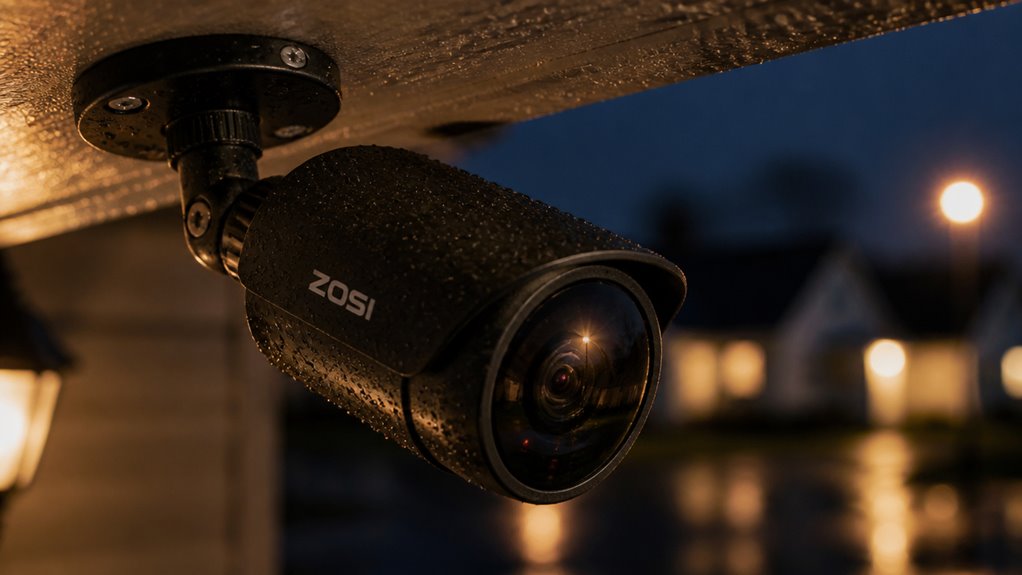

You’ll find Zosi security cameras deliver clear daytime video with 5MP and 4K options. However, 20 fps on 4K models may affect fast-motion smoothness.
Their night vision excels with Starlight tech and adjustable spotlights for full-color recordings in darkness. Local AI detects humans and pets reliably, minimizing false alerts.
Customizable motion zones help focus detection. Multiple storage options support your needs, and rugged weatherproof builds guarantee durability outdoors.
Exploring further reveals how to optimize this system effectively.
Key Takeaways
- Zosi cameras offer 5MP and 4K resolution with good daytime clarity and advanced night vision including Starlight and adjustable spotlights.
- Local AI detects humans and pets to reduce false alerts, with customizable motion zones and adjustable sensitivity for precise notifications.
- Storage options include microSD cards up to 128GB, NVR with 2TB HDD, and optional cloud backup requiring subscription.
- Durable IP66-rated build with zinc alloy parts ensures weather resistance, easy manual angle adjustment, and simple app-based setup.
- Regular firmware updates, proper positioning, and monthly lens cleaning optimize performance, reliability, and night vision quality.
How Clear Are Zosi Cameras? Video Quality Explained?
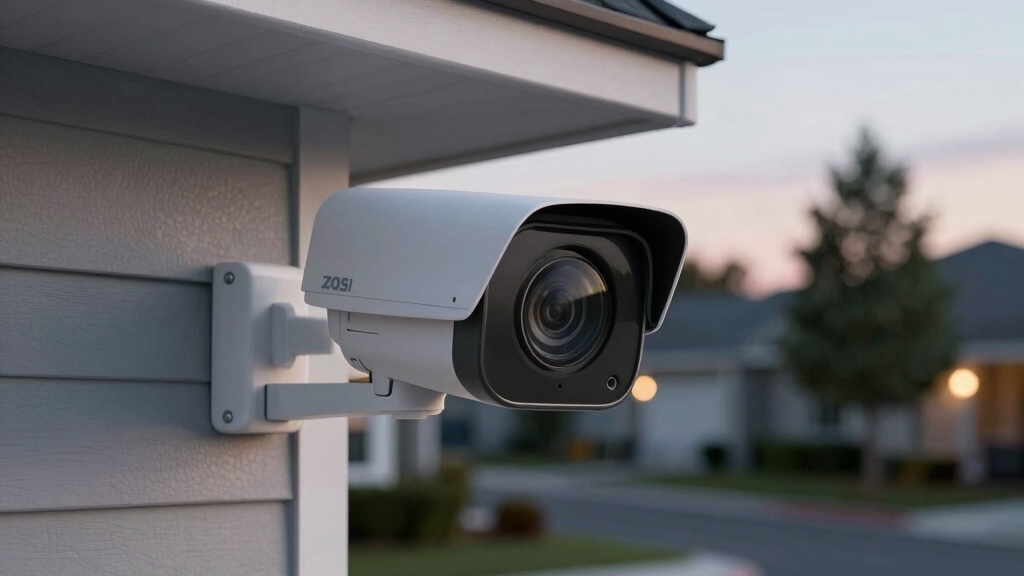
How clear are Zosi cameras in real-world use?
You’ll find that models offering 5MP and 4K resolution deliver crisp daytime images.
4K cameras record at 3840 by 2160 pixels at 20 frames per second.
This resolution guarantees detailed footage, making it easier for you to identify faces and objects.
The C186 model stands out with its 1.0 aperture, enhancing low-light performance without relying solely on external lighting.
While daytime clarity is consistently good across the line, video smoothness might vary slightly due to the 20 fps cap on 4K models.
This could affect fast motion capture.
Additionally, each camera is assigned a unique UID identifier to ensure secure connection and device management.
Night Vision Technology in Zosi Cameras
Zosi cameras are equipped with starlight night vision technology, especially in their 4K PoE models. This really enhances visibility in low-light conditions.
What’s cool is that they combine bright spotlights with IR LEDs. This means you can capture full-color recordings at night, rather than just seeing everything in black and white.
Thanks to this smart integration, you can expect clear footage even when it’s pitch dark outside. It’s a game-changer for nighttime surveillance! Proper positioning and secure mounting are essential to maintain optimal performance and prevent tampering with security cameras.
Starlight Night Vision
Although many security cameras rely solely on infrared LEDs for night vision, Zosi’s integration of starlight technology in their 4K PoE systems elevates nighttime surveillance by capturing clearer, more detailed images in low-light conditions.
This technology allows you to see more subtle colors and shapes without relying on bright spotlights, enhancing security discreetly. The C186 model’s 1.0 aperture works synergistically with starlight tech to improve visibility even in minimal lighting.
Proper installation and maintenance of security devices, including compliance with local fire safety regulations, are essential to ensure overall home safety.
| Emotion | Experience |
|---|---|
| Confidence | Clear images at night |
| Assurance | Reliable low-light capture |
| Comfort | No harsh lighting needed |
| Vigilance | Detects subtle movements |
| Satisfaction | Advanced tech for safety |
This balance of clarity and subtlety makes Zosi’s starlight night vision a practical choice for sensitive surveillance needs.
Spotlight and IR Integration
Building on the benefits of starlight technology, Zosi enhances night vision by integrating bright spotlights and infrared (IR) LEDs into their cameras. This combination allows you to capture full-color video in low-light or dark environments using spotlights.
IR LEDs provide clear monochrome images when spotlights are off or insufficient. The system gives you flexibility; spotlights offer adjustable brightness for total darkness, and IR LEDs guarantee reliable visibility without disturbing illumination.
Models like the C186 further improve low-light performance with a 1.0 aperture, reducing reliance on artificial lighting.
Overall, Zosi’s spotlight and IR integration deliver solid night vision capabilities, balancing color accuracy and clarity across various conditions to suit different surveillance needs efficiently.
Regular maintenance, such as monthly lens cleaning, is essential to preserve night vision performance and avoid blind spots.
AI Detection Features for Accurate Alerts
Zosi cameras are pretty impressive! They come with AI technology that can detect humans and pets, which really helps minimize those annoying false alerts. It’s nice to know that the system processes detection locally too. This means you get quicker responses, and it also enhances your privacy—definitely a win-win!
Oh, and you can customize motion zones as well! This feature lets you focus on specific areas, which really boosts the accuracy of the alerts. So, if you want to keep an eye on just one part of your property, you can do that easily. How cool is that?
Additionally, the balance between resolution and power efficiency is key to maintaining clear detection without compromising battery life, similar to how Eufy balances 2K resolution with power efficiency in their cameras.
Human And Pet Detection
Zosi’s AI human and pet detection enhances alert accuracy by distinguishing between people, animals, and other motion sources. This feature helps you reduce false alarms triggered by irrelevant movements like swaying trees or passing vehicles.
The detection algorithms operate locally on the camera, ensuring quicker notifications without relying on cloud processing. While it effectively identifies humans and pets, facial recognition is not yet supported.
By fine-tuning sensitivity and detection zones, you can further improve the accuracy of motion alerts and minimize false notifications.
| Feature | Description |
|---|---|
| Detection Types | Human, Pet, Other Motion |
| Processing Location | On-device (local) |
| Alert Accuracy | High (reduced false alarms) |
| Response Time | Fast (no cloud dependency) |
| Limitations | No facial recognition yet |
This system strikes a balance between smart detection and prompt alerting, boosting your overall security monitoring.
Customizable Motion Zones
Alongside AI human and pet detection, customizable motion zones let you tailor the camera’s sensitivity to specific areas within its field of view.
This feature helps reduce false alerts by focusing motion detection on critical zones, such as entry points or driveways, rather than the entire scene.
You can easily define these zones through the Zosi app, adjusting sensitivity levels to suit your environment.
By concentrating the camera’s attention, you enhance the accuracy of alerts, ensuring notifications are relevant and timely.
While this customization improves monitoring efficiency, it requires initial setup and occasional tweaks as surroundings change.
Regularly updating the camera’s firmware ensures that AI detection features remain accurate and benefit from the latest enhancements in software and firmware updates.
Smart Motion Detection and Custom Zones Explained
Although motion detection is a standard feature in many security cameras, the smart motion detection technology in Zosi systems enhances accuracy by distinguishing between humans, pets, and other objects. This reduces false alarms and ensures you get relevant alerts.
You can also customize detection zones, focusing the camera on specific areas and ignoring irrelevant spaces.
| Feature | Benefit |
|---|---|
| Human and Pet Detection | Minimizes false alerts |
| Custom Zones | Targets priority surveillance |
| Local AI Processing | Faster, more private detection |
| Adjustable Sensitivity | Tailors alert frequency |
| Real-time Notifications | Immediate awareness of events |
These capabilities make Zosi cameras practical for diverse environments, balancing sensitivity and specificity effectively. Utilizing 3D digital noise reduction helps improve detection accuracy in low-light environments by reducing graininess and false triggers.
Storage Options: MicroSD, NVR, and Cloud Storage
Several storage options give you flexibility in managing your security footage with Zosi cameras.
You can use microSD cards on select models, supporting up to 128GB for local, on-device recording.
If you need more extensive local storage, the NVR system comes with a pre-installed 2TB HDD and supports up to eight cameras, making it ideal for all-encompassing setups.
For added convenience, Zosi also offers cloud storage as a supplemental option, allowing you to back up footage offsite and access videos remotely.
Each storage method has its trade-offs: microSD is simple but limited in capacity. NVRs provide robust local storage and continuous recording.
Cloud storage enhances security with offsite backup but requires a subscription and good internet connectivity.
Your choice depends on your storage needs and preference for local versus cloud access.
To ensure reliable and uninterrupted recording, it is important to consider power sources when selecting storage and camera types.
Quick Guide: Installing Zosi Cameras
Getting your Zosi security cameras up and running is straightforward and designed to save you time. The process focuses on simplicity and efficiency, ensuring you can quickly monitor your property without hassle.
Here’s a quick guide:
- Connect the cameras to the base station using the provided Ethernet cables for stable power and data transfer.
- Use the mobile app to scan the QR codes on each camera, linking them instantly to your system.
- Position the cameras, then manually adjust their angles to cover your desired areas.
- Complete the setup in the app, customizing motion detection zones and notification preferences.
This streamlined installation benefits from clear instructions and minimal hardware. It makes it accessible even if you’re not tech-savvy.
For optimal coverage, be sure to mount cameras at least 7 feet high with a slight downward angle to maximize sensor effectiveness and respect privacy laws.
Weather Resistance and Build Quality for Outdoor Use
Zosi cameras are crafted using tough zinc alloy and robust plastic bases. This means they’re built to handle the challenges of outdoor conditions.
Plus, with an IP66 weatherproof rating, you can count on them to perform reliably, even when it’s raining or dusty outside.
Durable Materials and Design
Zosi designs its security cameras with durable materials that stand up to outdoor conditions, ensuring reliable performance in various environments. You’ll find the cameras use zinc alloy for their spherical parts combined with sturdy plastic bases, balancing strength and weight.
This material choice helps resist physical impacts and corrosion over time. The IP66 weather-resistant rating confirms they can handle rain and dust without compromising function. When considering build quality, note these points:
- Zinc alloy enhances durability against environmental wear.
- Plastic stands provide stable yet lightweight support.
- Manual angle adjustment allows flexible positioning.
- Compact design aids in heat dissipation and longevity.
These features make Zosi cameras a solid choice for outdoor security needs without unnecessary complexity.
Weatherproof Outdoor Performance
Though security cameras face harsh environmental challenges, the robust IP66 weather resistance rating guarantees reliable operation in rain, dust, and other outdoor conditions.
You’ll appreciate the zinc alloy and plastic construction, which balances durability with weatherproof performance. This build quality means your camera can withstand temperature fluctuations, moisture, and dirt without failing.
The manual angle adjustment allows you to position the camera optimally despite its fixed mounting design.
| Weather Condition | Camera Response | Your Benefit |
|---|---|---|
| Heavy Rain | Sealed against water | Continuous monitoring |
| Dusty Environments | Dust-tight housing | Clear, uninterrupted footage |
| Temperature Swings | Durable materials | Long-term reliability |
Zosi’s outdoor cameras provide dependable protection, ensuring your security system works effectively no matter the weather.
Comparing Zosi Camera Models: Key Features
When comparing Zosi camera models, it’s important to focus on their distinct features that cater to different surveillance needs. You’ll find variations in resolution, night vision, AI capabilities, and storage options that influence your choice.
- Resolution: Models offer 5MP to 4K options. 4K cameras record at 3840×2160 pixels at 20 fps, delivering sharper images.
- Night Vision: Some cameras use starlight technology and spotlights for full-color night recording. Others rely on IR LEDs.
- AI Detection: Local AI detects humans and pets, reducing false alerts and enhancing security responsiveness.
- Storage: Options include microSD cards up to 128GB, NVR systems with 2TB HDDs, and cloud storage for backup.
These features help you match a model to your specific surveillance requirements effectively.
Benefits of Zosi’s Local AI Processing
Because it processes human and pet detection locally within each camera, the system reduces reliance on cloud servers and decreases latency in alert notifications.
This means you get faster, more reliable alerts and enhanced privacy since your footage isn’t constantly uploaded online.
Local AI also minimizes bandwidth usage and allows the cameras to function independently during internet outages, ensuring continuous monitoring.
Additionally, the on-device processing enhances accuracy by filtering irrelevant motion, reducing false alarms.
| Benefit | Description | Impact |
|---|---|---|
| Reduced Latency | Immediate alert generation | Faster response times |
| Privacy Protection | Data processed on-device | Less exposure to cloud risks |
| Bandwidth Efficiency | Limits data transmission | Saves internet resources |
| Independent Function | Works without internet | Reliable monitoring |
Maximizing Your Zosi System: Tips and Best Practices
Regularly reviewing and adjusting your Zosi security system settings can markedly enhance its performance and reliability.
To get the most out of your system, focus on key practices that balance security and efficiency.
- Optimize Camera Placement: Position cameras to maximize coverage and minimize blind spots. Consider lighting conditions for clear day and night images.
- Customize Motion Detection: Use detection zones to reduce false alerts. This guarantees the AI human and pet detection targets relevant movement.
- Manage Storage Efficiently: Regularly check microSD or NVR storage to avoid overwriting vital footage. Supplement with cloud storage if necessary.
- Keep Firmware Updated: Install updates promptly to benefit from improved features and security patches. This helps maintain system integrity.
Following these steps helps ensure your Zosi system operates at peak effectiveness, providing reliable surveillance tailored to your needs.
Frequently Asked Questions
What Warranty Does Zosi Offer on Their Security Cameras?
Zosi typically offers a one-year limited warranty on their security cameras, covering defects in materials and workmanship.
If you encounter issues within this period, you can usually get repairs or replacements. Be sure to register your product and keep your purchase receipt for warranty claims.
The warranty doesn’t cover damage from misuse, accidents, or unauthorized alterations. Handle your equipment carefully to avoid voiding your coverage.
Can Zosi Cameras Integrate With Other Smart Home Systems?
Think of your smart home like a well-rehearsed orchestra, where every device plays in harmony. Zosi cameras are more like solo performers; they don’t natively integrate with popular smart home systems such as Alexa or Google Home.
While you can access footage via their app, syncing them directly with other smart devices isn’t supported. If seamless smart home integration is a priority, you might need to look for alternatives or use workarounds.
Are Zosi Cameras Compatible With Voice Assistants Like Alexa or Google?
Yes, you can use Zosi cameras with voice assistants like Alexa and Google Assistant.
This compatibility lets you control your cameras hands-free, such as viewing live feeds on smart displays or issuing voice commands for basic functions.
Keep in mind, the integration mightn’t support all advanced features, but it covers essential controls.
Connecting your Zosi camera to these platforms usually requires linking through the app and enabling the appropriate skills or services.
What Is the Average Lifespan of a Zosi Security Camera?
Imagine you install a Zosi camera on your home, relying on its weather-resistant build and durable zinc alloy parts.
Typically, Zosi cameras last about 5 to 7 years with proper care, thanks to their robust construction and IP66 rating.
Factors like climate, exposure to elements, and maintenance affect lifespan, but you can expect reliable performance for several years before needing replacement or upgrades.
Regular firmware updates also help extend usability.
Does Zosi Provide Customer Support via Phone or Live Chat?
Zosi doesn’t typically offer customer support via live chat or direct phone lines for immediate assistance.
Instead, you’ll find support primarily through email and an online help center with FAQs, manuals, and troubleshooting guides.
This means if you need quick answers, you might experience some delays.
However, their online resources are fairly thorough, so you can often resolve common issues without waiting for direct contact.
Peace of Mind Starts with the Right Camera System
In choosing a Zosi security camera, you’re getting solid video clarity, reliable night vision, and smart AI detection that keeps false alerts at bay.
Whether you prefer local storage or cloud options, Zosi’s flexibility has you covered. Its weather-resistant build suits outdoor use, making it a well-rounded choice.
With careful setup and use, you’ll have peace of mind. It’s better to be safe than sorry when protecting what matters most.



[…] While image sharpness and zoom clarity receive positive notes, digital zoom can reduce image quality. Overall, Aosu balances resolution and coverage features well for budget-conscious users focused on effective outdoor monitoring. Proper positioning and secure mounting are important to maintain optimal video quality and prevent tampering, similar to best practices recommended for other security cameras with manual angle adjustment. […]