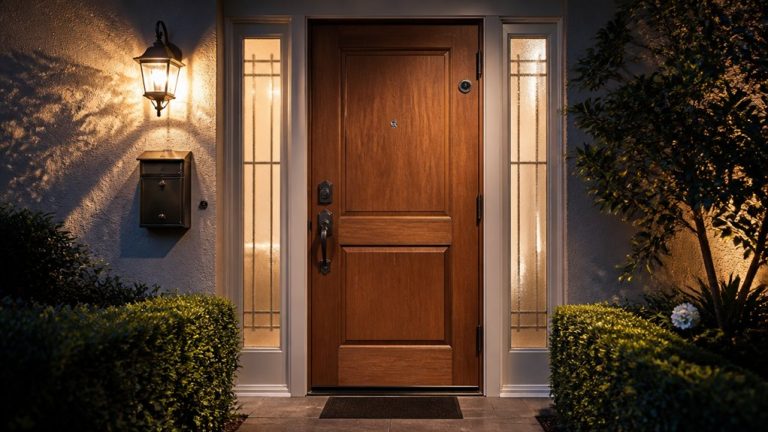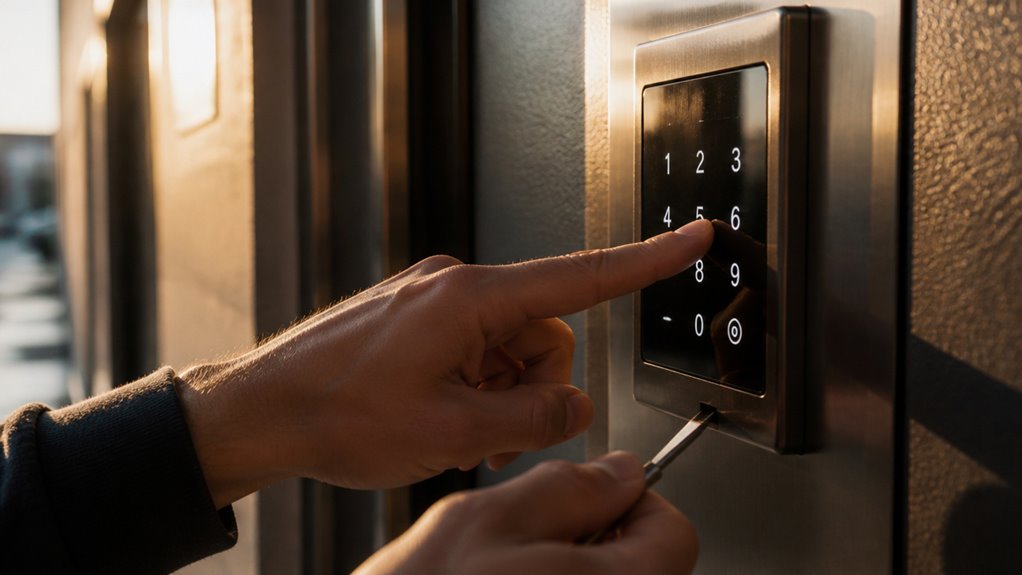

To change your keyless entry code, first identify your lock type and make certain the door or vehicle is open with power verified.
Enter programming mode by inputting the master or factory code precisely within the allowed timeframe.
Then, enter your new user code following device-specific digit requirements and save it immediately with the lock or save button.
Test the new code before closing the door to avoid lockout.
Continuing will reveal detailed steps and troubleshooting tips for smooth programming.
Key Takeaways
- Identify the lock model and locate the master or factory code needed to enter programming mode.
- Ensure the door or vehicle is open and powered to avoid accidental lockout during code changes.
- Enter the master code precisely to access programming mode, confirmed by beeps or indicator lights.
- Input the new user code following device-specific instructions and immediately save it by pressing the lock or save button.
- Test the new code with the door open before closing to confirm successful programming and prevent lockout.
How to Identify Your Keyless Entry Lock?
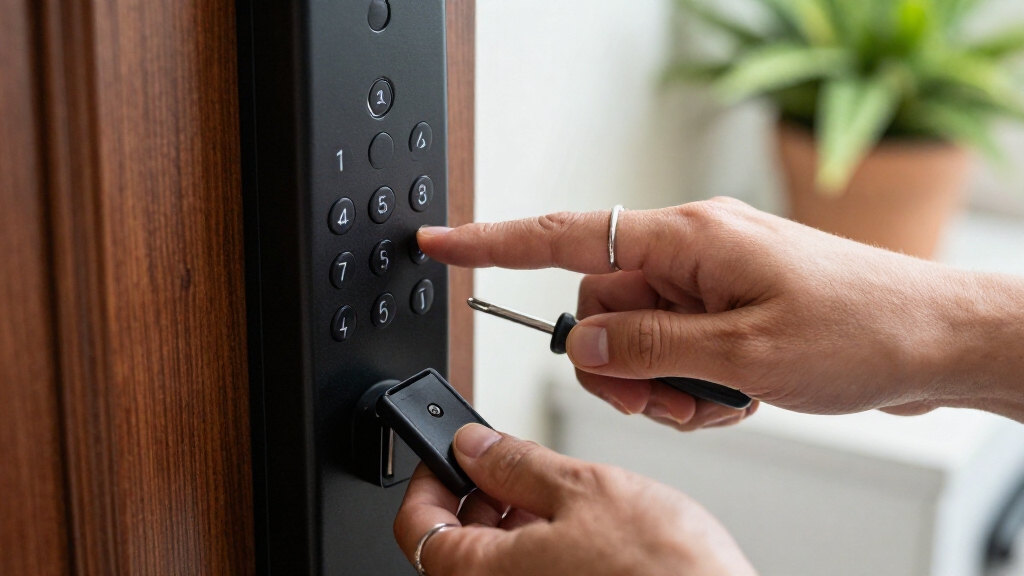
To identify your keyless entry lock, start by examining the device’s physical characteristics and any visible branding or model numbers.
Look for manufacturer logos, serial numbers, or model codes on the keypad or lock housing.
Determine if it’s a door keypad, smart lock, or vehicle keypad, as programming varies between types.
Note whether the keypad is electronic or mechanical; older mechanical models often require manual resets via tumblers.
Check for a battery compartment or programming button, common in electronic deadbolts.
Consult the owner’s manual or manufacturer website using the model number for precise programming instructions.
Recognizing the lock type and its specific features is essential because keyless entry codes and programming procedures differ markedly across brands and models.
For professional assistance or complex programming, consider contacting a locksmith, as their residential locksmith services often cover keyless entry systems and related emergencies.
Get Your Door or Vehicle Ready to Change the Code
Before you change the code, it’s a good idea to have the door or vehicle open. This way, you won’t accidentally lock yourself out while programming.
Also, double-check that the lock has enough power—whether it’s from the battery or the vehicle’s ignition. You want to make sure everything is responsive when you’re going through the process.
Oh, and if your model needs a reset button for code changes, be sure to locate it first. It’s usually tucked away in the battery compartment or on the interior assembly. Happy coding!
Make sure the battery orientation is correct and the battery is fresh to ensure reliable power during the code change process.
Ensure Door Is Open
When you change a keyless entry code, keep the door or vehicle open and unlatched to prevent accidental lockout during programming. This step is vital because many systems disable keypad functions if the door is closed or locked, risking being locked out mid-process.
Before starting, physically open the door fully and make certain the latch is disengaged. For vehicles, open the door and keep it ajar throughout programming. Avoid closing or locking the door until you finish entering and confirming the new code.
This precaution maintains constant access, allowing immediate correction if input errors occur. Additionally, an open door ensures the lock’s internal sensors and programming modes activate correctly, facilitating smooth code changes without triggering security lockouts.
Always follow manufacturer guidelines for specific door or vehicle models. To enhance security, it is recommended to perform periodic full memory resets on your keyless entry system to eliminate unauthorized codes and prevent code overlap.
Verify Lock Power Status
Confirming that your lock has adequate power guarantees uninterrupted programming and prevents failure during the code change process.
Before you start, check the power source to make sure your lock operates smoothly throughout the procedure. Low battery levels or power interruptions can cause incomplete programming or lock malfunction.
Follow these steps to verify power status:
- Inspect the battery compartment for corrosion or loose connections. Replace batteries if voltage is low.
- For vehicle keypads, confirm the ignition is off and that the battery is sufficiently charged to support programming.
- Observe any indicator lights or sounds on the lock. Lack of expected signals often means power issues requiring immediate attention.
Making certain stable power prevents errors and secures successful code updates. Additionally, using a sensor with a mechanical reed switch design can help maintain reliable operation during power fluctuations.
Locate Reset Button
Start by locating the reset button on your lock, as this is essential for initiating the code change process.
Depending on your lock type, the reset button might be inside the battery compartment, on the interior assembly, or near the keypad.
Open the battery cover or interior panel carefully to access it.
For vehicle keypads, check the driver’s side door edge or under the dashboard.
Use a small tool like a paperclip if the button is recessed.
Make sure the door or vehicle is in the correct state, usually open and unlatched, or ignition off, before pressing the reset.
Consult your owner’s manual to pinpoint the exact reset button location and confirm any required steps before pressing it.
This prepares the lock for programming your new entry code.
Accurate door swing direction identification can also be helpful when resetting or reprogramming keyless locks.
Use Your Master or Factory Code to Start
Before you can add or change user codes, you’ll need to enter the master or factory code assigned to your lock. This code acts as the administrative key to access programming mode.
Without it, you can’t modify any user codes. Typically, this code is provided in the owner’s manual or set by the manufacturer.
Follow these steps to begin:
- Identify your lock’s master or factory code (often a default like 0000 or 1234).
- Enter the code on the keypad precisely, within the allowed time frame.
- Wait for confirmation signals such as beeps, lights, or lock movement indicating programming mode is active.
Once entered correctly, you can proceed to add or delete user codes safely. Always ensure the device is powered properly and functioning, similar to checking battery status in electronic devices to avoid interruptions.
Enter Your New Keyless Entry Code
Once you’ve accessed programming mode using your master or factory code, enter your new keyless entry code carefully and within the time limits specified by your lock’s model.
Most residential locks accept codes between 4 and 10 digits, while vehicle keypads often require a fixed-length code, like five digits for Ford systems.
Input each digit deliberately, avoiding delays, as many systems have short entry windows.
Don’t press extra buttons unless instructed by your manual.
If your lock uses multiple code layers, such as a programming code followed by a user code, follow the exact sequence.
Confirm that each digit registers by noting any audible or visual cues your lock provides.
If you make a mistake, most systems require you to restart the code entry process rather than continuing.
In case of malfunctioning smart lock systems, it’s best to contact a locksmith who specializes in advanced smart locks for professional assistance.
Save and Confirm Your New Keyless Entry Code
After you enter your new code, don’t forget to save it! Just press the designated button—usually, it’s the Lock key.
You’ll want to keep an eye out for some confirmation signals, like beeps or lights, to let you know everything went smoothly.
And hey, before you close the door, it’s a good idea to test that new code right away. You want to make sure it works perfectly!
Be sure to regularly update your codes and delete codes when access is no longer needed to maintain security.
Confirm Code Entry
Press the Lock button or a designated save key immediately after entering your new keyless entry code to store the change. This step finalizes programming and prevents losing the new code.
Follow these instructions precisely:
- Re-enter the new code if your system requires confirmation to avoid errors.
- Observe any auditory or visual signals indicating the code saved successfully.
- Test the new code by locking and releasing the door or vehicle keypad before closing it.
If the lock doesn’t respond as expected, repeat the entry process carefully. Avoid closing the door or turning off the ignition until you confirm the code works, preventing lockout.
Confirming code entry guarantees your new keyless code activates properly and maintains system security. For ongoing security, always use official replacement components recommended by the system manufacturer.
Recognize Success Signals
Look out for clear success signals that confirm your new keyless entry code has been saved correctly.
Most systems provide immediate feedback such as a series of beeps, an LED light flash, or an automatic lock and release cycle.
For example, pressing the lock button again after entering your code often triggers these confirmations.
Some models require you to enter the new code twice; make sure you complete this step if specified.
If you don’t observe these signals, the code likely hasn’t saved, and you should re-enter it before closing the door or turning off the vehicle.
Always refer to your lock’s manual for exact indicators, as success signals vary by brand and model.
Confirming programming success prevents lockout and ensures reliable keyless entry functionality.
If issues persist, consult your owner’s manual for vehicle-specific instructions to avoid false alarms or lockout scenarios.
Test New Code
Once you see the confirmation signals indicating the new code has been entered, you’ll need to verify it works correctly before securing the door or vehicle. Testing ensures the code was saved properly and prevents accidental lockouts.
Follow these steps:
- Enter the new keyless entry code exactly as programmed.
- Confirm the lock responds by releasing or indicating access granted through lights or sounds.
- Repeat the code entry to verify consistent performance.
If the lock fails to respond, re-enter the new code and watch for confirmation signals again. Never close or secure the door until you’ve validated the code’s functionality.
This testing phase is critical to confirm successful programming and avoid being locked out. Always refer to your lock’s manual for any model-specific verification procedures.
Delete or Reset Keyless Entry Codes
Although deleting or resetting keyless entry codes varies widely by brand and model, you’ll often need to initiate the process by accessing a specific reset button or entering a master programming code.
Start by identifying your lock type and locating its reset mechanism, which may be inside the battery compartment or on the interior assembly.
For many electronic locks, pressing and holding the reset button for 5 to 10 seconds restores the system to factory default, erasing all user codes.
Alternatively, entering the master or programming code can allow you to delete individual user codes before adding new ones.
Follow your lock’s specific instructions carefully, as some older mechanical keypads require physical tumbler adjustments instead of digital resets.
Always verify the reset by testing the default or master code before reprogramming new user codes.
Troubleshoot Common Keyless Entry Code Problems
When you encounter issues with your keyless entry code, diagnosing the problem quickly can prevent lockouts and frustration. Start by verifying the lock type and consulting the owner’s manual for specific troubleshooting steps.
Next, guarantee the door or vehicle is properly prepared: open and unlocked, ignition off if applicable, before programming attempts.
Finally, confirm you’re using the correct existing master or factory code. Entering the wrong code repeatedly may trigger lockout or reset modes.
- Check battery power or electrical connections; weak power often causes unresponsiveness.
- Confirm correct timing when entering digits; many systems require prompt input.
- Reset the lock per manufacturer instructions if programming repeatedly fails.
Follow these steps methodically to identify and resolve common keyless entry code problems.
Create a Secure and Memorable Keyless Entry Code
Because a secure keyless entry code protects your property from unauthorized access, you should create one that balances complexity with memorability.
A secure keyless entry code balances complexity and ease of recall to protect your property effectively.
Avoid simple sequences like “1234” or repetitive digits. Instead, choose a code with varied numbers that you can easily recall, such as a meaningful date combined with unrelated digits.
Make certain your code meets the lock’s length requirements, typically 4 to 10 digits depending on your device. Use a mix of numbers that aren’t publicly associated with you, like birthdays or addresses.
Test your new code immediately after setting it to confirm accuracy and functionality. This approach helps prevent unauthorized access while minimizing the risk of lockout due to forgotten codes, maintaining both security and convenience for your keyless entry system.
When to Consult Your Manual or Get Support?
If you encounter difficulties during programming or notice unexpected behavior from your lock, consult the owner’s manual immediately to follow the exact troubleshooting steps.
The manual provides brand-specific instructions critical for identifying reset procedures, code formats, and programming sequences.
Don’t hesitate to seek support if the problem persists.
When to consult or get support:
- If the lock fails to confirm code changes via beeps, lights, or mechanical actions.
- When the existing master or factory code is unknown and reset steps are unclear.
- If repeated attempts to program the new code exceed the time window or fail to save.
Using these guidelines guarantees you avoid lockouts and correctly configure the system according to your lock’s model and type.
Frequently Asked Questions
Can Multiple User Codes Be Active Simultaneously on One Lock?
Yes, many keyless entry locks allow multiple user codes to be active simultaneously. You can program several unique codes for different users, which helps track access or restrict entry times.
However, the number of allowable codes depends on your lock’s model and brand. You’ll need to consult the owner’s manual for precise limits and instructions.
Make sure to use the programming or admin code to add or delete user codes as needed.
How Often Should I Change My Keyless Entry Code for Security?
You should change your keyless entry code every three to six months to maintain peak security.
If your lock supports multiple user codes, update or delete codes whenever access needs change, like after guests leave or staff turnover.
Also, immediately change your code if you suspect it’s been compromised.
Regularly updating your code minimizes unauthorized access risks, especially for systems without automatic lockout or audit features.
Will Changing the Code Affect Remote or App Access to the Lock?
Changing your keyless entry code usually won’t affect remote or app access, as these often operate on separate authentication methods.
However, some smart locks link the keypad code with app permissions, so updating the code might require re-syncing the app or updating settings within it.
Always check your lock’s manual to confirm if you need to update app credentials after changing the code to guarantee uninterrupted remote access and control.
Can I Recover a Lost Master or Factory Code Without Resetting?
You generally can’t recover a lost master or factory code without resetting the lock. Most systems keep this code secure and don’t provide retrieval options to prevent unauthorized access.
Check your owner’s manual or manufacturer’s website for possible recovery tools or support. If none exist, you’ll need to perform a factory reset to restore default codes.
Then reprogram your personal codes to regain full access and control of your lock.
Are There Any Battery-Saving Tips for Electronic Keyless Locks?
Think of your electronic keyless lock as a tiny power-hungry guardian. To save battery life, you should limit unnecessary keypad presses and avoid holding buttons too long.
Replace batteries promptly when low and use high-quality alkaline or lithium batteries for longer life.
Turn off any unnecessary features like auto-lock sounds or backlighting if your model allows.
Regular maintenance, like cleaning contacts, guarantees efficient power use and extends battery longevity.
How to Change a Keyless Entry Code: Final Tips?
Changing your keyless entry code is like reprogramming your personal security shield. It’s simple once you know the steps.
By identifying your lock, using your master code, and carefully saving the new code, you guarantee seamless access and enhanced safety.
Remember to troubleshoot any hiccups and keep your code both secure and memorable.
When in doubt, don’t hesitate to consult your manual or seek expert support for a smooth, stress-free update.