
To set your alarm system, start by selecting wired, wireless, or self-setup types based on your property and lifestyle.
Create or log into your account, accurately register your address, and download the necessary app.
Position the base station centrally, power it on, and link it to Wi-Fi or cellular.
Install sensors on entry points and in key interior areas, pair and test each device.
Finally, learn to operate arming modes and troubleshoot to guarantee peak security performance.
Key Takeaways
- Choose between wired, wireless, or self-setup alarm systems based on property needs and installation preferences.
- Download the system’s mobile app, create an account, and accurately register your property address for emergency response.
- Place the base station centrally with strong network signals and power access for optimal sensor connectivity.
- Install contact sensors on all entry points and motion detectors in high-traffic areas, ensuring proper alignment and signal strength.
- Select and activate the appropriate operation mode (Away, Stay, or Instant) via keypad or app to arm your system correctly.
How to Choose the Best Alarm System?
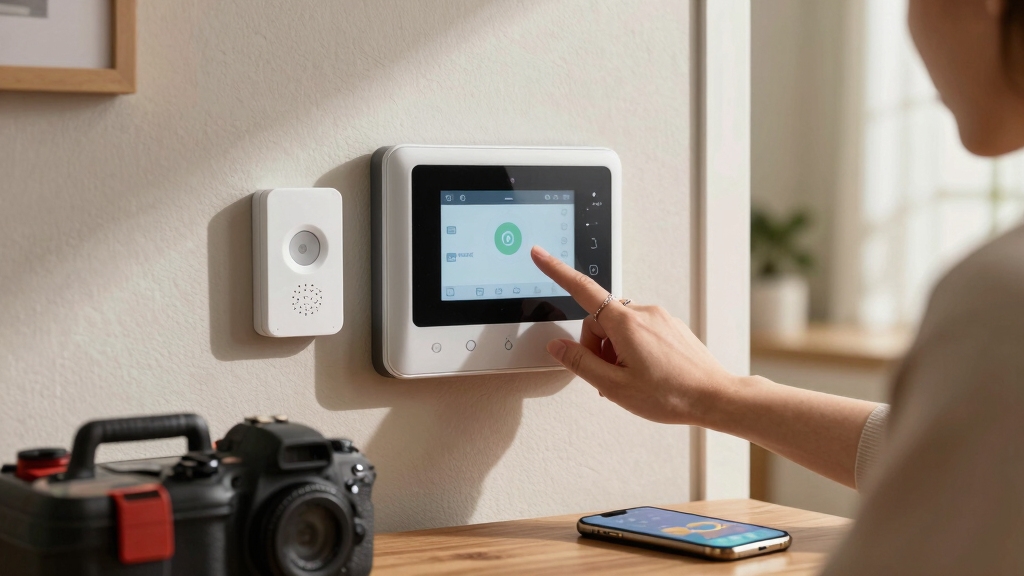
When choosing the best alarm system, you need to first determine whether a wired, wireless, or self-setup platform suits your property and lifestyle. Wired systems offer robust, interference-free connections but require professional installation and may be less flexible.
Wireless systems provide easier installation and scalability, relying on batteries and Wi-Fi or cellular signals. You must monitor their connectivity and power status. Self-setup platforms combine convenience with user control, offering app-based configuration and management.
Next, review all components—base station, keypad, sensors, siren, and power supplies—to guarantee compatibility and coverage. Download or update the required mobile app in advance, and create or sign in to the associated account.
Finally, gather necessary tools and installation materials like screws and batteries. This preparation guarantees a smooth setup and reliable operation. For integrated fire protection, consider devices with dual-sensor technology to detect both fast-flaming and smoldering fires effectively.
Prepare Your Home for Alarm System Setup
Before you get started with your alarm system installation, take a moment to check that all your doors and windows are securely closed. This step is super important because it helps ensure that your sensors give accurate readings.
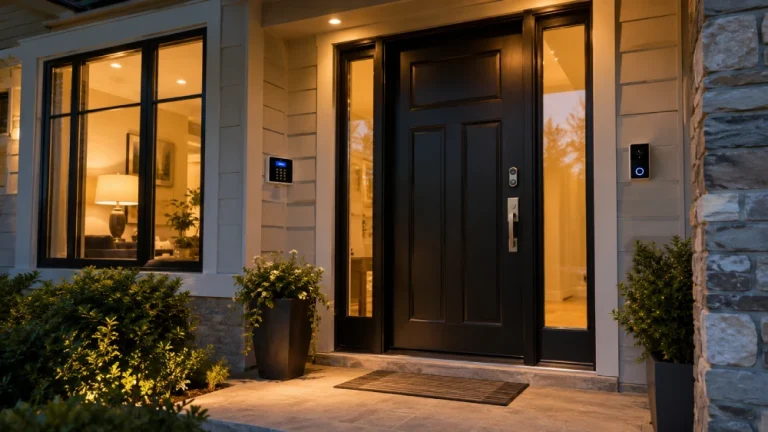
Next, think carefully about where you want to place those sensors. Focus on the entry points and those common movement paths in your home. This way, you can maximize detection coverage and keep everything safe.
Oh, and don’t forget about the base station! Position it centrally in your home. This will help guarantee strong connectivity with all the components of your system, making sure everything works seamlessly.
For optimal security, also consider placing motion-activated cameras at primary entry points to minimize blind spots and enhance detection.
Secure Doors And Windows
Close all doors and windows tightly to create a controlled environment for your alarm system. This step ensures that sensors accurately detect unauthorized access without false triggers. Inspect each entry point for gaps or damage that could compromise sensor function or security integrity. Reinforce weak frames and ensure locks operate smoothly. Utilizing doors with multi-point locking systems enhances overall security by distributing locking force and resisting forced entry.
| Door/Window Type | Sensor Compatibility | Security Tip |
|---|---|---|
| Sliding Doors | Magnetic Contact | Use auxiliary locks |
| Double-Hung Windows | Magnetic Contact | Check for proper sealing |
| Front Entry Doors | Magnetic Contact | Install deadbolts |
Properly secured doors and windows optimize your alarm system’s performance by ensuring reliable sensor activation and minimizing vulnerabilities.
Choose Sensor Locations
Although selecting sensor locations may seem straightforward, strategically placing devices is vital for maximizing your alarm system’s effectiveness.
You should install contact sensors on all primary entry points, such as doors and windows, to detect unauthorized openings immediately.
Position motion detectors in high-traffic or vulnerable interior areas, like hallways or near staircases, where intrusions are likeliest.
Avoid placing motion sensors near heat sources or vents to prevent false alarms.
Make sure sensors have unobstructed lines of sight and are mounted at manufacturer-recommended heights for optimal detection.
For wireless systems, verify each sensor’s signal strength to the base station before finalizing placement.
Take time to map entry points and movement paths accurately, so your sensor layout provides comprehensive coverage without gaps or redundancies.
This precise positioning secures your home efficiently and supports reliable system performance.
Consider the signal reliability differences between wired and wireless sensors to ensure consistent system operation.
Centralize Base Station
After positioning your sensors for ideal coverage, focus on placing the base station in a central location within your home. A central placement guarantees peak connectivity with all sensors, reducing communication delays and signal loss.
Follow these technical guidelines to centralize your base station effectively:
- Connectivity: Position the base station where it maintains a strong Wi-Fi or wired network signal. Minimize interference from walls or electronic devices.
- Accessibility: Ensure easy access for power supply and manual operation. Avoid hidden or obstructed spots that complicate maintenance or emergency use.
- Coverage: Select a location equidistant from the majority of sensors. This balances signal strength and guarantees prompt alert relay.
Additionally, integrating your base station with smart home systems can enhance real-time alerts and automated responses, improving overall security effectiveness.
Set Up Your Alarm Base Station and Account
To get started, download the alarm system’s mobile app. This will help you set everything up smoothly.
Once you have the app, power on the base station and follow the easy instructions in the app to begin the configuration process.
Oh, and remember to register your property address when it asks! This step is important to link your account properly to the system.
Make sure to connect the base station’s built-in siren and enable cellular backup to ensure continuous protection during internet outages.
Download Alarm Mobile App
To get your alarm system up and running, begin by downloading the official mobile app associated with your alarm platform. This app will serve as your primary interface for managing the system remotely and configuring settings.
Follow these steps to guarantee a smooth app setup:
- Search for the exact app name in your device’s app store, verifying it matches your alarm brand to avoid counterfeit versions.
- Download and install the app, then launch it to create a new user account or sign in with existing credentials.
- Provide necessary permissions such as notifications and location to enable real-time alerts and system monitoring.
Completing this process prepares you to connect your base station and sensors efficiently during the next setup phase. The app also allows you to customize sensor names, locations, and settings for personalized control.
Start Base Station Setup
With the mobile app installed and your account ready, focus on setting up the alarm base station, which acts as the system’s central hub.
Position the base station centrally to guarantee peak connectivity. Power it on and open the app’s device setup menu.
Follow prompts to connect the base station to your Wi-Fi or cellular network. Confirm successful activation before proceeding to accessory integration.
For uninterrupted alerts, ensure dual-path LTE cellular radio plus Wi-Fi communication is enabled for reliable monitoring.
| Step | Action | Result |
|---|---|---|
| 1 | Position base station | Strong connection to sensors |
| 2 | Power on device | System initializes |
| 3 | Connect to network | Remote monitoring enabled |
| 4 | Link with mobile app | Account sync confirmed |
| 5 | Verify activation | Ready for accessory setup |
This precise process guarantees a reliable alarm foundation.
Register Property Address
During account setup, you’ll need to register your property address to ensure accurate location identification for emergency responders and system notifications.
Enter the full, correct street address, including apartment or unit numbers if applicable, to avoid dispatch errors.
Verify the address format matches official postal standards to ensure system compatibility with emergency services.
Follow these steps to complete registration:
- Access the account settings section in the alarm system app or web portal.
- Input your property address carefully, double-checking for typos or omissions.
- Confirm and save the address, then test notification settings to confirm proper linkage.
Registering your address precisely is critical for timely emergency response and reliable system alerts. Ensure that your system is regularly maintained to prevent faults that may require scheduling service and impact emergency notifications.
Install and Connect Alarm Sensors
Although installing sensors may seem straightforward, precise placement and secure connections are critical for reliable alarm performance.
Begin by mounting contact sensors on doors and windows, guaranteeing the magnet aligns within manufacturer-specified gaps for optimal detection.
For motion sensors, position them at corners or along primary movement paths at recommended heights, avoiding obstructions and direct sunlight.
When connecting wired sensors, confirm all terminals are tightly secured and wires are insulated to prevent shorts.
For wireless models, insert fresh batteries and pair devices with the base station via the app’s setup menu, verifying each sensor appears online.
After installation, test each sensor individually to confirm signal strength and responsiveness.
Proper installation guarantees your alarm system detects intrusions accurately, minimizing false alarms and maintaining system integrity.
Always obtain explicit consent if your alarm system integrates with neighbor-shared security camera feeds to respect privacy and legal boundaries.
How to Use Alarm Arming Modes?
To get the most out of your alarm system, you’ll need to understand how to set and switch between its arming modes effectively. Each mode serves a specific security purpose, so selecting the appropriate one is essential.
Understanding and choosing the right arming mode is key to maximizing your alarm system’s effectiveness.
- Away Mode arms all sensors, including perimeter and motion detectors. It’s ideal when no one is home.
- Stay Mode arms perimeter sensors only, allowing free movement inside without triggering alarms. Use this when you’re inside but want protection at entry points.
- Instant Mode functions like Stay Mode but eliminates entry delays. It triggers an immediate alarm upon door or window opening.
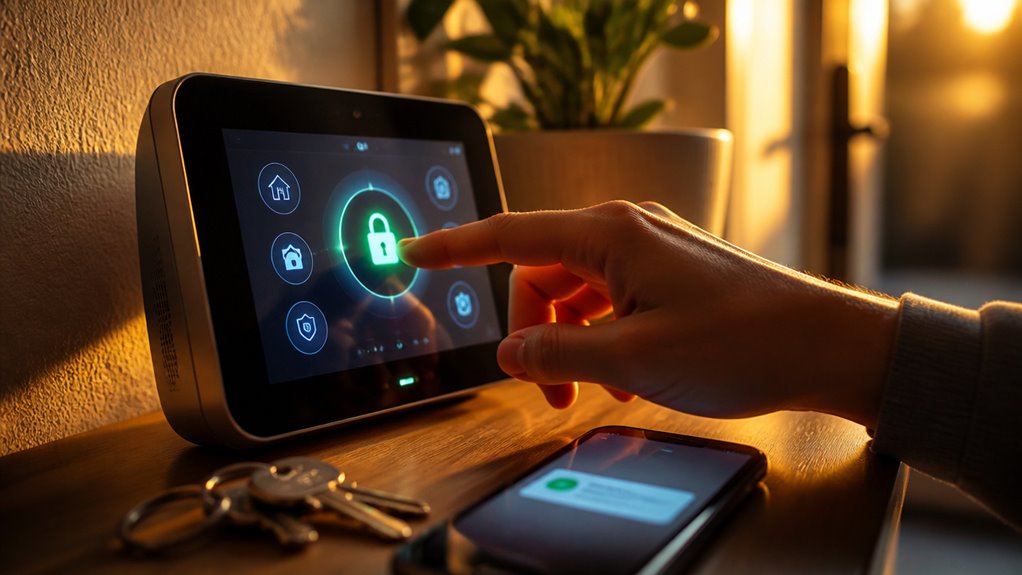
Switch modes via your keypad or mobile app. Ensure you confirm the selected mode before activating to avoid false alarms.
Familiarity with these modes enhances both security and convenience.
Maintain and Troubleshoot Your Alarm System
Mastering arming modes helps you operate your alarm system effectively. Keeping it reliable requires regular maintenance and troubleshooting.
Start by testing sensors immediately after installation to confirm each device registers with the base station. Replace batteries promptly when low-battery alerts appear to avoid sensor failures.
Monitor connectivity; check Wi-Fi, cellular, or wired links if communication issues arise. If sensors fail to trigger correctly, reposition them to optimize detection zones.
When a device stops syncing, initiate the system’s reset or re-pairing process to restore functionality. Consistent maintenance guarantees your system responds accurately and prevents false alarms and security gaps.
Frequently Asked Questions
Can I Integrate My Alarm System With Smart Home Devices?
Yes, you can integrate your alarm system with smart home devices, provided your system supports compatible protocols like Z-Wave, Zigbee, or Wi-Fi.
Check your alarm platform’s app or documentation for supported integrations. Use the app’s device setup menu to link smart locks, lights, or cameras, enhancing automation and security.
Make certain your hub maintains strong connectivity to all devices for seamless operation and real-time alerts across your smart home network.
How Do I Reset My Alarm System if I Forget the Security Code?
Nearly 30% of users forget their alarm codes, causing lockouts.
To reset your alarm system without the security code, first locate the system’s master reset button or procedure, often detailed in the user manual.
Typically, you’ll need to power down the base station, press and hold the reset button for 10-15 seconds, then power it back on. This clears existing codes but requires reconfiguration afterward.
Contact support if hardware reset steps vary.
What Should I Do if My Alarm System Triggers a False Alarm Repeatedly?
If your alarm triggers false alarms repeatedly, first check sensor placement and reposition any that detect unintended movement.
Test each sensor to make certain of proper detection and replace low batteries promptly.
Verify your system’s connectivity is stable, as communication issues can cause false alerts.
Review and adjust sensitivity settings if available.
Finally, perform a system reset or re-pair devices if false alarms persist, making sure all components sync correctly with the base station.
Are Professional Monitoring Services Necessary for All Alarm Systems?
You don’t need professional monitoring for all alarm systems; it depends on your security needs, budget, and system capabilities.
You can choose self-monitoring to receive alerts directly, opt for professional monitoring to guarantee emergency response, or combine both for redundancy.
Consider your lifestyle, property value, and response time requirements.
Professional monitoring adds reliability, but isn’t mandatory if you can promptly manage alerts and maintain system functionality yourself.
Can I Customize Alert Notifications for Different Family Members?
Yes, you can customize alert notifications for different family members by using the alarm system’s app or control panel.
Assign unique user profiles with specific permissions and notification preferences. This lets you tailor alerts based on roles or zones.
Ensure each member receives relevant alarms via push notifications, texts, or emails. Review the app’s settings thoroughly to configure these options.
Enhancing security awareness and response efficiency for your household is key.
A Complete Guide to Installing and Configuring Your Alarm System
Setting your alarm system is like assembling a secure puzzle. Each sensor clicks into place, the base station hums to life, and your home transforms into a fortress.
By choosing the right system, preparing thoroughly, and mastering arming modes, you guarantee seamless protection.
Regular maintenance and troubleshooting keep everything synchronized, just like gears in a clock.
With these steps, you’ll confidently safeguard your home, knowing every component works in perfect harmony.