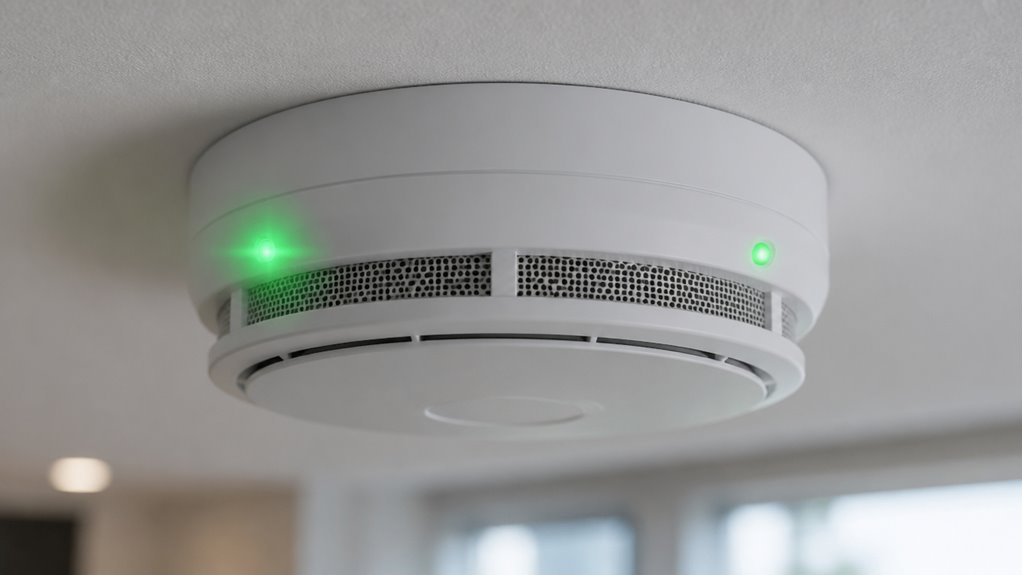

A flashing green light on your smoke alarm usually signals normal standby or periodic self-checks, especially on battery-powered units.
A solid green light confirms a steady, continuous power connection common in hardwired models.
Both indicate proper operation, not alarms, but their exact meanings vary by manufacturer.
Don’t rely on lights alone; regular testing guarantees full functionality.
Understanding these signals helps you maintain safety and quickly address any issues before they escalate.
Key Takeaways
- Flashing green typically indicates normal standby or periodic self-checks, especially in battery-powered smoke alarms.
- Solid green usually signifies a steady AC power connection and continuous normal operation in hardwired alarms.
- Flashing green conserves battery life and confirms device readiness without signaling an alarm condition.
- Solid green shows stable mains power but does not guarantee sensor functionality or alarm readiness.
- Always test smoke alarms using the Test button, as green lights alone do not confirm full operational status.
Smoke Alarm Flashing Green vs Solid Green Comparison: Light Meaning, Power Status, and Safety Checks
| Comparison Point | Flashing Green Smoke Alarm | Solid Green Smoke Alarm | What It Means |
|---|---|---|---|
| Common Meaning | Usually shows normal standby or periodic self-checks | Usually shows steady power connection | Both often mean normal operation |
| Typical Alarm Type | Common on battery-powered or hybrid models | Common on hardwired smoke alarms | Depends on power source |
| Power Status | Confirms the alarm has power and is monitoring | Confirms stable AC power on many hardwired units | Solid green often means continuous power |
| Blinking Pattern | May flash every 30–60 seconds | Usually stays continuously lit | Flashing often means routine status check |
| Alarm Condition | Usually not an emergency signal unless paired with chirping or irregular flashes | Usually not a warning signal | Green lights are status indicators |
| Battery Use | Slow flashing may help conserve battery life | Less common on battery-only units | Flashing green suits battery operation |
| Hardwired Meaning | May show self-check, standby, or model-specific status | Often confirms stable mains power | Solid green is common for AC-powered alarms |
| Possible Problem Sign | Rapid, irregular flashing or flashing with chirps may mean fault or low battery | No green light may suggest power loss or failure | Check unusual patterns quickly |
| Best Action | Check the manual and press the Test button | Test the alarm even if the light looks normal | Testing confirms real functionality |
| Main Safety Tip | Do not rely on light patterns alone | Do not assume solid green confirms sensor readiness | Use regular testing for safety |
What Does a Flashing Green Light Mean on Smoke Alarms?
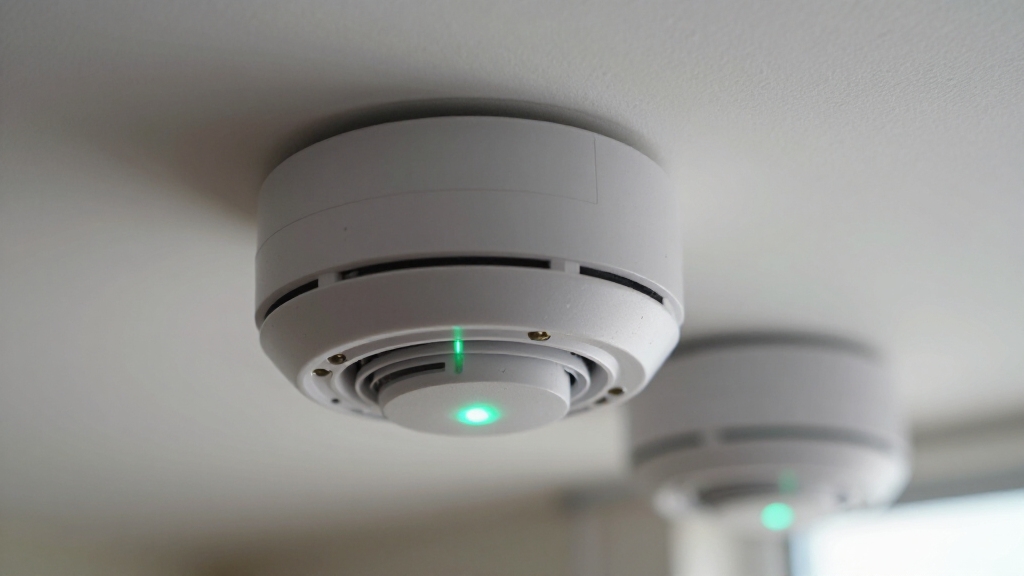
When you see a flashing green light on your smoke alarm, it generally signals that the device is operating normally and has power.
On many units, this intermittent green flash, typically occurring every 30 to 60 seconds, indicates the alarm is in standby mode or performing periodic self-checks.
An intermittent green flash every 30 to 60 seconds shows the alarm is in standby or self-check mode.
For hardwired models, a flashing green light confirms the unit is correctly receiving AC power and functioning as intended.
Battery-powered alarms may use a slow green blink to signal normal operation without active alarm conditions.
Because manufacturers vary, you should consult your device’s manual for precise interpretation.
Remember, a steady or flashing green light primarily serves as a power or status indicator, not an alarm signal.
To verify proper functionality, always use the Test button rather than relying solely on light patterns.
Regular routine testing and maintenance help ensure your smoke alarm continues to operate reliably.
What Does a Solid Green Light Mean on Smoke Alarms?
A solid green light on your smoke alarm usually means that it’s getting a steady power connection. This is a good sign!
It shows that the device is receiving stable AC power and is operating normally, especially if it’s a hardwired unit.
Many hardwired smoke detectors also include backup batteries that ensure continuous operation during power outages.
Steady Power Connection
Although smoke alarm designs vary, a solid green light most commonly signals a steady power connection. This indicates that the device is receiving stable AC power and operating normally.
This indicator reassures you that the alarm’s internal systems are powered continuously. It reduces false alarms and ensures readiness.
| Feeling | Reason |
|---|---|
| Confidence | Stable power means reliable safety |
| Assurance | No unexpected power interruptions |
| Calm | Device is functioning as intended |
| Security | Continuous monitoring guaranteed |
| Trust | Clear status without ambiguity |
When you see a solid green light, you know your smoke alarm maintains consistent electrical supply. This is critical for uninterrupted detection and prompt alerts in emergencies. However, even with a steady power connection, the presence of a battery backup is essential to ensure the alarm remains operational during power outages.
Normal Operation Indicator
Solid green lights typically indicate that your smoke alarm operates normally, confirming a stable power connection and readiness to detect smoke.
For most hardwired units, a solid green LED signifies that the device receives continuous AC power and functions correctly without faults.
In battery-operated or hybrid models, a steady green light may serve as a status indicator for normal operation, though patterns vary by manufacturer.
Unlike flashing green signals, which usually reflect periodic self-checks or standby modes, the solid green light denotes uninterrupted power and system stability.
Remember, green lights are status signals rather than alarms, so you shouldn’t interpret a solid green as a warning.
Always refer to your model’s manual for precise meanings, and use the Test button to verify full operational readiness.
Before testing, ensure there is a steady green LED to confirm the presence of AC power in hardwired smoke detectors.
Hardwired Alarm Signal
When your hardwired smoke alarm displays a steady green light, it indicates that the unit is receiving continuous AC power and operating within normal parameters. This solid green signal confirms a stable mains connection, ensuring your alarm remains fully functional without interruption.
Unlike flashing green patterns that denote periodic self-checks or standby modes, the steady green light is a clear, positive status indicator on hardwired models.
| Light Status | Power Source | Meaning |
|---|---|---|
| Solid Green | Hardwired AC | Continuous, stable power |
| Flashing Green | Hardwired AC | Periodic self-check or standby |
| Solid Green | Battery Hybrid | Normal operation status |
| Flashing Green | Battery Only | Standby mode |
| No Light | Any | Power loss or fault |
Always verify with the manual and test button for accuracy. Proper maintenance and regular inspections help ensure your smoke alarm’s reliable operation over time.
How Hardwired and Battery-Powered Smoke Alarms Use Green Lights Differently?
You know, when it comes to smoke alarms, there are some interesting differences between hardwired and battery-powered models.
For hardwired smoke alarms, you’ll usually see a solid green light. That’s a good sign! It means they’re getting stable AC power.
On the other hand, battery-powered smoke alarms do things a bit differently. They often have a slow flashing green light, which indicates that they’re in normal standby mode.
It’s pretty neat how these light patterns reflect their unique power sources and operational statuses.
Many hardwired models also include a battery backup that automatically activates during power outages to maintain continuous protection.
Hardwired Power Indicators
Recognize that hardwired and battery-powered smoke alarms use green lights differently to convey their power status. Hardwired units typically show a solid green light to confirm stable AC power. Battery-powered alarms often use a flashing green to indicate normal standby mode. Understanding these distinctions helps you identify if your alarm is functioning correctly.
| Power Source | Green Light Pattern | Meaning | Typical Interval |
|---|---|---|---|
| Hardwired | Solid Green | Stable AC power connected | Continuous |
| Hardwired | Flashing Green | Periodic self-check or power issue | Every 30–60 seconds |
| Battery-Powered | Flashing Green | Normal standby mode | Every 30–60 seconds |
| Battery-Powered | Solid Green | Less common, status indicator | Continuous |
Refer to your manual since manufacturer patterns vary. Regular maintenance, including vacuuming around detectors, helps prevent dust buildup that can interfere with the alarm’s function.
Battery-Powered Light Patterns
Battery-powered smoke alarms often use flashing green lights to indicate normal standby mode. This distinguishes them from hardwired units that typically display a solid green light for stable AC power.
On battery-powered models, a slow green flash, usually every 30 to 60 seconds, confirms the unit is powered correctly and actively monitoring. In contrast, hardwired units maintain a continuous solid green light to signal steady AC power.
This differentiation helps you quickly assess the power source and operational status. However, the exact flash rate and pattern depend on the manufacturer and model, so always consult your specific manual. Proper maintenance, including regular inspections and battery replacement, is essential to ensure your smoke alarm’s reliability and safety, as outlined in regular inspections best practices.
Differences In Green Signals
Although both hardwired and battery-powered smoke alarms utilize green lights to indicate operational status, their signaling patterns differ markedly.
Hardwired alarms typically show a solid green light to confirm a stable AC power connection, signaling continuous normal operation.
In contrast, battery-powered units often use a slow, flashing green light to indicate standby mode or battery power status.
This flashing pattern helps conserve battery life while confirming functionality.
Importantly, the exact meaning varies by manufacturer and model, so you should always consult your unit’s manual.
Remember, solid green generally reflects stable mains power in hardwired alarms, while a flashing green light often denotes periodic self-checks or normal standby in battery-powered devices.
Understanding these differences guarantees you accurately interpret your smoke alarm’s signals.
For reliable operation, it is essential to replace the 9V battery every 6 months or immediately after a low-battery chirp to avoid false alarms or failure.
How Different Brands Use Green Light Patterns on Smoke Alarms?
Kidde typically employs a steady green LED on hardwired models to indicate AC power.
Battery-operated units flash green every 30–45 seconds for normal standby.
X-Sense uses a slow, steady green blink to confirm normal function.
They only warn users when the pattern accelerates or irregularly blinks.
Netsecure360 reports that a solid green light reliably signals stable mains power and normal operation on hardwired alarms.
CNET highlights that both steady and flashing green lights generally indicate proper function and connectivity.
Since behavior varies by brand and power source, you should always consult the specific user manual.
Use the Test button to verify your unit’s status rather than relying solely on green light patterns.
Additionally, proper placement and regular maintenance are essential to prevent sensor contamination that can affect detector performance.
Flashing vs Solid Green Lights on Smoke Alarms
You know, those green lights on your smoke alarm can sometimes be a bit confusing. Both flashing and solid green lights really just tell you about the power status and whether everything’s working as it should.
When you see a flashing green light, it often means the alarm is doing its periodic self-check or is in standby mode. It’s like your smoke alarm is just checking in to make sure everything’s alright.
On the other hand, a solid green light usually means there’s a steady and stable power connection—especially if you have a hardwired model.
But hey, it’s always a good idea to take a peek at your specific unit’s manual. The meanings can differ depending on the manufacturer and model, so it’s worth checking to be sure!
Meaning Of Green Lights
Green lights on smoke alarms serve as clear indicators of the device’s power and operational status. Flashing and solid patterns convey distinct meanings.
A flashing green light typically signals normal standby operation or periodic self-checks. This confirms the alarm is actively monitoring power and is common in battery-powered or hardwired models.
In contrast, a solid green light usually denotes a continuous, stable AC power connection, especially on hardwired units. This signifies normal functioning without interruptions.
Both patterns indicate proper operation rather than faults, but their exact interpretation depends on the manufacturer and model. Always reference your smoke alarm’s manual for precise meanings.
Power Status Indicators
Although smoke alarms use green lights primarily to indicate power status, distinguishing between flashing and solid green patterns is essential for understanding your device’s current condition.
A flashing green light typically signals normal standby operation or periodic self-checks, often occurring every 30–60 seconds. This pattern confirms the alarm is actively monitoring and receiving power, especially on battery-operated units.
Conversely, a solid green light usually indicates a stable, continuous power connection, common in hardwired alarms, confirming AC power presence and normal function.
Keep in mind, manufacturer-specific variations exist, so consult your manual. Rapid or irregular flashing, or green lights combined with beeping, may indicate faults.
Always verify functionality using the Test button rather than relying solely on green light patterns to make certain your smoke alarm operates correctly.
Why a Green Light Means Your Smoke Alarm Is Working?
Typically, a green light on your smoke alarm signals that the device is receiving power and functioning correctly. This indicator confirms that the unit’s internal electronics are operational and continuously monitoring for smoke particles.
In hardwired models, a solid green light verifies a stable AC power connection, ensuring uninterrupted performance. Battery-powered alarms often use a slow flashing green light to denote standby mode, indicating readiness without active alert.
The green light’s presence means the sensor circuits and power source are intact, reducing the likelihood of malfunction. You should rely on this visual status alongside regular testing to verify functionality.
When a Green Light Signals a Smoke Alarm Problem?
If your smoke alarm’s green light starts flashing rapidly, emits irregular patterns, or is accompanied by beeping or chirping sounds, it often signals a malfunction or maintenance issue.
Such abnormal green light behavior deviates from the typical slow flash or steady glow that indicates normal power status.
Rapid blinking or inconsistent intervals usually point to problems like low battery, sensor faults, or wiring issues.
Additionally, a green light paired with a red indicator or unusual sound alerts you to specific device errors or alert memory.
Because green light patterns vary by model, consult your alarm’s manual for exact fault codes.
Ignoring these irregular signals risks compromised safety.
You should promptly investigate power sources, battery condition, and sensor cleanliness to guarantee reliable smoke detection.
What to Do If Your Smoke Alarm’s Green Light Changes?
When your smoke alarm’s green light changes its usual pattern or behavior, you should immediately check the device’s power source and consult the user manual for model-specific guidance.
A shift from steady to flashing green or vice versa can indicate a power fluctuation, reset cycle, or potential fault. Verify that hardwired units remain connected to AC power and that battery-operated alarms have fresh batteries installed.
Avoid relying solely on the green light; instead, perform a manual test using the unit’s Test button to confirm functionality.
If irregular blinking persists or is accompanied by beeping, follow troubleshooting steps in the manual or contact manufacturer support.
Prompt action guarantees the alarm maintains reliable operation and safeguards your environment effectively.
Why Testing Your Smoke Alarm Is Better Than Watching Green Lights?
Relying solely on your smoke alarm’s green light can be misleading.
The light primarily signals power status, not functional readiness.
The green LED, whether flashing or solid, indicates that your device has power but doesn’t guarantee the sensor’s ability to detect smoke or the alarm’s sound mechanism is operational.
To ensure your smoke alarm performs correctly during an emergency, you must test it regularly using the built-in Test button.
This procedure activates the internal circuitry, verifying sensor responsiveness and audible alerts.
Visual indicators alone can’t confirm these critical functions.
Testing is the only definitive method to validate full operational status, detect malfunctions, and maintain compliance with safety standards.
Don’t substitute observation of green lights for routine, hands-on testing to safeguard your home effectively.
How to Interpret Green Light Patterns for Smoke Alarm Maintenance?
Understanding the meaning behind your smoke alarm’s green light patterns plays a vital role in effective maintenance and ensuring continuous protection.
Recognizing your smoke alarm’s green light signals is essential for proper upkeep and ongoing safety.
A flashing green light typically indicates normal standby operation or that the unit is receiving power, often cycling every 30 to 60 seconds.
In contrast, a solid green light usually signals a stable AC power connection, especially on hardwired alarms.
To interpret these patterns correctly, consult your device’s manual, as meanings vary by manufacturer and model.
Rapid or irregular blinking, or green lights accompanied by chirping, may suggest a fault.
Always verify your smoke alarm’s functionality using the Test button rather than relying solely on light patterns.
Interpreting these signals precisely helps you maintain optimal device performance and safety.
Frequently Asked Questions
Can a Green Light Indicate Battery Replacement Is Needed?
A green light on your smoke alarm usually doesn’t indicate that battery replacement is needed.
Instead, green signals normal power or standby status. Battery replacement alerts typically involve a yellow or red light, accompanied by chirping sounds.
If you notice unusual green light behavior combined with beeping, consult your manual immediately.
Always rely on the test button and manufacturer guidelines to verify battery health and device functionality accurately.
Do Green Lights Affect Smoke Alarm Sensitivity or Response Time?
Think of green lights as the heartbeat of your smoke alarm. They don’t influence its sensitivity or response time.
These indicators merely confirm power status or normal operation. Your alarm’s ability to detect smoke and react swiftly depends on its sensor technology and maintenance, not the green LED’s behavior.
How Do Green Lights Interact With Interconnected Smoke Alarm Systems?
When your interconnected smoke alarms show green lights, they indicate power and network status.
A solid green often means stable AC power across all units.
Flashing green signals active communication or periodic self-checks within the system.
These green indicators confirm your alarms are synchronized and functioning correctly.
If green lights change pattern or accompany alerts, you should check the system immediately to guarantee no faults disrupt coordinated responses.
Are Green Light Patterns Affected by Environmental Factors Like Humidity?
Think of humidity as a dense fog wrapping around your smoke alarm’s sensor.
While green light patterns primarily reflect power and status, high humidity can subtly disrupt sensor function, potentially causing irregular blinking or false signals.
Though the green LED itself isn’t directly altered by moisture, environmental factors like humidity might indirectly affect its behavior.
Always check your manual and maintain proper ventilation to guarantee accurate indicator patterns and reliable alarm performance.
Can Green Light Behavior Differ After Smoke Alarm Firmware Updates?
Yes, green light behavior can differ after firmware updates.
Manufacturers often adjust light patterns to improve status communication or power monitoring.
You might notice changes in flash intervals, brightness, or a shift between flashing and solid states.
Always review the update notes and your smoke alarm’s manual afterward.
These modifications aim to enhance clarity but may differ between models.
Testing the alarm post-update ensures it functions correctly with the new firmware.
Know What Your Smoke Alarm Green Light Means
Think of your smoke alarm’s green light as a traffic signal for safety. A flashing green warns you to stay alert, signaling a potential issue, while a solid green confirms all systems are go.
Don’t just rely on these signals. Regular testing is your best safeguard. By understanding these green light patterns, you take control.
This ensures your home’s safety system is always ready to protect you and your loved ones from unseen dangers.